Overview
ProductRatingMost Used ByProduct SummaryStarting Price
MEGA
Score 7.8 out of 10
N/A
Launched in 2013, MEGA is a zero-knowledge cloud storage provider that delivers user-controlled end-to-end encryption, with an emphasis on easy accessibility.N/A
Nuclino
Score 7.1 out of 10
N/A
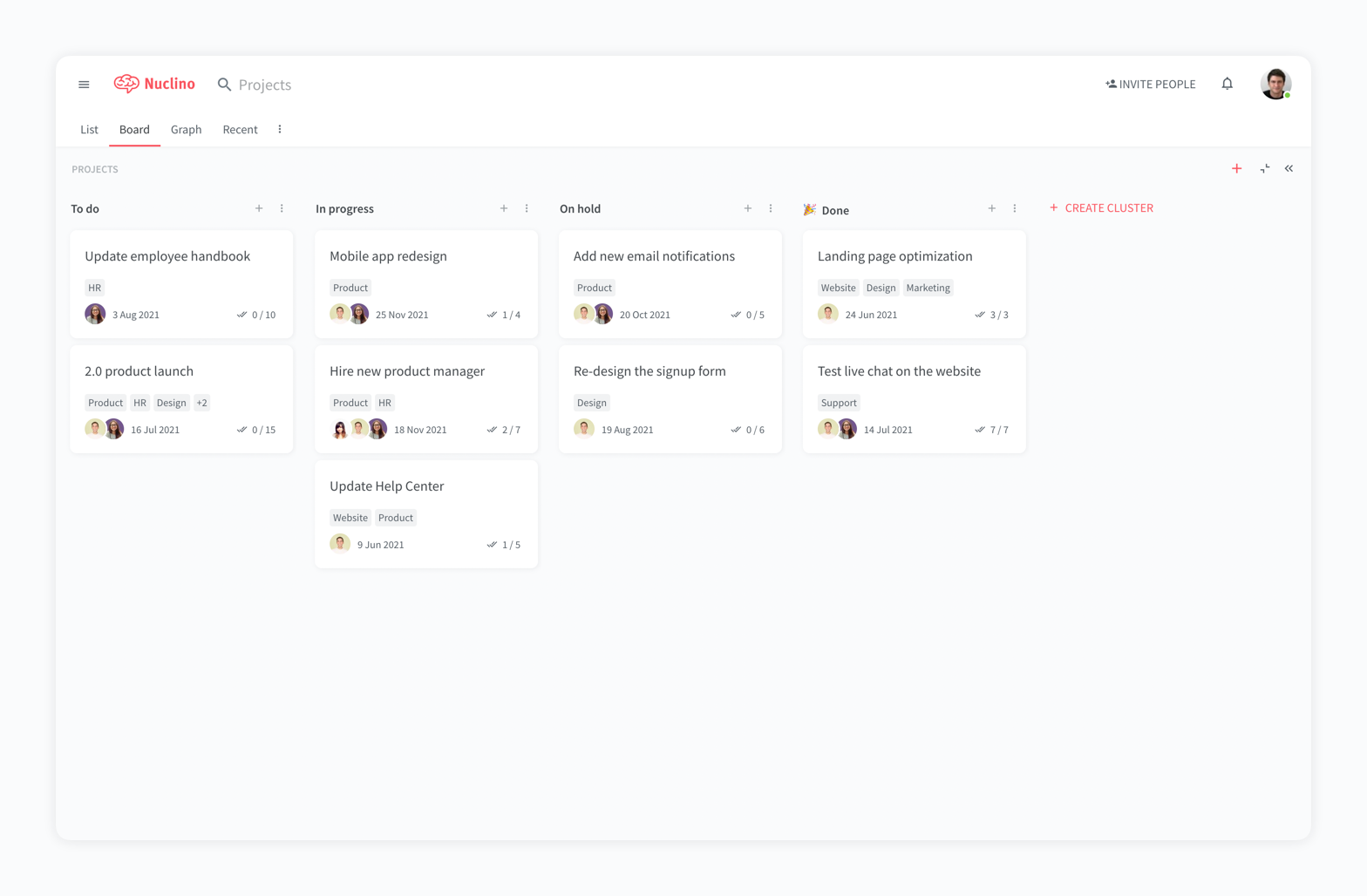
Nuclino is a unified workspace where teams can organize knowledge, manage projects, and share ideas. Progress can be tracked in a Kanban board, work structured in a hierarchical list, or data organized in a visual graph — Nuclino adapts to a team's workflow. Presented as simple and lightweight by design, Nuclino focuses on the essentials, doing away with clunky menus and rarely-used settings, to minimize the learning curve for new users. Teams from across the globe can use Nuclino…
$0
per month per user
SpiderOak One Backup
Score 8.8 out of 10
N/A
SpiderOak is a file sync and cloud storage / backup solution, emphasizing privacy.
$6
per month per user
Pricing
MEGANuclinoSpiderOak One Backup
Editions & Modules
No answers on this topic
Free
$0
per month per user
Starter
$8
per month per user
Business
$12
per month per user
150 GB
$6
per month per user
400 GB
$11
per month per user
2 TB
$14
per month per user
5 TB
$29
per month per user
Offerings
Pricing Offerings
MEGANuclinoSpiderOak One Backup
Free Trial
YesYesYes
Free/Freemium Version
YesYesNo
Premium Consulting/Integration Services
NoNoNo
Entry-level Setup FeeNo setup feeNo setup feeNo setup fee
Additional DetailsNuclino offers a free plan for up to 50 items and 2GB total storage. Commercial plans support unlimited items, advanced features, and 10GB storage per user. 25% discount for annual pricing.
More Pricing Information
Community Pulse
MEGANuclinoSpiderOak One Backup
Considered Multiple Products
MEGA
Chose MEGA
The two apps Google Drive and MEGA provided free cloud storage but Google drive grants just 15 GB not more as free to try, At that time MEGA granted us 50 GB at the beginning of use, which gave us a chance to use it with high capacity.
Chose MEGA
Mega is a must go to first when expanding cloud storage capabilities and security. Mega can store any file types beyond that of Google Drive and iCloud. Mega is competitively priced to be a suitable option to replace or augment other cloud storage options depending on your …
Chose MEGA
MEGA has a great user interface that I prefer to some of its competitors, although it is mostly par for the course, modeled after conventional file explorers such as you would find in the Windows Explorer, classic File Manager application, or OS X Finder. I do prefer some of …
Chose MEGA
From my experience both are very good, but they are also very different. Mediafire has managed to survive regardless of all the problems that it's had, but at some point it fell short, not in speed because it is really fast, but in the space that provides. That's where MEGA …
Nuclino
Chose Nuclino
Well Nuclino really for me is a middle ground, between notion and trello, and unlike the rest, its not complex and too customizable to the point of productivity paralysys that sometimes opponent of actual time-saving and real productivity. This make it more suitable for us busy …
Chose Nuclino
Nuclino has both advantages and disadvantages compared to other products. Its main strength is ease of use and speed. It works very well for teams that prioritize efficiency and progress. We have found that it's important to use the right tools in the right parts of the …
Chose Nuclino
Quite well.

Notion has more features, but in this case Nuclino comes over with two things.
Chose Nuclino
It's faster and lighter weight than Notion and requires less clicking. Canvasses integrated into notes let us keep our documentation in one spot rather than spreading it between tools
Chose Nuclino
Nuclino is a great software. We have not really used anything like it so there is nothing to compare it to, but it has been awesome.
Chose Nuclino
I like Nuclino because the user experience has been the best by far. It's extremely user friendly and laid out simply and elegantly. I've really enjoyed using it and implementing it for my team. It's been useful getting all of our tribal knowledge in one database that we can …
Chose Nuclino
Nuclino is the clear winner when it comes to ease of use for both the administrator and user. Less setup time and less "training" time. The streamlined interface is quick and intuitive to learn and is not cluttered as compared to Confluence. Every tool you need to use to create …
SpiderOak One Backup

No answer on this topic

Features
MEGANuclinoSpiderOak One Backup
File Sharing & Management
Comparison of File Sharing & Management features of Product A and Product B
MEGA
8.7
Ratings
4% above category average
Nuclino
7.3
Ratings
10% below category average
SpiderOak One Backup
-
Ratings
Versioning7.00 Ratings7.00 Ratings00 Ratings
Video files10.00 Ratings7.20 Ratings00 Ratings
Audio files10.00 Ratings7.40 Ratings00 Ratings
Document collaboration7.00 Ratings10.00 Ratings00 Ratings
Access control8.00 Ratings2.20 Ratings00 Ratings
File search9.00 Ratings00 Ratings00 Ratings
Device sync10.00 Ratings8.10 Ratings00 Ratings
Advanced security features00 Ratings8.00 Ratings00 Ratings
Integrates with Google Drive00 Ratings8.20 Ratings00 Ratings
Cloud Storage Security & Administration
Comparison of Cloud Storage Security & Administration features of Product A and Product B
MEGA
8.7
Ratings
1% above category average
Nuclino
-
Ratings
SpiderOak One Backup
-
Ratings
User and role management9.00 Ratings00 Ratings00 Ratings
File organization9.00 Ratings00 Ratings00 Ratings
Device management8.00 Ratings00 Ratings00 Ratings
Cloud Storage Platform
Comparison of Cloud Storage Platform features of Product A and Product B
MEGA
9.7
Ratings
11% above category average
Nuclino
-
Ratings
SpiderOak One Backup
-
Ratings
Performance10.00 Ratings00 Ratings00 Ratings
Reliability10.00 Ratings00 Ratings00 Ratings
Storage Reports9.00 Ratings00 Ratings00 Ratings
Project Management
Comparison of Project Management features of Product A and Product B
MEGA
-
Ratings
Nuclino
8.3
Ratings
7% above category average
SpiderOak One Backup
-
Ratings
Task Management00 Ratings7.60 Ratings00 Ratings
Gantt Charts00 Ratings8.00 Ratings00 Ratings
Scheduling00 Ratings9.00 Ratings00 Ratings
Workflow Automation00 Ratings10.00 Ratings00 Ratings
Mobile Access00 Ratings8.00 Ratings00 Ratings
Search00 Ratings8.00 Ratings00 Ratings
Visual planning tools00 Ratings7.50 Ratings00 Ratings
Communication
Comparison of Communication features of Product A and Product B
MEGA
-
Ratings
Nuclino
8.4
Ratings
5% above category average
SpiderOak One Backup
-
Ratings
Chat00 Ratings8.00 Ratings00 Ratings
Notifications00 Ratings7.50 Ratings00 Ratings
Discussions00 Ratings7.90 Ratings00 Ratings
Surveys00 Ratings9.00 Ratings00 Ratings
Internal knowledgebase00 Ratings8.50 Ratings00 Ratings
Integrates with GoToMeeting00 Ratings9.00 Ratings00 Ratings
Integrates with Gmail and Google Hangouts00 Ratings9.00 Ratings00 Ratings
Integrates with Outlook00 Ratings8.00 Ratings00 Ratings
Best Alternatives
MEGANuclinoSpiderOak One Backup
Small Businesses
SugarSync
SugarSync
Score 3.8 out of 10
Stackby
Stackby
Score 8.9 out of 10
SugarSync
SugarSync
Score 3.8 out of 10
Medium-sized Companies
Druva Security Cloud
Score 9.4 out of 10
Troop Messenger
Troop Messenger
Score 9.8 out of 10
Druva Security Cloud
Score 9.4 out of 10
Enterprises
Druva Security Cloud
Score 9.4 out of 10
HCL Connections
HCL Connections
Score 9.0 out of 10
Druva Security Cloud
Score 9.4 out of 10
All AlternativesView all alternativesView all alternativesView all alternatives
User Ratings
MEGANuclinoSpiderOak One Backup
Likelihood to Recommend
9.0
(0 ratings)
7.1
(0 ratings)
-
(0 ratings)
Usability
10.0
(0 ratings)
8.1
(0 ratings)
-
(0 ratings)
Support Rating
10.0
(0 ratings)
10.0
(0 ratings)
-
(0 ratings)
User Testimonials
MEGANuclinoSpiderOak One Backup
Likelihood to Recommend
Mega is well suited for expanding cloud storage with advanced encryption, while still being the easiest to use of all the cloud storage apps. It’s Mega’s substantial free tier and solid referral program it’s a great addition to any growing business utilizing cloud storage. I’d recommend mega to my colleagues to backup, share, messages, videos, documents, anything!
Read full review
For game design - Perfect for personal notes, recipes, snippets - Perfect for storing some organized data (for example, links to resources) - Perfect for a content playground powered by AI - Very good for diagrams - Very good. Don't know any bad examples. Tool really great. Rich functionality. Especially love different views (table, graph).
Read full review
No answers on this topic
Pros
  • Biggest free size.
  • Availability of multible copy or versions.
  • Many client access web, app and desktop application.
Read full review
  • Nuclino is very easy to write and edit on - the text editor functions are simple yet effective
  • Nuclino is very simple to understand - there aren't pages and pages of menus and endless functions. It cuts down a knowledge base to what is required
  • Nuclino is reasonably priced
  • The graph view is a great piece of design
Read full review
No answers on this topic
Cons
  • Takes a long time to log in using the web interface, upwards of 15 or 20 seconds.
  • User Interface affordances can get in the way (popup hints).
Read full review
  • switching overe workspaces is bit tedious at the moment
  • more granular control over what users can edit inside workspace -> specific items or any item under a specific collection
  • currently its not clear who edited an item last -> footer that updates each time item has been edited and by whom
  • support for smartsheets. only because we use them ;)
  • on prem version? (easier to sell this to my boss)
Read full review
No answers on this topic
Usability
Clean, contemporary UI that is heavily polished and works great. You can tell they did a lot of user testing with this, and have a top notch UI design team that really cares about the customer. A highly user-friendly service across platforms and form factors, I found their web, desktop and mobile apps to all be impeccably designed and consistent.
Read full review
i honestly think Nuclino is a great product, and has a chance to dominate the market very soon , everyone i have recommended Nucliono to has positive things to say, i started using it first, now i have onboarded all my team mates
Read full review
No answers on this topic
Support Rating
While I have never contacted customer support, there is a large user community that has posted solutions on third party websites to a number of common questions like how to share files, and how to access files that have been shared with you. When I received a 40 GB shared file, I was not able to find how to access it until I searched on Google to find a solution, which was easy to find. The large user community helps with support tremendously.
Read full review
My team has an individual dedicated to content management and Nuclino is one of her job descriptions. It's nice knowing she is able to handle any issues that arise before we even realize they exist. We haven't had any technical issues since implementation so that's been a very pleasant experience.
Read full review
No answers on this topic
Alternatives Considered
MEGA has a great user interface that I prefer to some of its competitors, although it is mostly par for the course, modeled after conventional file explorers such as you would find in the Windows Explorer, classic File Manager application, or OS X Finder. I do prefer some of its user interface decisions and clean, sleek design, and I find it more user-friendly than Google Drive, iCloud, or OneDrive. However, I feel that it lacks capabilities in the file sharing department because some of its sharing features are hidden in different tabs.
Read full review
Nuclino has both advantages and disadvantages compared to other products. Its main strength is ease of use and speed. It works very well for teams that prioritize efficiency and progress. We have found that it's important to use the right tools in the right parts of the organization. Nuclino works well for some teams, but not for large-scale initiatives or parts of the organization that require very robust and more feature-rich solutions. It’s not for everyone, and for large or complex organizations, it’s not a one-size-fits-all solution. Use it where it fits best, and it certainly stacks up well with clear strengths.
Read full review
No answers on this topic
Return on Investment
  • You can create backups without needing to occupy the cloud you share with other workers.
  • You can share large files quite quickly. Also, those who receive the link can access the file in just a few minutes.
Read full review
  • Because of it, time is saved, thus giving us chance to focus on business and profitable ideas
  • It reduced our information overload or fragmentation, thus giving us more chance to look at the more priority projects that earns well
  • Fewer mistakes because less lost documents
Read full review
No answers on this topic
ScreenShots

Nuclino Screenshots

Screenshot of a company wiki created in NuclinoScreenshot of the interface to manage projects and plan sprintsScreenshot of a knowledge graph