
Chose Sauce Labs
Microsoft Defender for Cloud vs. Sauce Labs vs. Selenium
Microsoft Defender for Cloud vs. Sauce Labs vs. Selenium
| Product | Rating | Most Used By | Product Summary | Starting Price |
|---|---|---|---|---|
 Microsoft Defender for Cloud | N/A | Microsoft Defender for Cloud is a Cloud Security Posture Management (CSPM) and Cloud Workload Protection Platform (CWPP) for Azure, on-premises, and multicloud (Amazon AWS and Google GCP) resources. | N/A | |
 Sauce Labs | N/A | Sauce Labs is a cloud-based platform for automated testing of desktop and mobile applications. It is designed to be instantly scalable, since it is optimized for continuous integration workflows. (The vendor says that when tests are automated and run in parallel on multiple virtual machines across many different browser, platform and device combinations, testing time is reduced and developer time is freed up from managing infrastructure.) The Sauce Labs testing cloud is intended to be paired… | $19 per month | |
 Selenium | N/A | Selenium is open source software for browser automation, primarily used for functional, load, or performance testing of applications. | N/A |
| Microsoft Defender for Cloud | Sauce Labs | Selenium | ||||||||||||||||||||||
|---|---|---|---|---|---|---|---|---|---|---|---|---|---|---|---|---|---|---|---|---|---|---|---|---|
| Editions & Modules | No answers on this topic |
| No answers on this topic | |||||||||||||||||||||
| Offerings |
| |||||||||||||||||||||||
| Entry-level Setup Fee | No setup fee | Optional | No setup fee | |||||||||||||||||||||
| Additional Details | — | Free service available for Open Source projects. | — | |||||||||||||||||||||
| More Pricing Information | ||||||||||||||||||||||||
| Microsoft Defender for Cloud | Sauce Labs | Selenium | |
|---|---|---|---|
| Considered Multiple Products | Microsoft Defender for Cloud No answer on this topic |  Sauce Labs  Curtis Miller QE III Chose Sauce Labs BrowserStack is too slow and costs the same as Sauce labs. They also don’t have as many capabilities as Sauce. Selenium grid is too much of a maintenance nightmare.  Manoj Pahuja Test Architect Chose Sauce Labs Customer service, security settings and availability were differentiators for Saucelabs  Binoy Shah Software Test Engineer Chose Sauce Labs Sauce Labs is easier to configure, also it has a great documentation which helps a non-technical user in a great way. Sauce Labs is pretty good in performance compared to BrowserStack. And with a variety of support for different automation tools, makes a Sauce Labs 100% a first …  Javier Cardoso Quality Assurance & Testing Senior Engineer Chose Sauce Labs SauceLabs is really known to us because we have used Sauce Labs since 2012..2013 and we're really happy with it. I don't know if we'll change Sauce Labs. But we do not know any other product that has significant key features that Sauce does not have.  Manoj T V Team Lead/Manager Chose Sauce Labs With SauceLabs, it may be cheaper to use the service, or not. And you don’t have to manage/maintain cloud servers (e.g. turn on, off, etc.). It’s all managed for you and on demand. Those are the advantages.  Randall Kelley Senior Software Development Test Engineer Chose Sauce Labs I evaluated Browser Stack at the same time I tried Sauce Labs and the ease of use of Sauce Labs made it an instant winner to me. I found Browser Stack (in early 2015) to be a little cumbersome to use and navigation wasn't always very intuitive to me where Sauce Labs excelled …  Brook Beam Lead Software Test Automation Engineer Chose Sauce Labs BrowserStack captures more market share than Sauce Labs does as of this writing, and thus has a much larger support network. During testing, it was also a little faster to spin-up virtual machines, and substantially quicker spinning-up mobile simulators and emulators. Pricing …  Yury Vakhatov Test Automation Engineer Chose Sauce Labs To the moment we start working with SauceLabs other products had less features.  Corey Rutledge Software Developer Chose Sauce Labs Sauce Labs (when applied properly) seems to be a more efficient cross browser solution, while offering way, waaaaay more functionality and capability. In fact, sometimes it felt like there was too much baked in there and that Sauce might need to be broken into smaller pieces …  Stanislaw Wozniak QA Architect Chose Sauce Labs We are due to run an RFP later on this year  Dmitry Shyshkin Lead QA Automation Engineer Chose Sauce Labs The only other company I know of that provides similar service is BrowserStack, I spent some time a few years ago while comparing the two of them to decide which one to buy for our needs, and we decided to go with sauce labs. The main reason at the time was the video recordings …  Bobby Helco Senior Quality Assurance Engineer Chose Sauce Labs In the past, I have had my own labs. Trying to keep machines updated, running, and everything else is a pain. And it's very costly. Using Sauce Labs I pay a small monthly fee, and I have all the pain taken away. How amazing is that? From a manager's perspective, my people don't … |  Selenium  Lakshmi Achary Sr. QA Engineer Chose Selenium Our marketing automation application is built on AngularJS and have a lot of JavaScript specialization inside our company use Protractor.  Naveen Bezawada Test Automation Lead/DevOps Engineer Chose Selenium |
| Microsoft Defender for Cloud | Sauce Labs | Selenium | |||||||||||||||||||||||||||||||
|---|---|---|---|---|---|---|---|---|---|---|---|---|---|---|---|---|---|---|---|---|---|---|---|---|---|---|---|---|---|---|---|---|---|
| Automation Testing |
|
| Microsoft Defender for Cloud | Sauce Labs | Selenium | |
|---|---|---|---|
| Small Businesses | No answers on this topic |  BrowserStack Score 8.5 out of 10 | BrowserStack Score 8.5 out of 10 |
| Medium-sized Companies |  CrowdStrike Falcon Score 9.1 out of 10 |  ReadyAPI Score 6.2 out of 10 | ReadyAPI Score 6.2 out of 10 |
| Enterprises | CrowdStrike Falcon Score 9.1 out of 10 | ReadyAPI Score 6.2 out of 10 |  ignio AIOps Score 8.1 out of 10 |
| All Alternatives | View all alternatives | View all alternatives | View all alternatives |
| Microsoft Defender for Cloud | Sauce Labs | Selenium | |
|---|---|---|---|
| Likelihood to Recommend | 8.1 (56 ratings) | 5.6 (158 ratings) | 9.2 (55 ratings) |
| Likelihood to Renew | 8.9 (4 ratings) | 9.3 (20 ratings) | 9.2 (6 ratings) |
| Usability | 8.2 (2 ratings) | 8.4 (20 ratings) | 8.8 (6 ratings) |
| Availability | - (0 ratings) | 10.0 (4 ratings) | - (0 ratings) |
| Performance | - (0 ratings) | 8.0 (4 ratings) | - (0 ratings) |
| Support Rating | - (0 ratings) | 8.3 (15 ratings) | 8.3 (11 ratings) |
| Implementation Rating | - (0 ratings) | 7.5 (6 ratings) | 9.0 (3 ratings) |
| Configurability | - (0 ratings) | 8.2 (3 ratings) | - (0 ratings) |
| Ease of integration | - (0 ratings) | 9.1 (2 ratings) | - (0 ratings) |
| Product Scalability | - (0 ratings) | 10.0 (4 ratings) | - (0 ratings) |
| Vendor post-sale | - (0 ratings) | 9.0 (4 ratings) | - (0 ratings) |
| Vendor pre-sale | - (0 ratings) | 9.0 (4 ratings) | - (0 ratings) |
| Microsoft Defender for Cloud | Sauce Labs | Selenium | |
|---|---|---|---|
| Likelihood to Recommend | Microsoft
| Sauce Labs
| Open Source
|
| Pros | Microsoft
| Sauce Labs
| Open Source
|
| Cons | Microsoft
| Sauce Labs
| Open Source
|
| Likelihood to Renew | Microsoft
| Sauce Labs
| Open Source
 Siddharth Walia Test Engineer |
| Usability | Microsoft
| Sauce Labs
Brook Beam Lead Software Test Automation Engineer | Open Source
|
| Reliability and Availability | Microsoft No answers on this topic | Sauce Labs
| Open Source No answers on this topic |
| Performance | Microsoft No answers on this topic | Sauce Labs
| Open Source No answers on this topic |
| Support Rating | Microsoft No answers on this topic | Sauce Labs
| Open Source
 zahit bogus Business Intelligence & Database Consultant |
| Implementation Rating | Microsoft No answers on this topic | Sauce Labs
| Open Source
Dmitry Shyshkin Lead QA Automation Engineer |
| Alternatives Considered | Microsoft
| Sauce Labs
| Open Source
|
| Scalability | Microsoft No answers on this topic | Sauce Labs
| Open Source No answers on this topic |
| Return on Investment | Microsoft
| Sauce Labs
| Open Source
 Janice Cruz (L.I.O.N.) Quality Assurance Analyst |
| ScreenShots | Microsoft Defender for Cloud Screenshots   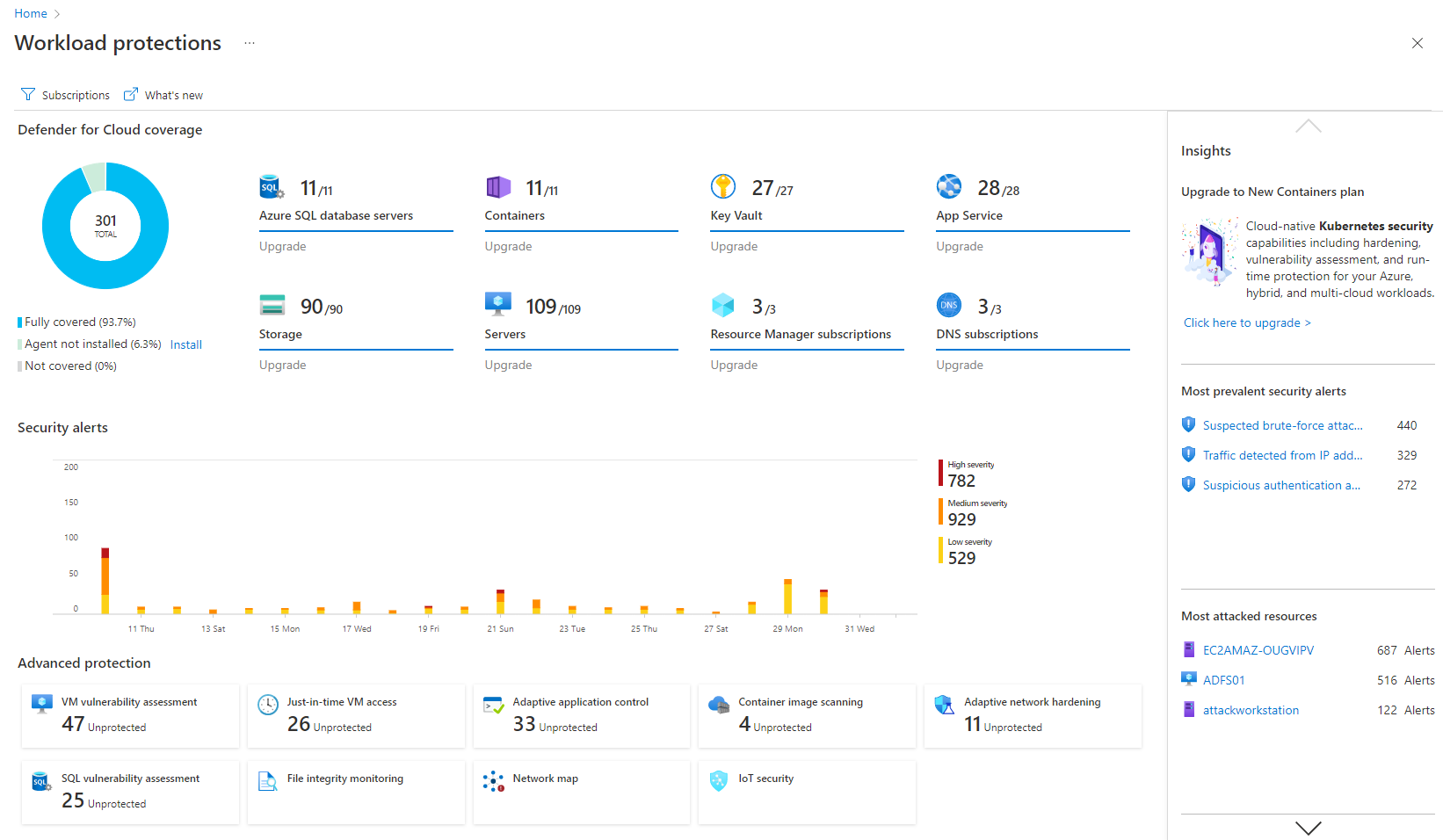   | Sauce Labs Screenshots |