Microsoft's SharePoint is an Intranet solution that enables users to share and manage content, knowledge, and applications to empower teamwork, quickly find information, and collaborate across the organization.
$5
Per User Per Month
Rencore Code (SPCAF)
Score 8.8 out of 10
Enterprise companies (1,001+ employees)
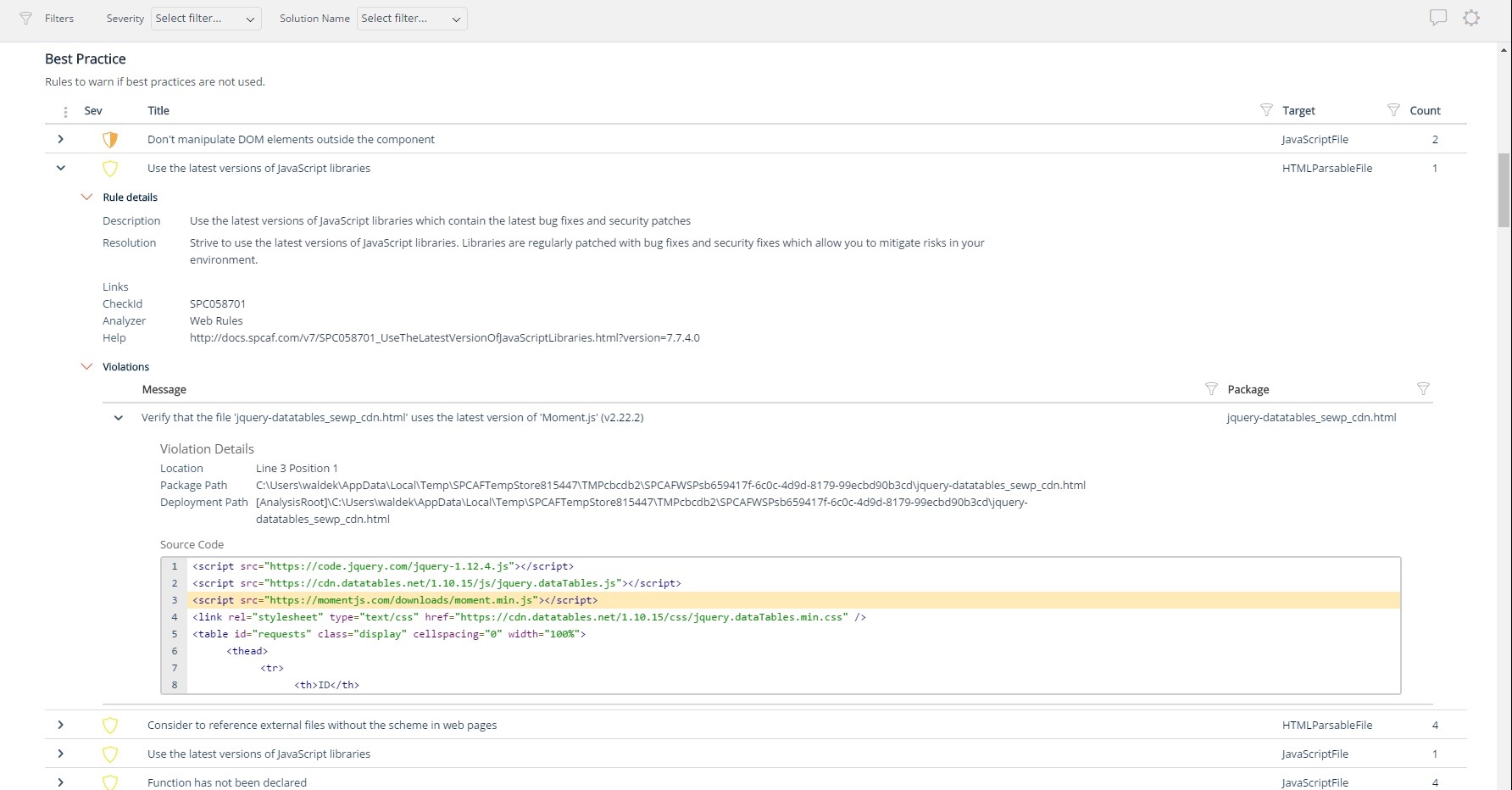
Many organizations that use Office 365 are exposed to security risks that they are unaware of. As they extend SharePoint to meet their business needs, they build applications using technologies that range from end-user Microsoft Flow to developer-focused SharePoint Framework. Unfortunately, all of these custom applications are capable of circumventing the security measures organizations have in place exposing the organization and its data to security…
SharePoint Document Management excels as a central repository for storing, organising, and retrieving documents. It supports version control, metadata tagging, secure access, and integration with tools like Power Automate. At our organisation, it's used for managing contracts, policies, and supplier documents. SharePoint Workflow Automation integrates with Power Automate to streamline approvals, gather feedback, and automate recurring tasks. This reduces reliance on email chains and manual trackers.
For Microsoft shops that are doing custom development on the Microsoft cloud platform in Office 365 and Azure, the Rencore toolset is an absolute must, especially if you are involved in converting farm solutions to cloud, or just moving into cloud development for the first time.
Unique expert knowledge of their target platforms. Not many companies have such a unique position in their target market. Their employees have a deep understanding of SharePoint, Office 365 and Azure and also regularly advise Microsoft on these matters.
Community involvement and contribution to open source projects. Key employees at Rencore are considered thought leaders in their area of expertise and contribute to high profile Microsoft open source initiatives.
Rencore's unique position when it comes to code quality analysis in the SharePoint space sets it apart. There's really no alternative.
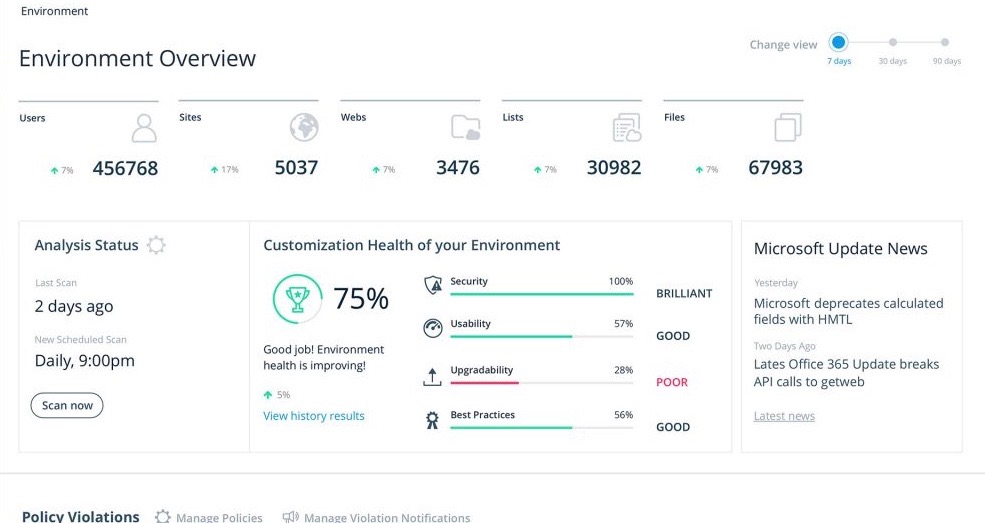
Platform governance is another Rencore strength. No other product provides the insights into your SharePoint Online environment with full auditing of not only configuration changes but also who changed which code where and when. Again no alternatives exist.
Windows Explorer users have some difficulty having to constantly UPLOAD / DOWNLOAD files. Specifically on the DOWNLOAD when they are used to Drag & Drop in & out of LOCAL folders via Window's explorer.
Microsoft SharePoint supports multiple "library" types. When implementing our "image" library the search function is done via "tags" and boolean logic. This is challenging to most end users. I'd like our users to be able to search our Microsoft SharePoint image library without having to enter KEYWORD or other BOOLEAN logic.
Microsoft SharePoint can also be an internal website for each department or company wide communication tool but I believe these features are geared for much larger organizations. Since we are a SMB we really aren't using these features. So maybe something more useful to SMBs would be nice.
Rencore's product line is of course still a bit of a niche: SharePoint code quality is not something every organization on the planet is concerned with - although Rencore does much more than that.
We feel Rencore's marketing efforts are mainly targeted at technologists. There's a lot of other potential, especially for their platform governance product.
It's integral to our business. It's already included with most of the Office 365 licensing we buy, so the cost is effectively zero. It stores our files, it is the foundation for custom applications, and Microsoft only continues to enhance its functionality and its connections to other Microsoft tools. SharePoint just keeps getting better and better.
No usability issues reported. Individual teams also have allocated areas which replace legacy shared drives on local LANs. Access to Sharepoint resources is fully integrated with corporate Active Directory with additional two-factor authentication required for administrative users. Users have access to Microsoft Services Hub which allows you to create, manage, and track support requests while staying current on Microsoft technologies with access to select self-paced learning paths
The face to face training I received was on SharePoint Administration. It was rushed as there was a lot of information to cover and the application of the labs weren't that great either. I like to be able to relate what I am learning to what I am currently doing.
I like to learn at my own pace and online training allows for that. Additionally, you can skip through pieces of content that you already know or are already comfortable with. Microsoft actually offers great videos on their website for basic fundamental SharePoint Training. I have used these training videos in some of my own training sessions with end users.
The reasons for selecting MS SharePoint are: SharePoint provides ease of use and web design assistance and support SharePoint helps you schedule your content for publishing. enables users to share documents with external parties and offers a better internal structure of the content and better indexing and searching capabilities.
I don't know of any products that compete in the space and if there were any, they would not stand a chance against Rencore. Behind any good product is a team of highly skilled individuals, who all have the same goal, who are passionate what they do and lastly, are in it for the betterment of where they started; As Developers themselves. You can't buy that
The clear impact was the amount of time saved code reviewing or going through lines of code marked off by other tools that are not relevant. We cannot put a number on it since the project started off with the tool in place but based on the rules applied it could be as high as 20% of the project time.