Microsoft's SharePoint is an Intranet solution that enables users to share and manage content, knowledge, and applications to empower teamwork, quickly find information, and collaborate across the organization.
$5
Per User Per Month
Vena
Score8.1 out of 10
Mid-Size Companies (51-1,000 employees)
Vena Solutions provides a financial process automation solution to automate Corporate Performance Management, accounting and budgeting, Regulatory & Compliance, and other finance-related processes. It is scaled for medium to large-sized organizations.
N/A
Pricing
SharePoint
Vena
Editions & Modules
Plan 1
$5.00
Per User Per Month
Plan 2
$10.00
Per User Per Month
Office 365 E3
$20.00
Per User Per Month
Professional
N/A
Complete
N/A
Offerings
Pricing Offerings
SharePoint
Vena
Free Trial
Yes
No
Free/Freemium Version
No
No
Premium Consulting/Integration Services
No
Yes
Entry-level Setup Fee
No setup fee
Optional
Additional Details
—
The Professional Plan is the most flexible way to get started quickly and can be added onto as a company grows. The plan includes: Vena Platform, Customer Success Manager, Standard Support and Customer Portal.
Complete Plan includes everything in Professional, plus: Vena Insights, Premium Support, Sandbox Environment, and Expert Managed Services.
For a limited time, new customers who use Microsoft Dynamics 365 Business Central (Online) as their primary ERP can get a free year of Vena and 40% off implementation costs.
Vena also offers special pricing for not for profit organizations. To learn more, speak to an expert.
A de minimis incentive was given to thank the reviewer for their time. The incentive was not used to bias or drive a particular response, nor was the incentive contingent on a positive endorsement. More Info
Director of Business Information Systems in Information Technology at Partners In Health (Non-profit Organization Management, 10,001+ employees)
Chose Vena
We evaluated several products over a few years and were comparing everything to our existing Excel templates and manual processes. We didn't pull the trigger on any of the others because it didn't feel like it was worth the investment, both funding and organizational change, to …
A de minimis incentive was given to thank the reviewer for their time. The incentive was not used to bias or drive a particular response, nor was the incentive contingent on a positive endorsement. More Info
A de minimis incentive was given to thank the reviewer for their time. The incentive was not used to bias or drive a particular response, nor was the incentive contingent on a positive endorsement. More Info
It's Microsoft, so it rarely goes down or unnecessarily limits access. It works, though page load times can be long if you have lots of data. I feel like the Mac vs. PC divide has started to show up for MS products, but SharePoint works well with both.
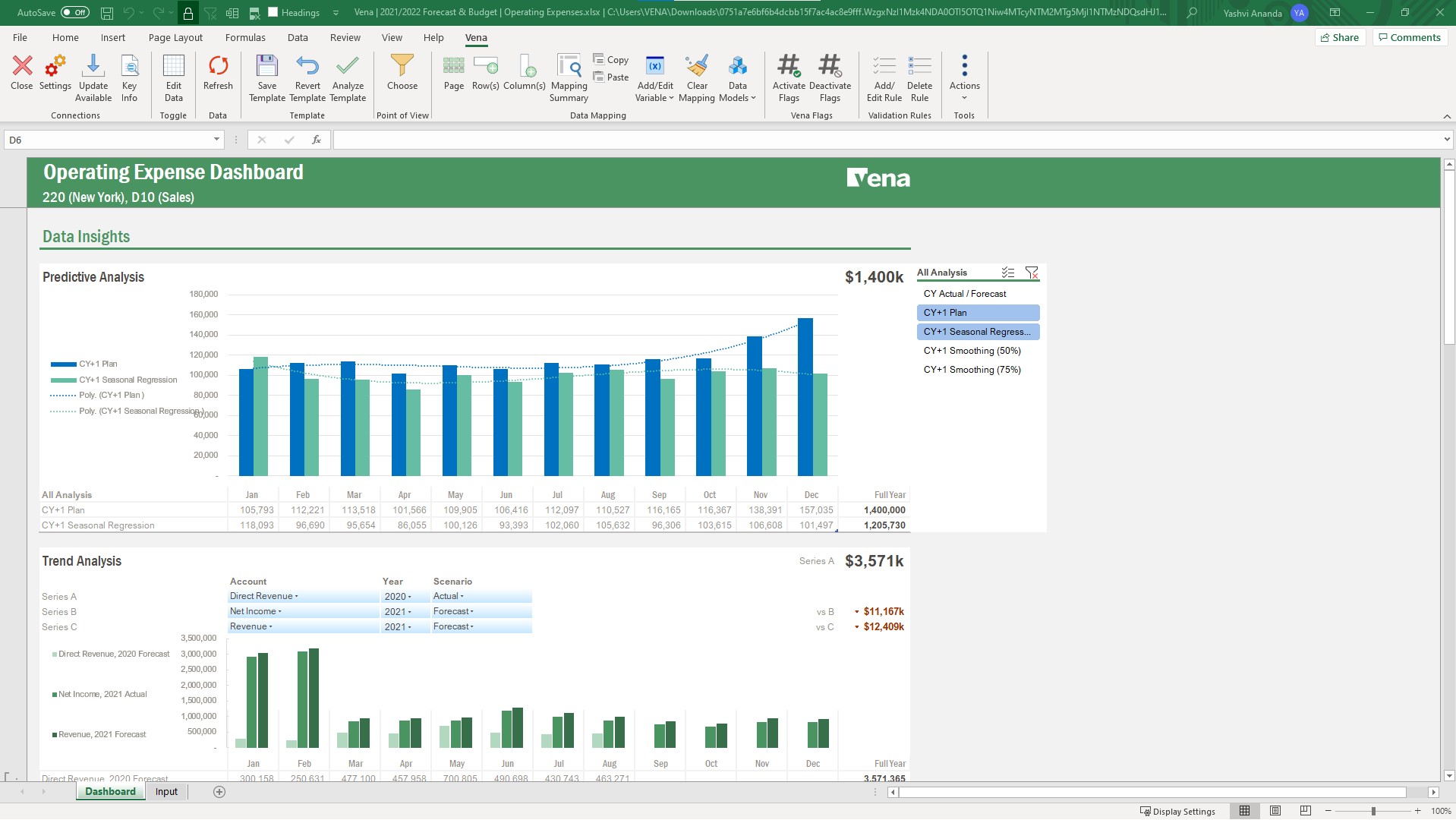
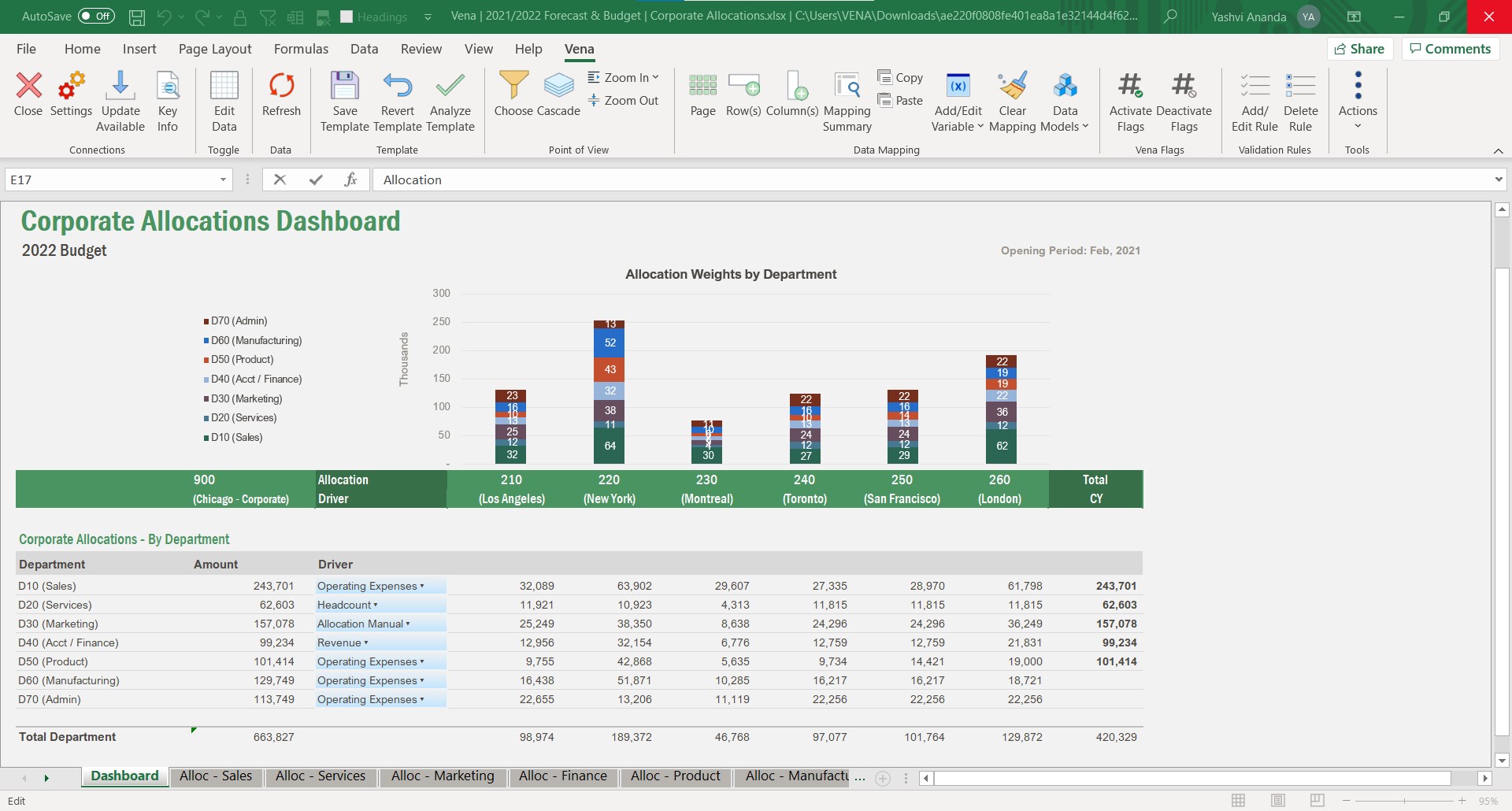
It is well suited for planning, budgeting, and forecasting. Using its capabilities also allows you to use it for reporting, whether it's month-end reporting or other reporting where you want to rely on data from a source that can be nicely presented and adjusted in Excel.
A de minimis incentive was given to thank the reviewer for their time. The incentive was not used to bias or drive a particular response, nor was the incentive contingent on a positive endorsement. More Info
A de minimis incentive was given to thank the reviewer for their time. The incentive was not used to bias or drive a particular response, nor was the incentive contingent on a positive endorsement. More Info
The Admin function of Vena, being able to set up the users in the user categories and the different groups and assigning the groups and the task bindings, is particularly easy and very helpful because as we have so many different departments and disciplines in our organization, we do need to establish pretty specific user access so this process works really well for us.
Running reports in Vena is fairly easy, and we do enjoy being able to just push a button and get some budget versus actuals.
A de minimis incentive was given to thank the reviewer for their time. The incentive was not used to bias or drive a particular response, nor was the incentive contingent on a positive endorsement. More Info
Windows Explorer users have some difficulty having to constantly UPLOAD / DOWNLOAD files. Specifically on the DOWNLOAD when they are used to Drag & Drop in & out of LOCAL folders via Window's explorer.
Microsoft SharePoint supports multiple "library" types. When implementing our "image" library the search function is done via "tags" and boolean logic. This is challenging to most end users. I'd like our users to be able to search our Microsoft SharePoint image library without having to enter KEYWORD or other BOOLEAN logic.
Microsoft SharePoint can also be an internal website for each department or company wide communication tool but I believe these features are geared for much larger organizations. Since we are a SMB we really aren't using these features. So maybe something more useful to SMBs would be nice.
A de minimis incentive was given to thank the reviewer for their time. The incentive was not used to bias or drive a particular response, nor was the incentive contingent on a positive endorsement. More Info
Have another license between power user and contributor that allows building reports that aren't ad hoc, but don't have all the admin rights of a power user.
Have a session on best in class Workforce Planning prior to implementation.
A de minimis incentive was given to thank the reviewer for their time. The incentive was not used to bias or drive a particular response, nor was the incentive contingent on a positive endorsement. More Info
It's integral to our business. It's already included with most of the Office 365 licensing we buy, so the cost is effectively zero. It stores our files, it is the foundation for custom applications, and Microsoft only continues to enhance its functionality and its connections to other Microsoft tools. SharePoint just keeps getting better and better.
A de minimis incentive was given to thank the reviewer for their time. The incentive was not used to bias or drive a particular response, nor was the incentive contingent on a positive endorsement. More Info
Vena has become an integral part of finance and our daily process. Without it we would take longer to prepare results and decisions will be delayed. Vena has given the whole organization more visibility of results and budgets so that all departments participate more actively in managing their budgets rather than it being the sole responsibility of finance.
A de minimis incentive was given to thank the reviewer for their time. The incentive was not used to bias or drive a particular response, nor was the incentive contingent on a positive endorsement. More Info
No usability issues reported. Individual teams also have allocated areas which replace legacy shared drives on local LANs. Access to Sharepoint resources is fully integrated with corporate Active Directory with additional two-factor authentication required for administrative users. Users have access to Microsoft Services Hub which allows you to create, manage, and track support requests while staying current on Microsoft technologies with access to select self-paced learning paths
A de minimis incentive was given to thank the reviewer for their time. The incentive was not used to bias or drive a particular response, nor was the incentive contingent on a positive endorsement. More Info
Vena is somehow easy to manipulate. If you want to map accounts, or change mapping. there are clear instructions and guidance. and also Vena AI is on the way, so i think we can leverage it more and let AI help us mapping and check errors. overall a very good product and easy to learn and set up.
A de minimis incentive was given to thank the reviewer for their time. The incentive was not used to bias or drive a particular response, nor was the incentive contingent on a positive endorsement. More Info
Vena is seemingly always available. They plan maintenance windows well in advance and always off hours (typically over a weekend) and communicate clearly throughout maintenance about what will be affected. Over 5 years of using the product, I can only remember one time when the platform was unavailable (I believe due to an underlying server hosting issue from their provider), and they resolved the issue and had everything up and running again within 8 hours.
A de minimis incentive was given to thank the reviewer for their time. The incentive was not used to bias or drive a particular response, nor was the incentive contingent on a positive endorsement. More Info
The performance is dependent on how much data and calculations are involved and how complex the security settings are. A simple template or report loads in seconds. A complex template or report can take a while. If there are many users with complex security settings, that will be a factor in the load time.
A de minimis incentive was given to thank the reviewer for their time. The incentive was not used to bias or drive a particular response, nor was the incentive contingent on a positive endorsement. More Info
A de minimis incentive was given to thank the reviewer for their time. The incentive was not used to bias or drive a particular response, nor was the incentive contingent on a positive endorsement. More Info
When I reach out to our support team, they are always able to fix any issues we are having in a timely manner. It is always resolved quickly which proves that customer support always helps out our support team with any issues so they can in turn help us quickly
A de minimis incentive was given to thank the reviewer for their time. The incentive was not used to bias or drive a particular response, nor was the incentive contingent on a positive endorsement. More Info
The face to face training I received was on SharePoint Administration. It was rushed as there was a lot of information to cover and the application of the labs weren't that great either. I like to be able to relate what I am learning to what I am currently doing.
This is the best way to learn and buy-in. The in person effect gives students both a hands on approach but an instruction to be there to customize assistance and understanding. In person also builds greater buy in with your future team on creators. However if your audience is better at on line learning this is another good option.
A de minimis incentive was given to thank the reviewer for their time. The incentive was not used to bias or drive a particular response, nor was the incentive contingent on a positive endorsement. More Info
I like to learn at my own pace and online training allows for that. Additionally, you can skip through pieces of content that you already know or are already comfortable with. Microsoft actually offers great videos on their website for basic fundamental SharePoint Training. I have used these training videos in some of my own training sessions with end users.
The training was structured as a group training to learn the basics of creating a data model and mapping a template. While we had nearly 10 participants, I was the only actual implementer so we probably didn't actually need the training and could have just learned the initial skills from the implementation consultant. Two years later, when we hired a new team member, they completed several modules in Vena Academy (a self paced learning course) which allowed them to get up to speed on the basics with just a bit of supplemental guidance from me as our existing admin.
A de minimis incentive was given to thank the reviewer for their time. The incentive was not used to bias or drive a particular response, nor was the incentive contingent on a positive endorsement. More Info
The Vena consultant had great knowledge of both the Vena solution and Excel and Excel functions. He was able to help suggest ways to build our templates that met our requirements using Excel functions we had not previously considered using. And we have been able to use the Excel information he provided in other ways outside of Vena. He was very patient and flexible as we learned the Vena tool and created templates
The reasons for selecting MS SharePoint are: SharePoint provides ease of use and web design assistance and support SharePoint helps you schedule your content for publishing. enables users to share documents with external parties and offers a better internal structure of the content and better indexing and searching capabilities.
A de minimis incentive was given to thank the reviewer for their time. The incentive was not used to bias or drive a particular response, nor was the incentive contingent on a positive endorsement. More Info
Previously used Synario for long-term forecasting. Ultimately moved to Vena for this to keep budgeting and forecasting together in a single solution. Vena's system is much easier to learn on the admin side since it is Excel-based so the transition was pretty simple. Previously used Jenzabar with JICS for budgeting. Vena's budget system is more user-friendly for end users and more flexible so it works better for our specific needs. Vena's reporting system is easier to use and customize.
A de minimis incentive was given to thank the reviewer for their time. The incentive was not used to bias or drive a particular response, nor was the incentive contingent on a positive endorsement. More Info
Vena solutios is a software that provides robust tools that help different departments in their statistics and we can visualize a lot of promising and visually attractive data. Vena Solutions' level of scalability is high and sustainable over time thanks to the fabulous technical support that is ready to help us at all times
A de minimis incentive was given to thank the reviewer for their time. The incentive was not used to bias or drive a particular response, nor was the incentive contingent on a positive endorsement. More Info
A de minimis incentive was given to thank the reviewer for their time. The incentive was not used to bias or drive a particular response, nor was the incentive contingent on a positive endorsement. More Info
Vena has helped save time by reducing the manual work involved with budgeting, reporting, and variance analysis. Instead of spending as much time organizing data and reconciling spreadsheets, I can focus more on reviewing results and making informed decisions. It has improved collaboration between teams and provided better visibility into financial performance, creating more efficient processes overall.
A de minimis incentive was given to thank the reviewer for their time. The incentive was not used to bias or drive a particular response, nor was the incentive contingent on a positive endorsement. More Info