Microsoft Viva Engage, formerly Yammer, is used for private communication within organizations or between organizational members and pre-designated groups.
$24
per year per user
Planview ProjectPlace
Score 8.3 out of 10
N/A
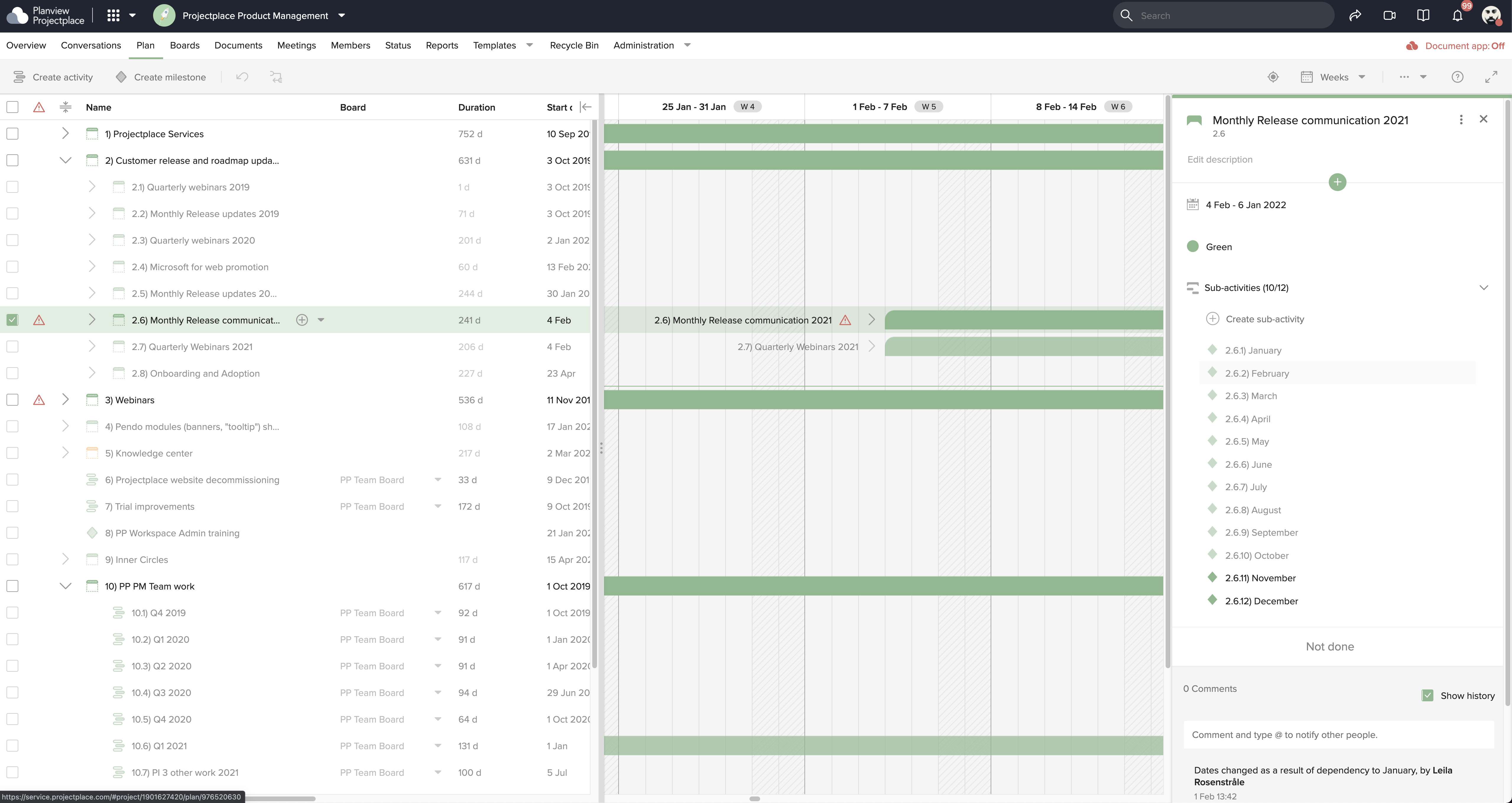
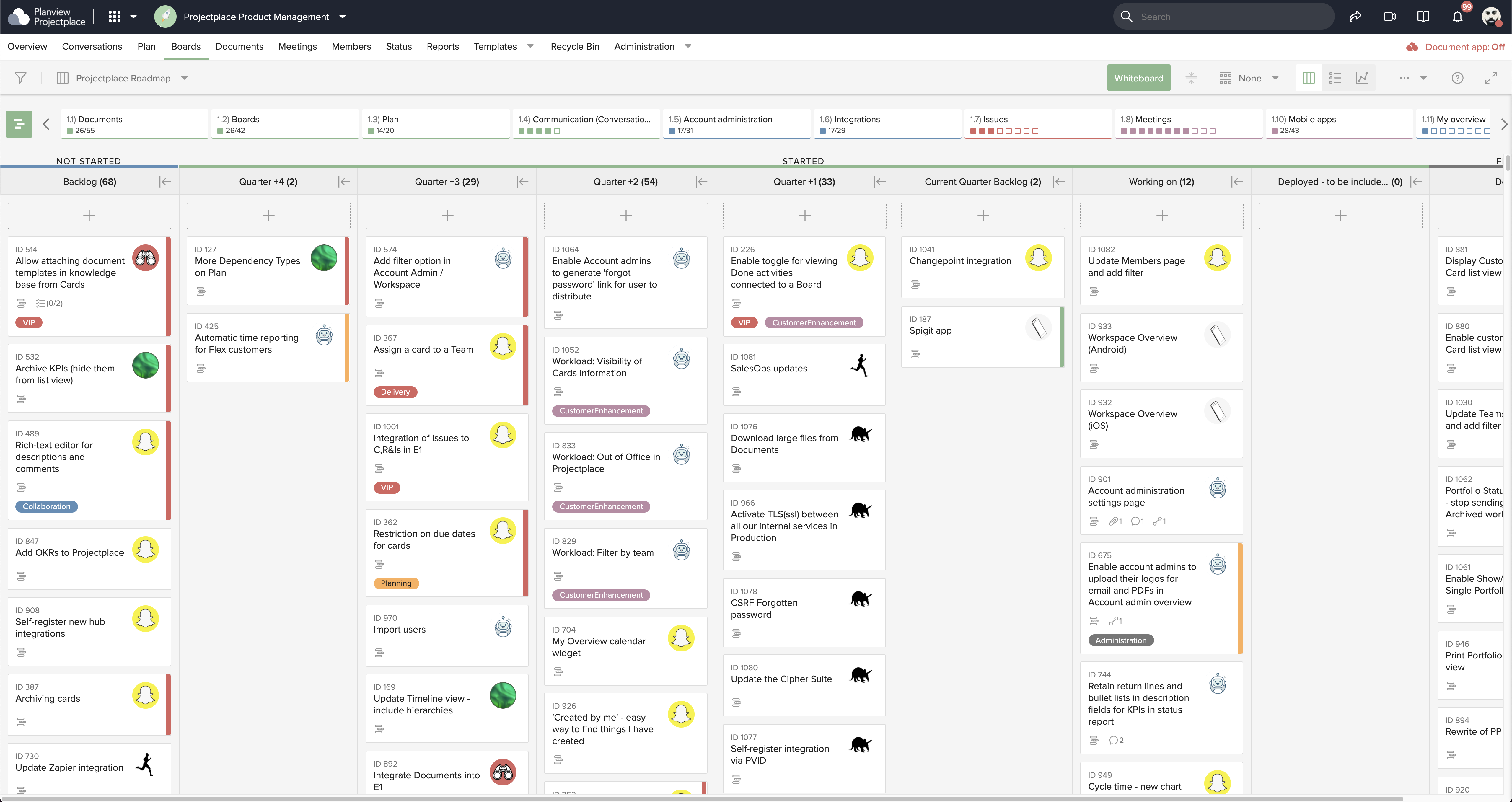
Projectplace is a collaborative work management solution. The vendor says the product is built with teams of all sizes and complexity in mind, from virtual teams of five to entire global enterprises with tens of thousands of active users. It is also designed to incorporate waterfall and agile workflows.
N/A
Pricing
Microsoft Viva Engage
Planview ProjectPlace
Editions & Modules
Microsoft Viva Employee Communications and Communities
$24
per year per user
Microsoft Viva Suite
$144
per year per user
No answers on this topic
Offerings
Pricing Offerings
Microsoft Viva Engage
Planview ProjectPlace
Free Trial
No
Yes
Free/Freemium Version
No
No
Premium Consulting/Integration Services
No
Yes
Entry-level Setup Fee
No setup fee
No setup fee
Additional Details
Microsoft Viva Engage is also available in some Microsoft 365 packages.
—
More Pricing Information
Community Pulse
Microsoft Viva Engage
Planview ProjectPlace
Features
Microsoft Viva Engage
Planview ProjectPlace
Project Management
Comparison of Project Management features of Product A and Product B
Microsoft Viva Engage
8.3
46 Ratings
6% above category average
Planview ProjectPlace
7.7
198 Ratings
0% below category average
Task Management
8.728 Ratings
8.3191 Ratings
Gantt Charts
8.515 Ratings
7.7171 Ratings
Scheduling
8.023 Ratings
7.7169 Ratings
Workflow Automation
7.723 Ratings
00 Ratings
Mobile Access
8.843 Ratings
7.7147 Ratings
Search
8.143 Ratings
00 Ratings
Visual planning tools
8.426 Ratings
00 Ratings
Resource Management
00 Ratings
6.7158 Ratings
Team Collaboration
00 Ratings
8.7193 Ratings
Support for Agile Methodology
00 Ratings
8.7151 Ratings
Support for Waterfall Methodology
00 Ratings
7.8140 Ratings
Document Management
00 Ratings
8.9184 Ratings
Email integration
00 Ratings
6.4163 Ratings
Timesheet Tracking
00 Ratings
6.0129 Ratings
Communication
Comparison of Communication features of Product A and Product B
Microsoft Viva Engage
8.5
49 Ratings
6% above category average
Planview ProjectPlace
-
Ratings
Chat
9.344 Ratings
00 Ratings
Notifications
8.449 Ratings
00 Ratings
Discussions
9.648 Ratings
00 Ratings
Surveys
9.238 Ratings
00 Ratings
Internal knowledgebase
9.338 Ratings
00 Ratings
Integrates with GoToMeeting
7.314 Ratings
00 Ratings
Integrates with Gmail and Google Hangouts
6.713 Ratings
00 Ratings
Integrates with Outlook
8.632 Ratings
00 Ratings
File Sharing & Management
Comparison of File Sharing & Management features of Product A and Product B
Yammer is great when you have a company culture that encourages friendly collaboration and communication. It can be a great supplement (but certainly not a substitute) for bonding and sharing ideas and thoughts. Certain channels can be really successful, too, like a channel where people can post dog pictures or something fun like that!
Planview ProjectPlace is a vibrant platform that manages all activities and schedules different roles based on their urgency, importance, and requests. Further, Planview ProjectPlace outlines the need for proper documentation with the aim of accurate referencing. Tasks are credibly shared, and proper reporting is enhanced to transform firms' work environment. ; Lastly, Planview ProjectPlace brings sustainable email integration for enterprises.
Although the social enterprise network works very well, there is room for some slight improvement - such as the ability to attract users. By being part of the Microsoft Office Suite, it is offered as an "add-on" and many overlook it and see it as unnecessary at first. It would be smart for Microsoft to sell it as its own product so it could gather more popularity as a "social network".
Giving an option to filter results could be better as well as giving an option to turn off the "recent activity" bar on the home page.
Under the time tracking, it would be nice to have a set template that would load each week and not have to click a button to load the previous week's template.
Somehow making it more intuitive.
Having to add in each service line and each detail that I cover for every service line each week is a bit ridiculous.
Microsoft is dedicated to continual improvement on Yammer. They realize the value that Yammer brings to the table with their clients. In the short time that we have had Yammer implemented, we are just now beginning to see the strong impact it has on becoming more effective and efficient around collaboration.
We're committed now & have >50 users on Projectplace. All our projects are now tracked in the tool. We this investment of time & training, the cost of maintaining Projectplace is relatively low for the benefit. So we will renew, even if there are some idiosyncrasies in the tool & there are opportunities for improvement.
Overall easy to use and intuitive, although limited in the possibility to personalize layout and look & feel of a site. Some functionalities are not easy to use, like document editing, but some others are quick and effective (posts and tagging above all). Performance and responsiveness of the Yammer site is typically acceptable, in my experience.
Easy to use platform and provides the user with an amazing experience and straightforward tools that empower and help execute tasks with fast performances that allow quick and easy service delivery. Easy on implementation and get started immediately with enterprise-ready Planview Projectplace and start to connect with teams and departments at once.
We have never had to use the support for Yammer. The tool works well and we have not come across any bugs. User Interface is simple and easy to use, similar to other forum type products, thereby removing the need for any extensive training. Team members are invited in and immediately are able to start using the tool.
I haven't needed to get in touch with support because the product is quite well structured and understandable. There were no issues initially when making payments or later for monthly payments. The project manager using the software is quite skilled in the software and has not needed much help. New licenses are easy to acquire, and there is no delay in getting them. I know there are several ways of support available, so that's a plus.
Our team briefly used Salesforce.com's Chatter product before switching over to Yammer in 2012. While Chatter is essentially the same product as Yammer, it left much to be desired. Chatter's design was (and remains) clunky and difficult to navigate. Yammer is a simple, easy-to-use product that offers similar functionality as Salesforce's Chatter.
[In my experience] Jira is more refined, better looking, and easier to become familiar with. Also, the massive market share of Jira helps in consultancy as you can switch between clients easily. Projectplace has many powerful tools but so does Jira, and Jira integrates with our suite of software much easier compared to Projectplace.
My company is pleased with the positive impact Yammer has created departmentally and on an individual basis with work flow efficiency.
Adversely, most old and new employees are more familiar with SharePoint, causing the company to pay for training for all current and incoming employees.
As Yammer becomes more widely used, the need for training may diminish, which is where we will see our return on investment, as the product clearly provides a more effective form of file sharing and communication between employees and their department.
[We have the] ability to support remote work through projects that scale across multiple groups
We have large-scale quarterly projects, so the ability to save and duplicate project templates are helpful for us to keep track of tasks down to the specific card