TrustRadius: an HG Insights company

Save this comparison

Save this comparison

Add Product

Recommended Comparisons

    Overview
    ProductRatingMost Used ByProduct SummaryStarting Price

    Mikogo

    Score1.2 out of 10
    N/AMikogo is a free screen sharing solution with built-in VoIP for online meetings, web presentations, web conferencing and sales demos.

    $156

    Annually

    Videolink

    Score9.1 out of 10
    N/AVideolink brings clarity and collaboration to team conversations through video recording, sharing and instant playback. It can be used to record a screen or camera in seconds, send a link, and add visual context to information – whether it’s customer feedback, internal updates, or product walkthroughs. Instead of chasing down details in chat logs or ambiguous tickets, Videolink lets teams share ideas that are clear, direct, and…

    $0

    per active video

    Pricing
    MikogoVideolink
    Editions & Modules
    Basic Annual
    $156
    Annually
    Professional Annual
    $228
    Annually
    Professional Lifetime
    $456
    Lifetime License per User
    Team Annual
    $468
    Annually
    Team Lifetime
    $936
    Lifetime License [Unlimited Users]
    Free
    $0
    per month Up to 25 active videos and unlimited users
    Pro
    $20
    per month For 100 active videos and unlimited users
    Advanced
    Custom Plans
    Offerings
    Pricing Offerings
    MikogoVideolink
    Free Trial
    YesNo
    Free/Freemium Version
    YesYes
    Premium Consulting/Integration Services
    NoNo
    Entry-level Setup FeeNo setup feeOptional
    Additional DetailsEnterprise plans are also available for larger organizations, with a custom number of users, meeting participants, and channels. Master Administration and Web API integrations are also available. Contact Mikogo for further information.Only saved videos are counted. If a video is deleted, it only counts for the month it was active — never after. Videolink has no per-seat usage fees. You’re only billed for videos your team actually keeps.
    More Pricing Information
    Features
    MikogoVideolink
    Performance & Compatibility of Online Events Software
    Comparison of Performance & Compatibility of Online Events Software features of Mikogo and Videolink
    Feature
    Mikogo
    3.1
    4 Ratings
    87% below category average
    Videolink
    -
    Ratings
    High quality audio4.14 Ratings00 Ratings
    High quality video4.14 Ratings00 Ratings
    Low bandwidth requirements1.14 Ratings00 Ratings
    Mobile support3.22 Ratings00 Ratings
    Screen Sharing
    Comparison of Screen Sharing features of Mikogo and Videolink
    Feature
    Mikogo
    6.0
    4 Ratings
    28% below category average
    Videolink
    -
    Ratings
    Desktop sharing2.24 Ratings00 Ratings
    Whiteboards9.82 Ratings00 Ratings
    Online Meetings / Events
    Comparison of Online Meetings / Events features of Mikogo and Videolink
    Feature
    Mikogo
    3.0
    4 Ratings
    93% below category average
    Videolink
    -
    Ratings
    Calendar integration1.12 Ratings00 Ratings
    Meeting initiation1.24 Ratings00 Ratings
    Record meetings / events2.14 Ratings00 Ratings
    Slideshows7.63 Ratings00 Ratings
    Online Events Collaboration
    Comparison of Online Events Collaboration features of Mikogo and Videolink
    Feature
    Mikogo
    2.1
    4 Ratings
    118% below category average
    Videolink
    -
    Ratings
    Live chat1.24 Ratings00 Ratings
    Audience polling3.13 Ratings00 Ratings
    Q&A2.13 Ratings00 Ratings
    Online Events Security
    Comparison of Online Events Security features of Mikogo and Videolink
    Feature
    Mikogo
    1.5
    4 Ratings
    137% below category average
    Videolink
    -
    Ratings
    User authentication1.23 Ratings00 Ratings
    Participant roles & permissions1.13 Ratings00 Ratings
    Confidential attendee list2.13 Ratings00 Ratings
    Best Alternatives
    MikogoVideolink
    Small Businesses
    ClickMeeting
    Score9.5 out of 10
    Sendspark
    Score10 out of 10
    Medium-sized Companies
    JioMeet
    Score9.8 out of 10
    Snagit
    Score9.7 out of 10
    Enterprises
    Webex Meetings
    Score8.7 out of 10
    Snagit
    Score9.7 out of 10
    All AlternativesView all alternativesView all alternatives
    User Ratings
    MikogoVideolink
    Likelihood to Recommend
    1.2
    (4 ratings)
    9.1
    (2 ratings)
    Usability
    -
    (0 ratings)
    9.1
    (2 ratings)
    Support Rating
    8.0
    (2 ratings)
    -
    (0 ratings)
    User Testimonials
    MikogoVideolink
    Likelihood to Recommend
    BeamYourScreen
    Pros Mikogo is well-suited and cost-effective for the small business Simple & well-designed; easy to figure out. Works best for one-on-one client support. Cons No live customer support Free version has limited features (e.g. no invite meeting allowed) Trial version only 14 days
    Incentivized
    Read full review
    Videolink
    The way we work is evolving. Remote teams — especially after the COVID-19 pandemic — rely more than ever on tools that bridge the gap between distance and real-time collaboration.
    Asynchronous updates have become a key part of solving daily challenges, and we’ve seen the benefits first-hand as an organisation.
    Incentivized
    Read full review
    Pros
    BeamYourScreen
    • Inexpensive
    • Simple interface
    • Menus and prompts were clear
    Incentivized
    Read full review
    Videolink
    • Quick video sharing
    • Basic editing
    • Inline comments
    Read full review
    Cons
    BeamYourScreen
    • I'd like to be able to record a session easier.
    Incentivized
    Read full review
    Videolink
    • More video editing tools
    Incentivized
    Read full review
    Usability
    BeamYourScreen
    No answers on this topic
    Videolink
    The interface is clean, and features like video requests, in-browser editing, and commenting make the workflow seamless for our team.
    Read full review
    Support Rating
    BeamYourScreen
    I do not have any experience with Mikogo's support as I have never experienced any problem with it.
    Incentivized
    Read full review
    Videolink
    No answers on this topic
    Alternatives Considered
    BeamYourScreen
    Mikogo has simple features and is easy to use. If you don't need lots of bells and whistles and just want to screen share or video conference on a small scale Mikogo works best. Join.me & TeamViewer are a bit confusing for the novice small business person. My experience with LogMeIn has been that it's sluggish. GoToMeeting works great but is pricey for the small firm that mainly does one-to-one support/training. I couldn't get Zoom to work right.
    Incentivized
    Read full review
    Videolink
    No answers on this topic
    Return on Investment
    BeamYourScreen
    • Zero positive impact
    • Spend just a little more with products like AnyDesk and get some real ROI
    • Short term, the product can be used on a trial basis (or at least it was available as a trial)
    Incentivized
    Read full review
    Videolink
    • Productivity
    • Delivery-driven communication
    Incentivized
    Read full review
    ScreenShots

    Mikogo Screenshots

    Screenshot of Screen sharing between two windows desktop computersScreenshot of Phone conference and participant list options

    Videolink Screenshots

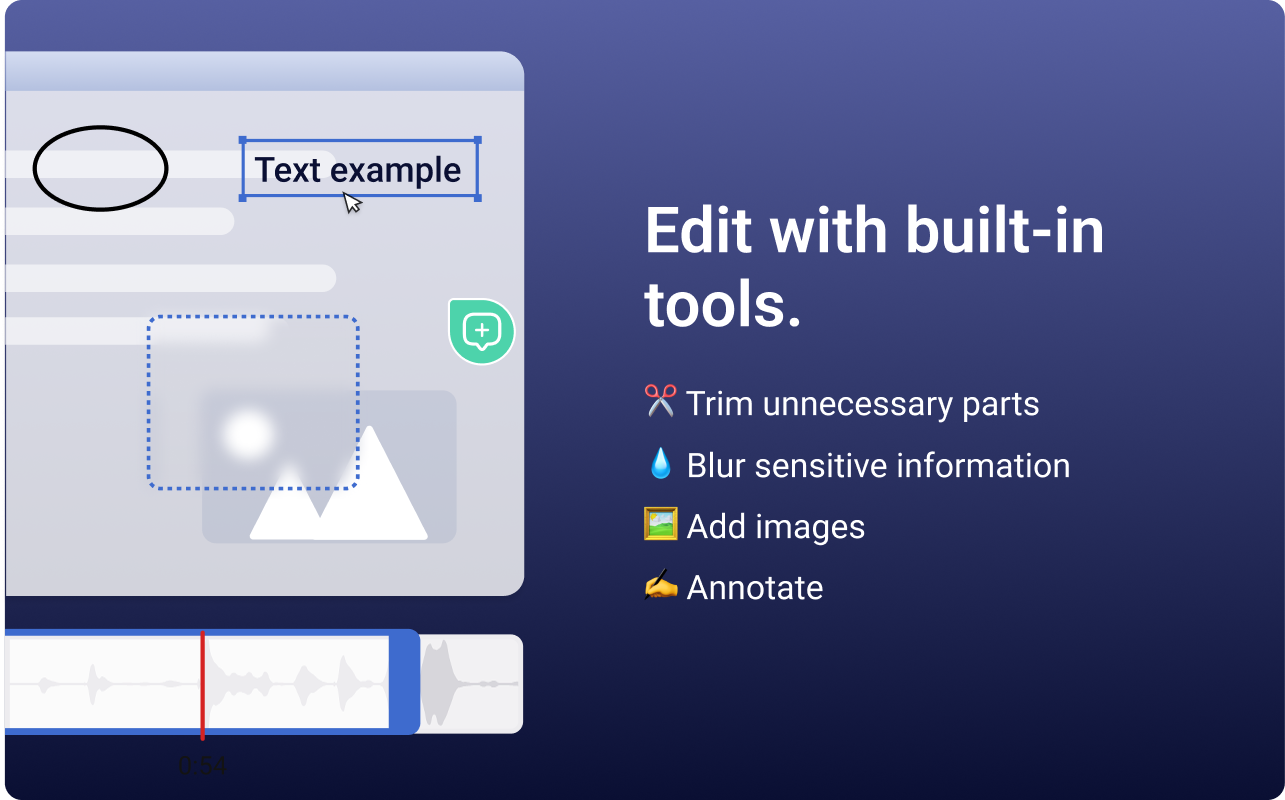
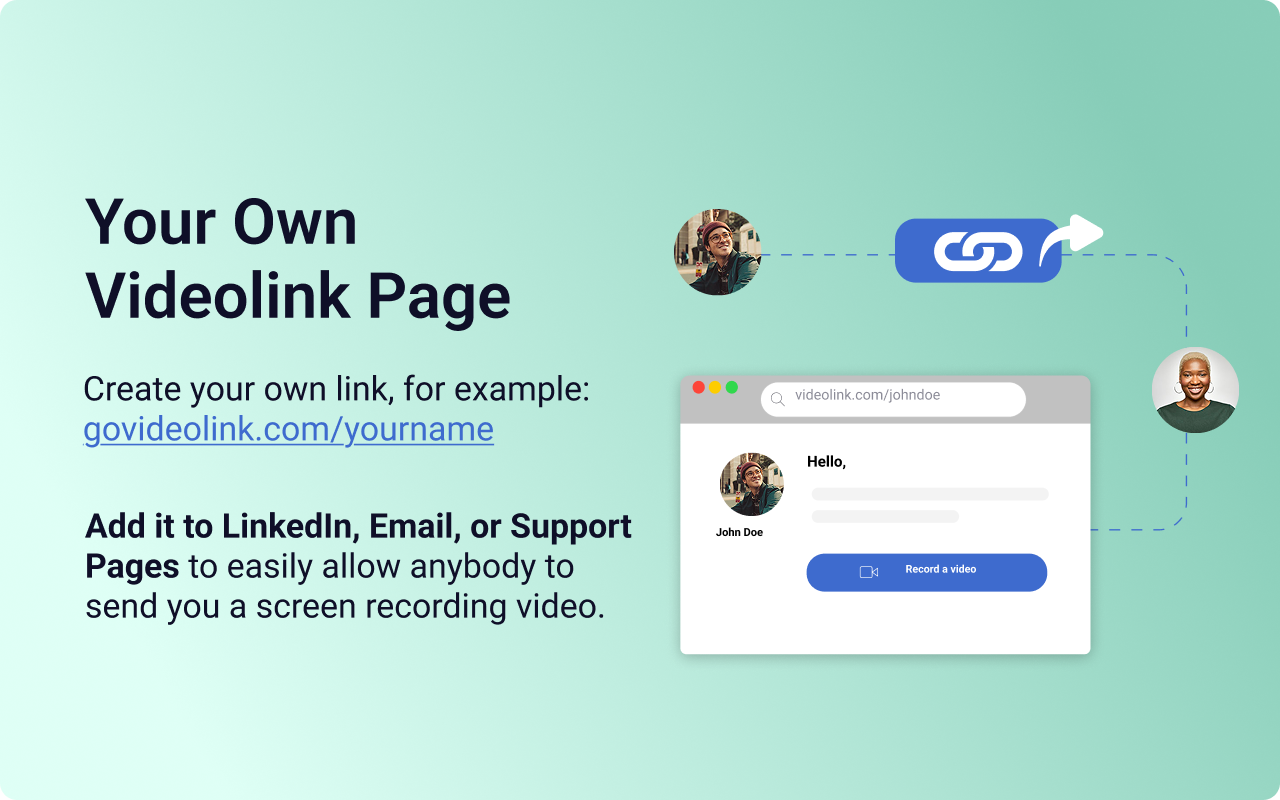
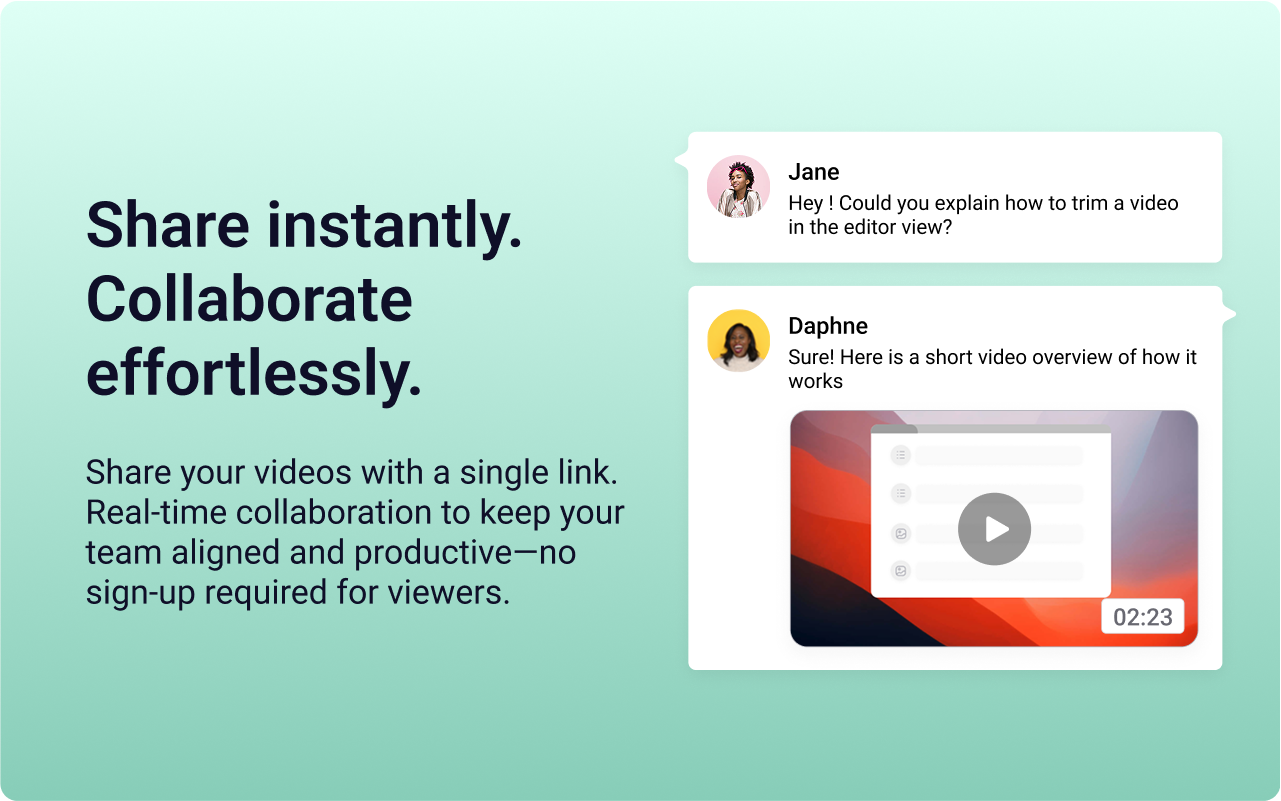
    Screenshot of the Videolink editor, used to trim out excess content, blur sensitive info, annotate key areas, and insert images.Screenshot of a Videolink page, used to create a personal shareable link – like govideolink.com/yourname – that lets anyone send a recorded video directly.Screenshot of single link sharing, so viewers don’t need an account to watch, comment, or provide feedback.