MindManager is a mind mapping and project management tool that aims to boost users’ productivity. It is designed to facilitate a wide range of project types, and includes cross-platform functionality and 3rd party integrations.
$105
per year
MindMeister
Score3.6 out of 10
N/A
MindMeister is an online mind mapping tool that lets users share maps with an unlimited number of users and collaborate with them in real-time. MindMeister is used to brainstorm ideas, plan projects, take meeting minutes, develop business strategies, and create presentations. MindMeister runs in any standard web-browser as well as on iOS and Android devices, so users can access, edit and present their mind maps anytime, wherever they are. With MindMeister, users…
$45
every 6 months per user
Pricing
MindManager
MindMeister
Editions & Modules
MindManager for Microsoft Teams
$105
per year
Annual Subscription
$179
per year
Organizations
Contact sales team
Personal
$45
per 6 months per user
Pro
$75
per 6 months per user
Business
$114
per 6 months per user
Offerings
Pricing Offerings
MindManager
MindMeister
Free Trial
Yes
No
Free/Freemium Version
No
Yes
Premium Consulting/Integration Services
Yes
No
Entry-level Setup Fee
No setup fee
No setup fee
Additional Details
—
MindMeister offers 6-monthly and yearly subscriptions. Discounts for educational users and non-profit organizations are also available. Up to 22% discount for yearly pricing.
A de minimis incentive was given to thank the reviewer for their time. The incentive was not used to bias or drive a particular response, nor was the incentive contingent on a positive endorsement. More Info
A de minimis incentive was given to thank the reviewer for their time. The incentive was not used to bias or drive a particular response, nor was the incentive contingent on a positive endorsement. More Info
Verified User
Chose MindManager
I hated MindMeister despite all the glory it gets online. The tool was not so user-friendly to me. I struggled a lot using the topic and subtopic boxes. Perhaps it was because I had been so accustomed to MindManager that my mind got used to expecting that the same tools and …
A de minimis incentive was given to thank the reviewer for their time. The incentive was not used to bias or drive a particular response, nor was the incentive contingent on a positive endorsement. More Info
Verified User
Chose MindManager
MindMeister is easier to use than MindManager, but MindManager has more functionality -- and this is probably why MindManager is not as simple and straightforward to use as the other.
A de minimis incentive was given to thank the reviewer for their time. The incentive was not used to bias or drive a particular response, nor was the incentive contingent on a positive endorsement. More Info
Technical Marketing Specialist in Sales at Anritsu Infivis Inc (Food Production, 51-200 employees)
Chose MindManager
I like that MindManager is local software instead of a cloud-based service like MindMeister. This lets me work on a map even when I don't have internet access. It's also faster and more fully-featured.
Visio is a cumbersome tool for mind mapping, as it is optimized for design …
A de minimis incentive was given to thank the reviewer for their time. The incentive was not used to bias or drive a particular response, nor was the incentive contingent on a positive endorsement. More Info
A de minimis incentive was given to thank the reviewer for their time. The incentive was not used to bias or drive a particular response, nor was the incentive contingent on a positive endorsement. More Info
Product Manager in Customer Service at Alfasoft (Business Supplies & Equipment, 11-50 employees)
Chose MindManager
MindManager covers all our needs (information management, brainstorming and planning, project management, sharing and collaboration) in one tool, and we do not have to jump back and forth between different applications. It's a very flexible tool that can be customized to your …
A de minimis incentive was given to thank the reviewer for their time. The incentive was not used to bias or drive a particular response, nor was the incentive contingent on a positive endorsement. More Info
Head of OMN Product in Information Technology at apollon GmbH+Co. KG (Information Technology & Services, 51-200 employees)
Chose MindManager
We opted for MindManager many years ago. The main reasons are the product's stability, continuous development, general range of functions, and export options, especially for Office.
A de minimis incentive was given to thank the reviewer for their time. The incentive was not used to bias or drive a particular response, nor was the incentive contingent on a positive endorsement. More Info
A de minimis incentive was given to thank the reviewer for their time. The incentive was not used to bias or drive a particular response, nor was the incentive contingent on a positive endorsement. TR verified that a representative sample of customers was invited. More Info
Verified User
Chose MindManager
MindManager is complete and does much more that what these individual products can deliver except the co-editing part using the google environment.
A de minimis incentive was given to thank the reviewer for their time. The incentive was not used to bias or drive a particular response, nor was the incentive contingent on a positive endorsement. More Info
Verified User
Chose MindManager
I think each of these have many positives, however from my perspective being a private business I do not want to invest in other solutions unless they have a major differentiator. My main temptation to move would be to a product that would allow me to share via Google or MS …
A de minimis incentive was given to thank the reviewer for their time. The incentive was not used to bias or drive a particular response, nor was the incentive contingent on a positive endorsement. More Info
A de minimis incentive was given to thank the reviewer for their time. The incentive was not used to bias or drive a particular response, nor was the incentive contingent on a positive endorsement. More Info
Director in Information Technology at ERP Solution Advisors Ltd (Management Consulting, 11-50 employees)
Chose MindManager
MindManager is by far the most feature rich and capable solution in the market today. The key reasons for selecting MindManager as the tool of choice are:
Breadth of templates and document types (beyond the conventional mind map).
A de minimis incentive was given to thank the reviewer for their time. The incentive was not used to bias or drive a particular response, nor was the incentive contingent on a positive endorsement. More Info
Senior Systems Analyst in Information Technology at Shorefast Foundation (Non-profit Organization Management, 11-50 employees)
Chose MindManager
MindManager is a more mature product than most other products that we have reviewed or tried for mind mapping and project planning. It is very feature-rich, and since it has similar styles to the Microsoft suite of products, users are familiar with the interface and find it …
A de minimis incentive was given to thank the reviewer for their time. The incentive was not used to bias or drive a particular response, nor was the incentive contingent on a positive endorsement. More Info
Senior Pastor at Christ Church PCA (Religious Institutions, 11-50 employees)
Chose MindManager
MindManager is far more robust than other mind mapping software. It offers more formatting options, better exporting to other programs (especially Word) and is not reliant on an internet connection.
A de minimis incentive was given to thank the reviewer for their time. The incentive was not used to bias or drive a particular response, nor was the incentive contingent on a positive endorsement. More Info
MindManager and MindMeister are both diagramming software products that provide mind mapping capabilities. They help users organize their thoughts, workflows, and processes. However, a key difference between these two platforms is that MindManager offers desktop applications while MindMeister offers web-based and mobile applications.
Features
Both products include features such as various mindmap templates (e.g. fishbone, org charts, matrix, timeline), map exporting, map customization capabilities, and the ability to add links to map topics. However, each has a few unique capabilities as well.
As a cloud-based application, MindMeister supports real-time collaboration for mindmaps. This includes the ability to chat within maps, set up user-access permissions for maps, create groups within your team, and access to map collaboration histories. Users can also import maps from other mind mapping software (eg. Text, Freemind, XMind, MindMeister, MindManager). Customizable product branding is also available on MindMeister’s highest-priced plan.
MindManager does not offer a native cloud-based application. However, it offers a wider variety of mindmap templates, including ven diagrams, funnels, onion charts, and Kanban-style charts. It also has a set of project planning and management features such as adding resources and priority markers to topics, Gantt charts, topics task tags, start & end dates, task duration and effort levels, and the ability to assign tasks to other users
Limitations
Compared to MindManager, the biggest limitations of MindMeister are that it requires an internet connection in order to use, has limited functionality on its free plan, and is not well suited for complex project management. For example, only three maps can be created and saved on MindMeister’s free plan.
Conversely, MindManager has a few key limitations when compared with MindMeister. These include the lack of a web application, which means the software needs to be downloaded on a specific device in order to be used. MindManager also does not offer a free plan.
Pricing
MindMeister offers a free version and has subscription-based pricing starting at $4.99 per month and going up to $12.49 per month. However, the free plan has limited functionality, including ability to create fewer mind maps, limited customization options, fewer collaboration features, and fewer export options.
MindManager doesn’t have a forever free version but does have a 30-day free trial. After that, it has a one-time license fee of $349 for Windows and Mac desktop applications. It also has a ‘special licensing program’ for enterprise and government users, though prices for these plans are not disclosed on MindManager’s website.
Which Is Right For You?
MindMeister is a good fit for small creative teams looking for an online mind mapping tool that will allow them to collaborate online. It’s also ideal for individuals that plan on using MindMeister for personal use and want a cloud-based software they can use anywhere they have an internet connection.
In contrast, MindManager is better suited for businesses that need software to help them ideate, manage, track, and execute projects. It can also handle complex topics mapping and visualize relationships between topics, tasks, and processes. But MindManager is not ideal for users looking for a free or cloud-based mind mapping software for personal use.
Features
MindManager
MindMeister
Mind Mapping
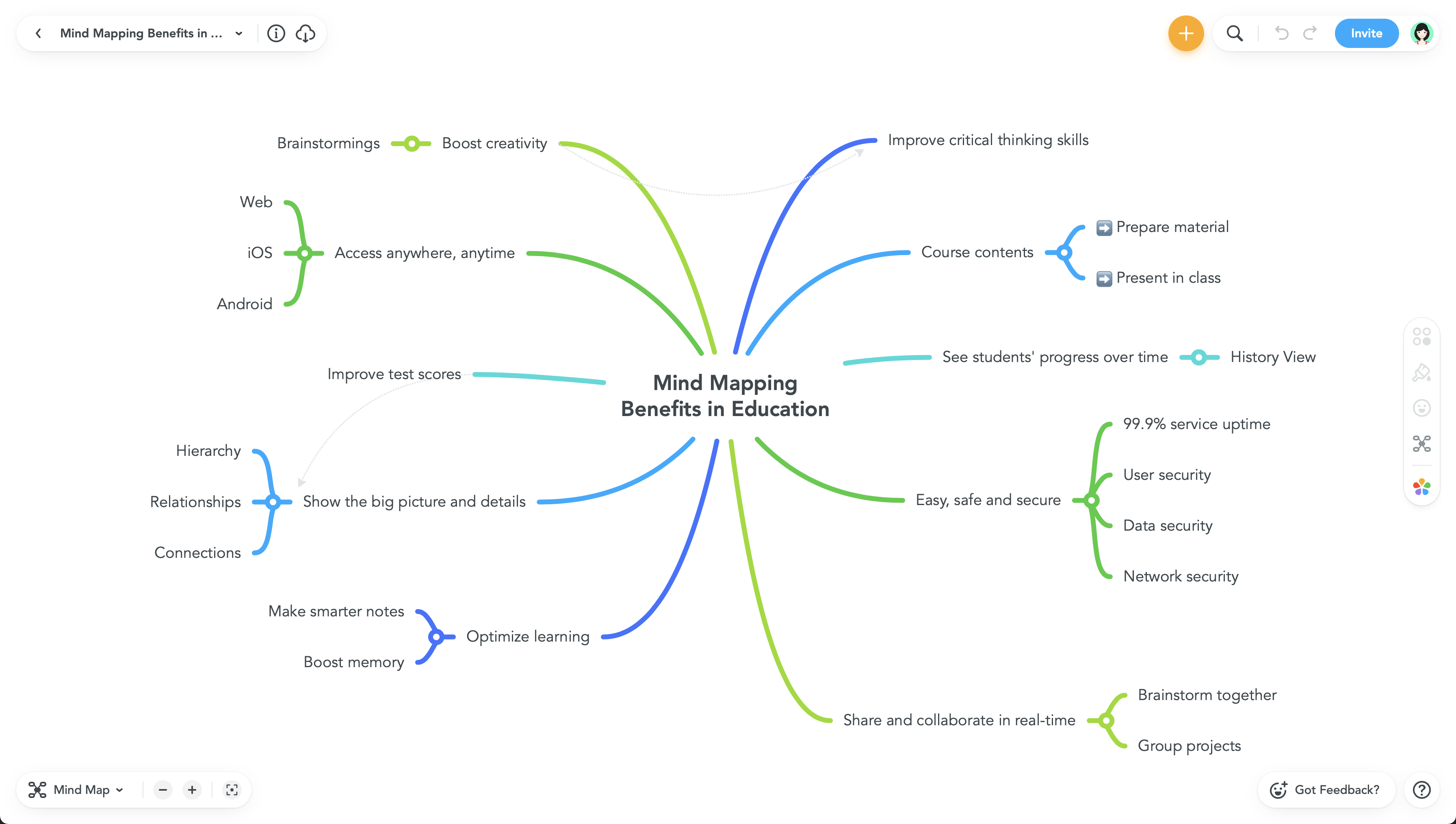
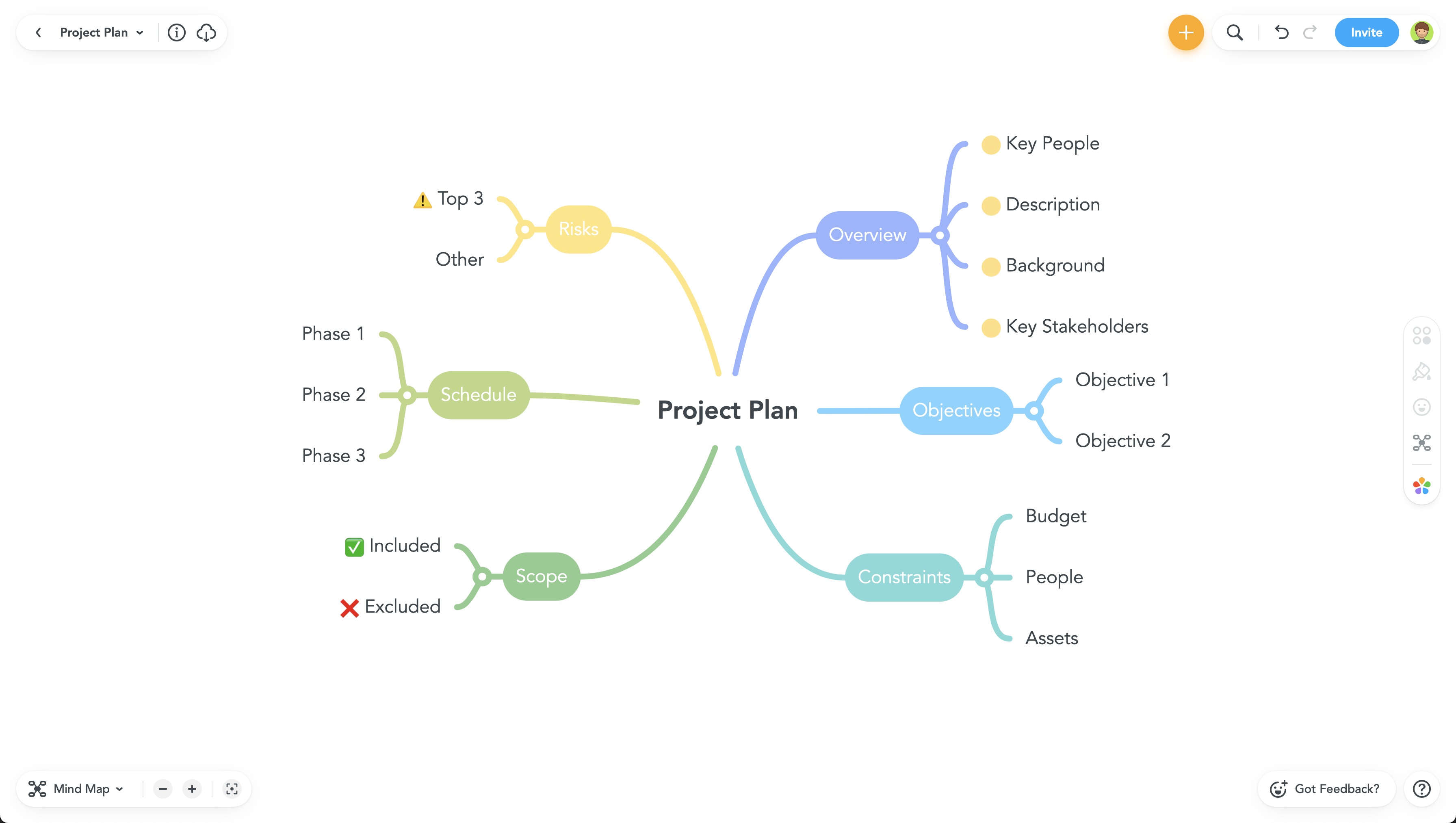
Comparison of Mind Mapping features of MindManager and MindMeister
It is well suited for a quick prototype of product/development planning to show relationships amongst the APIs used. This helps developers understand the impact of the product changes and identifies the need to update integration components to avoid erroneous deployments. I have not personally experienced a less appropriate scenario at the moment.
A de minimis incentive was given to thank the reviewer for their time. The incentive was not used to bias or drive a particular response, nor was the incentive contingent on a positive endorsement. TR verified that a representative sample of customers was invited. More Info
MindMeister is ideally suited for building mind maps, site maps, or similar types of data maps in the cloud without needing to install extra software. I find that it isn't quite as ideal for other types of diagrams (ERDs, flowcharts, etc) as some other tools, though it definitely can handle those things as well.
A de minimis incentive was given to thank the reviewer for their time. The incentive was not used to bias or drive a particular response, nor was the incentive contingent on a positive endorsement. More Info
A de minimis incentive was given to thank the reviewer for their time. The incentive was not used to bias or drive a particular response, nor was the incentive contingent on a positive endorsement. More Info
The UI is well laid out and easy to use. The workflow makes perfect sense and makes creating tasks a breeze.
The collaboration features make brainstorming not only easy but fun! Everyone enjoys using the tool, which was not the case with other collaboration software we used.
I love being able to get all of my thoughts and ideas on the screen to see them and then be able to connect them in a logical way.
A de minimis incentive was given to thank the reviewer for their time. The incentive was not used to bias or drive a particular response, nor was the incentive contingent on a positive endorsement. More Info
There should be some more functionality in the Notes window, such as a "Paste Special " Icon in the notes area to maintain format control.
Although I create many of my own Web export templates, an add-on for web export design would be great, as I regularly create Interactive Electronic Technical Publications (IETP) in HTML export format.
The ability to sync Map shortcuts between devices would also be welcome. I use MM on three devices, and I have to add or amend the Map list individually. My maps are on OneDrive, so using them should not be that hard if they are cloud-based.
A de minimis incentive was given to thank the reviewer for their time. The incentive was not used to bias or drive a particular response, nor was the incentive contingent on a positive endorsement. More Info
A de minimis incentive was given to thank the reviewer for their time. The incentive was not used to bias or drive a particular response, nor was the incentive contingent on a positive endorsement. More Info
I feel the main issues of the old Mindjet seem to be gone with the Corel purchase. With the huge advance of sharing via browser HTML even 1 user can affect many. And, actually, using MM kind of forced my rigid brain to rethink how I categorize and classify information/projects.
The idea of paying $69USD for an annual cost is more than fair and a great model for Corel/Mindjet to keep rolling out improvements!
A de minimis incentive was given to thank the reviewer for their time. The incentive was not used to bias or drive a particular response, nor was the incentive contingent on a positive endorsement. More Info
MindManager is very intuitive. The user interface is not cluttered and the ribbon icons are easy to understand. Several excellent "how-to" videos are available on the MindManager site as well as on YouTube. MindManager starts quickly and the user interface is very responsive. Launching other programs from MindManager such as Excel is very fast and issue free. The browsing feature is lightning fast. The drag-and-drop capability is also very fast and reliable.
A de minimis incentive was given to thank the reviewer for their time. The incentive was not used to bias or drive a particular response, nor was the incentive contingent on a positive endorsement. More Info
A de minimis incentive was given to thank the reviewer for their time. The incentive was not used to bias or drive a particular response, nor was the incentive contingent on a positive endorsement. More Info
The application is quick and responsive. We are able to produce mindmaps and reports with ease. The program is not complicated at all and integrates well with software and programs like Microsoft Outlook and Teams, which we truly appreciate.
A de minimis incentive was given to thank the reviewer for their time. The incentive was not used to bias or drive a particular response, nor was the incentive contingent on a positive endorsement. More Info
I have called technical support a few times. During the COVID Crisis, I called a few times repeatedly due to a rush request. The technical support guy called me back in minutes. He somehow knew that I had called repeatedly and wanted to make sure my issue was resolved immediately
A de minimis incentive was given to thank the reviewer for their time. The incentive was not used to bias or drive a particular response, nor was the incentive contingent on a positive endorsement. More Info
Never had an issue with customer support, though we never really needed anything major as far as technical help. I do not believe they offer 24 hour customer support but we don't need it as MindMeister is not the type of tool we need need 24 hour a day support for. Overall, very happy with the level of support.
A de minimis incentive was given to thank the reviewer for their time. The incentive was not used to bias or drive a particular response, nor was the incentive contingent on a positive endorsement. More Info
There is a wide range of online training through webinars led by expert users. They are particularly useful for explaining how to use new features and using MindManager 'in the real world' for projects, tasks etc.
A de minimis incentive was given to thank the reviewer for their time. The incentive was not used to bias or drive a particular response, nor was the incentive contingent on a positive endorsement. More Info
A de minimis incentive was given to thank the reviewer for their time. The incentive was not used to bias or drive a particular response, nor was the incentive contingent on a positive endorsement. More Info
MindManager stands out for its wide range of export options, customization and how they have enriched the format over time. As a constantly evolving tool, and having tried others, I consider it superior for the abovementioned reasons. Its cross-platform nature has been decisive, and although there are many alternatives in the form of web applications or the like, MindManager presents itself as a more complete and robust option.
A de minimis incentive was given to thank the reviewer for their time. The incentive was not used to bias or drive a particular response, nor was the incentive contingent on a positive endorsement. More Info
I have also used LucidChart and Google Draw to create mind maps and concept maps in the past. I think that MindMeister is by far the cleanest and most user friendly of the three. Google Draw does not have anywhere near the same functionality. LucidChart tends to be clunky and the options to create your map are not always clear and intuitive.
A de minimis incentive was given to thank the reviewer for their time. The incentive was not used to bias or drive a particular response, nor was the incentive contingent on a positive endorsement. More Info
A de minimis incentive was given to thank the reviewer for their time. The incentive was not used to bias or drive a particular response, nor was the incentive contingent on a positive endorsement. More Info
For a single person business presentation it is a plus.
Project difficulty is well assessed using the map.
Giving away a paper version of a map is a positive gesture. People like the map, the look, and what it says, and it may also be a way to promote MindManager to them.
Keep the PDF or JPEG saving capabilities for small customers like me. It's important.
A de minimis incentive was given to thank the reviewer for their time. The incentive was not used to bias or drive a particular response, nor was the incentive contingent on a positive endorsement. More Info
A de minimis incentive was given to thank the reviewer for their time. The incentive was not used to bias or drive a particular response, nor was the incentive contingent on a positive endorsement. More Info