MobaXTerm vs. RealVNC Connect

Overview
ProductRatingMost Used ByProduct SummaryStarting Price
MobaXTerm
Score 9.5 out of 10
N/A
MobaXterm is presented as an enhanced terminal for Windows with X11 server, tabbed SSH client, and network tools. From this console window, users can run any Unix commands need: ls, cd, grep, awk, tail, cut, sed, wget, rsync, telnet, ssh, rlogin, rsh, etc.
$69
one-time fee per user
RealVNC Connect
Score 8.4 out of 10
N/A
RealVNC® Connect is a secure remote access solution from RealVNC. It can be used to connect to a remote device anywhere in the world to view its desktop in real-time and take control as though sitting in front of it.
$99
per year (one concurrent session)
Pricing
MobaXTermRealVNC Connect
Editions & Modules
No answers on this topic
Essentials
$8.25
per month (billed annually) per concurrent session
Plus
$16.50
per month (billed annually) per concurrent session (add up to 3)
Premium
$29.75
per month (billed annually) per concurrent session (add up to 5)
Enterprise
Custom Pricing
per year
Enterprise
Custom Pricing
Offerings
Pricing Offerings
MobaXTermRealVNC Connect
Free Trial
NoYes
Free/Freemium Version
YesYes
Premium Consulting/Integration Services
NoNo
Entry-level Setup FeeNo setup feeNo setup fee
Additional DetailsPlans work on a Per Concurrent Session basis. Each plan gives access to a bundled number of devices, but limits apply to the amount of devices that can be connected at any given time. The Premium plan includes On-Demand Assist, a useful tool for providing just-in-time remote support to end-users without them needing RealVNC Connect installed on their device.
More Pricing Information
Community Pulse
MobaXTermRealVNC Connect
Features
MobaXTermRealVNC Connect
Remote Administration
Comparison of Remote Administration features of Product A and Product B
MobaXTerm
8.9
9 Ratings
12% above category average
RealVNC Connect
7.3
32 Ratings
8% below category average
Screen sharing9.76 Ratings9.128 Ratings
File transfer9.29 Ratings8.015 Ratings
Instant message8.74 Ratings6.119 Ratings
Secure remote access with Smart Card authentication8.54 Ratings7.05 Ratings
Access to sleeping/powered-off computers9.02 Ratings6.09 Ratings
Over-the-Internet remote session8.66 Ratings9.030 Ratings
Initiate remote control from mobile9.22 Ratings8.919 Ratings
Remote management of servers & workstations9.58 Ratings4.76 Ratings
Remote Active Directory® management8.02 Ratings00 Ratings
Centralized management dashboard8.75 Ratings7.116 Ratings
Session record8.86 Ratings8.02 Ratings
Annotations7.94 Ratings5.36 Ratings
Monitoring and Alerts8.84 Ratings7.03 Ratings
Multi-platform remote control9.76 Ratings9.011 Ratings
Best Alternatives
MobaXTermRealVNC Connect
Small Businesses
Getscreen.me
Getscreen.me
Score 9.7 out of 10
Getscreen.me
Getscreen.me
Score 9.7 out of 10
Medium-sized Companies
Remote Desktop Manager
Score 9.5 out of 10
Remote Desktop Manager
Score 9.5 out of 10
Enterprises
Remote Desktop Manager
Score 9.5 out of 10
Remote Desktop Manager
Score 9.5 out of 10
All AlternativesView all alternativesView all alternatives
User Ratings
MobaXTermRealVNC Connect
Likelihood to Recommend
9.7
(9 ratings)
8.0
(37 ratings)
Likelihood to Renew
-
(0 ratings)
8.0
(8 ratings)
Usability
9.3
(9 ratings)
8.0
(4 ratings)
Support Rating
-
(0 ratings)
8.0
(2 ratings)
Online Training
-
(0 ratings)
7.0
(2 ratings)
Implementation Rating
-
(0 ratings)
8.0
(2 ratings)
User Testimonials
MobaXTermRealVNC Connect
Likelihood to Recommend
Mobatek
MobaXTerm shines when executing commands for large numbers of Network appliances like Switches or routers. As network Engineers, when managing an extensive infrastructure, we need tools to reduce time and work. MobaXterm Split and MultiExec features helped me push configuration changes for more than 100 Switches within a few hours.
Read full review
RealVNC
It is very easy to use if the remote device is already set up to receive connections, so if you are setting up devices before deploying them, it is a great tool to have. It is well-suited to use when shadowing users or using it as a teaching tool. There are other products that are better if you are trying to help someone on a one-use basis.
Read full review
Pros
Mobatek
  • Storing ssh session setting for easy click and go access
  • Various Network scanning tools easy to use even for non-technical people
  • SFTP filesystem browser is simple and straightforward
Read full review
RealVNC
  • VNC Connect does an excellent job in remotely connecting to a computer through either your local area network or even another computer on the internet. As long as the VNC Connect services is installed and the client is running in the background.
  • VNC Connect provides password protection to prevent unauthorized users from attempting to remotely access your computer. There's an option to have a separate password to remotely view vs view & access a computer. You can even add an additional level of security by turning on the feature to require Windows login credentials.
  • VNC Connect provides an additional set of controls after a remote connection has been established with another computer. You can have special keystrokes like Ctrl+Alt+Del sent as a command sequence to the other computer as well as access more than a single screen when in use at the remote computer location.
Read full review
Cons
Mobatek
  • password manager is a pain to get to
  • when I sign out of an RDP session, the tab should close on its own. If I lose connection, then the Reconnect option can be shown
  • It should be able to update on its own, not through download and basically a reinstall
Read full review
RealVNC
  • Its a pretty straight forward product - I would like to see more tools with a "wow" factor.
  • Panel colors are blah - I would like more eye-catching colors.
  • A more consistent look with all platforms - like Mac & PC.
Read full review
Likelihood to Renew
Mobatek
No answers on this topic
RealVNC
VNC is a solid product for the price. It simply works and its reliable across different platforms. Some products state they work well in the Mac environment but don't deliver. This one does what it says. Connections are reliable, but of course, this depends on internet connections. The product works well over wireless connections as well. It delivers on what a remote tool should deliver on. My technicians are happy with the product and customers appreciate the ease of use when letting us connect to their systems. Some also appreciate the remote support while they are multi-task.
Read full review
Usability
Mobatek
It's very easy for any IT administrator to use, it's highly customizable and you can download it free for personal use. It supports every protocol you can think of, has built in power shell and allows for drag and drop of SFTP file browser. I recommend this tool for any IT professional.
Read full review
RealVNC
It's a niche product and in that niche they try to cater to as many use cases as they can. Other as a TCO aspect i don't see many use cases where you can't use this product as the one tool for all remote session use cases in your company
Read full review
Support Rating
Mobatek
No answers on this topic
RealVNC
VNC Connect is a reliable product that has been around for a long time. It is reasonably priced and works well in the Mac & PC environment. When you have a small team that supports many users we need tools that we can rely upon and that will get the job done on the first try. Many customers appreciate the quick assistance and can multi-task while our team works on their computer issues remotely. From a customer service point of view, this tool gives us transparency and efficient effectiveness.
Read full review
Online Training
Mobatek
No answers on this topic
RealVNC
The training is very informative, quick and to the point. All of the details one would need are present so the user doesn't have to go searching for additional information just to use the application. The layout of the training was also neat and concise, some of the other training sessions for other companies I've done in the past were confusing and not well thought out, this one is much more superior
Read full review
Implementation Rating
Mobatek
No answers on this topic
RealVNC
No problem at all, love the product.
Read full review
Alternatives Considered
Mobatek
The list is not working, but comparing is not so great to other. The great best think of MobaXTerm is the unifing of the various program into one. The organization by folders, the storing of keys, the licence managemnt for teams. I liked much and was a plus it have some server utilities.
Read full review
RealVNC
VNC is light and sleek with the quick setup, was impressed with the quick setup despite poor Internet connection outdoor. TeamViewer is good, but the pricing is not as good as VNC. Both do the basic job, but VNC still outperform TeamViewer in terms of performance and ease of use.
Read full review
Return on Investment
Mobatek
  • No subscription fee: you can purchase it once and use for many years
  • Easy to use - no need to spend time on learning how to use
Read full review
RealVNC
  • I have just used the software for about 1 month and so far so god. I am saving time whenever I can access my client's computers from my desk as opposed to having to leave my office to go to their offices. Saves me time and the client money.
Read full review
ScreenShots

MobaXTerm Screenshots

Screenshot of MobaXterm Xserver with SSH, telnet, RDP, VNC and X11Screenshot of the MobaXterm terminal, dark.Screenshot of the MobaXterm ribbon / toolbar.

RealVNC Connect Screenshots

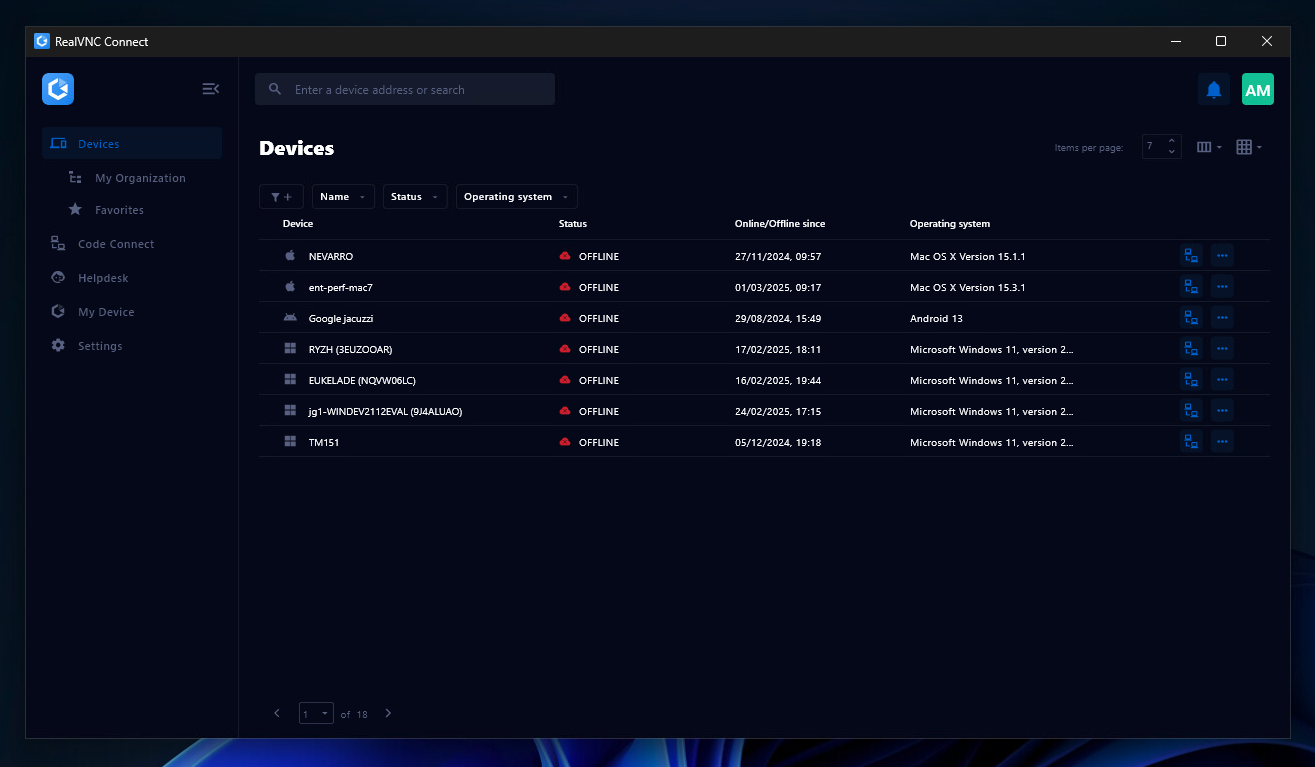
Screenshot of the Device List in the Connect v8 desktop appScreenshot of On-Demand Assist, which can be used to start a remote support session using a single-use code.