Moz Local vs. SEO PowerSuite

Overview
ProductRatingMost Used ByProduct SummaryStarting Price
Moz Local
Score 8.9 out of 10
N/A
Moz Local is a Listing Management & Distribution software solution that enables users to actively manage location data to optimize local search performance. The solution also enables users to respond to reviews and analyze review sentiment on the most popular sites without having to visit them individually, delete duplicate listings, and engage with consumers to share news, offers, and updates across Google, Facebook and other directories.
$20
per month
SEO PowerSuite
Score 9.0 out of 10
N/A
SEO PowerSuite is a SEO software tookit that includes 4 applications - Rank Tracker, WebSite Auditor, SEO SpyGlass, and LinkAssistant. Each application helps website owners and SEOs focus on a specific aspect of search engine optimization. With Rank Tracker, the user can set up rank monitoring, analyze competitors, look for new keyword ideas and organize them in relevant keyword groups. WebSite Auditor helps to run sitewide audits for technical issues, as well as get actionable recommendation…
$299
per year
Pricing
Moz LocalSEO PowerSuite
Editions & Modules
Lite
$20
per month
Preferred
$30
per month
Elite
$40
per month
Free
$0
forever license
Professional
$299
per year license
Enterprise
$499
per year license
Offerings
Pricing Offerings
Moz LocalSEO PowerSuite
Free Trial
NoYes
Free/Freemium Version
NoYes
Premium Consulting/Integration Services
NoNo
Entry-level Setup FeeNo setup feeNo setup fee
Additional DetailsDiscounts are available for annual billing. Add-ons like Reviews AI and Listings AI are available on certain plans. A discount of up to 20% is available for annual billing.
More Pricing Information
Community Pulse
Moz LocalSEO PowerSuite
Features
Moz LocalSEO PowerSuite
SEO
Comparison of SEO features of Product A and Product B
Moz Local
-
Ratings
SEO PowerSuite
8.9
15 Ratings
15% above category average
Keyword analysis00 Ratings8.015 Ratings
Backlink management00 Ratings9.014 Ratings
SERP ranking tracking00 Ratings7.015 Ratings
Page grader00 Ratings10.015 Ratings
Competitive analysis00 Ratings10.015 Ratings
Site audit / diagnostics00 Ratings10.015 Ratings
Site recommendations00 Ratings8.013 Ratings
Task management00 Ratings9.08 Ratings
SEO Channels
Comparison of SEO Channels features of Product A and Product B
Moz Local
-
Ratings
SEO PowerSuite
9.2
15 Ratings
20% above category average
Local SEO00 Ratings9.014 Ratings
Social SEO00 Ratings8.012 Ratings
Mobile SEO00 Ratings10.014 Ratings
Global SEO00 Ratings10.014 Ratings
SEO Platform & Account Management
Comparison of SEO Platform & Account Management features of Product A and Product B
Moz Local
-
Ratings
SEO PowerSuite
10.0
15 Ratings
17% above category average
Multi-domain support00 Ratings10.012 Ratings
Integration with web analytics tools00 Ratings10.014 Ratings
Best Alternatives
Moz LocalSEO PowerSuite
Small Businesses
LocaliQ
LocaliQ
Score 8.7 out of 10
Nozzle
Nozzle
Score 10.0 out of 10
Medium-sized Companies
LocaliQ
LocaliQ
Score 8.7 out of 10
Advanced Web Ranking
Score 8.2 out of 10
Enterprises
Yext
Yext
Score 7.8 out of 10
Dupli Checker (DupliChecker.com)
Score 8.5 out of 10
All AlternativesView all alternativesView all alternatives
User Ratings
Moz LocalSEO PowerSuite
Likelihood to Recommend
10.0
(1 ratings)
9.0
(16 ratings)
Likelihood to Renew
-
(0 ratings)
9.0
(2 ratings)
Support Rating
-
(0 ratings)
10.0
(1 ratings)
Online Training
-
(0 ratings)
9.0
(1 ratings)
User Testimonials
Moz LocalSEO PowerSuite
Likelihood to Recommend
iContact
Moz Local is a great alternative as well as a compliment to Yext. The service has a smaller network but is just as powerful. The dashboard is super easy to load your location information into and allows the product to do the work by distributing the data across platforms. Issues are easily identifiable and can easily be corrected. Depending on your service level package, you also can have access to reviews and be able to monitor those as you see fit. I would strongly recommend this service to anyone who has a local business they are looking to get seen across the web. For a larger business, I'd consider a larger company with a bigger network.
Read full review
LinkAssist.Com
After starting your online business, you have to use SEO PowerSuite to start up. You want to know where you have to go in terms of SEO journey, what keywords you need to use, who your competition is and which locations are the most important to you. Also, you need to know the power of your website, how well it performs now and how it can be improved. If you just want to start blogging for fun, about stuff that interests you and only you, you might find this program a bit over the top. It has way too many features to "just" see how many visitors you get on your website. A simple plugin will probably do the job.
Read full review
Pros
iContact
  • Distribution of location data.
  • Dashboard super easy to use.
  • Low cost option that gets the job done.
Read full review
LinkAssist.Com
  • Finds keyword opportunities with the best chance to rank
  • Finds your most ominous competitors
  • Finds the opportunities for content changes that make a difference in ranking
  • Checks your site for technical issues and suggest fixes for them
  • Finds backlinks for your site and opportunities to go for
  • Helps you with all four areas of SEO: On-page, Off-Page, Technical and Experiential
  • Helps your organize project data and tasks in easy to use columns and filters
  • Helps you setup automatic checks on all aspects of your SEO campaigns to stay up to date
Read full review
Cons
iContact
  • Expansion of network.
  • Needs to be easier to access, too many clicks within Moz suite.
  • Generally speaking, they are solid.
Read full review
LinkAssist.Com
  • The software is not strong with processing large amounts of data. So, it is really good for small and medium size businesses, but can be cumbersome for large projects.
  • Due to large number of settings it takes time to learn it.
  • Need to purchase proxies or captcha solution. I think those can be provides as part of the package already.
Read full review
Likelihood to Renew
iContact
No answers on this topic
LinkAssist.Com
I gave SEO PowerSuite a two because our company did not renew our subscription. The pricing was too complicated and having multiple platforms made it more difficult to use. We dropped our subscription to SEO PowerSuite and implemented Moz. Moz gave us a full view of all of the metrics we were looking for on one web-based platform. Plus, the pricing model was simple so it was easier to get senior management to cosign on.
Read full review
Usability
iContact
No answers on this topic
LinkAssist.Com
Overall, the documentation makes SEO PowerSuite easy to use; however, if someone was just starting off, it will take a bit of a higher learning curve as there are a lot of tools to work with. Starting off can be overwhelming, but once you get the hang of it, it's fairly intuitive
Read full review
Support Rating
iContact
No answers on this topic
LinkAssist.Com
I have had several interactions with support at SEO PowerSuite. Each time I have been quite pleased with the response. I have interacted with billing and tools support and have found them to both be on top of things. they follow up well and they get the issue resolved in a timely manner. I have no complaints here.
Read full review
Online Training
iContact
No answers on this topic
LinkAssist.Com
SEO Powersuite has a lot of training videos online, combined with some live streaming tutorials. Also, they have a guide that comes with their software to outline the basics of your SEO workflow. This will get you on the right track right from the start. Their guides and tutorials are easy to follow and detail every possible option you have when doing work with SEO Powersuite. Even if you want to switch to different software, the courses are easy to implement in all other tools too! Very recommended if you want to get started in the SEO world, or want to expand your knowledge.
Read full review
Alternatives Considered
iContact
Moz is just as good as Yext, the only major difference is the size of the network.
Read full review
LinkAssist.Com
It works in combination with all of them, the closest would be a combination of Ahrefs, Majestic, and Screaming Frog. However, where this tool steps up its game, is when you integrate it with Google Search Console and then tie them both into Google Data Studio. When you get this right, you can show your client how much money they would need to spend on PPC to get the same 'value' of traffic. This changes the way they look at optimization, now the cost of a term in PPC is also used as a reason to optimize the customer journey.
Read full review
Return on Investment
iContact
  • Information has been published which has helped ensure we are trusted amongst our customers.
Read full review
LinkAssist.Com
  • SEO PowerSuite is a one-time payment SEO software which shortens the time it takes for you to optimize websites in terms of SEO, content, visibility and conversions which can improve your ROI if used wisely.
  • Can be used on multiple platforms and scales nicely. An Enterprise license allows multiple people to run the software, and it's easy to set up. It's updated regularly which means zero maintenance.
  • BuzzBundle and LinkAssistant can increase your brands reach, potentially increasing the number of prospects and leads.
Read full review
ScreenShots

Moz Local Screenshots

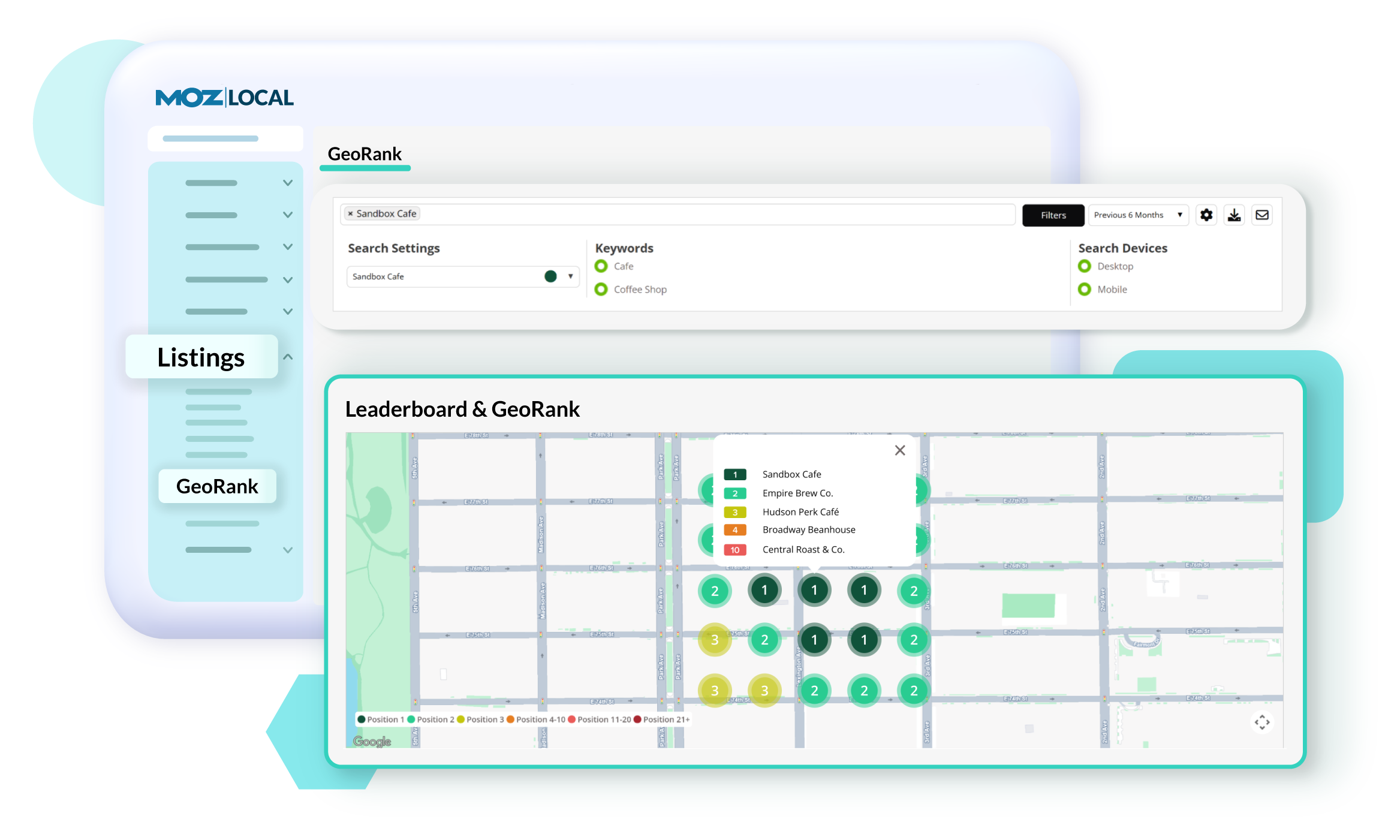
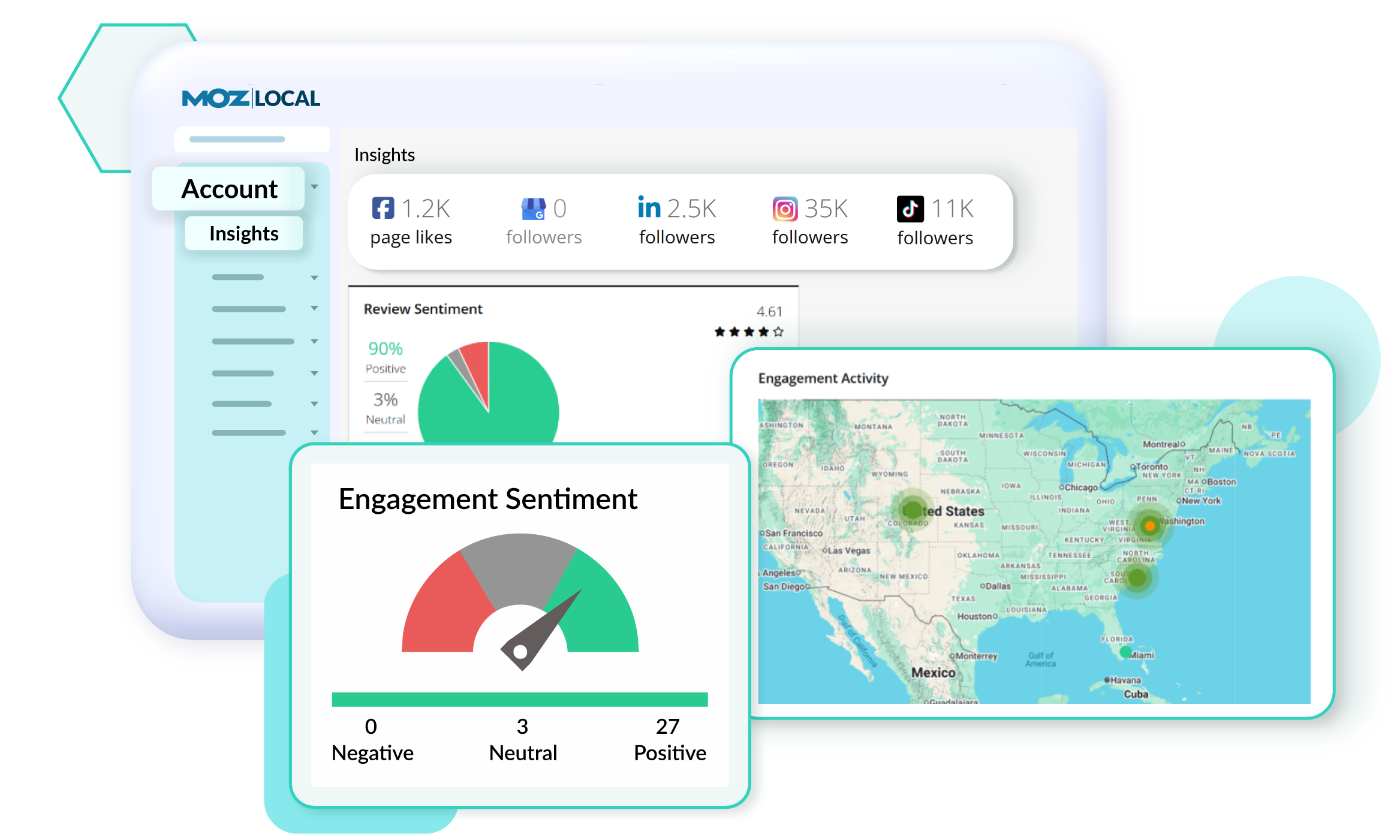
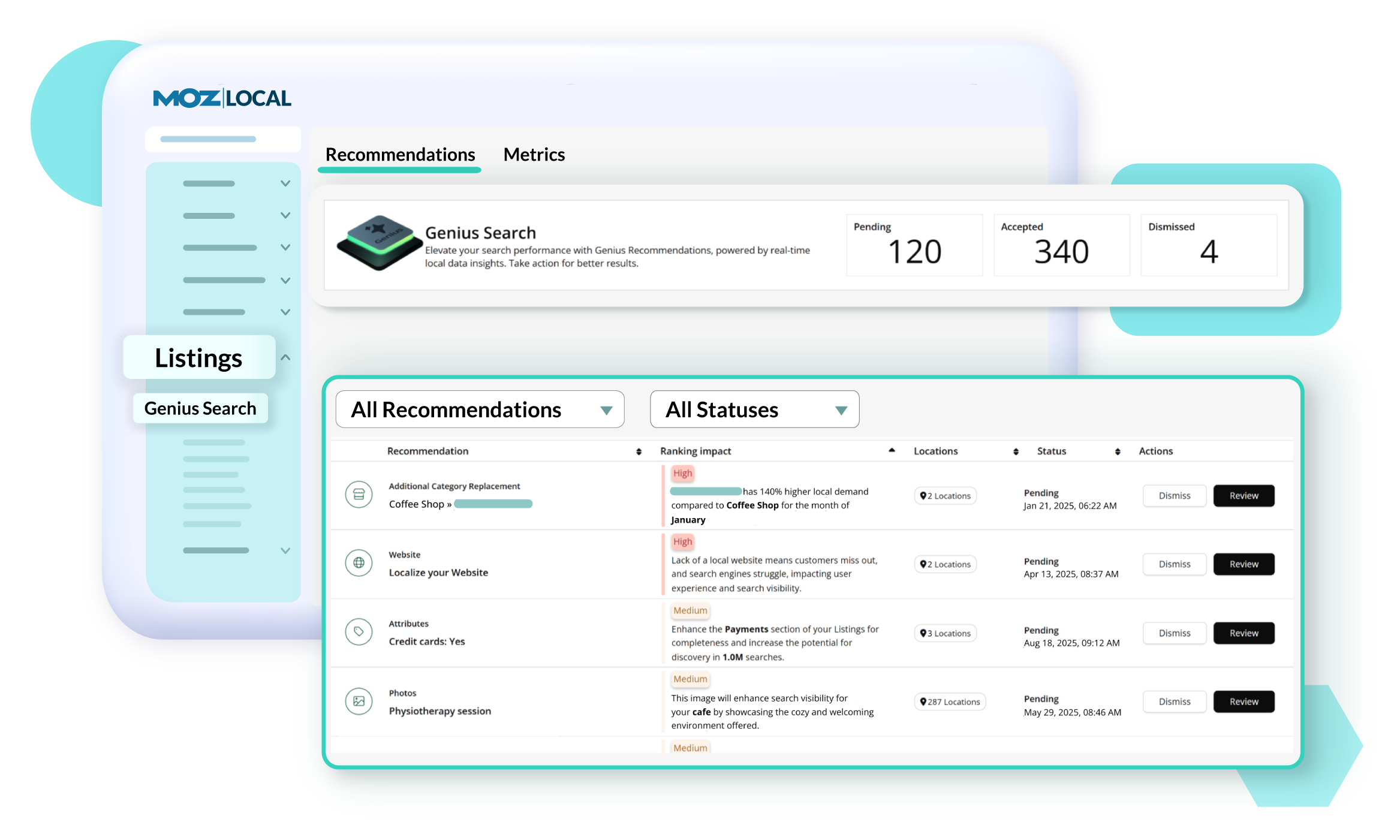
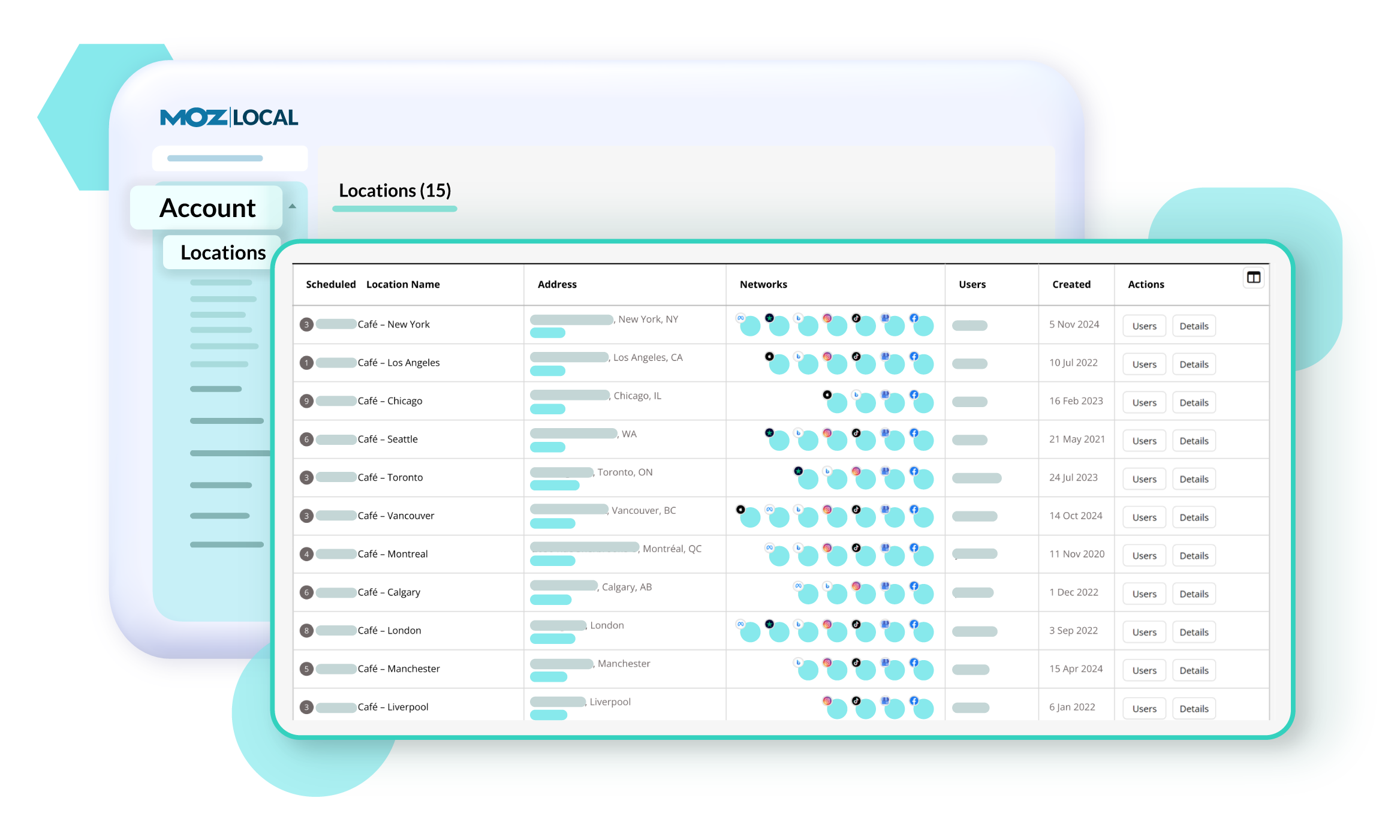
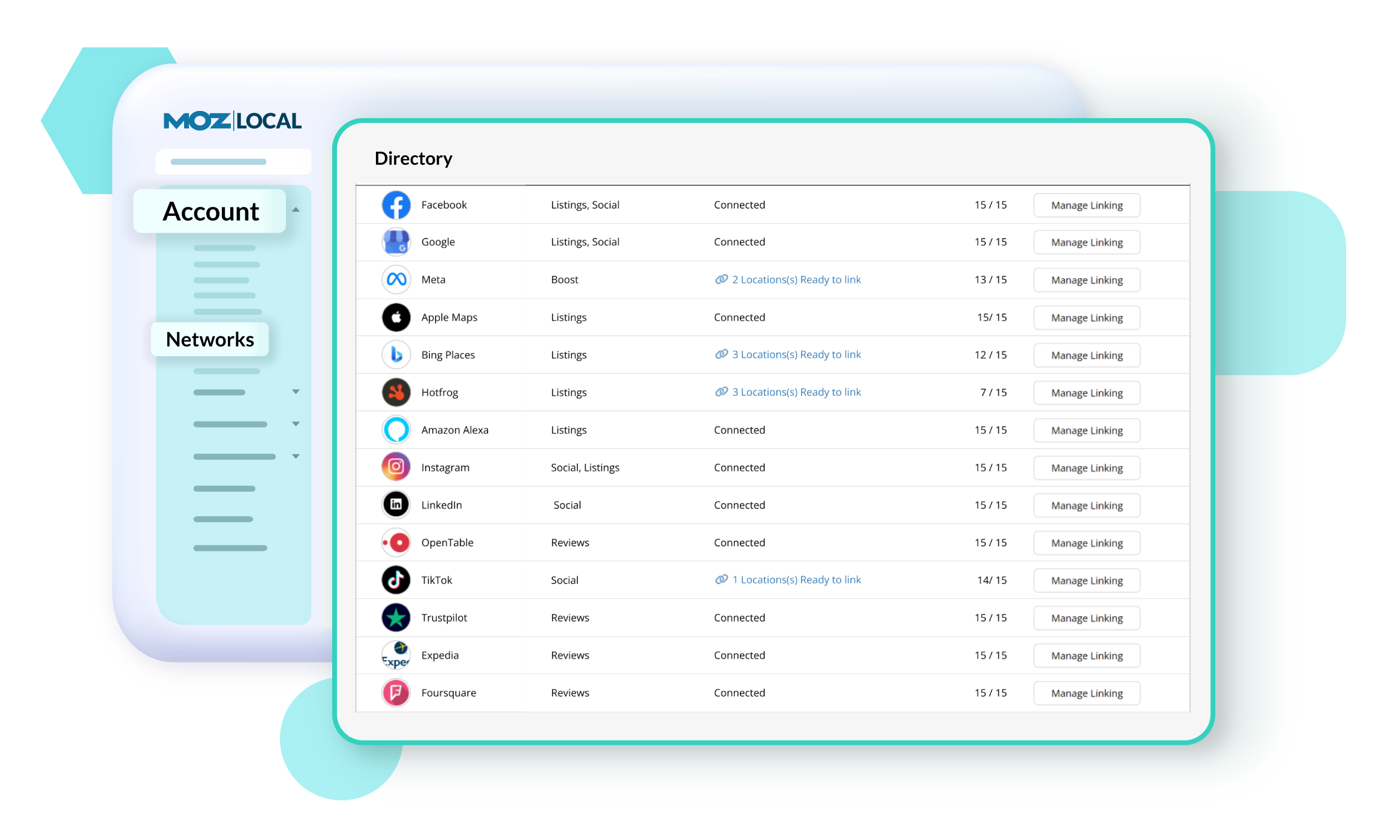
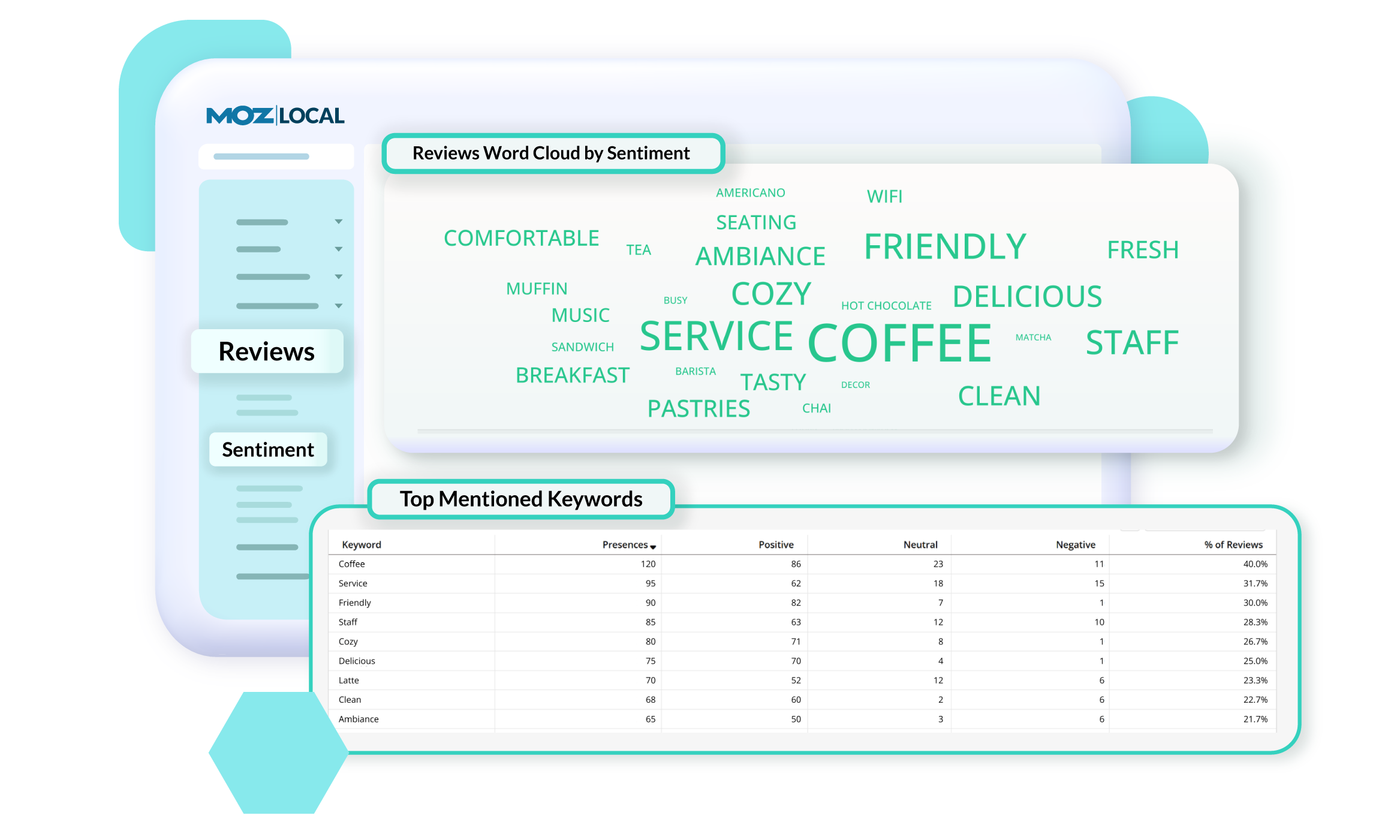
Screenshot of GeoRank, which offers a precise view of how a business and competitors rank in Google’s local search results across different neighborhoods. Because search results change based on a person’s location, traditional rank tracking doesn’t show the full picture. With GeoRank, you can set grids around your service area, track keyword rankings at multiple points, and visualize performance on interactive maps. See where you’re winning, where competitors outrank you, and how your visibility changes over time. GeoRank helps uncover opportunities to strengthen local SEO and expand a brand's reach.Screenshot of Insights in Moz Local, which connect directly with a Google Business Profile to show how customers are finding and engaging with a business. Track key actions like website clicks, direction requests, and phone calls to understand how listing drives leads over time. See which search keywords bring people to a profile, spot trends, and uncover opportunities to improve visibility. Insights offer a deeper look at customer behavior.Screenshot of Listings AI, which helps to keep a business's listings optimized as markets, competitors, and customer behaviors change. By analyzing reviews, engagement signals, keywords, and competitor data, it generates tailored recommendations that follow SEO best practices and align with local search trends. You’ll see suggestions for categories, services, and attributes—each with clear impact metrics—so you know which updates will boost visibility. It is available with Elite plans (or as an add-on for Lite and Preferred).Screenshot of Locations in Moz Local, where users manage and update business details to keep listings accurate and consistent across the web. From one dashboard, you can edit core information like name, address, hours, services, categories, and attributes, as well as upload images and add custom fields. Auto-sync ensures changes are pushed to directories automatically, saving you time and preventing errors. You can also view edit history, set warnings to avoid duplicate content, and group locations for easier management.Screenshot of Networks in Moz Local. which offers a centralized view of all the directories, social platforms, and review sites a business can connect to. From here, you can see which locations are linked, ready to link, or need updates, and quickly manage connections across platforms like Google, Facebook, and Yelp. The Networks table shows linking status and highlights any missing data or issues.Screenshot of Reviews Sentiment in Moz Local, which helps understand how customers feel about a business by analyzing the language used in their reviews. Track sentiment trends over time, see top keywords driving positive or negative feedback, and explore interactive word clouds to quickly spot themes. With color-coded insights and keyword-level detail, you can identify what customers love, uncover areas for improvement, and take action to strengthen your reputation. Sentiment reports can be filtered, shared, or exported, so marketing teams stay aligned on customer feedback and business impact.

SEO PowerSuite Screenshots

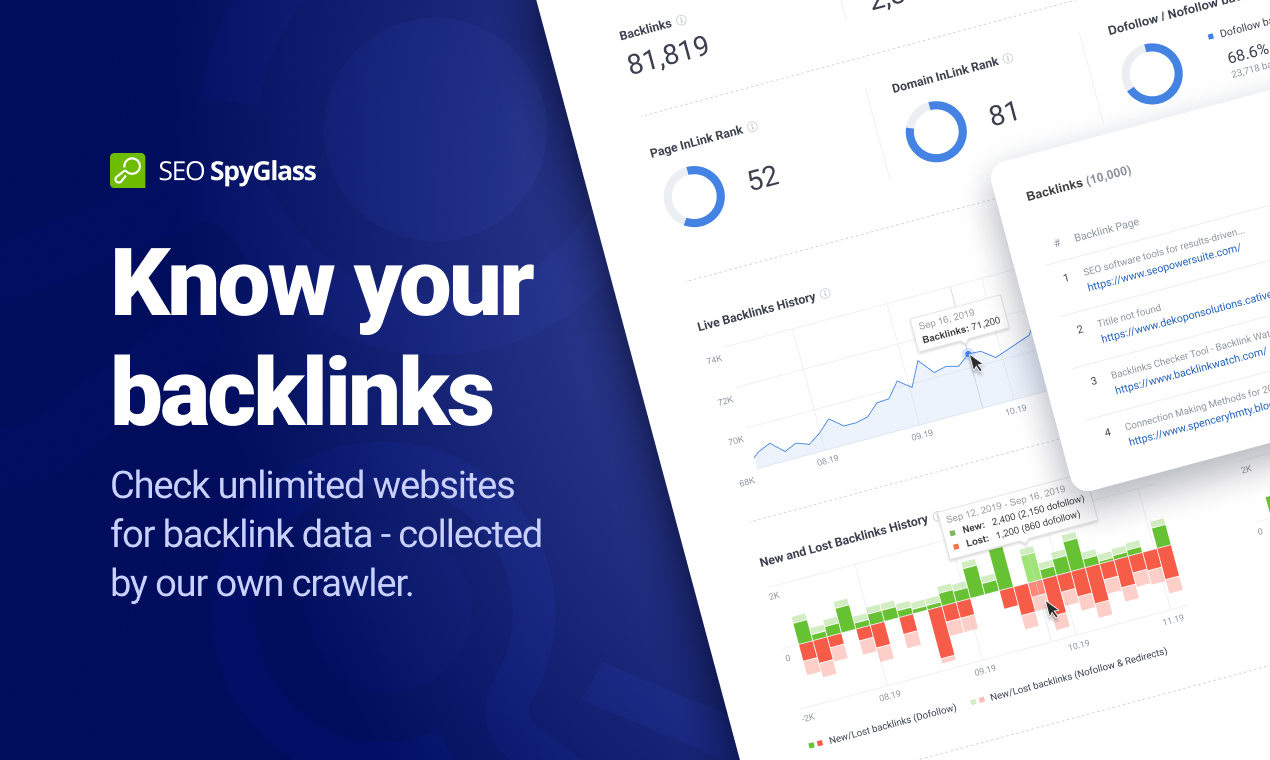
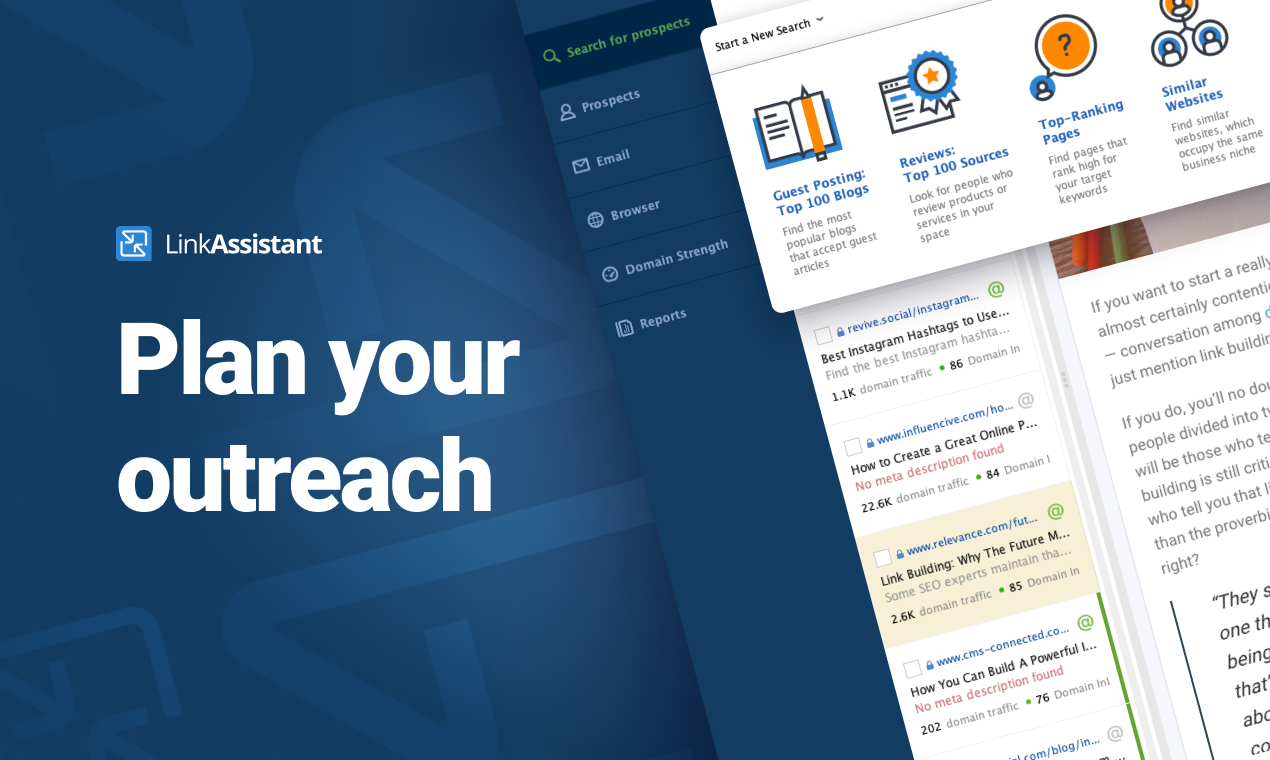
Screenshot of Rank Tracker is the most customizable rank checker tool you'll come across. Whether you need to check positions globally or in local search, in Google SERPs or any of the tool's 400+ search engines — Rank Tracker's got you covered. Whether you need to scan the top 50 or 1,000 search results, track keyword rankings once a week or daily, monitor Universal and Map listings, and track competitor keyword ranks — you can do that even with the software's free trial. Monitor your site average position and visibility score. Observe how your ranking position changes, notice when your keyword enters the top position or gets a featured snippet on Google SERPs. The best part is, everything is unlimited in this keyword position checker — including websites, search engines, and keywords to track.Screenshot of WebSite Auditor does more than analyzing your content. It lets you optimize pages in-app with step-by-step SEO advice as you type. In a separate tab, you can create and edit your pages' title and meta description tags, and preview your Google snippet right below. Done optimizing? A single click will save the SEO-perfect HTML to your hard drive, ready for upload.Screenshot of All your favorite keyword research tools are integrated right into the Rank Tracker keyword rank tool: Google Ads Keyword Planner; Competition research; Domain Research; Related Searches; Autocomplete tools; Related Questions; Google Analytics and Search Console for terms you already rank for. Used together, these sources will give you thousands of keywords you wouldn't have found elsewhere on the web. As you find keyword ideas, the tool will automatically group them by topic, so you can analyze and target entire keyword groups instead of going through bulks of terms one by one.Screenshot of WebSite Auditor will run an SEO audit and quickly reveal every issue on your site that can affect search engine indexation, rankings, and user experience. The audit tool looks for tech SEO issues such as broken links and images, duplicate content, crawling errors, poor mobile usability, site speed, redirect chains, internal linking problems, heavy pages and scripts, W3C validation errors, thin content, and more.Screenshot of Check the exact backlinks your site has — or spy on your competitor's backlinks with SEO SpyGlass. In a matter of minutes, this smart tool will calculate the total number of backlinks the site has and show the exact URL of each and every backlink. Since today's search engines place a huge value on links, this is the number one factor for ranking well.Screenshot of Acquiring that new backlink is often a numbers game — you need link building tools that will provide tons of link suggestions that will serve as a foundation for your link building campaigns. And LinkAssistant is simply the best tool for sheer volume. With 7.1 billion pages crawled on a daily basis, the software will give you backlink opportunities in hundreds and even thousands.