N-able N-central vs. RealONE

Overview
ProductRatingMost Used ByProduct SummaryStarting Price
N-able N-central
Score 9.2 out of 10
N/A
MSPs and IT professionals use N-able™ N-central® to monitor and manage devices and complex networks remotely. N-central provides visibility and efficiency as the user's needs scale. N-central can help users: 1. Proactively monitor everything on a customer network—not just servers and workstations—and troubleshoot. 2. Stay on top of threats with features like MFA, antivirus, integrated endpoint detection and response, data backup, disk encryption, email protection,…N/A
RealONE
Score 10.0 out of 10
N/A
RealONE, formerly the RPort remote management of IT infrastructure now bundled with RealVNC, enables users to manage Windows, Linux, desktops and servers, and IoT devices from one central console.
$0
Pricing
N-able N-centralRealONE
Editions & Modules
No answers on this topic
Open-Source Edition
$0
Offerings
Pricing Offerings
N-able N-centralRealONE
Free Trial
NoNo
Free/Freemium Version
NoYes
Premium Consulting/Integration Services
NoNo
Entry-level Setup FeeNo setup feeNo setup fee
Additional DetailsFree and open-source, MIT License
More Pricing Information
Community Pulse
N-able N-centralRealONE
Features
N-able N-centralRealONE
Monitoring Tasks
Comparison of Monitoring Tasks features of Product A and Product B
N-able N-central
7.4
6 Ratings
1% above category average
RealONE
-
Ratings
Remote monitoring9.66 Ratings00 Ratings
Network device monitoring8.36 Ratings00 Ratings
Management Tasks
Comparison of Management Tasks features of Product A and Product B
N-able N-central
9.0
7 Ratings
23% above category average
RealONE
-
Ratings
Patch Management9.07 Ratings00 Ratings
Best Alternatives
N-able N-centralRealONE
Small Businesses
Panda Systems Management
Score 8.4 out of 10
Panda Systems Management
Score 8.4 out of 10
Medium-sized Companies
Action1
Action1
Score 9.4 out of 10
Action1
Action1
Score 9.4 out of 10
Enterprises
TeamViewer
TeamViewer
Score 8.5 out of 10
TeamViewer
TeamViewer
Score 8.5 out of 10
All AlternativesView all alternativesView all alternatives
User Ratings
N-able N-centralRealONE
Likelihood to Recommend
8.6
(25 ratings)
10.0
(2 ratings)
Likelihood to Renew
9.1
(2 ratings)
-
(0 ratings)
Usability
7.3
(7 ratings)
-
(0 ratings)
Support Rating
1.0
(8 ratings)
-
(0 ratings)
Implementation Rating
8.4
(2 ratings)
-
(0 ratings)
User Testimonials
N-able N-centralRealONE
Likelihood to Recommend
N-able
N-Able is perfect for an MSP environment. It gives all the standard functionality an IT professional needs out of the box and can be configured to show almost anything required. For example, we have configured a dashboard to show when our backups need attention for each customer. This is achieved by running a small script on repeat via N-Central everyday/evening, and the result gives us information on the dashboard to help us identify exactly what is working and what needs looking into.
Read full review
RealVNC
If you are looking for an alternative to TeamViewer--a very secure tool with very little hassle to set up--this is it.
Read full review
Pros
N-able
  • Remote tasks - entry-level techs can run basic tasks without physically touching a piece of equipment.
  • Remote support - remote controlling user devices is easy and saves a lot of time with having to initiate a remote session.
  • Management of devices, particularly patch management and anti-virus management - you can automatically approve and deploy patches and schedule automatic AV scans.
Read full review
RealVNC
  • Very secure and open source
  • No need for VPN and chained SSH connections
  • Its got a very nicely designed UI
  • Developers are adding a new features
Read full review
Cons
N-able
  • Customer support just points to online guides and I feel they aren't helpful.
  • During the trial they turn on a lot of features. In my experience, if you play around with the features, they charge you for them. Keep this in mind if you move forward with N-Able - they will charge for "trialed" services.
  • In my experience, some services that you're being charged for can't be disabled or monitored by you or your team. You only see them on the monthly invoice.
  • In my opinion, the "Scripting Automation" doesn't provide value. You're either going to be writing your own batch or Powershell to make scripting work.
  • In my opinion, monitoring software deployments is painful.
  • The default monitoring template can't be duplicated, edited, or referenced. You'll find that the default monitors in an unusual way and will throw needless recurring alerts into your ticketing system. To avoid this, you need to create a template from scratch which takes many hours to set up.
  • In my opinion, they're more concerned about a quick buck than customer service. "Buyer beware" company.
Read full review
RealVNC
  • I'd love to be able to save the output of commands/scripts executed
  • "Whats new in this release" feature
Read full review
Likelihood to Renew
N-able
Overall we have liked our solar winds experience, however, as our company has grown to support larger enterprises, this product does not have the functionality that our teams need in order to fully support them. The lack of granularity with backups and lack of ability to support nutanix environments is slowly drawing us into the use of other tools.
Read full review
RealVNC
No answers on this topic
Usability
N-able
The user interface is fairly straight forward, with logic groupings for objects. I did not deploy this software, but am one of the daily administrators. Once you get the correct agent package (Which can be a challenge) the integration into AD is not bad. The UI could be more customized, but that may have been a design choice.
Read full review
RealVNC
No answers on this topic
Support Rating
N-able
Every time we have reached out to SolarWinds they are quick to respond, even offering support chat 24/7. Their support team is great and works with you to find solutions to issues. They have taken items we had issues with before and used those to create updates so that the issue is handled better in the future.
Read full review
RealVNC
No answers on this topic
Implementation Rating
N-able
Make sure if you your using a vm you follow the instructions for provisioning to the letter or it will be starting from square one
Read full review
RealVNC
No answers on this topic
Alternatives Considered
N-able
Our version of SolarWinds was old and running on old hardware, but it was way easier to setup and do things with. It did not do everything N-able does such as patch management, or at least we didn't have a module to do so if one existed. However it definitely seemed easier to use and possibly more stable.
Read full review
RealVNC
We selected RPort over TeamViewer because it's got features that TeamViewer does not have. It's designed by DevOps and I find it suited pretty well for my day-to-day tasks.
Read full review
Return on Investment
N-able
  • We have lost hundreds of hours on the phone/emailing support with no resolution for any of our issues
  • We had to move all of our services away which was very painful
  • Staff satisfaction was low having to deal with this company
Read full review
RealVNC
  • It speeds up my work
Read full review
ScreenShots

N-able N-central Screenshots

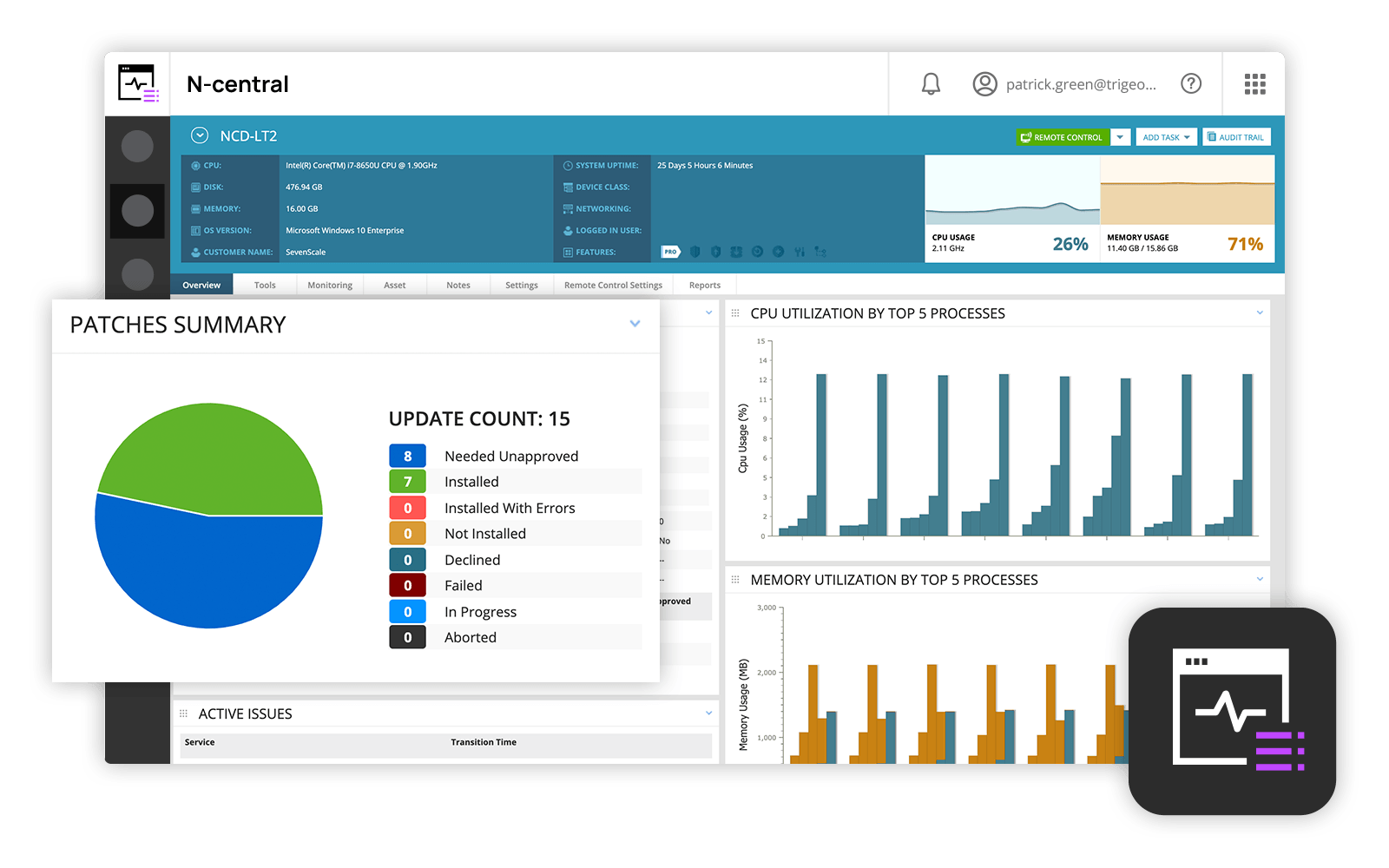
Screenshot of N-able N-central DashboardScreenshot of Remote desktop access with Take Control

RealONE Screenshots

Screenshot of the dashboard used to organize remote machines.Screenshot of where to launch RDP connections to any Windows system over an encrypted and secure tunnel. No port forwarding and no public IP address are needed.Screenshot of the log in to remote Linux and Unix machines via SSH. The client makes any system available everywhere. Securely and encrypted.Screenshot of where to execute command directly from the browser. On a single machine, or on many.Screenshot of where copying the snippet pairs new remote systems.Screenshot of when pairing is finished. Works on any console. Powershell and any Linux shell.