Notion aims to present users with an all-in-one workspace — for notes, tasks, wikis, and databases, from Notion Labs in San Francisco.
$0
Roadmunk
Score 5.7 out of 10
N/A
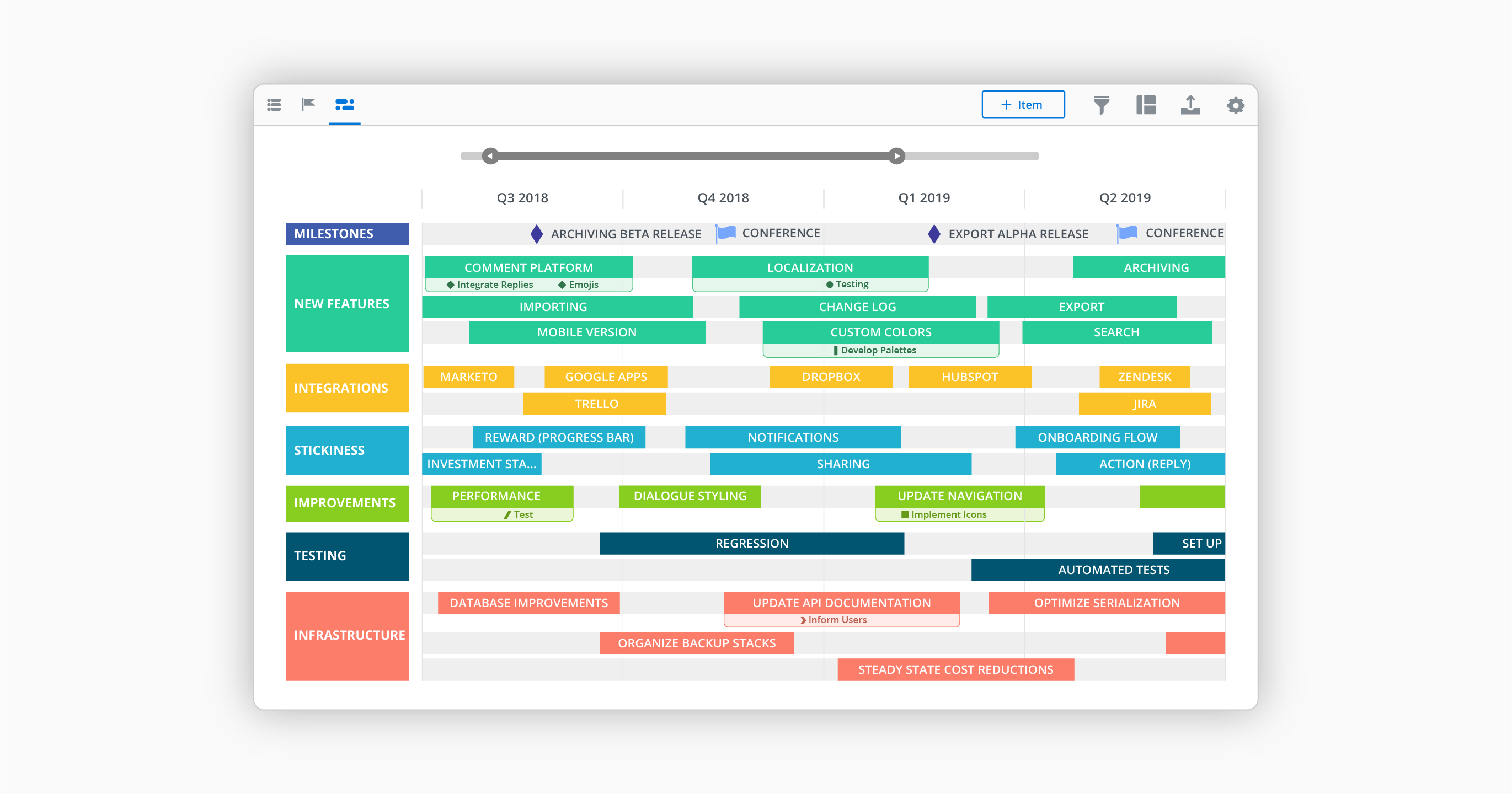
Roadmunk is a roadmap visualization platform that is designed to enable product managers and their teams to communicate the strategic roadmap throughout their organization. The vendor says product leaders can easily input milestones, roadmap data and create unlimited pivots in real time. The vendor says it has differentiated itself through intuitive user-centric design, seamless manipulation of roadmap views and enterprise data security. Since late 2021, Roadmunk is part of Tempo.
$19
per seat
Pricing
Notion
Roadmunk
Editions & Modules
Free
$0
Plus
$12
per month per user
Business
$24
per month per user
Enterprise
Custom Pricing
Starter
$19
per seat
Business
$49
per seat
Professional
$99
per seat
Enterprise
Custom
per seat
Offerings
Pricing Offerings
Notion
Roadmunk
Free Trial
Yes
Yes
Free/Freemium Version
Yes
No
Premium Consulting/Integration Services
No
No
Entry-level Setup Fee
No setup fee
No setup fee
Additional Details
A discount is offered for annual billing.
Ready to roadmap? All our plans start with a free 14-day trial.
Google Drive is great for storing documents but having to go in and out of documents to view and find things like company policies or operating procedures isn't the best user experience. With Notion its easy to see the docs we have available, click into them, etc and search for …
Notion is much more robust than Google Tasks, which I find very limited. Notion is far more customizable and affordable than Asana, which is more of a turnkey solution for teams that want to work within a pre-defined structure. Notion and ClickUp are comparable, in my opinion, in …
Notion is far superior to OneNote. OneNote is unnecessarily complex and quite constrained by 'old ways' of doing things. Notion is a more simplistic interface and just 'works'.
Needed something outside of Microsoft Office for overall deal and project tracking and collating our collective knowledge and learnings from different deals. We have not evaluated against anything else.
I listed only the other tools we use. These are not necessarily competitors to Notion, nor we use them for the same things. For organising tasks and collaborative work we only use Notion. Slack is good for communication, Figma for design and development, while Miro for …
I like Notion more than Trello and Google Sheets because it has the best parts of both. Trello is good for making lists of tasks, but it can’t do much else. Google Sheets is great for organizing data, but it can get messy. I chose Notion because I can make lists, tables, and …
The first major difference is the ability to create formulas using other columns and even using other formulas. This increases the possibility of customization to another level. I couldn't do the same things using these other tools. The second is the infinite number of things …
I think Miro also has it's downsides but in general there is more options to illustrate one's creative ideas and workflows etc. Notion is slightly more limiting in that sense. And due to two facor authentification I also tend to work more in google sheets and google docs and …
Notion pretty much combines all the capabilities each one of these platforms have and just takes the most important ideas and concentrates on making them stand out. I can create a "Trello" type of timeline, and use a more traditional "Jira" or "Asana" type of waterfall view. …
Notion goes beyond file storage, which are what the two selected above primarily offer. Also I have used Notion for personal use cases and projects and have found it to have a really amazing user experience and UI. Microsoft products tend to fail at having a good UX. Also, …
The company uses both Notion and Trello within the company. Notion is more for North America employees while Trello is used between Operation team overseas and in North America. Sometimes it's a preference of how the tools look like for project management. I would say both …
Jira is a great tool, that is probably more robust than Notion and more scalable. But for a small company (under 50 people) the investment is hard to swallow without a significant revenue stream justifying it. Notion is a perfect low cost option that meets 80% of the …
We found Notion to be a lot easier to use than ClickUp. They offer a similar feature set, but ClickUp was a lot less user-friendly in my opinion. We also tried Trello and Todoist, but found they were just lacking the features we needed. We still use Trello for some internal …
Notion's flexibility and extensive customization options make it the perfect tool for my personal organization. I appreciate not being confined to a single format, and I find that the process of personalizing my workspace sparks creativity, which is a great asset for managing …
Notion is the most in depth of all of the above applications. You can make a simple to-do list and share it with other people, or dive deep into formulas and page linking. I appreciate that it does not take a large time to set up like Monday.com, but it still offers a huge …
Notion has a powerful feature, and it is their templates within databases. They allow our operation to flow seamlessly and create new tasks with defined subtasks in seconds.
not nearly as useful, it is just a file organiser tool but Notion has the functionality of creating many thing in one page, allowing to include more pages and link with other spaces. such as Miro, google drive, calendar, etc Integration is part of what makes Notion the best …
I think that Notion adds a better user experience which is more customisable. Some of these apps are really rigid and dont give youthe flexability that Notion does.
I found that Notion offered the most versatility. In particular it allowed me to super easily format and reformat information depending on how I was using it. This has proven incredibly useful. And has allowed me to store various types of information all in the same place.
Notion is less complicated than ClickUp and more user friendly, especially for those who prefer simplicity. I am aware that ClickUp does offer simple template and let us scale it but Notion is one step ahead because of the UI design is easier to use. I like Confluence at work …
Roadmunk beats Aha! through visualization and Gantt connections between work items. We originally turned to Lucid (Spark and Chart) and Miro to get away from Aha's difficulties, but those platforms presented significant challenges in terms of relationships and dependencies.
We've used Google Calendar, Microsoft Office products, Trello, and others. Roadmunk seems to combine the best of all of those, and then offers a little more.
Roadmunk has an actual product management workflow design built into it vs trying to use eg generic e-post-it software like Trello. Trello is better at free-forming prioritization, which is actually much better than (again) the awkward item navigation in Roadmunk, but the …
Much easier to use Roadmunk than PowerPoint. The template is already set and the box heights are fixed. Having less flexibility is actually useful here, since you don’t have to build everything from scratch, you can just focus on the insights. The Gantt chart functionality in …
Sr. Director, Emerging Products at Swagbucks, a Prodege Company
Chose Roadmunk
To be quite transparent, Roadmunk was the cheaper option. However, it also provided a ready-to-use solution for the team that required little to no training to get up and running. It provided the needed results almost from Day 1. Aha! had the more robust feature set and the …
In my opinon Roadmunk has the best UX and very friendly interface. The decision to purchase Roadmunk was based also on the great customer service and help provided by the team. Roadmunk team is open to suggestions and is constantly working on their product. It's great to see …
At the company I work for, we use Notion as an organizational base for all sectors and projects. For example, we use it for the marketing team, customer support team, among others. And for each one, we can create pipelines, tasks, due dates, execution time, tags with different colors. It's something very versatile that helps with everything around here. We've even created a sales funnel in Notion.
Roadmunk allows us to configure and share customized views of our roadmaps. As a platform, it has demonstrated progress in its scalability and performance, which has accommodated the growth our team has seen over the last two-plus years. Particular strengths include configurability and customization, along with options for views, exports, and sharing with internal and external audiences.
Collaboration – Roadmunk makes it very easy to work and edit within a team structure.
User Experience – The usability of the product made it quite easy for the entirety of the team to hit the ground running (i.e. very little training was required).
Rollups – Each product line and therefore each product owner could easily focus on their particular roadmap without having to sort through the master roadmap making it highly efficient, while at the same time making it quite easy to pull all updates into one high-level document.
I use Notion on my personal tablet, and unlike on the computer, I have a lot of difficulty editing backgrounds, GIFs, and page dividers. It's not as user-friendly, and often the elements end up cut off or misaligned, which is frustrating.
While the current calendar feature is helpful, I'd love to see more customization options. The Google Calendar style isn't always ideal, especially for tasks without specific times or for ongoing projects that require daily maintenance.
It would be fantastic to have more flexibility in customizing Notion pages. For example, I'd love to create planners with the freedom to add illustration boxes, stickers, or GIFs without being restricted to a fixed layout.
Notion addresses most of our needs and help teams to organize their tasks, track their progresses and then archive for future reference. The company uses Notion to share announcement, holiday schedules, employee contact information and organizational structures. Everyone finds it useful and helpful. The notifications are instant. Reminders are on time.
Performance has improved meaningfully over the last 12 months or so, especially in our views that contain many roadmap items. Some challenges remain, however, particularly when changing the timeline and in scenarios of multiple users interacting with the roadmap simultaneously.
The Roadmunk team has been great to work with...whether proactive communications about new features or the occasional outage, or when we reach out to them with feature requests, assistance/support, or even license management and renewals - they are top notch.
Notion is much more robust than Google Tasks, which I find very limited. Notion is far more customizable and affordable than Asana, which is more of a turnkey solution for teams that want to work within a pre-defined structure. Notion and ClickUp are comparable, in my opinion, in terms of task management and affordability, however Notion is the more customizable and expansive option whereas ClickUp is mostly just for task management.
Roadmunk has an actual product management workflow design built into it vs trying to use eg generic e-post-it software like Trello. Trello is better at free-forming prioritization, which is actually much better than (again) the awkward item navigation in Roadmunk, but the other Roadmunk advantages post-prioritization win out in the end.
Roadmunk has reduced the number of meetings that product needs to attend with customers by 20-25%
Roadmunk has eliminated a whole set of churn in our workstream management tool (JIRA) by abstracting the planning step away from the steps where we monitor work progress