OpenText Network Node Manager i is a network management platform acquired by Micro Focus from Hewlett-Packard Enterprise, and now supported by OpenText.
N/A
SolarWinds Engineer's Toolset
Score 7.9 out of 10
N/A
SolarWinds® Engineer’s Toolset (ETS) helps users monitor and troubleshoot a network with over 60 tools for network management. ETS allows users to monitor and receive alerts in real time on network availability and health, and perform network diagnostics for faster troubleshooting and resolution of complex
network issues. With ETS users can deploy an array of network discovery tools including Port Scanner, Switch Port Mapper or advanced Subnet Calculator, manage Cisco®
devices with specialized…
$1,585
Per Instance
SolarWinds Network Configuration Manager (NCM)
Score 8.4 out of 10
N/A
SolarWinds Network Configuration Manager is network diagnostics and troubleshooting technology, from Austin-based SolarWinds.
N/A
Pricing
OpenText Network Node Manager i (NNMi)
SolarWinds Engineer's Toolset
SolarWinds Network Configuration Manager (NCM)
Editions & Modules
No answers on this topic
One Time Price
$1,585
Per Instance
No answers on this topic
Offerings
Pricing Offerings
OpenText Network Node Manager i (NNMi)
SolarWinds Engineer's Toolset
SolarWinds Network Configuration Manager (NCM)
Free Trial
No
Yes
Yes
Free/Freemium Version
No
No
No
Premium Consulting/Integration Services
No
No
No
Entry-level Setup Fee
No setup fee
No setup fee
Optional
Additional Details
—
—
—
More Pricing Information
Community Pulse
OpenText Network Node Manager i (NNMi)
SolarWinds Engineer's Toolset
SolarWinds Network Configuration Manager (NCM)
Considered Multiple Products
OpenText Network Node Manager i (NNMi)
No answer on this topic
SolarWinds Engineer's Toolset
Verified User
Manager
Chose SolarWinds Engineer's Toolset
These tools complement the Engineer's Toolset. They are excellent at detecting most issues and at keeping the network monitored and protected. However, when it comes time to dig into an issue, especially a hard to fix intermittent issue, these products lack the granularity of …
SolarWinds NPM and NCM use a lot of the tools available in the toolset. This is a nice combo of the two with a little bit of IPAM thrown in. I would say the toolset is geared more toward the field engineer, that will be doing work that may sever communications to the rest of …
Well-suited for large-scale deployment without needing more servers. Linux installation is quite stable, and Polling of a large number of devices is well managed. Less suited to Network Observability scenarios or cloud network monitoring.
I have found the toolset especially useful for scanning subnets to discover devices, and for setting up temporary real-time monitors when we are troubleshooting or setting up new connections. The most useful aspect has been the ability to apply the tools to help troubleshoot and pinpoint intermittent issues. More general tools like Orion often do not have the granularity to detect issues like intermittent packet loss which are especially impactful to applications like Voice. The toolset gives us another level of capability to dig into issues.
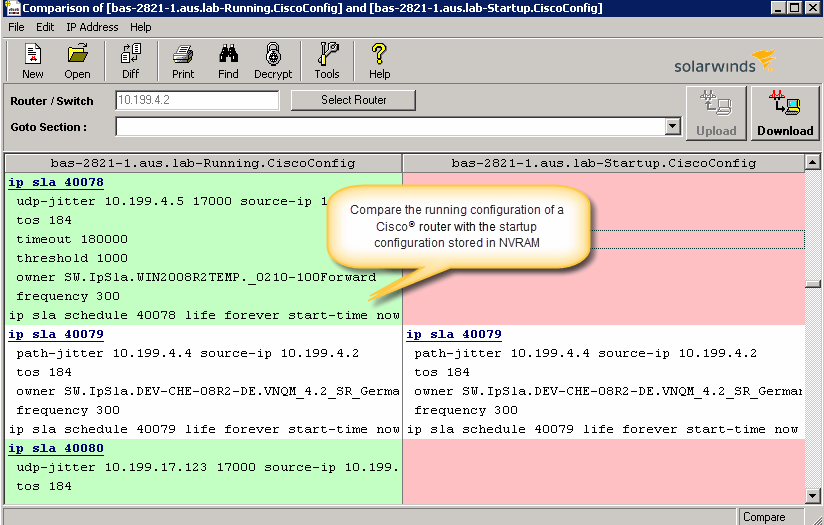
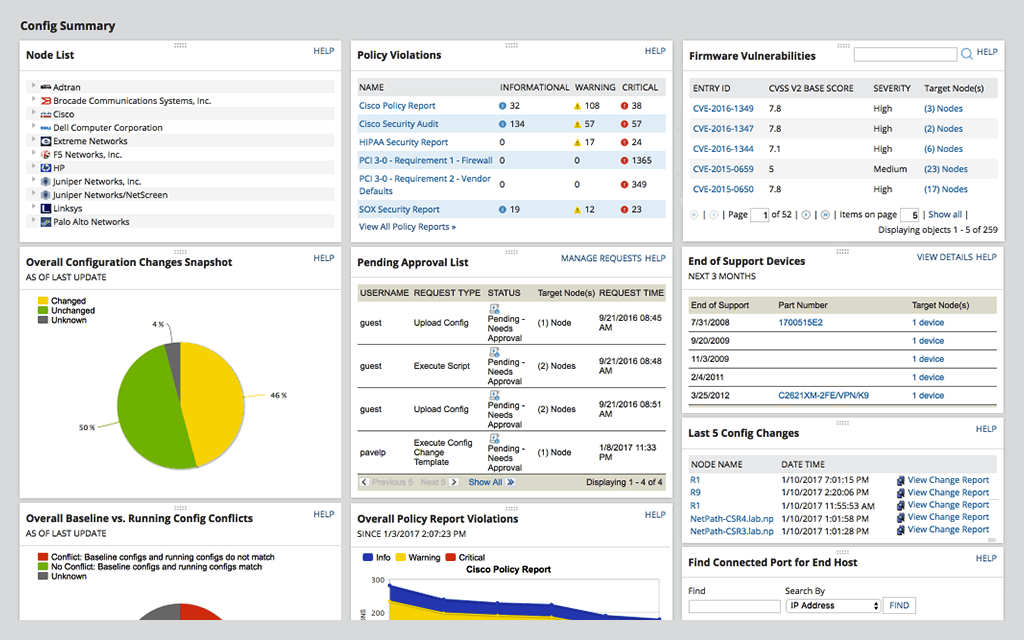
Network Configuration Manager is well suited for backing up configurations of all your devices. It also has a great comparison tool for seeing only the differences in config. Another great feature is it's ability to push a script to any number of devices. This is very handy for pushing changes to one, 10 or multiple devices. There are also some great reports that you can run against the devices in inventory
The unifying component that is intended to be the initial interface to the tools seems clunky. I prefer to start the tools individually rather than using it.
The port scanner could use some improvements to make it easier to use.
For our use case, it does everything great and some of the features we underutilize but I would like to be able to set a configuration baseline when initially adding a node instead of after the configuration is pulled but it's not a particularly big deal to let it pull the configuration then set it as the baseline.
Medium complexity to set up in the beginning if using any non-standard devices or configurations, else fairly easy (e.g. Cisco Nexus or IOS-based devices). Reports are fairly straightforward to set up. Updates to the platform are fairly straightforward and don't take a major effort. Easy to add or remove devices.
NNMi's user interface is described as well-designed and intuitive, making it easy for users to navigate and perform tasks quickly, thereby enhancing the overall user experience. The system offers a powerful network discovery mechanism that maps out your network's physical and virtual topology, enabling you to visualize connections between devices and identify potential issues. Fault monitoring is at its best. NNMi provides a unified environment for viewing faults, availability, and performance data, consolidating essential information into a single platform.
The user interface is lacking. It is difficult to navigate at times and things can be done multiple ways. Quite often I am confused by how their notification structure works. It is not very intuitive. They do offer a free Academy. They also offer a community of other technical folks. I have enjoyed both.
Support is long and arduous and often are unable to help resolve the issue. We often have to do escalations or duty manager to get things moved. Even with a technical account manager, we do not see much improvement from a support point of view. This is an area where Micro Focus has a lot of improvement to do.
To be fair, I have not had to involve Support in a number of years, but when I did, I was greeted with enthusiastic engineers who wanted to understand and solve the issue. It was a fairly complex scenario and I have discovered in my most recent implementation that engineering included that option as a standard now.
Solarwinds has actually produced new training since I last used it that is available on their site at any time. Their previous training was more than enough to get us started but now there is significantly more content. Since I'm comfortable with the Orion platform and the products we use I haven't checked the new training out yet but we have new staff go through portions of that training and they always come away with an understanding of the platform and ready to use it
it was a fairly easy implementation and everything was pretty straightforward. only challenge we had was getting all the snmp communities updated on the networking equipment
Even though there are many products in the market such as from Solarwinds, CA Spectrum (no DX Spectrum), PRTG that offers similar or even with more flexibility the fault and performance monitoring still Micro Focus is a very nice tool when it comes to Scalability and Stability with all necessary monitoring coverage. There is no external database required and hence less issues with integration.
I haven't compared any tools similar to SolarWinds Engineer's Toolset. This might be because I'm pretty biased when it comes to monitoring, and reporting solutions. I've found that SolarWinds provides the biggest bang for the buck in my opinion. I'm sure there are other solutions on the market that compete, but I haven't tried any of them because I've been very satisfied with SolarWinds.
At the time SolarWinds was the biggest player in the space and their whole portfolio was very comprehensive. As time progressed and newer technologies came about (i.e. SDWAN) their products couldn't keep up with the consumer demands and changing market. Security became such a big focus that once Solarwinds got hacked we had to remove all their products from our environment
Saves 100s of hours a year in man hours over manual configuration.
Saved easily 50k in lost revenue when a switch rebooted with months old unsaved configuration. NCM let us quickly restore a snapshot of the running config from the previous day.
Saves us several man hours per week of config auditing by reducing all changes to a summary email.