PDQ.com headquartered in Salt Lake City offers PDQ Deploy, a software deployment tool used to keep Windows PCs up-to-date without bothering end users.
$1,575
per year per user
Progress WhatsUp Gold
Score8.2 out of 10
Mid-Size Companies (51-1,000 employees)
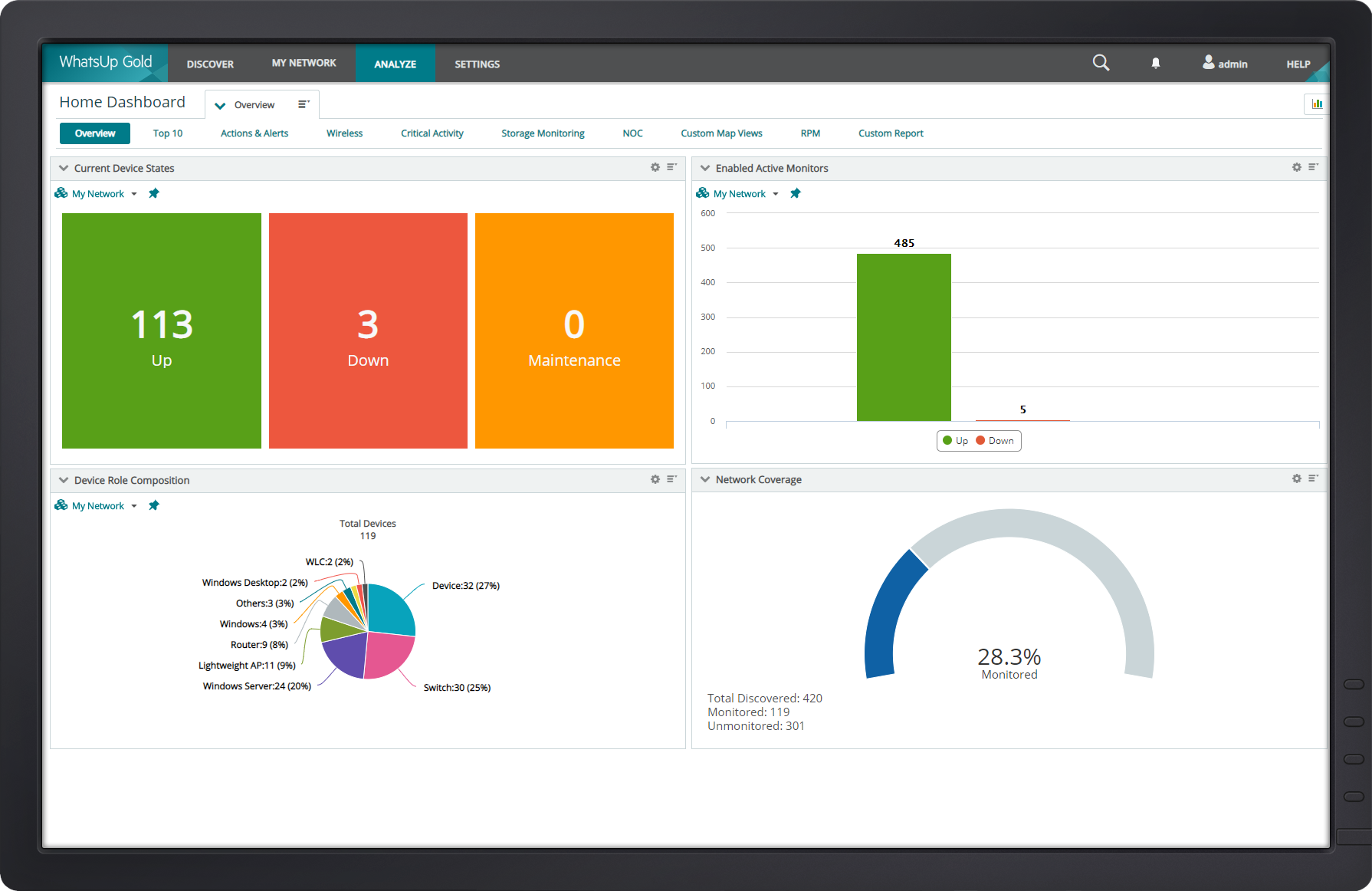
WhatsUp Gold developed by Ipswitch (acquired by Progress Software May 2019) offers network performance monitoring and mapping. It supports core monitoring features, including automated workflows and network capacity planning, and monitors across hybrid environments.
N/A
Pricing
PDQ Deploy & Inventory
Progress WhatsUp Gold
Editions & Modules
No answers on this topic
No answers on this topic
Offerings
Pricing Offerings
PDQ Deploy & Inventory
Progress WhatsUp Gold
Free Trial
Yes
Yes
Free/Freemium Version
No
No
Premium Consulting/Integration Services
No
Yes
Entry-level Setup Fee
No setup fee
Optional
Additional Details
PDQ was built by entrepreneurs & educators. Small businesses (<50 employees), nonprofits, and schools enjoy a 15% discount.
PDQ Inventory is great if you have a local network of computers on or off a domain. As long as you have a way to log into them with common credentials. Great for large organizations, particularly ones interconnected with VPNs. PDQ Inventory isn't so great for PCs that aren't connected to the same LAN the server is on. (i.e. non-vpn remote users) They used to have a remote agent you could install, but it was removed after numerous issues.
A de minimis incentive was given to thank the reviewer for their time. The incentive was not used to bias or drive a particular response, nor was the incentive contingent on a positive endorsement. More Info
[Progress WhatsUp Gold (formerly Ipswitch WhatsUp Gold)] is good for what it is. An inexpensive but accurate monitor for alerting on systems and services. However, it is time consuming to configure, The GUI leaves a lot to be desired and the formatting for txt alerts stinks (I just use it now as an alert to check my email to view the actual alert.)
A de minimis incentive was given to thank the reviewer for their time. The incentive was not used to bias or drive a particular response, nor was the incentive contingent on a positive endorsement. More Info
A de minimis incentive was given to thank the reviewer for their time. The incentive was not used to bias or drive a particular response, nor was the incentive contingent on a positive endorsement. More Info
Monitoring the connection; performance, switching, and issues. We use a broadband connection for our primary and a cellular backup for the secondary. While we use routing protocols to make this switch and WhatsUp isn't used for Syslog monitoring. it alerts us within seconds.
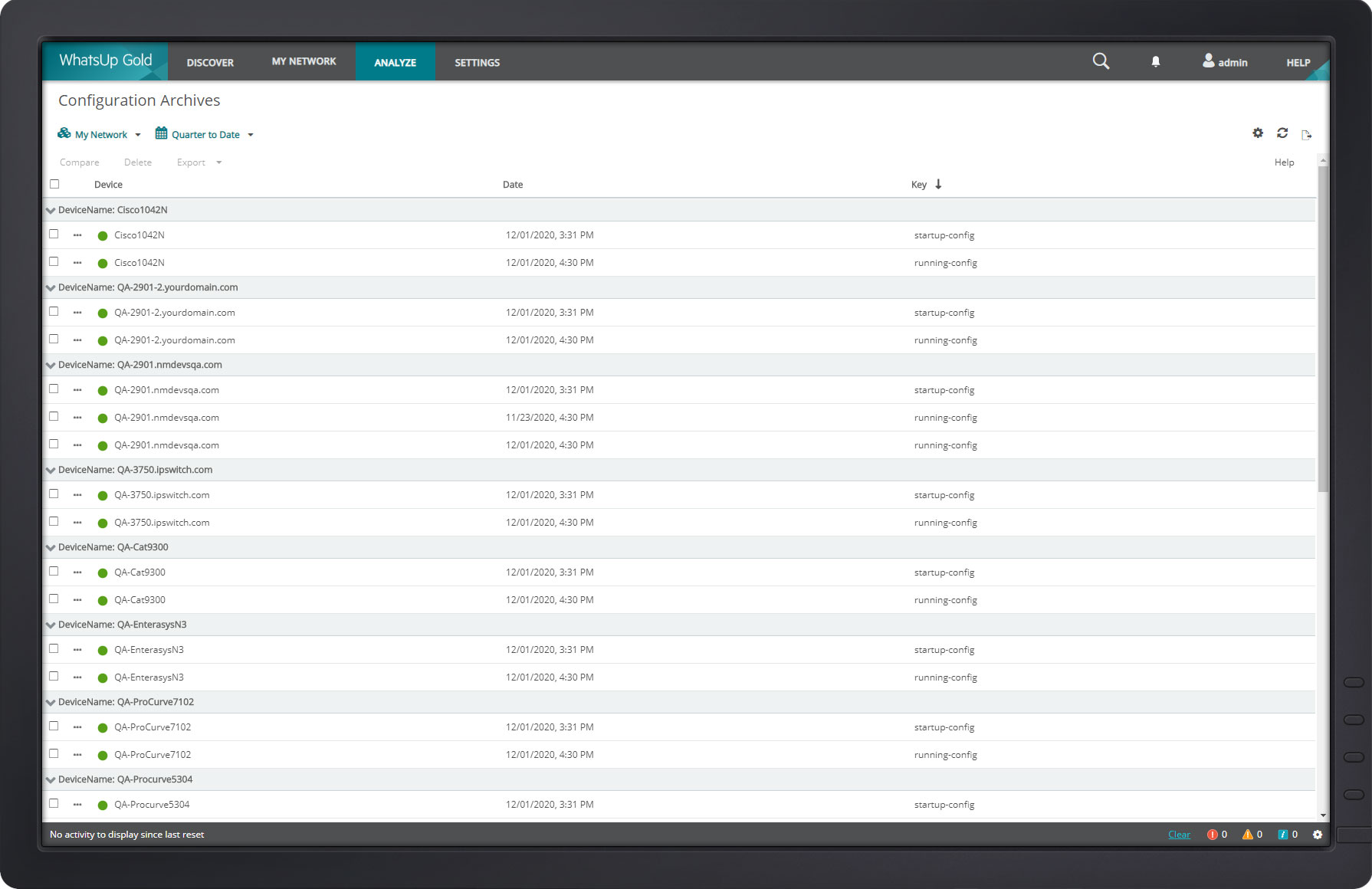
Backup configurations and archiving. WhatsUp does this particularly well. I use it for both Cisco routers and switches.
The diagram feature is nice. Though I don't use it as much because of the size of our structure, it does come in handy for mapping routes of all traffic.
A de minimis incentive was given to thank the reviewer for their time. The incentive was not used to bias or drive a particular response, nor was the incentive contingent on a positive endorsement. More Info
A de minimis incentive was given to thank the reviewer for their time. The incentive was not used to bias or drive a particular response, nor was the incentive contingent on a positive endorsement. More Info
Navigating the new WhatsUp Gold 2018 is a bit complicated and not user-friendly. The best part about using a software is the user's ability to use it with ease.
You cannot click sites being monitored from Map Dashboard View. This feature was previously possible in the older version.
A de minimis incentive was given to thank the reviewer for their time. The incentive was not used to bias or drive a particular response, nor was the incentive contingent on a positive endorsement. More Info
A de minimis incentive was given to thank the reviewer for their time. The incentive was not used to bias or drive a particular response, nor was the incentive contingent on a positive endorsement. More Info
The interface is straight forward and guides you through the process there. PDQ keeps track of the when new updates are made available writes the scripts and all l you need to do is push the button. (Mr George Jetson) Now with the download done you just sit back worry free and watch the software install in 1% of the time it would take to take care of the PC manually.
A de minimis incentive was given to thank the reviewer for their time. The incentive was not used to bias or drive a particular response, nor was the incentive contingent on a positive endorsement. More Info
The web interface is really good, there are a few areas that could use a bit of polish but overall it is well designed and easy to navigate and use, even for a new user.
A de minimis incentive was given to thank the reviewer for their time. The incentive was not used to bias or drive a particular response, nor was the incentive contingent on a positive endorsement. More Info
The built-in help menus and general ease of use render whatever systems support there might be almost irrelevant. There is stability in the system's simplicity; if you're in the position to use such a product, you're your own best friend. Simple web searches more often than not turn up the solution to any little niggles, such as what silent install switches specific applications require (a remarkably wide choice of options exist). System updates are timely and unobtrusive, installing in no time at all. Maybe I've just been lucky; if so, long may it continue!
A de minimis incentive was given to thank the reviewer for their time. The incentive was not used to bias or drive a particular response, nor was the incentive contingent on a positive endorsement. More Info
A de minimis incentive was given to thank the reviewer for their time. The incentive was not used to bias or drive a particular response, nor was the incentive contingent on a positive endorsement. More Info
This software was referred to us by an IT professional. Previously, we were installing the software with the help of remote desktop applications but it was very time consuming; it was wasting the user's time since he could not use his computer. After testing PDQ Deploy, we just never looked back.
A de minimis incentive was given to thank the reviewer for their time. The incentive was not used to bias or drive a particular response, nor was the incentive contingent on a positive endorsement. More Info
Progress WhatsUp Gold (formerly Ipswitch WhatsUp Gold) is more network focused than some of the other products we looked at, which had basic capabilities but were not as strong on the reporting or programmatic resolution of issues. Progress WhatsUp Gold (formerly Ipswitch WhatsUp Gold) is cost effective compared to some of the other upmarket solutions.
A de minimis incentive was given to thank the reviewer for their time. The incentive was not used to bias or drive a particular response, nor was the incentive contingent on a positive endorsement. More Info
A de minimis incentive was given to thank the reviewer for their time. The incentive was not used to bias or drive a particular response, nor was the incentive contingent on a positive endorsement. More Info
A de minimis incentive was given to thank the reviewer for their time. The incentive was not used to bias or drive a particular response, nor was the incentive contingent on a positive endorsement. More Info