
Planable vs. X Premium Business
| Product | Rating | Most Used By | Product Summary | Starting Price |
|---|---|---|---|---|
 Planable | Score8.5 out of 10 | N/A | Planable is a social media management tool built around content collaboration and approvals. It covers planning, creation, feedback, approval, scheduling, publishing, community management, analytics, competitor benchmarking, and social listening in one workspace. Drafts render as exact previews of the finished post, feedback is left on the content itself rather than in a separate thread, and approval requirements are set per workspace. Planable was founded in 2016 and is used… | $39 per month per workspace |
 X Premium Business | Score8 out of 10 | N/A | X Premium Business (formerly Verified Organizations) is the enterprise-tier infrastructure for the X platform, designed to centralize brand authority, account security, and high-velocity content distribution for commercial and governmental entities. | $200 per month |
| Planable | X Premium Business | |||||||||||||||
|---|---|---|---|---|---|---|---|---|---|---|---|---|---|---|---|---|
| Editions & Modules |
|
| ||||||||||||||
| Offerings |
| |||||||||||||||
| Entry-level Setup Fee | No setup fee | No setup fee | ||||||||||||||
| Additional Details | Planable is priced per workspace, not per seat. Each workspace holds one brand or client, and every plan includes unlimited users: collaborators, reviewers, and clients can be added without increasing cost. Organizations scale by adding workspaces rather than licenses. Annual billing includes two months free on all plans and add-ons. Free trial 50 posts, with no time limit and no credit card required. The allowance is a total, not a monthly reset, so the trial ends when the 50th post is created rather than on a fixed date. X (Twitter) publishing is not available during the trial. The Analytics, Social Inbox, and Social Listening add-ons carry separate 30-day free trials on paid plans. Basic — $39 per workspace per month Entry plan for small teams with straightforward review needs. 60 posts per workspace per month 4 social pages per workspace Unlimited users 2 approval types: none and optional Feed and Calendar views 3 campaigns per workspace 10GB media storage 13 months of published post storage MCP connector included Optional approval means a post can be approved but does not have to be before it publishes. Teams that need publishing blocked until sign-off require Pro. Pro — $59 per workspace per month Most common plan for agencies and in-house teams running client or stakeholder approval. Everything in Basic, plus: 150 posts per workspace per month 10 social pages per workspace Required approval, in addition to none and optional — content cannot be scheduled or published until at least one approver signs off Grid view, in addition to Feed and Calendar 10 campaigns per workspace 50GB media storage Public API access Chat support Enterprise — custom pricing For organizations with formal review chains, multiple brands, or procurement and security requirements. Everything in Pro, plus: Unlimited posts Multi-level approvals: sequential stages with designated approvers at each one List view, in addition to Feed, Calendar, and Grid Unlimited campaigns 100GB media storage 24 months of published post storage SSO Dedicated account manager and priority support Payment by bank or wire transfer Add-Ons Add-ons are priced per workspace and available on any plan, including Basic. They are enabled per workspace rather than account-wide, so an agency can run Analytics on client workspaces that pay for reporting without buying it across the board. Analytics — $14 per workspace per month, or $140 per year. Cross-channel performance data, audience insights, custom reports, and Competitor Analytics. 30-day free trial. Social Inbox — $9 per workspace per month, or $90 per year. Comments and direct messages from connected channels in one inbox, with AI reply drafting. 30-day free trial. Social Listening — $99 per workspace per month, or $990 per year. Brand, competitor, and topic monitoring across eight sources with sentiment analysis and alerts. Includes 1 brand keyword, 3 topic keywords, and 3 competitor keywords per workspace. 30-day free trial. What drives cost Three variables determine spend: the number of workspaces, the monthly post volume per workspace, and which add-ons are enabled per workspace. Team size does not affect price on any plan. Planable also offers bundled discounts with SE Ranking for SEO and SE Visible for AI search visibility. | Discount available for annual billing. | ||||||||||||||
| More Pricing Information | ||||||||||||||||
| Planable | X Premium Business | |
|---|---|---|
| Considered Both Products | No answer on this topic | No answer on this topic |
| Key User Insights | ||
| Would buy again | ||
No answers on this topic | 100% Would buy again 7 Answers | |
| Delivers good value for the price | ||
No answers on this topic | 86% Delivers good value for the price 6 Answers | |
| Happy with the feature set | ||
No answers on this topic | 100% Happy with the feature set 7 Answers | |
| Lived up to sales and marketing promises | ||
No answers on this topic | 100% Lived up to sales and marketing promises 6 Answers | |
| Implementation went as expected | ||
No answers on this topic | 100% Implementation went as expected 5 Answers | |
| Planable | X Premium Business | ||||||||||||||||||||||
|---|---|---|---|---|---|---|---|---|---|---|---|---|---|---|---|---|---|---|---|---|---|---|---|
| Publishing |
| ||||||||||||||||||||||
| Channel coverage/integration |
| ||||||||||||||||||||||
| Account management |
| ||||||||||||||||||||||
| Planable | X Premium Business | |
|---|---|---|
| Small Businesses |  Sendible Score7.2 out of 10 | Sendible Score7.2 out of 10 |
| Medium-sized Companies |  Emplifi Score8.9 out of 10 | Emplifi Score8.9 out of 10 |
| Enterprises |  Salesforce Marketing Cloud Social Studio (discontinued) Score8.1 out of 10 | Salesforce Marketing Cloud Social Studio (discontinued) Score8.1 out of 10 |
| All Alternatives | View all alternatives | View all alternatives |
| Planable | X Premium Business | |
|---|---|---|
| Likelihood to Recommend | 8.0 | 8.0 |
| Likelihood to Renew | - | 7.1 |
| Usability | 8.0 | 8.0 |
| Availability | - | 8.4 |
| Performance | - | 8.0 |
| Support Rating | 1.0 | 8.0 |
| Implementation Rating | - | 10.0 |
| Planable | X Premium Business | |
|---|---|---|
| Likelihood to Recommend |
|
|
| Pros |
|
|
| Cons |
|
|
| Likelihood to Renew | No answers on this topic |
|
| Usability |
|
|
| Reliability and Availability | No answers on this topic |
|
| Performance | No answers on this topic |
|
| Support Rating |
|
|
| Implementation Rating | No answers on this topic |
|
| Alternatives Considered |
|
|
| Return on Investment |
|
|
| ScreenShots | Planable Screenshots     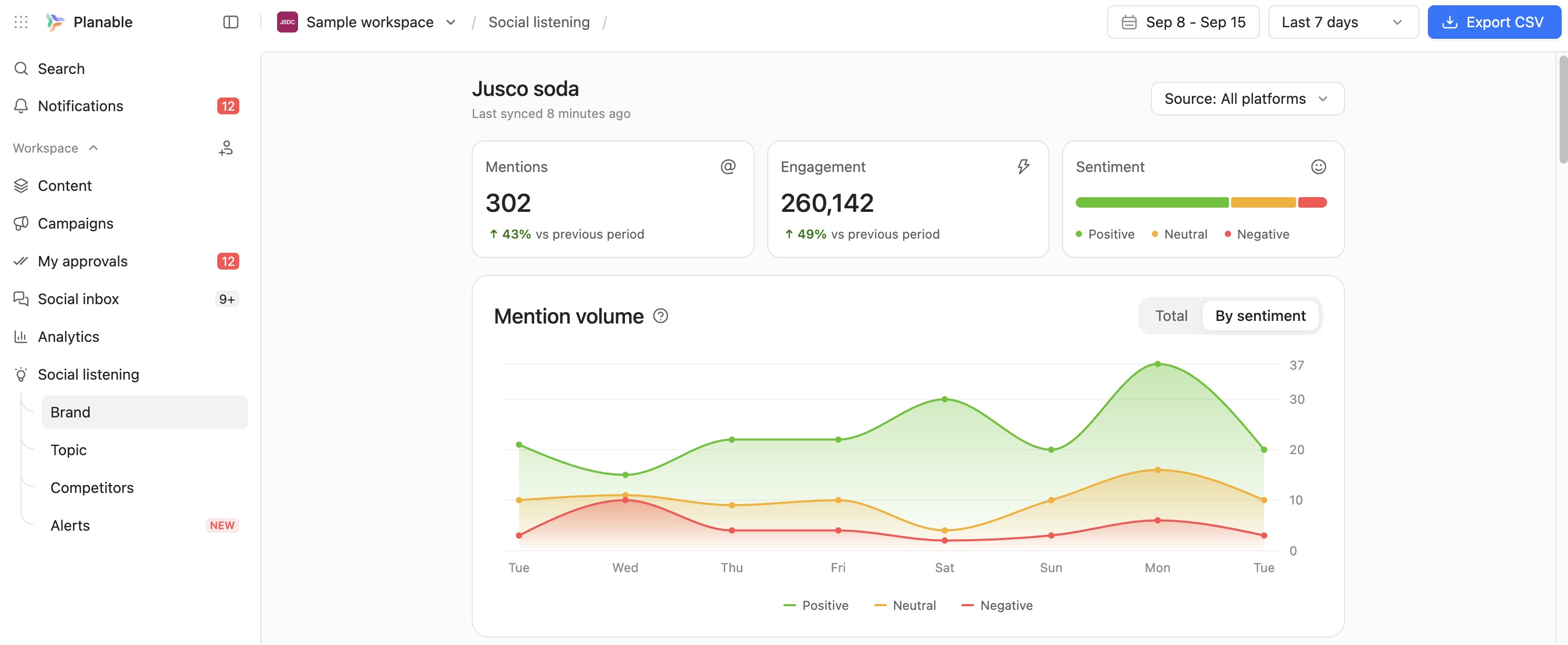 |




