The makers of Screenhero now offer Pop, a remote collaboration platform with features like multiple mouse cursors, voice chat, and high definition screen resolution. Pop supports voice and video collaboration, screen sharing, multiplayer meetings, drawing and highlighting, and the ability to interact from a variety of devices (Mac, Windows, Linux, mobile devices, etc.).
$0
per month
Pulseway
Score7 out of 10
Mid-Size Companies (51-1,000 employees)
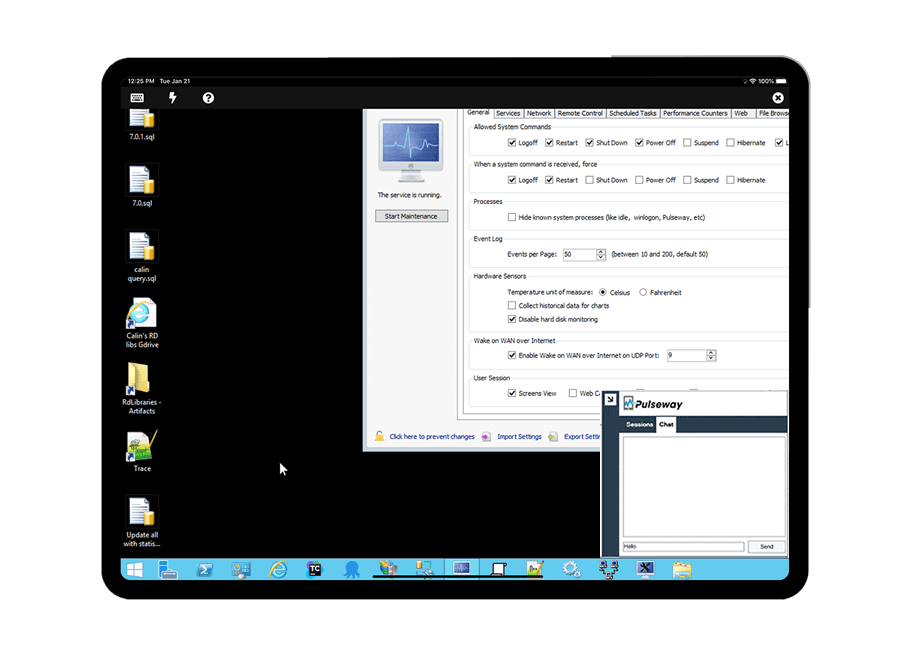
Pulseway is an IT monitoring and management solution that enables users to monitor, manage and control all systems and servers from a smartphone, tablet or browser. For system administrators, Pulseway sends a notification, so they can see an issue and sort it in seconds. Pulseway features: Automation: Auto-remediation workflows, so that IT issues are fixed before users even notice them. Mobile Access: Customers can monitor, manage, connect with…
$0.80
per month per installation
Pricing
Pop
Pulseway
Editions & Modules
No answers on this topic
Enterprise
$0.80
per month per installation
Offerings
Pricing Offerings
Pop
Pulseway
Free Trial
No
Yes
Free/Freemium Version
Yes
Yes
Premium Consulting/Integration Services
No
Yes
Entry-level Setup Fee
No setup fee
No setup fee
Additional Details
—
No hidden fees or contracts. Term-based discounts.
Copy/Paste works flawlessly from my computer to another screenhero users computer.
Screenhero works with screen-recording software, so not only can I pair-develop, I can take video of a pair development session.
I can't think of any reason why Screenhero wouldn't be suited for any situation. I would say that they need to bring back the option for a native app capability outside of the slack app like they did during the Slack merge transition.
A de minimis incentive was given to thank the reviewer for their time. The incentive was not used to bias or drive a particular response, nor was the incentive contingent on a positive endorsement. More Info
If you have to manage a large number of computers, especially spread over multiple clients or a large physical area. This is one of the main products that allows us to act as a Managed Service Provider (MSP) and actually manage our clients devices and not just react to issues as clients call them in. Clients really love the proactive approach it allows us to take. Sadly as we became more familiar with options out there we found this area lacking and what was actually holding us back.
A de minimis incentive was given to thank the reviewer for their time. The incentive was not used to bias or drive a particular response, nor was the incentive contingent on a positive endorsement. More Info
EASY! A simply to use and understand UI cannot be understated. I needed no additional training and did not need to reference and support documentation to pick up and use Screenhero with my team. It's easy to add new folks to connect with, easy to call them, easy to end the call, and so forth. I would liken the UI to a more sleek Yahoo Instant Messenger (for those who remember that service!).
Painless. I rarely ever had connectivity issues or grainy audio/video quality. When I did occasionally encounter that (rough guess maybe 1 in 20), it usually cleared itself up after a few seconds. I think it's only ever "locked up" on me twice, meaning I had to disconnect and reconnect in order for the issue to be resolved. Overall, a painless experience.
A de minimis incentive was given to thank the reviewer for their time. The incentive was not used to bias or drive a particular response, nor was the incentive contingent on a positive endorsement. More Info
It monitors computers and notifies us of any issues with any computer.
It allows remote control of computers, such as requesting a computer to reboot itself.
It is very highly configurable to monitor exactly what we need to monitor. For example, on server, we can have it notify us any time the server is shutdown or rebooted. On the other hand, for a desktop computer, we don't have to be bothered with notifications when a user decides to reboot his computer.
A de minimis incentive was given to thank the reviewer for their time. The incentive was not used to bias or drive a particular response, nor was the incentive contingent on a positive endorsement. More Info
I'm not sure how to sign up right now. I guess until it's integrated into Slack as a full-blown feature it'll stay like that.
Most probably it'll be monetized as an extra feature.
This is true for most of the remote management solutions: security concerns. Slack had some break-ins in the past, giving remote control to your computer can be dangerous.
Another issue which is problematic for similar product too: watch out if there's an extra remote server is involved. Say you and your client you want to guide with Screenhero both log in to a remote server through RDP. Both the RDP and Screenhero capture hotkeys, and depenfing on if your other peer logs into screenhero on the server itself or his machine, things like copy-paste won't work because the RDP is interfering with the remote management software.
A de minimis incentive was given to thank the reviewer for their time. The incentive was not used to bias or drive a particular response, nor was the incentive contingent on a positive endorsement. More Info
A de minimis incentive was given to thank the reviewer for their time. The incentive was not used to bias or drive a particular response, nor was the incentive contingent on a positive endorsement. More Info
The tool is easy to use however it is can be daunting with the amount of features available in it. Last I checked, their knowledge base was not very expansive and they relied a lot on the changelog for how to do some stuff. This can make it hard to learn how to do some more advanced things like the automation.
A de minimis incentive was given to thank the reviewer for their time. The incentive was not used to bias or drive a particular response, nor was the incentive contingent on a positive endorsement. More Info
I have never had to use the support for Pulseway. However, when initially starting out, we would receive emails every so often asking how we are doing and if there is any support that they can provide. I would imagine that any request would be supplied with the same great support!
A de minimis incentive was given to thank the reviewer for their time. The incentive was not used to bias or drive a particular response, nor was the incentive contingent on a positive endorsement. More Info
Screenhero being acquired by Slack was honestly the primary reason we selected it over TeamViewer. Our organization is heavily invested in Slack's enterprise solution, so choosing Screenhero was a pretty easy decision. On top of that, Screenhero delivers very well on its core competencies, so there doesn't seem to be a very good reason to not use it given its relationship with Slack.
A de minimis incentive was given to thank the reviewer for their time. The incentive was not used to bias or drive a particular response, nor was the incentive contingent on a positive endorsement. More Info
Pulseway has the most features, the best looking app with the best design and better usability than any others we evaluated. We liked the uniformity of the app design across all platforms (Windows, Android, Apple) and the notifications displayed on each platform. The price was a major contributor to our selection of Pulseway compared to the competition.
A de minimis incentive was given to thank the reviewer for their time. The incentive was not used to bias or drive a particular response, nor was the incentive contingent on a positive endorsement. More Info
A de minimis incentive was given to thank the reviewer for their time. The incentive was not used to bias or drive a particular response, nor was the incentive contingent on a positive endorsement. More Info
Problems can be dealt with more rapidly because I have access to systems from anywhere. I don't have to carry a computer with me nor do I have to find a location with potentially non-secure wifi to gain access to my systems.
I can handle 99% of my system admin tasks using Pulseway and never have to touch a system or connect to the console.
Pulseway gives so much control over a system that I don't need to spend extra money on other software to perform management tasks.
A de minimis incentive was given to thank the reviewer for their time. The incentive was not used to bias or drive a particular response, nor was the incentive contingent on a positive endorsement. More Info