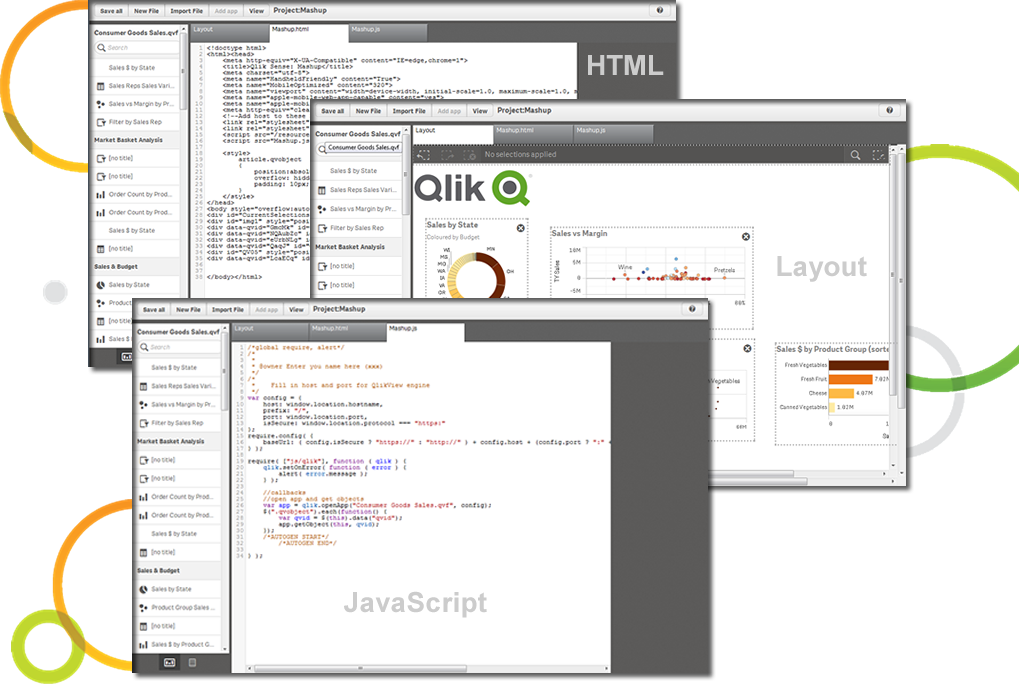
Qlik Sense® is a self-service BI platform for data discovery and visualization. It supports a full range of analytics use cases—data governance, pixel-perfect reporting, and collaboration. Its Associative Engine indexes and connects relationships between data points for creating actionable insights.
$200
per month
QlikView
Score 8.1 out of 10
N/A
QlikView® is Qlik®’s original BI offering designed primarily for shared business intelligence reports and data visualizations. It offers guided exploration and discovery, collaborative analytics for sharing insight, and agile development and deployment.
N/A
Visual Studio
Score 8.8 out of 10
N/A
Visual Studio (now in the 2022 edition) is a 64-bit IDE that makes it easier to work with bigger projects and complex workloads, boasting a fluid and responsive experience for users. The IDE features IntelliCode, its automatic code completion tools that understand code context and that can complete up to a whole line at once to drive accurate and confident coding.
$45
per month
Pricing
Qlik Cloud Analytics (Qlik Sense)
QlikView
Microsoft Visual Studio
Editions & Modules
Starter
$200
per month
Standard
$825
per month
Premium
$2750
per month
Qlik Sense (On-Premise)
Contact Sales
QlikView
Custom
per user
Professional
$45.00
per month
Enterprise
$250.00
per month
Offerings
Pricing Offerings
Qlik Cloud Analytics (Qlik Sense)
QlikView
Visual Studio
Free Trial
No
Yes
No
Free/Freemium Version
No
No
Yes
Premium Consulting/Integration Services
Yes
Yes
No
Entry-level Setup Fee
No setup fee
Optional
No setup fee
Additional Details
—
On an perpetual license basis, based on server plus number of users.
Contact vendor for pricing.
—
More Pricing Information
Community Pulse
Qlik Cloud Analytics (Qlik Sense)
QlikView
Microsoft Visual Studio
Considered Multiple Products
Qlik Cloud Analytics (Qlik Sense)
Verified User
Analyst
Chose Qlik Cloud Analytics (Qlik Sense)
QlikView is similar to Qlik Sense, it had more flexibility but less intuitive. Knime is easy to track how the report was set up but the visualization is inferior to Qlik Sense. Excel was easier to use but fewer capabilities than Qlik Sense.
We primarily chose Qlik Sense based on our positive experience with QlikView. Qlik Sense seemed like a promising new direction based on a proven analytics engine.
Tableau was another option available to us but we didn't strongly consider it at the time since it didn't seem to …
Having been a huge advocate of QlikView for many years, I was surprised to find how easy the transition to Sense as both a developer and an end-user has been. Improvements in most areas massively outweigh the small things I miss
We were already using QlikView so moving to Qlik Sense was the right step. From a development point, this meant the learning was not as steep as when we first started using QlikView. We also use Power BI where the volume of data is a lot less than in the Qlik Sense projects.
Choosing Qlik Sense was a no-brainer to our organisation as we had already invested years developing QVD's (Qlik's data sources/structures) with QlikView that could be re-used with Qlik Sense. However we have still watched and explored the other products and although they can …
Since we were existing users of QlikView and developed intricate data models over the years, we decided to use what we have in place rather than go through the effort of creating similar data lakes in SQL. Our company uses multiple systems for different department needs. Qlik …
Qlik Sense is much better in the user interface. End users prefer and like to use Qlik Sense faster than with QlikView. And it is important that people likes the UI to get them to use it.
QlikView - more functionality but not so focused on self-service. SAP BO - another approach in getting data - directly from data source and not in-memory.
QlikView has many more options for styling within charts and objects - this hurts our ability to style things to our needs within Qlik Sense. Qlik Sense looks more modern, responsive for browser size and visually more appealing.
Previously, we used QlikView and it was difficult to modify something in a dashboard that was originally created by other colleagues. I think that QlikView it's a legacy and it will be decommissioned soon. Versus Power BI, I would say that Qlik Sense does a very nice figure in …
Kibana is data visualization tool in Elastic Stack to visualize and analyze Real Time Logs Capture. It captures Live Streaming data and helps to detect any anomalies, error and bugs, monitoring aspects of any service/ IOT Device.
Qlik Sense is a fast tool to implement; you can have a functional dashboard in a few days, and the ETL processes are quite easy to build it. You can have the ROI in a short period of time.
Verified User
Manager
Chose Qlik Cloud Analytics (Qlik Sense)
When it comes to working with large datasets out of the box, Qlik in my opinion is unrivaled amongst the competitor. However, the overall user experience and customization options available to developers require a lot of work. When compared to other options on the market, …
[I was not involved in the decision making process for the choice of the reporting tool] Qlik Sense is - certainly on the front-end side - far more user-friendly than the other tools I've experienced, and allows for more dynamic reporting. It also has obtained a certain …
Qlik Sense, Tableau, Power BI and Looker are all great tools that will cover and add value to virtually every organization. They are a bit different and the decision of selecting one and not other can reside in the particular needs of each case. Qlik Sense integration with …
First and foremost, the ability of Qlik to play nice with SAP and utilize SAP Extractor. Second, the Grey-White-Green feature for basic insight is also very useful.
Pretty good in performance user-friendliness. When generating insights, Qlik Sense looks at the selections and analyzes the excluded values in the data model, which reduces manual work. Also, it highlights data that may be of interest for further exploration. That data is …
These two options offer a great tool for visualization and customizability in their charts, however, I preferred the default associative model of Qlik where your selections are persistent across multiple pages allowing for more exploration. I also really enjoyed Qlik's ability …
Tableau and Qlik Sense are a lot prettier and easier to use than QlikView. They also cost a LOT more. If you've got the budget, I'd consider going with one of those solutions. However, departments that don't have the budget to support tools like those need usable solutions as …
Qlikview is more outdated compared to Qlik Sense. Qlik Sense puts more of the power onto the users to create their own dashboards while QlikView tends to be managed by BI teams.
QlikView has a great capability of handling complicated, heterogeneous and raw data and convert them into consumable form by performing basic ETL operations in comparison to Tableau and Power BI.
Qlik Sense is a program whose purpose is to greatly improve all your operations and use of all data in an organic way. The mission will always be to increase the economic and commercial processes of the company in a short time. I recommended it for its high technology, which was Created for this area, the results are successful. We have noticed how it has increased relationships with our clients thanks to the credibility and security that we provide.
Sales data validations have helped manage our justifications in the past, especially with regard to new product development and new business introduction. It has also been helpful in identifying trends with business impact and direction specific to quarter and monthly sales from ERP data as well as decisions to purchase equipment of staffing based on run rates and product demand.
One thing that can get out of hand is data output - if you aren't careful in your query, you may be overloaded with data dumps and drown in the amount of info you have to filter through. This is a user caution, not a comment on the software itself.
When working with base C# code for desktop and web projects, then Microsoft Visual Studio is ideal as it provides the libraries and interfaces needed to quickly create, test and deploy solutions. It is when slightly more complex scenarios are required that issues can arise. The built-in integration for things like PowerBI Paginated Reports and dashboards is far from ideal.
We found that QlikView can be a bit slow in supporting some forms of encryption. It is web-based and we needed to upgrade all of our server to not support the older SSL and TLS 1 protocols, only support TLS 1.2 and TLS 1.3. However, QlikView could not run with TLS 1.2 and TLS 1.3. We had to wait over six months to get a version that would handle the newer TLS versions.
There are so many options with QlikView that you can get lost when developing a visualization. There are still items I have not yet figured out, such as labeling a graph with the name of a selected detail item.
QlikView works by pulling the data it is going to use for visualization into its database. I am a security reviewer and I need to make certain that PII and PHI is not pulled by QlikView for a visualization, otherwise this could become a reportable indecent.
Qlik Sense is a constantly improving it's software and working with its' users to make it better. They are great at keeping their users informed of progress and care about delivering a quality product
Ease of use, ability to load from pretty much any data source. today I created an application that loaded time sheets from excel that are not in a table format. With Qlik's "enable transformation steps" I was able to automate loads of multiple spreadsheets and multiple tabs easily. Could not do that with any other tool.
VS is the best and is required for building Microsoft applications. The quality and usefulness of the product far out-weight the licensing costs associated with it.
Qlik Sense has a better and easy to learn user interface compared with other analytics tool which always help us to create regular and adhoc reports within the stipulated time frame and can be easily refreshed at a scheduled time and sent to multiple stakeholders for timely update regarding the Key metrics indicator.
QlikView is very easy to implement. The installation is very straight forward. QlikView has several different data connectors that can connect to different data sources very smoothly. The user interface to build the reports is very easy to understand. This helps to have a smaller learning curve. Something very helpful is that QlikView is a browser application for the end users. So, you don't need to install any applications on the user's computer.
I love the overall usability of Microsoft Visual Studio. I’ve been using this IDE for more than 20 years, and I’ve seen it evolve by leaps and bounds. Today, with AI and code-suggestion/completion features, developers no longer need to remember countless libraries, methods, or language syntax, or invest a huge amount of programming effort to complete a project. It truly offers everything a developer needs to program, debug, test, and deploy in a single IDE.
Qlik is great for companies with lots of business domains and departments because it scales well, especially if data that is reported is saved in SQL and similar structures. Its ease of use and good UI enables business units to create and manage their own reports. That removes a great burden of creating and managing/modifying these pages from the IT team. Overall, it's a win-win for both IT and business units.
My experience with the Qlik support team has been somewhat limited, but every interaction I have had with them has been very professional and I received a response quickly. Typically if there is a technical issue, our IT team will follow up. My inquiries are specific to product functionality, and Qlik has been very helpful in clarifying any questions I might have.
There are many resources available supporting Visual Studio IDE. Microsoft whitepapers, forum posts, and online Visual Studio documentation. There are countless demonstration videos available, as well. If users are having issues, they can call Microsoft Support, but depending on the company's agreement with Microsoft, the number of included support calls will vary from organization to organization. I've found that Microsoft support calls can be hit or miss depending on who you get, but they can usually get you with the right support person for your issue.
My team attended, but I cannot myself rate, but I think it was good as they've successfully launched a training program at our company themselves for users. It was 3-4 day training.
IT is very complicated to understand all the functions that the environment has if you are not familiar with this type of development environments. It is important to select a good in-person training to achieve to understand all the possibilities and the capacity of the application. In this case, you will be able to develop a lot type of different applications.
Training was as expected. The demo environments tend to be more fully featured that our own environment, but the training was clear and well delivered.
If you are not accustomed to develop in this type of development environments it would be complicated to follow all the parts of the course because if the course does not include a great tour with all the concepts to develop you will not have the option to understand all the functions.
"Implementation" can mean a few things... so I'm not sure that this is the answer you want.... but here it goes: To me, implementation means: "Is the user interface intuitive and can I produce meaningful reports with ease?" On that score, I'd say YES. The amount of training required was minimal and the results were powerful. The desktop implementation is a simple, "blank" interface just waiting for your creativity. The pre-populated templates give you a reasonable start to any project -- and a good set of objects to "play around with" if you're just getting started. Finally, note that the "implementation" I used was baked into QuickBooks 2016 Enterprise -- called "Advanced Reporting"..... That integration makes it ultra useful and simple.
The customization of the platform opens up plenty of other options depending on the use cases. The API layer is incredibly rich and makes integration of Qlik based visualization into web pages a simple and effective pattern. It's been very easy to use with a great community made up of professionals. Qlik Sense has introduces artificial Intelligence into my data visualization and reporting activity.
The only other vendor product that I have worked with that provides a similar experience to Qlikview is Tableau. I would recommend Tableau if your use case is to build a fixed dashboard. You can share reports for free without needing to buy additional licenses. I would recommend Qlikview if your users are looking for a more interactive experience. They can create new objects to represent the data which can't be accomplished as easily in Tableau
I personally feel Visual Studio IDE has [a] better interface and [is more] user friendly than other IDEs. It has better code maintainability and intellisense. Its inbuilt team foundation server help coders to check on their code then and go. Better nugget package management, quality testing and gives features to extract TRX file as result of testing which includes all the summary of each test case.
You can use the free desktop version to do a lot of reporting and analysis work more quickly so the ROI is huge
QlikView is great at finding outliers such as data entry errors
QlikView is great at helping you quickly discover new insights about your business that can prompt you to take action that can immediately affect your cash flow.
Using the integration between Visual Studio and our source control service, the cost of re-work and losing code is drastically reduced.
Paid versions of Visual Studio enable developers to be so much more productive than hacked-together open source solutions that it's hard to imagine developing in Windows without it.
When combined with support subscriptions and the vast array of free online help options available, Visual Studio saves our developers time by keeping them coding and testing, not wasting their time trying to guess their way out of problems or spend endless hours online hoping to find answers.