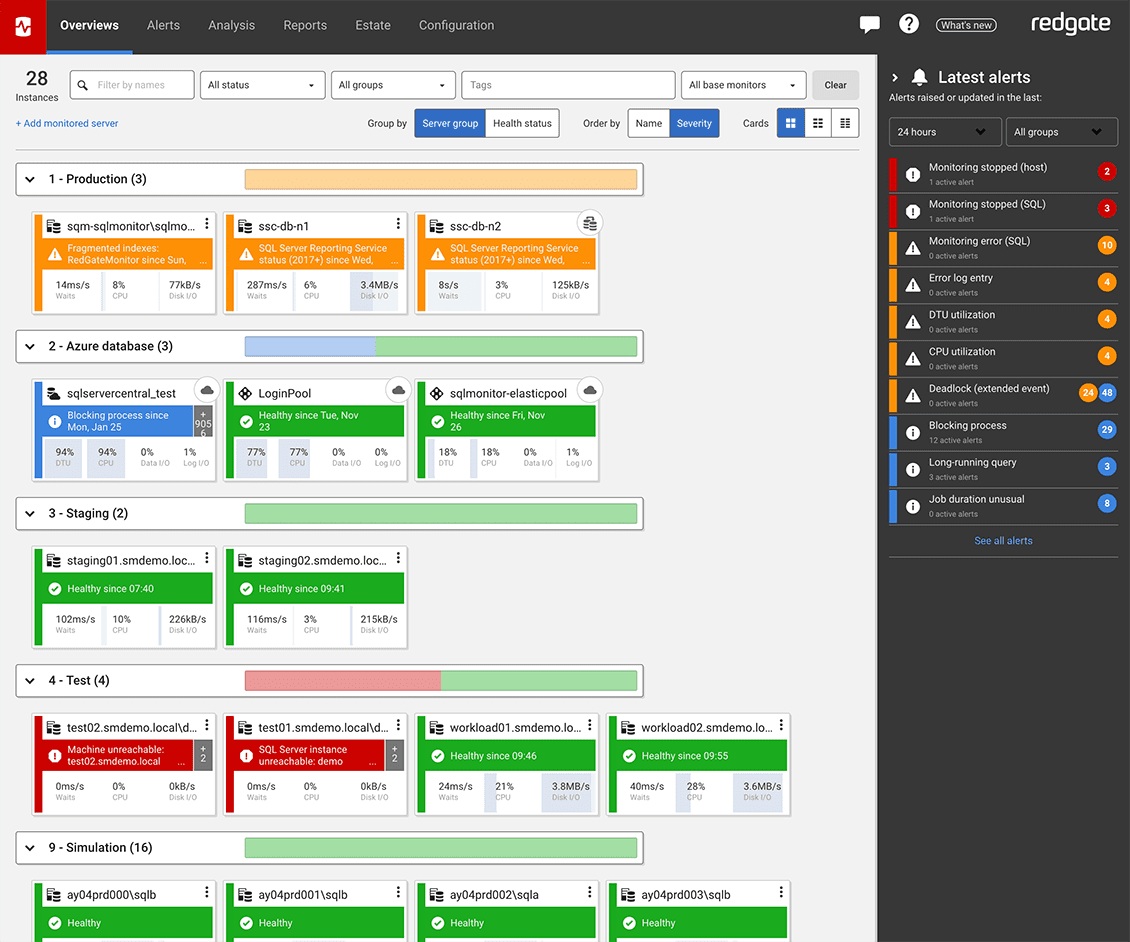
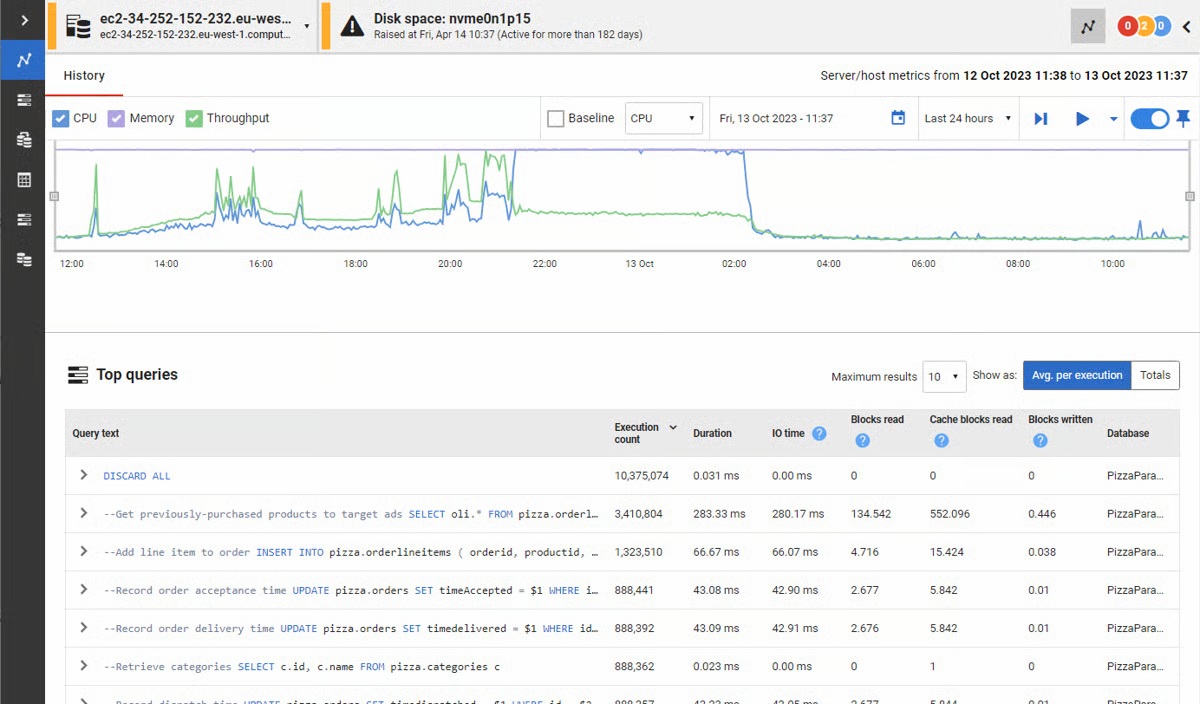
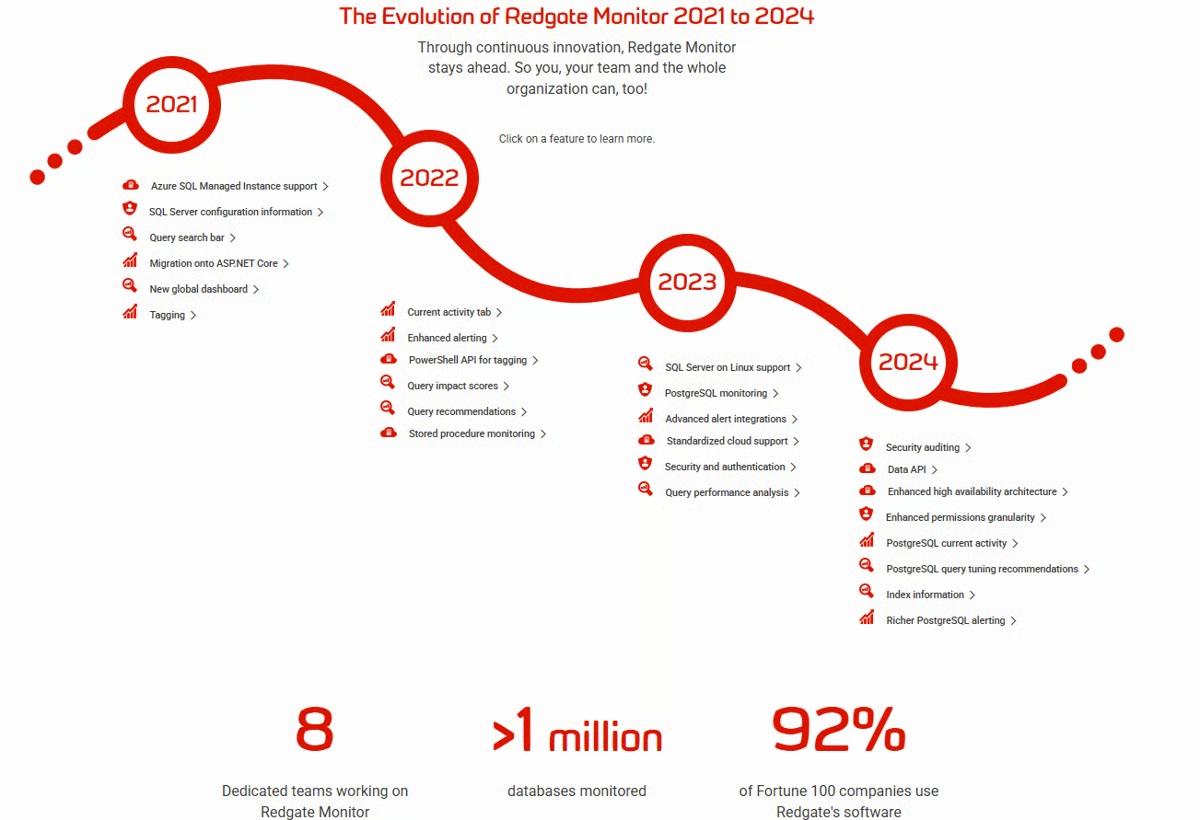
Redgate’s SQL Monitor helps teams looking after SQL servers be more proactive. SQL Monitor enables monitoring environments custom to the user’s SQL server to recognize issues before they impact users. It supports monitoring on-premises and cloud-based servers from a single interface.
$1,164
per year per server
SolarWinds SQL Sentry
Score10 out of 10
N/A
SolarWinds SQL Sentry is designed to help data professionals optimize SQL Server database performance
in physical, virtual, and cloud environments. SQL Sentry delivers metrics to help users find and fix database performance problems
and provides scalability, boasting demonstrated success monitoring 800+ SQL
Server instances with one monitoring database. With
SQL Sentry, the user can monitor:
SQL Server
Azure SQL
Database
SQL Server
Analysis…
$0
Free
Pricing
Redgate Monitor
SolarWinds SQL Sentry
Editions & Modules
No answers on this topic
Plan Explorer (SQL Server Query Tuning)
$0
Free
SQL Sentry for Azure SQL Database
$161
Per year per database (annual subscription)
SQL Sentry
1,450
Per year per instance (annual subscription)
Offerings
Pricing Offerings
Redgate Monitor
SolarWinds SQL Sentry
Free Trial
Yes
Yes
Free/Freemium Version
No
No
Premium Consulting/Integration Services
Yes
Yes
Entry-level Setup Fee
Optional
No setup fee
Additional Details
All prices are per server and include one year’s support and upgrades.
A de minimis incentive was given to thank the reviewer for their time. The incentive was not used to bias or drive a particular response, nor was the incentive contingent on a positive endorsement. More Info
Manager of Data Services in Information Technology at Integrated DNA Technologies (Biotechnology, 1001-5000 employees)
Chose SolarWinds SQL Sentry
We chose SolarWinds SQL Sentry because it met more of our requirements than any other single tool. Proactive monitoring, quick collection times (every few seconds vs minutes), flexible custom alerting as well as in-depth data for performance analysis (Top SQL is by far my …
A de minimis incentive was given to thank the reviewer for their time. The incentive was not used to bias or drive a particular response, nor was the incentive contingent on a positive endorsement. More Info
Verified User
Chose SolarWinds SQL Sentry
For our use, SQL Sentry is just a better fit. It's faster to implement and easier to find the data we wanted to see.
A de minimis incentive was given to thank the reviewer for their time. The incentive was not used to bias or drive a particular response, nor was the incentive contingent on a positive endorsement. More Info
A de minimis incentive was given to thank the reviewer for their time. The incentive was not used to bias or drive a particular response, nor was the incentive contingent on a positive endorsement. More Info
Verified User
Chose SolarWinds SQL Sentry
I use Toad and SolarWinds. Spotlight used too much of a server's resources. Sequel Pro was not as well-rounded for SQL reviews.
A de minimis incentive was given to thank the reviewer for their time. The incentive was not used to bias or drive a particular response, nor was the incentive contingent on a positive endorsement. More Info
Verified User
Chose SolarWinds SQL Sentry
SQL Sentry gives a more complete view of the environment with the advantage of making recommendations of fixes to performance issues.
A de minimis incentive was given to thank the reviewer for their time. The incentive was not used to bias or drive a particular response, nor was the incentive contingent on a positive endorsement. More Info
A de minimis incentive was given to thank the reviewer for their time. The incentive was not used to bias or drive a particular response, nor was the incentive contingent on a positive endorsement. More Info
A de minimis incentive was given to thank the reviewer for their time. The incentive was not used to bias or drive a particular response, nor was the incentive contingent on a positive endorsement. More Info
Database Administrator in Information Technology at J. Spargo & Associates (Events Services, 51-200 employees)
Chose SolarWinds SQL Sentry
SQL Sentry offers more features and is customize-able to fit our business needs. It has more centralized management and support. The company's technical support is also top notch. It is also worth mentioning that SentryOne Team Blog is an excellent source. One can find lots of …
A de minimis incentive was given to thank the reviewer for their time. The incentive was not used to bias or drive a particular response, nor was the incentive contingent on a positive endorsement. More Info
A de minimis incentive was given to thank the reviewer for their time. The incentive was not used to bias or drive a particular response, nor was the incentive contingent on a positive endorsement. More Info
Senior Data Architect in Information Technology at KFC UK & Ireland (Food & Beverages, 10,001+ employees)
Chose SolarWinds SQL Sentry
I selected this tool over SQL Monitor as it provided the all round package, it seemed to dig deeper into the server that SQL Monitor and the interface is so much nicer to use,
A de minimis incentive was given to thank the reviewer for their time. The incentive was not used to bias or drive a particular response, nor was the incentive contingent on a positive endorsement. More Info
Manager of Database Administration in Information Technology at UnitedLex Corporation (Legal Services, 1001-5000 employees)
Chose SolarWinds SQL Sentry
We evaluated couple of product on certain parameters like global view, performance tuning recommendations, analysis, expensive/long running queries, IO information, alerts, dashboard, reports, licensing model and pricing etc. We decided to select SQL Sentry Performance Advisor …
A de minimis incentive was given to thank the reviewer for their time. The incentive was not used to bias or drive a particular response, nor was the incentive contingent on a positive endorsement. More Info
A de minimis incentive was given to thank the reviewer for their time. The incentive was not used to bias or drive a particular response, nor was the incentive contingent on a positive endorsement. More Info
Databases and Security Administrator in Information Technology at GAS Supply Company (Oil & Energy, 201-500 employees)
Chose SolarWinds SQL Sentry
Sentry is more centralized and wide open. It has abilities to "dive" into deepest SQL aspects providing details that other products are just unable to do. It is not just a quick monitoring, alerting tool. It has the unique ability to "teach" or "remind" you (throughout policies …
A de minimis incentive was given to thank the reviewer for their time. The incentive was not used to bias or drive a particular response, nor was the incentive contingent on a positive endorsement. More Info
A de minimis incentive was given to thank the reviewer for their time. The incentive was not used to bias or drive a particular response, nor was the incentive contingent on a positive endorsement. More Info
A de minimis incentive was given to thank the reviewer for their time. The incentive was not used to bias or drive a particular response, nor was the incentive contingent on a positive endorsement. More Info
Verified User
Chose SolarWinds SQL Sentry
Everything is bundled into one product. The interface is clean. There are no services or DLLs that need to be installed on our servers.
A de minimis incentive was given to thank the reviewer for their time. The incentive was not used to bias or drive a particular response, nor was the incentive contingent on a positive endorsement. More Info
Verified User
Chose SolarWinds SQL Sentry
sql sentry is more expensive that some of its other competitors (red gate sql monitor for example) but you do get more for money. if you have experianced database adminstrators and database developers you will certainly get value for what SQL sentry gives you. but if you are …
A de minimis incentive was given to thank the reviewer for their time. The incentive was not used to bias or drive a particular response, nor was the incentive contingent on a positive endorsement. TR verified that a representative sample of customers was invited. More Info
Founder and Chief Architect in Information Technology at Heraflux Technologies (Information Technology and Services, 1-10 employees)
Chose SolarWinds SQL Sentry
PA has the lightest monitoring footprint of any of the other third-party applications out there. The featureset of PA includes things such as virtualization monitoring, top SQL statements, and granular historical trending that other products miss or gloss over. The sheer amount …
A de minimis incentive was given to thank the reviewer for their time. The incentive was not used to bias or drive a particular response, nor was the incentive contingent on a positive endorsement. More Info
Team Lead: Database Administration in Information Technology at SurveyMonkey (Health, Wellness and Fitness, 10,001+ employees)
Chose SolarWinds SQL Sentry
The sheer amount of information, ability to tune almost all areas of alerting and thresholds, and the low impact of monitoring as well as transparency into how their monitoring processes may impact performance gives them the advantage over these others. In some cases their …
A de minimis incentive was given to thank the reviewer for their time. The incentive was not used to bias or drive a particular response, nor was the incentive contingent on a positive endorsement. TR verified that a representative sample of customers was invited. More Info
Verified User
Chose SolarWinds SQL Sentry
I have evaluated RedGate SQL Monitor but did not go with that solution because I found the interface to be less intuitive and the tools less mature than SQL Sentry.
A de minimis incentive was given to thank the reviewer for their time. The incentive was not used to bias or drive a particular response, nor was the incentive contingent on a positive endorsement. TR verified that a representative sample of customers was invited. More Info
SQL Sever DBA Team Lead in Information Technology at Epiq Systems (Legal Services, 1001-5000 employees)
Chose SolarWinds SQL Sentry
For us, there were 3 big items that swung SQL Sentry. 1) customization of alerts and notification 2) polers in other domains allow for a more secure deployment. In addition, the polers allow for redundancy, ensuring we are spending time fighting fires, not fixing the fire …
A de minimis incentive was given to thank the reviewer for their time. The incentive was not used to bias or drive a particular response, nor was the incentive contingent on a positive endorsement. TR verified that a representative sample of customers was invited. More Info
A de minimis incentive was given to thank the reviewer for their time. The incentive was not used to bias or drive a particular response, nor was the incentive contingent on a positive endorsement. TR verified that a representative sample of customers was invited. More Info
With mission-critical SQL Server instances at multiple physical locations and in the cloud, it's critical for us to know immediately when there are performance issues or outages. The Redgate SQL Monitor provides an intuitive dashboard that allows for detailed resource monitoring. Perhaps not as useful in a 100% managed SQL environment.
A de minimis incentive was given to thank the reviewer for their time. The incentive was not used to bias or drive a particular response, nor was the incentive contingent on a positive endorsement. More Info
This solution is perfect for a team with a large server count and, at least, moderate experience supporting a SQL Server environment. If the environment is smaller or the team has less experience working with SQL Server performance tuning methodologies, then the tool may be overwhelming for the users.
A de minimis incentive was given to thank the reviewer for their time. The incentive was not used to bias or drive a particular response, nor was the incentive contingent on a positive endorsement. More Info
A de minimis incentive was given to thank the reviewer for their time. The incentive was not used to bias or drive a particular response, nor was the incentive contingent on a positive endorsement. More Info
The Top SQL functionality has been extremely useful for identifying poorly performing queries by resource consumption.
The flexibility of creating your own Advisory Conditions has allowed us to integrate our custom internal alerts into a centralized dashboard and alerting platform.
Being able to highlight any chart on the dashboard and then tool-matching that window across all the other charts makes it much easier to correlate the different performance metrics against each other.
A de minimis incentive was given to thank the reviewer for their time. The incentive was not used to bias or drive a particular response, nor was the incentive contingent on a positive endorsement. More Info
Openness - They are too attached to their Intellectual Property to the detriment of usability, stability and reliability. So once its is installed and working leave it alone. Best run it on a VM as that can be restored quickly for when it breaks.
If they exposed an API/SDK that allowed you to leaver their products life would be far sweeter, it would feel less of a battle.
Add WebHooks to SQL Monitor to enhance integration to other subsystems.
Make it easy to install in default mode. So you are not forced to use TomCat Use as ASP.Core Selfl Hosting options.
A de minimis incentive was given to thank the reviewer for their time. The incentive was not used to bias or drive a particular response, nor was the incentive contingent on a positive endorsement. More Info
Tuning advice: With all the graphs and data available, it's not always easy to determine the best thing to do. I'd like to see SentryOne provide some best practice analysis based on the historical information collected for the server being looked at.
They could add help tips or links to help documents, when you select a graph on the dashboard. Inexperienced users tend to put blinders on and focus on one thing when they see a high counter or something out of the ordinary. It would be very useful to include a link that provides underlying help. The link would provide an explanation of the counter in detail and offer possible explanations as to why the counter is off.
Absolutely. SQL Sentry is an absolute must have for any company with a SQL Server estate. It provides a force multiplier to effectively manage SQL Server, and the feature sets are second to none. The support and expertise at SentryOne is incredible. They are very supportive of both the platform users and helping your business with the product
A de minimis incentive was given to thank the reviewer for their time. The incentive was not used to bias or drive a particular response, nor was the incentive contingent on a positive endorsement. More Info
In general, the Redgate dashboard is one of the most thorough yet intuitive products I've had the pleasure of using. Compared to other vendors in different verticals, the Redgate dashboard's deployment, configuration, monitoring, and reporting is second to none
A de minimis incentive was given to thank the reviewer for their time. The incentive was not used to bias or drive a particular response, nor was the incentive contingent on a positive endorsement. More Info
I accept that the flexibility of the alerting comes at a price. Other than the alerting SQL Sentry's interface is intuitive. Connecting to a new SQL instance, given that all the needed ports are open in your firewalls is straight forward. Reviewing the performance and queries for an instance is available in with a right click. As you dig in new tabs are created to present the detailed data. I find the ability to filter and rollup metrics on a query very helpful in dealing with the "it's running slow". You can easily compare the metrics of run times for the same query to let the user know, it's probably data your doing a billion reads instead of the usual 100 thousand.
A de minimis incentive was given to thank the reviewer for their time. The incentive was not used to bias or drive a particular response, nor was the incentive contingent on a positive endorsement. TR verified that a representative sample of customers was invited. More Info
The system is working perfectly in capturing data, but we do experience issues with SQL Timeout when viewing results in the remote clients. This may be due to the fact that our monitoring service is consuming most of the CPU, and it is the same server that is hosting the SQL Repository. We could probably fix the issue by separating the SQL instance from the monitoring service.
A de minimis incentive was given to thank the reviewer for their time. The incentive was not used to bias or drive a particular response, nor was the incentive contingent on a positive endorsement. More Info
In most cases the pages load very quickly. In our particular case, we need to do some movement of services to separate our monitoring service to separate infrastructure from the repository. When we first started with SQL Sentry on 5 licenses, we did not have any issues. Since we have now grown that to 25, we are experiencing some challenges. We do not believe this to be a tool problem
A de minimis incentive was given to thank the reviewer for their time. The incentive was not used to bias or drive a particular response, nor was the incentive contingent on a positive endorsement. More Info
A de minimis incentive was given to thank the reviewer for their time. The incentive was not used to bias or drive a particular response, nor was the incentive contingent on a positive endorsement. More Info
From their infancy as a smaller company to now as a global player they have always kept focus on prioritising he customer. They know their product and the technology it supports and are easily accessible for both resolving problems with the product all the way to adding value through additional training and assisting with getting return on investment through utilisation of the many features the product provides.
A de minimis incentive was given to thank the reviewer for their time. The incentive was not used to bias or drive a particular response, nor was the incentive contingent on a positive endorsement. TR verified that a representative sample of customers was invited. More Info
A de minimis incentive was given to thank the reviewer for their time. The incentive was not used to bias or drive a particular response, nor was the incentive contingent on a positive endorsement. TR verified that a representative sample of customers was invited. More Info
Was suggested that we install the process monitors on a dev or qa database server, but we found it more useful to create an IT db server and put it there (along with a few other apps that we use for monitoring).
A de minimis incentive was given to thank the reviewer for their time. The incentive was not used to bias or drive a particular response, nor was the incentive contingent on a positive endorsement. More Info
SQL Sentry offers more features and is customize-able to fit our business needs. It has more centralized management and support. The company's technical support is also top notch. It is also worth mentioning that SentryOne Team Blog is an excellent source. One can find lots of valuable troubleshooting skills on the blog site - very educational and informational.
A de minimis incentive was given to thank the reviewer for their time. The incentive was not used to bias or drive a particular response, nor was the incentive contingent on a positive endorsement. More Info
We are running 25 instances through a single monitoring service and it is able to keep up. We are finding that this many instances in our environment is about as many as can be handled. We will need to deploy additional monitoring services. Luckily, there is no additional licensing costs to deploy additional monitoring services. For us, it's just an additional Azure VM.
A de minimis incentive was given to thank the reviewer for their time. The incentive was not used to bias or drive a particular response, nor was the incentive contingent on a positive endorsement. More Info
A de minimis incentive was given to thank the reviewer for their time. The incentive was not used to bias or drive a particular response, nor was the incentive contingent on a positive endorsement. More Info
Better customer service as it alerts me automatically to loss of service issues so I can react and either get things fixed before it impacts the customers or to let my management know as soon as possible
It helps me find expensive SQL so our customers get better performance and we make better use of our resources
A de minimis incentive was given to thank the reviewer for their time. The incentive was not used to bias or drive a particular response, nor was the incentive contingent on a positive endorsement. More Info