TrustRadius: an HG Insights company

Save this comparison

Save this comparison

Add Product

Recommended Comparisons

    Overview
    ProductRatingMost Used ByProduct SummaryStarting Price

    LogMeIn Rescue

    Score8.5 out of 10
    N/ALogMeIn Rescue is an enterprise remote support solution that provides IT helpdesks and customer support organizations with the ability to remotely access, diagnose, and resolve issues across endpoint devices. The platform includes in-session diagnostic tools, security controls, and workflow configuration features. The solution is utilized by IT help desks, global enterprises, Business Process Outsourcers (BPOs), and Managed Service Providers (MSPs). It is designed to support…N/A

    RemoteCall PC/Mobile/Visual

    Score9.7 out of 10
    Enterprise companies (1,001+ employees)
    RemoteCall is a cloud based remote support solution bridging the agents and clients. Support client PCs, mobile devices and via camera using the cloud based service or in-house server solution. It is a solution for IT professionals and it can be used from PCs, mobile devices, websites and apps with 100% RSUPPORTs remote service technology. The vendor's flagship products, RemoteCall WebViewer boasts users among all types of companies, governments, public institutions, manufacturers, as well as…

    $30

    per installation

    Pricing
    LogMeIn RescueRemoteCall PC/Mobile/Visual
    Editions & Modules
    Remote Device Support
    Contact Sales
    Rescue Enterprise
    Contact Sales
    RemoteCall Server
    30k+ USD
    per installation
    RemoteCall PC
    59.90 / month
    per seat
    RemoteCall PC + visual
    74.90 / month
    per seat
    RemoteCall PC + mobile
    79.90 / month
    per seat
    RemoteCall PC + mobile + visual
    129.90 / month
    per seat
    Offerings
    Pricing Offerings
    LogMeIn RescueRemoteCall PC/Mobile/Visual
    Free Trial
    YesYes
    Free/Freemium Version
    NoNo
    Premium Consulting/Integration Services
    NoNo
    Entry-level Setup FeeNo setup feeNo setup fee
    Additional Details—** RemoteCall Server pricing is calculated as [one-time server software fee] + [one-time per device license fee] + [optional yearly maintenance] ** SaaS plan's device can be Windows / Mac PC or Android / iOS mobile devices.
    More Pricing Information
    Community Pulse
    LogMeIn RescueRemoteCall PC/Mobile/Visual
    Considered Both Products
    GoTo formerly LogMeIn
    No answer on this topic
    Rsupport
    No answer on this topic
    Key User Insights
    Would buy again
    92%
    Would buy again
    160 Answers
    No answers on this topic
    Delivers good value for the price
    94%
    Delivers good value for the price
    129 Answers
    No answers on this topic
    Happy with the feature set
    97%
    Happy with the feature set
    168 Answers
    No answers on this topic
    Lived up to sales and marketing promises
    97%
    Lived up to sales and marketing promises
    100 Answers
    No answers on this topic
    Implementation went as expected
    98%
    Implementation went as expected
    118 Answers
    No answers on this topic
    Features
    LogMeIn RescueRemoteCall PC/Mobile/Visual
    Security
    Comparison of Security features of LogMeIn Rescue and RemoteCall PC/Mobile/Visual
    Feature
    LogMeIn Rescue
    7.9
    19 Ratings
    6% below category average
    RemoteCall PC/Mobile/Visual
    -
    Ratings
    Role-based user permissions7.919 Ratings00 Ratings
    Remote Administration
    Comparison of Remote Administration features of LogMeIn Rescue and RemoteCall PC/Mobile/Visual
    Feature
    LogMeIn Rescue
    8.3
    224 Ratings
    1% below category average
    RemoteCall PC/Mobile/Visual
    -
    Ratings
    File transfer7.9202 Ratings00 Ratings
    Instant message8.6141 Ratings00 Ratings
    Access to sleeping/powered-off computers7.872 Ratings00 Ratings
    Session record9.1157 Ratings00 Ratings
    Annotations8.476 Ratings00 Ratings
    Platform & Infrastructure
    Comparison of Platform & Infrastructure features of LogMeIn Rescue and RemoteCall PC/Mobile/Visual
    Feature
    LogMeIn Rescue
    8.6
    13 Ratings
    6% above category average
    RemoteCall PC/Mobile/Visual
    -
    Ratings
    Third-party software integrations8.613 Ratings00 Ratings
    Remote Access
    Comparison of Remote Access features of LogMeIn Rescue and RemoteCall PC/Mobile/Visual
    Feature
    LogMeIn Rescue
    8.2
    22 Ratings
    1% above category average
    RemoteCall PC/Mobile/Visual
    -
    Ratings
    Attended device access8.822 Ratings00 Ratings
    Unattended device access7.013 Ratings00 Ratings
    Mobile device access7.98 Ratings00 Ratings
    Virtual device access8.713 Ratings00 Ratings
    Multiple-display support8.519 Ratings00 Ratings
    Multiple concurrent sessions8.418 Ratings00 Ratings
    Best Alternatives
    LogMeIn RescueRemoteCall PC/Mobile/Visual
    Small Businesses
    TeamViewer
    Score8.5 out of 10
    LogMeIn Rescue
    Score8.5 out of 10
    Medium-sized Companies
    BeyondTrust Remote Support
    Score8.6 out of 10
    BeyondTrust Remote Support
    Score8.6 out of 10
    Enterprises
    TeamViewer
    Score8.5 out of 10
    TeamViewer
    Score8.5 out of 10
    All AlternativesView all alternativesView all alternatives
    User Ratings
    LogMeIn RescueRemoteCall PC/Mobile/Visual
    Likelihood to Recommend
    8.2
    (244 ratings)
    10.0
    (1 ratings)
    Likelihood to Renew
    7.2
    (24 ratings)
    -
    (0 ratings)
    Usability
    8.0
    (97 ratings)
    -
    (0 ratings)
    Availability
    9.1
    (1 ratings)
    -
    (0 ratings)
    Performance
    9.1
    (1 ratings)
    -
    (0 ratings)
    Support Rating
    9.1
    (39 ratings)
    -
    (0 ratings)
    Implementation Rating
    9.0
    (3 ratings)
    -
    (0 ratings)
    Configurability
    8.2
    (1 ratings)
    -
    (0 ratings)
    Product Scalability
    9.1
    (1 ratings)
    -
    (0 ratings)
    User Testimonials
    LogMeIn RescueRemoteCall PC/Mobile/Visual
    Likelihood to Recommend
    GoTo formerly LogMeIn
    It is well suited when dealing with technical related issues. It really helps when assisting cutomers and people who are not tech savvy. It is less appropriate when customers have strict firewalls and restrictions which blocks you from logging into their system. The restrictions makes it really difficult to assist and navigate.
    Incentivized
    Read full review
    Rsupport
    There was an engineer call due to an emergency failure at the customer. It took an hour for the engineer to move and get to the site. So, using RemoteCall, I immediately supported the problem while moving. The customer's problems were resolved before arriving on-site, and the customer was satisfied thanks to the quick handling and response. Without RemoteCall, the golden hour would have been missed.
    Incentivized
    Read full review
    Pros
    GoTo formerly LogMeIn
    • Fast & Secure remote support sessions enable troubleshooting and issue resolution without an on-site visit.
    • Easy screensharing, file transfer and reduce time to finish our work.
    • Quick deployment with minimal setup required for end users.
    • Helping support remote and hybrid users efficiently.
    Incentivized
    Read full review
    Rsupport
    • low cost.
    • fast access.
    • Remote mobile service.
    Incentivized
    Read full review
    Cons
    GoTo formerly LogMeIn
    • We are experiencing frequent disconnections with the client; a stable connection would help a lot.
    • The moment the client closes the window, the session disconnects right away. It would be great if accidentally closing didn't disconnect us.
    • Some of our clients require an admin username and password to download the app, and the no-download version does not allow us to use the pointer. It would help if the no-download version could use the pointer, since we provide instructions to clients.
    Incentivized
    Read full review
    Rsupport
    • They need to invest more in advertising.
    • Fewer users than competitors.
    Incentivized
    Read full review
    Likelihood to Renew
    GoTo formerly LogMeIn
    Since we have not had anything other than a couple minor hiccups with LogMeIn Rescue and due to the overwhelming success we have had in implementing as well as utilizing LogMeIn Rescue, I cannot see any reason why would consider looking elsewhere. Overall, we have been highly satisfied with LogMeIn Rescue and have no intentions of making a switch.
    Incentivized
    Read full review
    Rsupport
    No answers on this topic
    Usability
    GoTo formerly LogMeIn
    Yes, overall, Rescue suits users with varying levels of technical knowledge. It is a tool many people can figure out and use. It is user-friendly and offers a strong chat/support system to help users who are struggling. Overall, I would recommend this tool to many.
    Incentivized
    Read full review
    Rsupport
    No answers on this topic
    Reliability and Availability
    GoTo formerly LogMeIn
    Log me in has never failed me
    Incentivized
    Read full review
    Rsupport
    No answers on this topic
    Performance
    GoTo formerly LogMeIn
    no complaints
    Incentivized
    Read full review
    Rsupport
    No answers on this topic
    Support Rating
    GoTo formerly LogMeIn
    We have never had to access support because the software has always worked as expected. It is great to have a software vendor from whom we know we will have no issue with glitches or incompatibility. We do know, however, that if we did have an issue, we would have our issue resolved quickly.
    Incentivized
    Read full review
    Rsupport
    No answers on this topic
    Implementation Rating
    GoTo formerly LogMeIn
    Make sure you have your LogMeIn Rescue account sign-in details handy when installing on multiple support systems.
    Incentivized
    Read full review
    Rsupport
    No answers on this topic
    Alternatives Considered
    GoTo formerly LogMeIn
    Teams is less secure and poses a higher risk of exposing tech Support and clients to additional sharing of info, i.e., face and personal email addresses; however, Teams is used when the client has a firewall that prevents rescue and no IT support nearby to bypass or enter the firewall password.
    Incentivized
    Read full review
    Rsupport
    RemoteCall and TeamViewer are both good products. However, technical support for TeamViewer is difficult. When a problem occurred, it did not respond immediately and took a long time and it took too much time and money to customize it for the company. On the other hand, RemoteCall provided various services at a low cost. In particular, it was customized to satisfy 100% of our requirements with a demanding customer.RemoteCall is the best value for money.
    Incentivized
    Read full review
    Scalability
    GoTo formerly LogMeIn
    it's perfect
    Incentivized
    Read full review
    Rsupport
    No answers on this topic
    Return on Investment
    GoTo formerly LogMeIn
    • LogMeIn is very cost effective as it allows you to keep functioning without having to travel onsite for every little need. I have personally used it internationally and precluded having to had clients ship in their devices for service saving postage, and downtime of their devices.
    • We have used this tool to clean infected pc's which got hit by malware both onsite and remotely saving time, travel expenses and or shipping by just logging into their pc's and performing tasks and routines to disinfect and remove viruses and malware.
    • Installing, managing and maintaing server upgrades and patches to software as well as preventive maintenace is easy with this tool keeping remote servers and even local servers optimized.
    Incentivized
    Read full review
    Rsupport
    • Saved a lot of time and money.
    • Low cost.
    Incentivized
    Read full review
    ScreenShots

    LogMeIn Rescue Screenshots

    Screenshot of Technician Group Configuration - Where users can create technician groups and subgroups with granular agent permissionsScreenshot of The console where repetitive tasks automated by running pre written scripts in the background, without disturbing end usersScreenshot of A smartphone camera being used to troubleshoot offline computers and hardwareScreenshot of Remote control of Macs, PCs and Linux/AndroidScreenshot of Reboot sessions and automationScreenshot of The central dashboard where common mobile device issues on iPhone and Android can be identified and addressed without the need to navigate the end user's device.

    RemoteCall PC/Mobile/Visual Screenshots

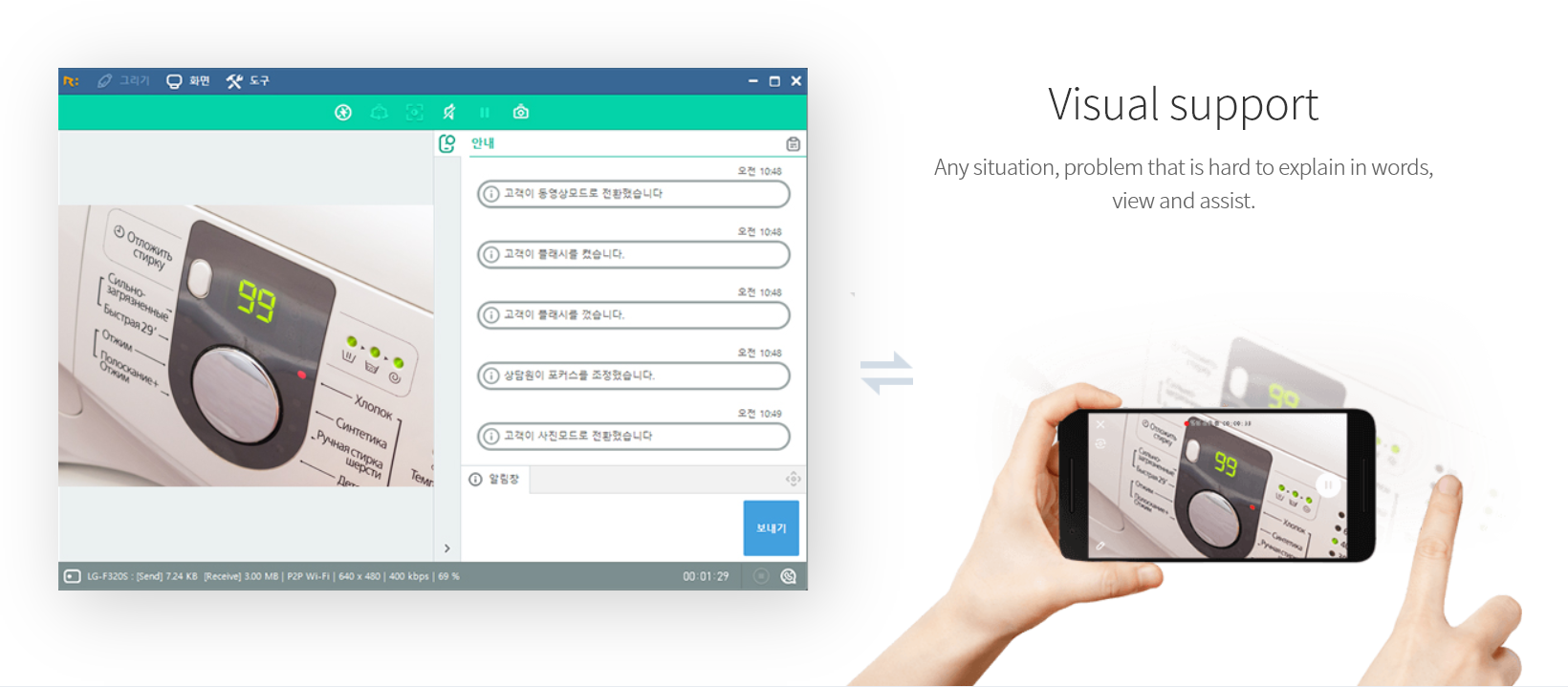
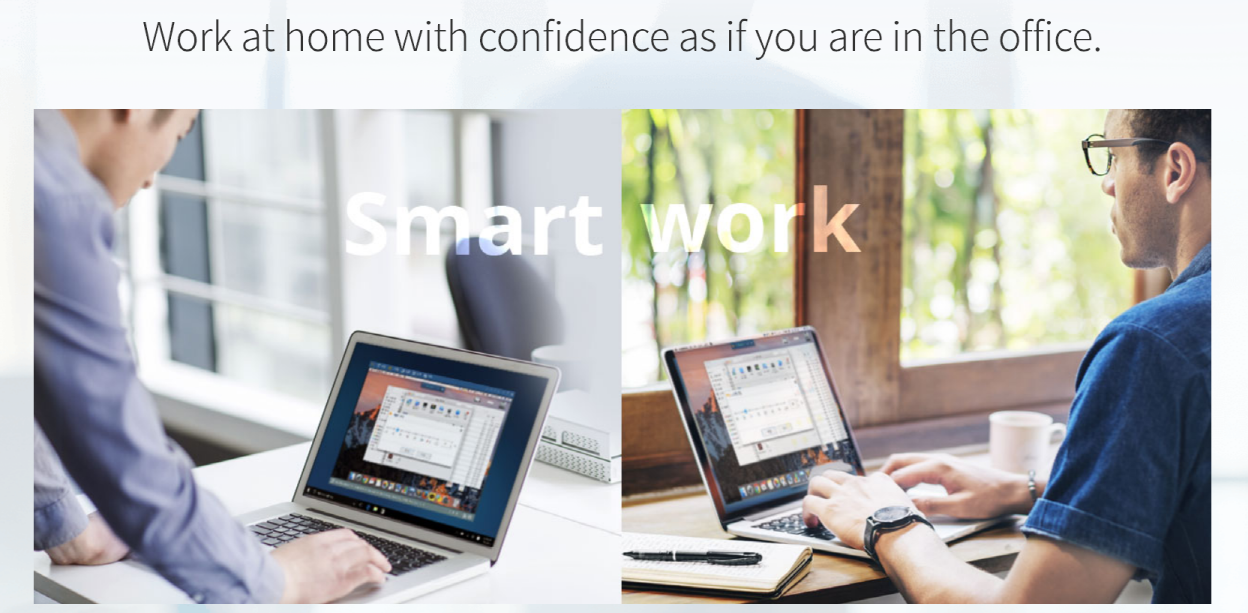
    Screenshot of PC supportScreenshot of Mobile supportScreenshot of Visual supportScreenshot of Remote support work-from-homeScreenshot of RemoteCall WebViewer