TrustRadius: an HG Insights company

Save this comparison

Save this comparison

Add Product

Recommended Comparisons

    Overview
    ProductRatingMost Used ByProduct SummaryStarting Price

    Salesforce Starter

    Score9 out of 10
    Small Businesses (1-50 employees)
    Salesforce Starter (formerly Salesforce Essentials) is a small business CRM that replaces the former SalesforceIQ product. It is priced at $35 per user, on a monthly basis, or at $25 per month for if billed annually ($300) and can be tried free for 14 days on a trial.

    $35

    per month per user

    Zoho Desk

    Score8.4 out of 10
    N/AZoho Support is a Saas help desk / ticketing system aimed at SMBs. I competes most often with Zendesk, and Desk.com.

    $9

    per month per user

    Pricing
    Salesforce StarterZoho Desk
    Editions & Modules
    No answers on this topic
    Free
    $0
    Express
    $9
    per month per user
    Standard
    $20
    per month per user
    Professional
    $35
    per month per user
    Enterprise
    $50
    per month per user
    Offerings
    Pricing Offerings
    Salesforce StarterZoho Desk
    Free Trial
    YesYes
    Free/Freemium Version
    NoYes
    Premium Consulting/Integration Services
    YesYes
    Entry-level Setup FeeNo setup feeRequired
    Additional Details—A discount is offered for yearly billing.
    More Pricing Information
    Community Pulse
    Salesforce StarterZoho Desk
    Considered Both Products
    Salesforce
    No answer on this topic
    Zoho
    No answer on this topic
    Key User Insights
    Would buy again
    80%
    Would buy again
    4 Answers
    93%
    Would buy again
    14 Answers
    Delivers good value for the price
    No answers on this topic
    100%
    Delivers good value for the price
    14 Answers
    Happy with the feature set
    100%
    Happy with the feature set
    5 Answers
    87%
    Happy with the feature set
    13 Answers
    Lived up to sales and marketing promises
    80%
    Lived up to sales and marketing promises
    4 Answers
    100%
    Lived up to sales and marketing promises
    10 Answers
    Implementation went as expected
    80%
    Implementation went as expected
    4 Answers
    85%
    Implementation went as expected
    11 Answers
    Features
    Salesforce StarterZoho Desk
    Sales Force Automation
    Comparison of Sales Force Automation features of Salesforce Starter and Zoho Desk
    Feature
    Salesforce Starter
    8.7
    7 Ratings
    10% above category average
    Zoho Desk
    -
    Ratings
    Customer data management / contact management7.27 Ratings00 Ratings
    Territory management7.47 Ratings00 Ratings
    Opportunity management9.07 Ratings00 Ratings
    Integration with email client (e.g., Outlook or Gmail)9.46 Ratings00 Ratings
    Quote & order management9.65 Ratings00 Ratings
    Interaction tracking8.56 Ratings00 Ratings
    Channel / partner relationship management9.75 Ratings00 Ratings
    Marketing Automation
    Comparison of Marketing Automation features of Salesforce Starter and Zoho Desk
    Feature
    Salesforce Starter
    7.1
    6 Ratings
    9% below category average
    Zoho Desk
    -
    Ratings
    Lead management7.16 Ratings00 Ratings
    CRM Project Management
    Comparison of CRM Project Management features of Salesforce Starter and Zoho Desk
    Feature
    Salesforce Starter
    8.1
    5 Ratings
    5% above category average
    Zoho Desk
    -
    Ratings
    Task management9.65 Ratings00 Ratings
    Billing and invoicing management6.25 Ratings00 Ratings
    Reporting8.65 Ratings00 Ratings
    CRM Reporting & Analytics
    Comparison of CRM Reporting & Analytics features of Salesforce Starter and Zoho Desk
    Feature
    Salesforce Starter
    9.0
    5 Ratings
    16% above category average
    Zoho Desk
    -
    Ratings
    Forecasting9.05 Ratings00 Ratings
    Pipeline visualization8.95 Ratings00 Ratings
    Customizable reports9.25 Ratings00 Ratings
    Customization
    Comparison of Customization features of Salesforce Starter and Zoho Desk
    Feature
    Salesforce Starter
    6.6
    6 Ratings
    15% below category average
    Zoho Desk
    -
    Ratings
    Custom fields6.86 Ratings00 Ratings
    Custom objects6.85 Ratings00 Ratings
    Scripting environment5.65 Ratings00 Ratings
    API for custom integration7.25 Ratings00 Ratings
    Security
    Comparison of Security features of Salesforce Starter and Zoho Desk
    Feature
    Salesforce Starter
    8.6
    6 Ratings
    2% above category average
    Zoho Desk
    -
    Ratings
    Single sign-on capability8.66 Ratings00 Ratings
    Role-based user permissions8.66 Ratings00 Ratings
    Social CRM
    Comparison of Social CRM features of Salesforce Starter and Zoho Desk
    Feature
    Salesforce Starter
    8.7
    5 Ratings
    15% above category average
    Zoho Desk
    -
    Ratings
    Social engagement8.75 Ratings00 Ratings
    Integrations with 3rd-party Software
    Comparison of Integrations with 3rd-party Software features of Salesforce Starter and Zoho Desk
    Feature
    Salesforce Starter
    8.2
    5 Ratings
    8% above category average
    Zoho Desk
    -
    Ratings
    Marketing automation8.25 Ratings00 Ratings
    Compensation management8.15 Ratings00 Ratings
    Platform
    Comparison of Platform features of Salesforce Starter and Zoho Desk
    Feature
    Salesforce Starter
    8.3
    6 Ratings
    8% above category average
    Zoho Desk
    -
    Ratings
    Mobile access8.36 Ratings00 Ratings
    Incident and problem management
    Comparison of Incident and problem management features of Salesforce Starter and Zoho Desk
    Feature
    Salesforce Starter
    -
    Ratings
    Zoho Desk
    8.5
    5 Ratings
    4% above category average
    Organize and prioritize service tickets00 Ratings9.05 Ratings
    Expert directory00 Ratings7.14 Ratings
    Subscription-based notifications00 Ratings7.14 Ratings
    ITSM collaboration and documentation00 Ratings10.01 Ratings
    Ticket creation and submission00 Ratings8.95 Ratings
    Ticket response00 Ratings8.95 Ratings
    Self Help Community
    Comparison of Self Help Community features of Salesforce Starter and Zoho Desk
    Feature
    Salesforce Starter
    -
    Ratings
    Zoho Desk
    9.8
    5 Ratings
    22% above category average
    External knowledge base00 Ratings9.85 Ratings
    Internal knowledge base00 Ratings9.85 Ratings
    Multi-Channel Help
    Comparison of Multi-Channel Help features of Salesforce Starter and Zoho Desk
    Feature
    Salesforce Starter
    -
    Ratings
    Zoho Desk
    6.6
    5 Ratings
    18% below category average
    Customer portal00 Ratings8.04 Ratings
    Social integration00 Ratings6.93 Ratings
    Email support00 Ratings6.15 Ratings
    Help Desk CRM integration00 Ratings5.34 Ratings
    Best Alternatives
    Salesforce StarterZoho Desk
    Small Businesses
    Salesflare
    Score10 out of 10
    Intercom
    Score8.4 out of 10
    Medium-sized Companies
    Kintone
    Score9.7 out of 10
    LiveAgent
    Score8.7 out of 10
    Enterprises
    Oracle Sales
    Score9 out of 10
    Front
    Score9.2 out of 10
    All AlternativesView all alternativesView all alternatives
    User Ratings
    Salesforce StarterZoho Desk
    Likelihood to Recommend
    9.0
    (7 ratings)
    8.8
    (23 ratings)
    Likelihood to Renew
    4.0
    (1 ratings)
    -
    (0 ratings)
    Usability
    8.4
    (4 ratings)
    8.0
    (12 ratings)
    Support Rating
    -
    (0 ratings)
    8.8
    (11 ratings)
    User Testimonials
    Salesforce StarterZoho Desk
    Likelihood to Recommend
    Salesforce
    If you own a business that has complex selling processes or requires integrations with 3rd party tools/systems, you should look at Professional, Enterprise, or Unlimited editions. Salesforce operates very well across pretty much every industry, but not all sales, marketing, and operational processes are created equal. If your marketing process requires a long list of sendable contacts then I would recommend adding on Pardot or Hubspot. Always start small and scale up, to avoid boxing yourself in down the road.
    Incentivized
    Read full review
    Zoho
    Zoho Desk is a great customer service tool. It is very easy to track the ability to receive tickets and send responses in Zoho Desk. There are lots of options for customization. The knowledge base feature is very extensive and powerful. It makes creating internal and external FAQs easy.
    Incentivized
    Read full review
    Pros
    Salesforce
    • Tracking phone calls is extremely easy when using the app on the iphone. After a phone call is complete it prompts the user to enter in call details.
    • SalesforceIQ also automatically logs emails for us. This has saved us time from entering in information manually.
    • SalesforceIQ was easy to set up and allowed us customization for fields that were relevant to our business.
    Incentivized
    Read full review
    Zoho
    • It provides a simple widget code with a few clicks once you decide to integrate it with your website or application.
    • There is a very user friendly dedicated mobile application for Zoho Desk for Android and IOS devices.
    • You can easily track all of your tickets and agents from the dashboard interface.
    • You can insert tags with each ticket to group them into specific categories for analysis and troubleshooting.
    Incentivized
    Read full review
    Cons
    Salesforce
    • Table views can be sorted by column. Filters can be applied, but only to one column. Multi-column filtering like Excel allows would be extremely useful and a big improvement.
    • The ability to quick copy data in a table view would also be helpful, like (ctrl ') in excel.
    Incentivized
    Read full review
    Zoho
    • The biggest drawback that I am facing while using the platform is that their ticketing system is not that great [in my opinion]. It does not give us the option to add sales tax and other charges in the invoices which leads to a big problem for us.
    • [I feel] its customer support needs improvement.
    Incentivized
    Read full review
    Usability
    Salesforce
    The system is very user-friendly on a desktop but lacks mobile friendliness. The Customer relationship manager disappears after the deal is signed. We struggled to get the system in a usable format, which was not cost-effective. The CRM system on desktop was great but way more complicated than it should be.
    Incentivized
    Read full review
    Zoho
    I give [Zoho Desk] [an] overall usability score of 9. This is partly due to the search functionality needs improvement. There are several times where I am left unable to find a ticket and have to generate a new one. I am hoping in the future that they will make some changes!
    Incentivized
    Read full review
    Support Rating
    Salesforce
    No answers on this topic
    Zoho
    As Zoho Support is based in a different timezone to ours it can be an issue that we cannot get an immediate response to an issue. But I will say that once their Support is in the office they are fairly good to respond. they have resolved almost all issues I have told them about, but Zoho have also made system changes and not communicated these beforehand which means we are faced with something new and cannot get support on this until their support team is in the office
    Incentivized
    Read full review
    Alternatives Considered
    Salesforce
    more expensive but as an industry leader and go, the learning curve pays for itself in ROI in lost time in onboarding
    Incentivized
    Read full review
    Zoho
    We selected Zoho Desk as we needed a platform that was going to allow the business to grow through both usage and staffing numbers. We wanted something cost-effective but still offered standard features in an effective cloud-delivered solution but would still allow customization by our internal dev team, to derive better value from the service where it natively didn't do what we needed it to. FreeAgent was okay for a while, but Zoho Desk has allowed a vast improvement in our service offering to end customers.
    Incentivized
    Read full review
    Return on Investment
    Salesforce
    • It made the job more efficient for staff so they can spend time doing other tasks rather than configuring and maintaining Salesforce Starter.
    Incentivized
    Read full review
    Zoho
    • Zoho Desk has created an organised sytem of support which alows me to help my customers more efficiently.
    • By saving resolutions as articles, Zoho Desk has provided a training resource for current customers and support staff as part of solving problems.
    • All new customers become part of a database of customers who continue to receive support and education from forums created by the articles and customer questions.
    Incentivized
    Read full review
    ScreenShots

    Salesforce Starter Screenshots

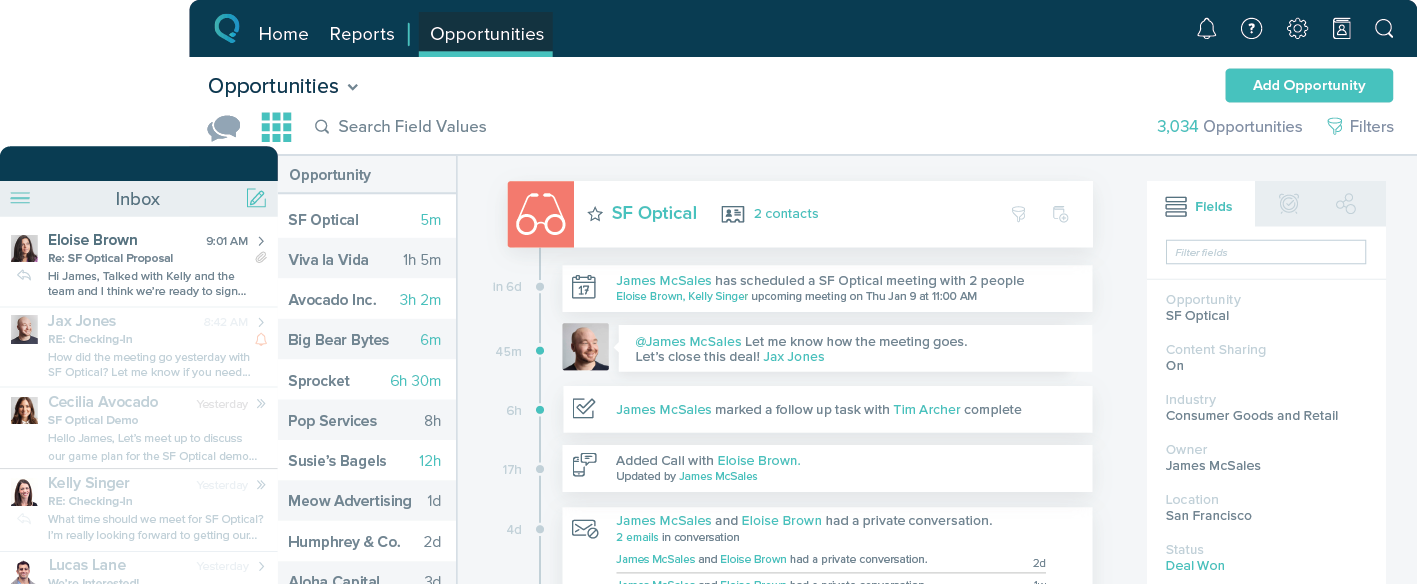
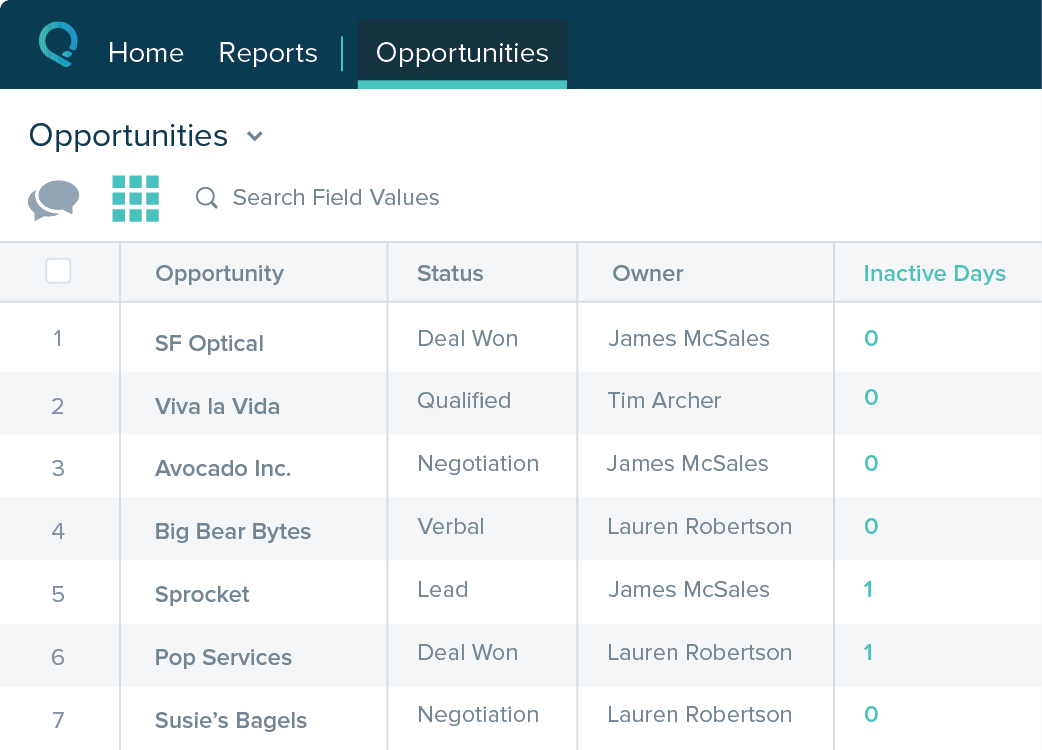
    Product screenshotProduct screenshotProduct screenshotProduct screenshot

    Zoho Desk Screenshots

    Screenshot of Log and monitor phone conversations, convert them into new tickets, or attach them to existing ones. Convert social media interactions and live chat into tickets at the click of a button.Screenshot of Bring a Help Center directly into a website to strengthen self-service. Chat with Zia, an AI-powered conversation assistant. Customers can chat with Zia right from a mobile app or website. Zia processes their questions and suggests appropriate solutions from the Knowledge Base.Screenshot of With advanced process automation, internal processes can be setup within the help desk, implement them automatically, and make sure that all processes are followed precisely.Screenshot of Instant responses for instant happiness. Respond to customers the minute they reach out with Zoho Desk's embeddable chat widget. Customers can get in touch with agents instantly, right from the Help Center, so agents can respond and help them find answers faster.Screenshot of Monitor a team's performance, customize and schedule reports. Custom dashboards can be created.Screenshot of Zia brings together predictions across anomalies, sentiment, trending ticket tags, and more into a common dashboard for decision-makers to consume. They can drill down further into the details from the same dashboard to investigate further.