SAP Access control streamlines the process of managing and validating user access to applications and data with minimal support from IT, with the goal of giving employees the applications and services they need without exposing data and processes to unauthorized use.
N/A
Teamcenter
Score9.4 out of 10
N/A
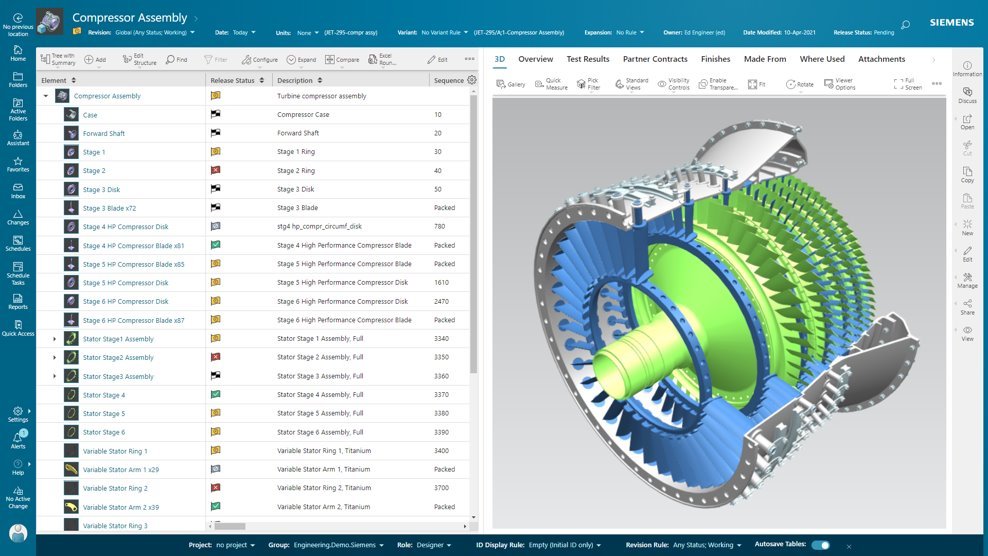
Teamcenter is a product lifecycle management system designed to help organizations integrate and standardize product development processes across functional silos.
Head of Software Engineering in Research & Development at KAMAX (Automotive, 1001-5000 employees)
Chose Teamcenter
Easier to use. Connectivity to third-party products is much better with Teamcenter. Siemens products are connected to Teamcenter very easily. Product support is much better. CAD and CAM data are much better connected. Easy to use search in classification information of the …
A de minimis incentive was given to thank the reviewer for their time. The incentive was not used to bias or drive a particular response, nor was the incentive contingent on a positive endorsement. TR verified that a representative sample of customers was invited. More Info
Appropriate for SAP hrs hierarchy integration and can have multiple hierarchies of org structures adopted as alternative workflow support. Cons of access control are the logs of firefighter usage are still limited in depth and does not evolve to adop more cloud products which are coming at a plaster pace than the ac product as such.
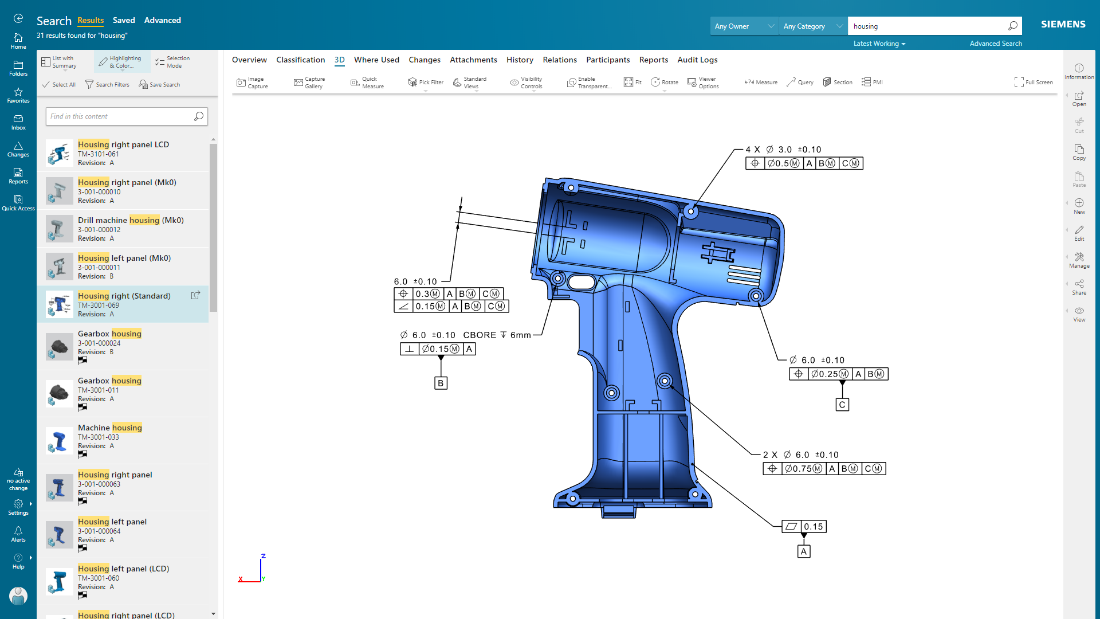
Teamcenter is perfect for working in large-scale projects related to manufacturing and engineering where collaboration and management of data are crucial. It is evident where the complexity of the products is high such as in automobile and aerospace industries. Some of its features may seem too elaborate for the small business with a less complex process and therefore too expensive. It is less useful in organizations that do not have complex PLM needs or have less IT capacity to implement the system.
A de minimis incentive was given to thank the reviewer for their time. The incentive was not used to bias or drive a particular response, nor was the incentive contingent on a positive endorsement. More Info
SAP Access Control ensures that our services are accessed by the right users since it send me alerts when an employee tries to access any application. That way, I am able to either authorize or cancel the request to safeguard of company data.
With SAP Access Control, it is easy to automate and monitor how our team access services and applications. SAP Access Control has an automatic feature that notifies me when employees access applications and services and the issues they are encountering.
In addition, SAP Access Control add security on employees login to ensure that their data on the applications are encrypted to never leak to cyber attackers.
A de minimis incentive was given to thank the reviewer for their time. The incentive was not used to bias or drive a particular response, nor was the incentive contingent on a positive endorsement. More Info
Teamcenter is a great PLM tool that allows collaboration between our teams, it’s possible to create a variety of teams that can all collaborate in one environment and share relevant information, I like that all the data can be integrated into the application so that it’s more organized and structured.
When working with Teamcenter, the roles can be properly distributed so it’s easy to see all the workflows and things that need to be done.
The interface is very nice and you can work through it if you don’t know some features. I like how well-integrated everything is and how easy it is to use and implement into your daily work routine.
One of my favorite aspects of Teamcenter is its reporting tools, they are definitely some of the best tools I have tried, allowing me to integrate data from different places into the platform and analyze it in different ways. Analyzing a variety of key metrics is possible and helps us have better results in our sales.
A de minimis incentive was given to thank the reviewer for their time. The incentive was not used to bias or drive a particular response, nor was the incentive contingent on a positive endorsement. More Info
A de minimis incentive was given to thank the reviewer for their time. The incentive was not used to bias or drive a particular response, nor was the incentive contingent on a positive endorsement. More Info
A de minimis incentive was given to thank the reviewer for their time. The incentive was not used to bias or drive a particular response, nor was the incentive contingent on a positive endorsement. More Info
Because of our current customer needs, we will most likely maintain use of Siemens PLM products for some time. Aside from the initial software cost, we pay for yearly maintenance. Maintaining our yearly maintenance licensing with Siemens, we receive access to all of the latest software releases, as well as premier technical support
A de minimis incentive was given to thank the reviewer for their time. The incentive was not used to bias or drive a particular response, nor was the incentive contingent on a positive endorsement. More Info
This is a great tool for a medium to large sized company. SAP Access Control requires a great deal of SAP knowledge to use, but it is certainly information that can be learned. Their customer support is wonderful and easy to work with. The overall usability is great. I greatly recommend this software.
A de minimis incentive was given to thank the reviewer for their time. The incentive was not used to bias or drive a particular response, nor was the incentive contingent on a positive endorsement. More Info
As previously mentioned, due to the intense amount of features and modules present in the software, the usability of the software suffers greatly. Many of the features are not used in our context, and many of the modules are not purchased, but the options are still present on the interface leading to a lot of clutter, much of which is never used. The interfaces suffer from a lack of design and tend to feel like a conglomerate of Windows 98 elements.
A de minimis incentive was given to thank the reviewer for their time. The incentive was not used to bias or drive a particular response, nor was the incentive contingent on a positive endorsement. More Info
This product fulfills all our requirements. We can use this for user management, role management, risk analysis, business role management, workflow management. Initial configuration takes a lot of effort. Otherwise it's a great product for the end user. SAP Access Control tool performance needs improvement, sometimes it slows down the processing time for requests.
A de minimis incentive was given to thank the reviewer for their time. The incentive was not used to bias or drive a particular response, nor was the incentive contingent on a positive endorsement. More Info
In the time that we have used Teamcenter we have received a good response from the support team, they have great customer service, we have solved the problems that have arisen very quickly, and they are attentive and answer us if we have any questions.
A de minimis incentive was given to thank the reviewer for their time. The incentive was not used to bias or drive a particular response, nor was the incentive contingent on a positive endorsement. More Info
A de minimis incentive was given to thank the reviewer for their time. The incentive was not used to bias or drive a particular response, nor was the incentive contingent on a positive endorsement. TR verified that a representative sample of customers was invited. More Info
Pricing was higher for the cloud version of the BTP service - IAG. SAP Access Control pretty much facilitates everything we are looking for as an enterprise with an efficient dollar cost ROI for the services we are looking for. Also, there were many features on the cloud version which came bundled with the license and we had to pay for them even though we did not actually use these products.
A de minimis incentive was given to thank the reviewer for their time. The incentive was not used to bias or drive a particular response, nor was the incentive contingent on a positive endorsement. More Info
Earlier, some of the companies acquired by my organization were using PTC Windchill, but the overall stability, user experience and depth of functionality which are provided by Teamcenter doesn't match with any other PLM software and thus, all the acquired companies which were earlier using PTC Windchill has now slowly started into moving towards Teamcenter.
A de minimis incentive was given to thank the reviewer for their time. The incentive was not used to bias or drive a particular response, nor was the incentive contingent on a positive endorsement. More Info
Teamcenter is easily on the best scalable solution. The single source of product information allows us to collaborate more effectively on the product lifecycle. Also, being a cloud solution, it is pretty straightforward to scale as the maintenance required is quite low . In addition, the overall cost is also easily manageable for businesses like ours.
Reducing risk of fraud. Implementing SAP Access Control allows analysis of every role assigned to a job on the organization. Through this analysis, weakness on roles are detected, corrected and monitored. As the users feel the change, they also feel that they are being monitored, preventing any intent to use his position and privileges to take personal advantage. So a major impact to organizations is to reduce the financial lost due to frauds.
Reducing cost for monitoring. Another positive impact is lowering the cost of monitoring. This is twofold: First, a rather small team can manage access management. Second, through the use of SAP Access Control the complete universe of roles and users can be monitored without increasing the cost for the continuous monitoring.
During transactions. The use of SAP Access Controls allows detection of transactions that, from an information security point of view, require some redesign. When SAP GCR is implemented, you make some discoveries such as: obsolete transactions, transactions with no authorization objects and the like. The transactions with these problems can be left out of the active roles, waiting for remediation of the issues found.
A de minimis incentive was given to thank the reviewer for their time. The incentive was not used to bias or drive a particular response, nor was the incentive contingent on a positive endorsement. TR verified that a representative sample of customers was invited. More Info
Definitely, it has a very positive impact so to speak. What we are trying to do through our program, we are utilizing the full capacity of Teamcenter to produce one structure in an effective way. So before we implement this activity, the user has to prepare 10 to 15 structures to reach to our best possible data that can be set across the systems. But now with the complete capability of Teamcenter, we are able to do all these things into one structure itself and then let the system do all the automation or the things that users do not have to concentrate on. All of the automations are done behind the systems and then it is improving not only the efficiency of the end user, but also making a standardized way in order to proceed and transfer the data holistically towards other systems like SAP.
A de minimis incentive was given to thank the reviewer for their time. The incentive was not used to bias or drive a particular response, nor was the incentive contingent on a positive endorsement. TR verified that a representative sample of customers was invited. More Info