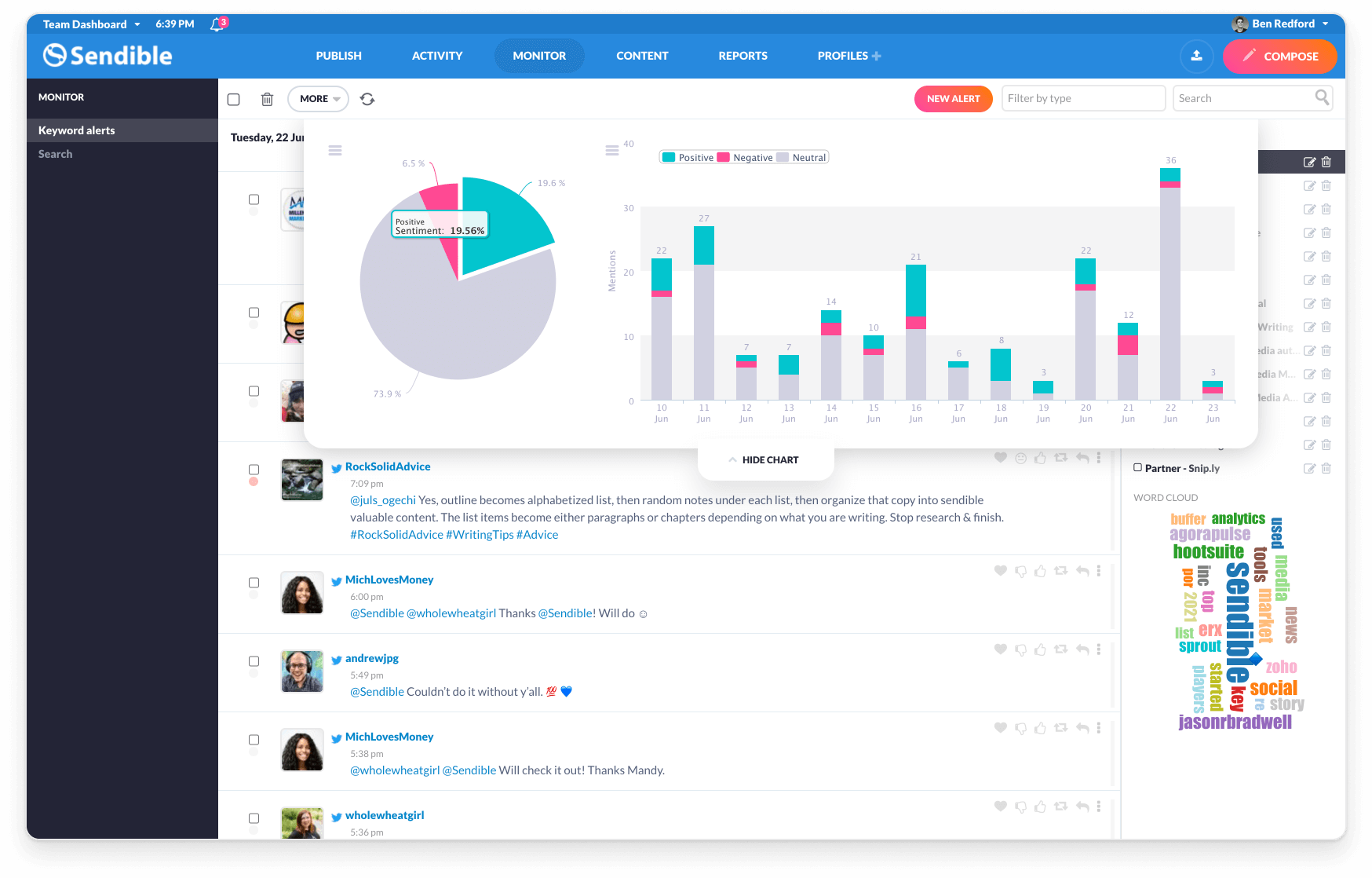
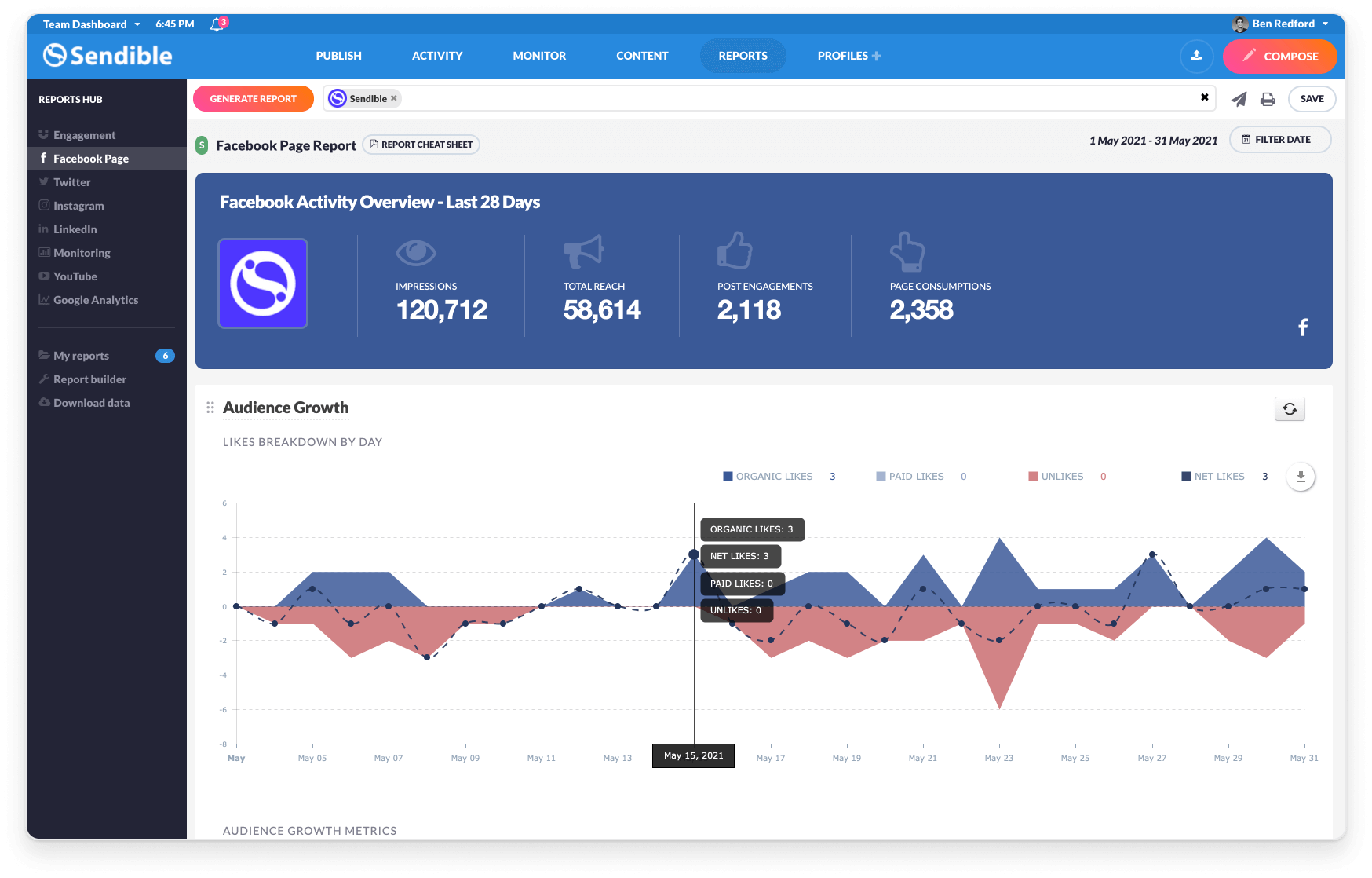
Sendible is a social media marketing platform that allows users to engage with their audience and track results across multiple social media channels at any time.
$29
per month 1 user and 6 profiles
Sniply
Score 9.0 out of 10
N/A
Sniply is a social media management solution built primarily as a content management and marketing tool for social media to drive ROI and leads.
$29
per month
Pricing
Sendible
Sniply
Editions & Modules
Creator
$29
per month 1 user and 6 profiles
Traction
$89
per month 4 users and 24 profiles
Scale
$199
per month 7 users and 49 profiles
Advanced
$299
per month 20 users and 100 profiles
Enterprise
$750
per month 80 users and 400 profiles
FREE
$0
per month
BASIC
$29
per month
PRO
$79
per month
BUSINESS
$149
per month
AGENCY
$299
per month
Offerings
Pricing Offerings
Sendible
Sniply
Free Trial
Yes
No
Free/Freemium Version
No
Yes
Premium Consulting/Integration Services
No
No
Entry-level Setup Fee
No setup fee
No setup fee
Additional Details
15% discount if paying annually.
15% monthly discount or 25% annual discount offered to non-profits.
—
More Pricing Information
Community Pulse
Sendible
Sniply
Features
Sendible
Sniply
Listening/monitoring
Comparison of Listening/monitoring features of Product A and Product B
Sendible
6.4
9 Ratings
18% below category average
Sniply
-
Ratings
Boolean keyword searches
6.06 Ratings
00 Ratings
Filtering out noise/spam
6.05 Ratings
00 Ratings
Sentiment analysis
6.56 Ratings
00 Ratings
Broad channel coverage
7.08 Ratings
00 Ratings
Publishing
Comparison of Publishing features of Product A and Product B
Sendible
8.3
15 Ratings
2% above category average
Sniply
-
Ratings
Content planning and scheduling
10.015 Ratings
00 Ratings
Audience targeting
7.013 Ratings
00 Ratings
Content optimization
7.713 Ratings
00 Ratings
Workflow management
8.414 Ratings
00 Ratings
Engagement
Comparison of Engagement features of Product A and Product B
Sendible
7.7
12 Ratings
5% below category average
Sniply
-
Ratings
Automated routing and prioritization
7.511 Ratings
00 Ratings
Customer interaction histories
5.59 Ratings
00 Ratings
Bulk actions
10.011 Ratings
00 Ratings
Marketing
Comparison of Marketing features of Product A and Product B
Sendible
7.0
9 Ratings
10% below category average
Sniply
9.0
2 Ratings
16% above category average
Lead generation
9.04 Ratings
9.02 Ratings
Content marketing
9.09 Ratings
9.01 Ratings
Paid media management
1.01 Ratings
00 Ratings
Campaigns and promotions
9.02 Ratings
9.01 Ratings
Channel coverage/integration
Comparison of Channel coverage/integration features of Product A and Product B
Sendible
9.1
15 Ratings
9% above category average
Sniply
9.0
1 Ratings
8% above category average
Twitter
10.013 Ratings
9.01 Ratings
Facebook
10.015 Ratings
9.01 Ratings
LinkedIn
10.014 Ratings
9.01 Ratings
Google+
10.08 Ratings
9.01 Ratings
Instagram
10.012 Ratings
00 Ratings
Pinterest
5.56 Ratings
00 Ratings
YouTube
8.410 Ratings
00 Ratings
Reporting/analytics
Comparison of Reporting/analytics features of Product A and Product B
Sendible
7.0
11 Ratings
10% below category average
Sniply
9.5
2 Ratings
21% above category average
Campaign success analytics
7.011 Ratings
10.02 Ratings
Real-time tracking
7.09 Ratings
9.01 Ratings
Competitor analysis
7.05 Ratings
00 Ratings
Account management
Comparison of Account management features of Product A and Product B
I have a fairly straightforward use case for Sendible and it meets almost all of my needs. If you are a small company that needs a collaborative solution to social media content creation, and likely has a small team (or no team) to manage social media postings, I think Sendible is likely a great tool to schedule posts and largely automate social media marketing. A larger company or more involved marketing team could still use Sendible to schedule and collaborate on posts. However, there may be additional features they may want or need (like the ability to promote posts) that may not be available with Sendible.
Sniply is well suited for large companies with very engaged audiences and brands that attract a lot of attention. It would also work well with single brands that don't have to switch between profiles. For us, it works very well; it is just a little more time consuming than if we were a larger company or had fewer brands.
Easy to schedule and post to all of your social media platforms.
Customer support is very accommodating and always there to help. I have never had an issue with reaching someone whether it was for a quick question or to demo other features.
They have an awesome affiliate program (example: I earned over $600 from one company clicking through an signing up from my affiliate link - yay!)
Compared to other social media platforms, Sendible has been the most robust with features and ease of use.
They are always making advances and upgrades to their service offerings to better meet the needs of their customers.
Using the 'Call to Action' feature means I set specific text to drive people to my blog.
1000 clicks for free is an excellent price point for independent consultants and small businesses and the price points to upgrade make a lot of sense too.
It's super easy to track clicks and conversions to your website.
Super easy integration with Buffer which is fantastic.
Inbox. The inbox of incoming messages/posts is very clunky. Threads are separated into individual messages, making it difficult to follow conversations.
Reporting. The included reporting features are limited and don't allow for enough customization to be worth using.
Hashtags. When discussing the 10 most common mistakes (or whatever the title might be), we are unable to say "You won't believe #3" because the system reads this as a hashtag to link rather than just a number. It adds on editing time when approving posts.
Default settings. As a Social Media Manager, it is annoying to have myself set as default when looking at the content calendar. I don't write the posts, just approved and schedule them, so manually entering in my writers' names in the filters could be made easier by making this an editable feature.
Instagram. You cannot post multiple images in a single Instagram post from Sendible.
Service Lists. They are supposed to be helpful in grouping your services (we do this by brand), however, these lists don't pull the information you put on individual services. So if I have a list with Facebook, Instagram, and Pinterest for Brand A, you can't just add the Brand A Service List filter onto the calendar and see all of those posts that are scheduled. They don't seem to have much purpose at all.
Packages. We are a medium-sized company but we manage small brands who do not get a lot of clicks. Because of this, the current packages don't work for our purposes.
Integrations. We use Sniply inside of Sendible and the integration is a bit clunky when you have more than one account.
Customization. Snips are look the same, it would be helpful if there were more customization options.
If I am given a larger budget to work with then I'd like a program that tracks and collects my PR hits, as well as sends me important info to respond to. I realy like the way New Brand Analytics tracks my Trip Advisor,etc ratings
Sendible is 100% web based so managing social media platforms can be done from anywhere with internet connectivity. During registration, Sendible takes its users on a tour of its main features. The sleek design was engineered by professionals who have great interest in social media marketing. There is ample support in case users get lost and there is no learning curve.
Sendible has a great resource center which I have used multiple times throughout my year using the platform. There are plenty of troubleshooting articles and guides that make it easy to uncover the root of any small issues I may have.
While lacking in some features compared to those big alternatives, Sendible doesn't stop releasing new features every few months and doesn't cost nearly as much monthly as they do for the amount of profiles they allow to manage. Overall I'd say it's a solid competitor if they keep the updates coming and optimize the platform a little
Sniply has a lot more data and customization features. Bitly does not have the features we need in the version we use. Sniply's UI is a lot more clean and user friendly then Bitly and is easier to use. Also, the integration with Sendible makes Sniply much more convenient for us to use
I use the free version and so far my conversion rate (people who click my call to action) is 0.71%. This is a low number but also represents 3 people who might not ordinarily have visited my website so that's a good return to me.