Built on the ServiceNow Now Platform, the IT Service Management bundle provides an agent workspace with knowledge management, and modules supporting issue tracking and problem resolution, change, release and configuration management.
N/A
Tricentis qTest
Score 8.6 out of 10
N/A
Tricentis qTest (formerly QASymphony) provides enterprise-level agile testing tools giving businesses visibility and control needed to ensure application quality in fast-paced development environments. Tricentis and QASymphony merged in summer 2018.
$1,200
per year per user
Zoho Desk
Score 8.4 out of 10
N/A
Zoho Support is a Saas help desk / ticketing system aimed at SMBs. I competes most often with Zendesk, and Desk.com.
$9
per month per user
Pricing
ServiceNow IT Service Management
Tricentis qTest
Zoho Desk
Editions & Modules
ITSM Standard
Custom Quote
ITSM Pro
Custom Quote
ITSM Enterprise
Custom Quote
No answers on this topic
Free
$0
Express
$9
per month per user
Standard
$20
per month per user
Professional
$35
per month per user
Enterprise
$50
per month per user
Offerings
Pricing Offerings
ServiceNow IT Service Management
Tricentis qTest
Zoho Desk
Free Trial
No
Yes
Yes
Free/Freemium Version
No
No
Yes
Premium Consulting/Integration Services
No
Yes
Yes
Entry-level Setup Fee
No setup fee
Optional
Required
Additional Details
ITSM Pro and ITSM Enterprise also are available with optional "Plus" add-ons. These include AI Agents, an AI Agent Studio, and other features that augment the capabilities of the platform using AI Virtual Agents to automate tasks.
It is well suited for medium to large companies that require a tool to allow users to create IT requests, have a self-service portal, track the completion of such requests and have access to KPIs to understand the satisaction level of the requestors. It is not the best tool if you want to have a heavy personalized IT Service Management tool to cater to all your needs or when you want to have an easy way to search for past tickets using specific keywords.
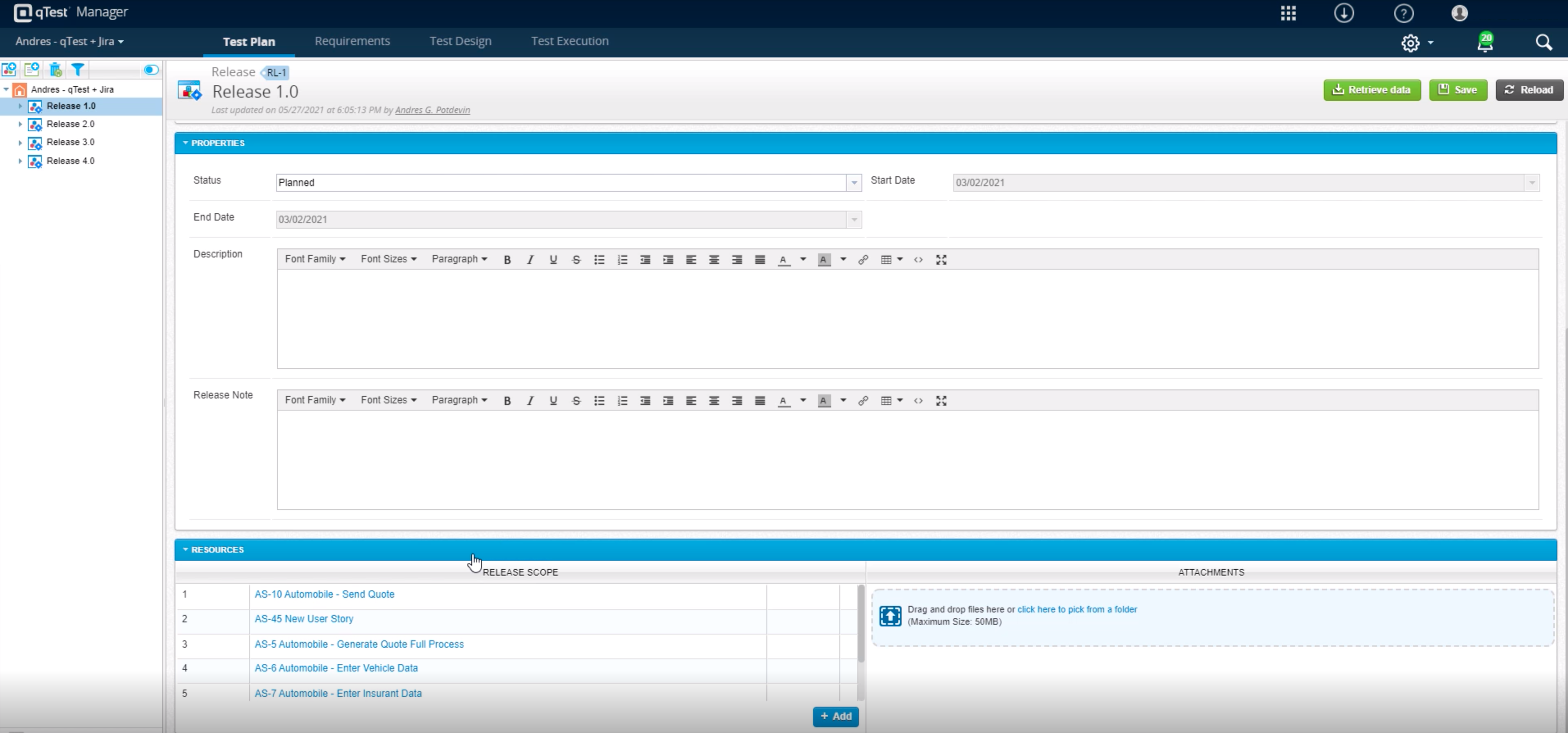
Tricentis qTest integrates seamlessly with Jira, making it ideal for teams that manage user stories and defects in Jira while keeping test cases and execution in qTest. When paired with automation tools like tosca, Selenium, or WebdriverIO, qTest is excellent for aggregating both manual and automated test results in one place.
Zoho Desk is a great customer service tool. It is very easy to track the ability to receive tickets and send responses in Zoho Desk. There are lots of options for customization. The knowledge base feature is very extensive and powerful. It makes creating internal and external FAQs easy.
As a fresher, when I started using qTest it was very handy and easy to understand.
It helps us trace the test cases that are used to test the quality in a single location
The main thing is its integration with JIRA as soon as we create a ticket we would be getting all the requirements in the qTest so it became easy for me
Finding requests that I opened and have since been completed by the assigned group/individual is very difficult to accomplish unless I've written down the request numbers somewhere.
Requests that I opened and are subsequently closed, often continue to appear in the list of "My Open Requests" giving the appearance that they were not completed when in fact they were.
It may exist, but if it does I haven't found it yet, which makes it less than intuitive, but I would like to see the ability to recall a request in ServiceNow.
I believe our firewall rule change request for is a custom form, but it has a serious drawback. If I submit such a request and need to make a correction to it before it is approved, there isn't anyway for me to do so. The request has to first be rejected with the creation of a sub-task in order to edit it before it is resubmitted for approval.
In requirements , we can't add multiple test cases at once, or search multiple cases at once, need to do one by one. Here actually qtest needs to improve.
Linking cloud hosted qtest and on-premise TOSCA is very difficult especially when you are working with client system with security wall. It requires tunnelling software which is not recommended.
The biggest drawback that I am facing while using the platform is that their ticketing system is not that great [in my opinion]. It does not give us the option to add sales tax and other charges in the invoices which leads to a big problem for us.
To be completely honest setting up a new ticketing system can be a pain in the ass. Once you have it setup and customized the way you want it, you don't want to switch unless you're unhappy with the product. Unless future releases and updates really muck the system up, I wouldn't change.
It has helped us a lot, and after some training and getting to know the product, we are quite comfortable with it and feel much more capable of understanding what's going on in our IT environment. The only reason it doesn't get a perfect score from me is that there is a learning curve for both end users and IT admins using ServiceNow. Once you customize the UI and remove unnecessary fields. You are left with a very clean product that does what it needs to and does it well.
I give [Zoho Desk] [an] overall usability score of 9. This is partly due to the search functionality needs improvement. There are several times where I am left unable to find a ticket and have to generate a new one. I am hoping in the future that they will make some changes!
I would give it this rating because we have had no major issues with the support for ServiceNow after we implemented it at our organization. They seem to respond promptly and efficiently if we ever do need to open a support case with them about an issue we are having.
As Zoho Support is based in a different timezone to ours it can be an issue that we cannot get an immediate response to an issue. But I will say that once their Support is in the office they are fairly good to respond. they have resolved almost all issues I have told them about, but Zoho have also made system changes and not communicated these beforehand which means we are faced with something new and cannot get support on this until their support team is in the office
To type in what should be a text box, you have to click an empty cell, a tiny text box pop up opens with a check box and an X. You the. Type in the text box and have to click the check mark. If you have a bunch of fields to fill out, doing this is very annoying. Absolutely know thought went in to this. I'm sure somebody in marketing thought it was a good idea. It wasn't.
Without exception, every client I have worked with has been very happy with their resulting product. While this is partly due to my work, I must point out that the platform is the winning decision, not the implementer.
We used to use Jira to handle service tickets but it's way too robust for something this straightforward. Due to the nature of Jira, you needed to already have a lot of documentation and knowledge about who should be assigned the ticket, so the lift of creating a ticket was time consuming.
All of them offer formidable solutions in the test management realm, but each one caters to different niche and need. qTest distinguishes itself with its deep integration capabilities, especially with Agile and DevOps tools, enabling streamlined CI/CD process. Its modern, user-centric interface contrasts with ALM's more dated appearance and complex setup. While TestRail provides a clean user experience and caters to a broad spectrum of business, qTest's scalability, from SMBs to large enterprises, stands out. PractiTest's cloud-based solution is geared towards mid-sized companies, but qTest's flexibility, advanced analytics, and robust reporting grant teams actionable insights. qTest' approach to a more holistic test management closely aligning with modern software development practices
We selected Zoho Desk as we needed a platform that was going to allow the business to grow through both usage and staffing numbers. We wanted something cost-effective but still offered standard features in an effective cloud-delivered solution but would still allow customization by our internal dev team, to derive better value from the service where it natively didn't do what we needed it to. FreeAgent was okay for a while, but Zoho Desk has allowed a vast improvement in our service offering to end customers.
We don't currently have a CMDB, so we are leveraging ServiceNow to build one using their ITSM and ITOM tools. This is a huge gap for us as a company and it will be a big win once this is in place.
The core help desk functions are comparable to most other tools on the market, but SN does a great job of integrating that data with other modules like Problem, Change and Event Management to provide a truly integrated solution.
The tool is expensive, so you will need to try to do as much as you can with the platform. We currently use other systems for HAM and SAM but will be including these in our ServiceNow instance in the future to help maximize our ROI.
Zoho Desk has created an organised sytem of support which alows me to help my customers more efficiently.
By saving resolutions as articles, Zoho Desk has provided a training resource for current customers and support staff as part of solving problems.
All new customers become part of a database of customers who continue to receive support and education from forums created by the articles and customer questions.