
IDERA SQL Diagnostic Manager vs. Spiceworks Cloud Help Desk
IDERA SQL Diagnostic Manager vs. Spiceworks Cloud Help Desk
| Product | Rating | Most Used By | Product Summary | Starting Price |
|---|---|---|---|---|
 IDERA SQL Diagnostic Manager | N/A | SQL Diagnostic Manager for Microsoft SQL Server helps database administrators to find and fix Microsoft SQL Server performance problems in physical, virtual, and cloud environments. Unlike its competition, it provides effective scalability, advanced SQL query analysis and optimization, prescriptive analysis with corrective SQL scripts, powerful automated alert responses, broad PowerShell integration, complete customization, and extensive support for current and legacy Microsoft SQL Server and… | $1,996 per instance with first year maintenance included | |
 Spiceworks Cloud Help Desk | N/A | Spiceworks offers a set of free tools for IT network management and help desk support ticketing. The inventory management system essentially provides comprehensive device information for asset management. | $0 (free for 1-5 Seats) |
| IDERA SQL Diagnostic Manager | Spiceworks Cloud Help Desk | |||||||||||||||
|---|---|---|---|---|---|---|---|---|---|---|---|---|---|---|---|---|
| Editions & Modules |
|
| ||||||||||||||
| Offerings |
| |||||||||||||||
| Entry-level Setup Fee | No setup fee | No setup fee | ||||||||||||||
| Additional Details | — | — | ||||||||||||||
| More Pricing Information | ||||||||||||||||
| IDERA SQL Diagnostic Manager | Spiceworks Cloud Help Desk |
|---|
| IDERA SQL Diagnostic Manager | Spiceworks Cloud Help Desk | |||||||||||||||||||||
|---|---|---|---|---|---|---|---|---|---|---|---|---|---|---|---|---|---|---|---|---|---|---|
| SQL Performance Monitoring |
| |||||||||||||||||||||
| Incident and problem management |
| |||||||||||||||||||||
| Self Help Community |
| |||||||||||||||||||||
| Multi-Channel Help |
|
| IDERA SQL Diagnostic Manager | Spiceworks Cloud Help Desk | |
|---|---|---|
| Small Businesses | No answers on this topic |  Agiloft Service Desk (discontinued) Score 9.0 out of 10 |
| Medium-sized Companies |  Redgate Monitor Score 8.0 out of 10 | Agiloft Service Desk (discontinued) Score 9.0 out of 10 |
| Enterprises | Redgate Monitor Score 8.0 out of 10 |  SysAid Score 8.9 out of 10 |
| All Alternatives | View all alternatives | View all alternatives |
| IDERA SQL Diagnostic Manager | Spiceworks Cloud Help Desk | |
|---|---|---|
| Likelihood to Recommend | 9.0 (8 ratings) | 10.0 (84 ratings) |
| Likelihood to Renew | - (0 ratings) | 10.0 (29 ratings) |
| Usability | - (0 ratings) | 9.7 (10 ratings) |
| Availability | - (0 ratings) | 10.0 (3 ratings) |
| Performance | - (0 ratings) | 8.0 (1 ratings) |
| Support Rating | - (0 ratings) | 8.7 (26 ratings) |
| Implementation Rating | - (0 ratings) | 10.0 (7 ratings) |
| Product Scalability | - (0 ratings) | 10.0 (1 ratings) |
| IDERA SQL Diagnostic Manager | Spiceworks Cloud Help Desk | |
|---|---|---|
| Likelihood to Recommend | Idera, Inc.
|  Spiceworks Ziff Davis
 Joe Foran Director Of Information Technology and HIPAA Privacy Officer |
| Pros | Idera, Inc.
 Greg Goss SQL Database and Business Intelligence Manager | Spiceworks Ziff Davis
|
| Cons | Idera, Inc.
 Steven Gockley, MBA, MCSA DBA / Sr. Data Analyst | Spiceworks Ziff Davis
|
| Likelihood to Renew | Idera, Inc. No answers on this topic | Spiceworks Ziff Davis
|
| Usability | Idera, Inc. No answers on this topic | Spiceworks Ziff Davis
 Chris Johnson Systems Administrator |
| Reliability and Availability | Idera, Inc. No answers on this topic | Spiceworks Ziff Davis
 Patrick Yeager Systems Administrator |
| Support Rating | Idera, Inc. No answers on this topic | Spiceworks Ziff Davis
|
| Implementation Rating | Idera, Inc. No answers on this topic | Spiceworks Ziff Davis
 Jennifer Metcalf Systems Analyst II |
| Alternatives Considered | Idera, Inc.
 José Javier Dominguez Reina Jefe de Proyecto | Spiceworks Ziff Davis
 Héctor Aguilar Ruby on Rails Developer |
| Return on Investment | Idera, Inc.
| Spiceworks Ziff Davis
 David Yates President |
| ScreenShots | IDERA SQL Diagnostic Manager Screenshots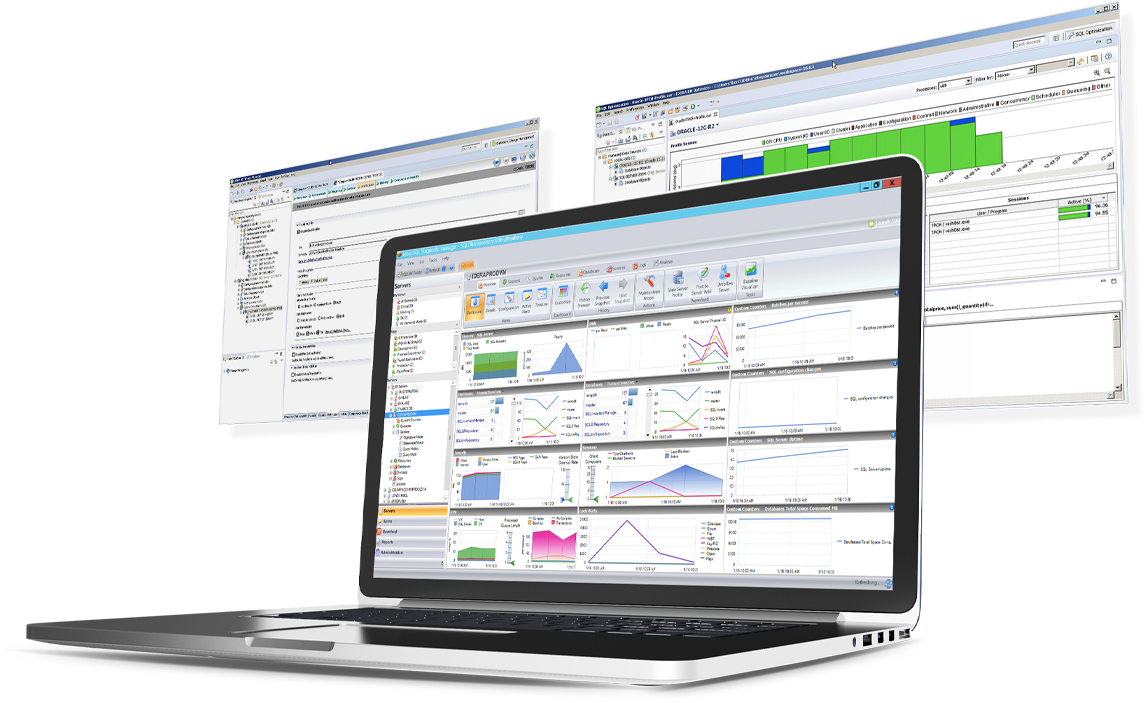 |