Chose Whimsical
Figma, Miro and Excalidraw+

| Product | Rating | Most Used By | Product Summary | Starting Price |
|---|---|---|---|---|
 Whimsical | N/A | Whimsical is a visual workspace application from the company of the same name in Denver, allowing users to create collaborative wireframes, mindmaps, flowcharts, and sticky notes. | $12 per month per editor | |
 WorkOtter PPM | Mid-Size Companies (51-1,000 employees) | WorkOtter is presented by the vendor as a simple, flexible, and scalable project portfolio management (PPM) solution for IT, Engineering, and Professional Service PMOs. The software manages the lifecycle of work from ideas through project planning, control, lessons learned, and close. Projects can then be rolled up to Programs (multi project efforts) or Portfolios (Roadmaps with What If Scenarios). All features were designed to support Project Teams with simplicity and usability in mind.… | $10 per user per month |
| Whimsical | WorkOtter PPM | |||||||||||||||
|---|---|---|---|---|---|---|---|---|---|---|---|---|---|---|---|---|
| Editions & Modules |
|
| ||||||||||||||
| Offerings |
| |||||||||||||||
| Entry-level Setup Fee | No setup fee | No setup fee | ||||||||||||||
| Additional Details | 17% discount for annual billing on Pro and Business plans. | Time/Status Tier is BEST FOR: Contractors, Consultants, Limited Team Members FUNCTIONALITY AVAILABLE:Timesheets, Adjust Estimate To Complete, Create Notes for PM and Team Members Team Tier is BEST FOR: Customers, Suppliers, Contractors, Consultants, Team Members FUNCTIONALITY INCLUDES TIME/STATUS PLUS: My Home Dashboards, Support Log Updates, Issue Updates, Changes, Timesheet & Expenses, Risks, Action Items Limited, Reporting, E-Mail Updates, Chat & Collaboration Manager Tier is BEST FOR: Project Managers, Program Managers, Executives, PMO Department Managers, Administrators FUNCTIONALITY INCLUDES TEAM PLUS: Project Management, Microsoft Project -Way Sync, Dashboard Reporting, Program Management, Resource Management, Portfolio Management, Workflow Management, Estimating and Templates | ||||||||||||||
| More Pricing Information | ||||||||||||||||
| Whimsical | WorkOtter PPM | |
|---|---|---|
| Considered Both Products |  Whimsical  Vincent Po MD & Head of Global Marketing Chose Whimsical Clickup's mind mapping tool was very basic and hard to use from my perspective. Whimsical was by far easier and did what I wanted for a SaaS/cloud-based mind mapping tool. Xmind is fine as a desktop app, but updating the app was a pain whereas, with Whimsical I don't have to …  Sarah Littlefield Chief Strategy Officer (CSO), UX design Chose Whimsical I've tried a few different services similar to Whimsical, and like the simplicity of Whimsical - as it's very easy to learn how to use and begin creating. The price is also better than a lot of competitors. There are quite a few options for creating wireframes, flowcharts and …  Brianne Matthias Member Services Administrator Chose Whimsical Whimsical has a flexible interface and a more cost-friendly plan than Lucidchart. Whimsical allows you all the room to create whatever comes to mind in one space, whereas with other products, you have to create a separate document to use the different functions. Other apps like …  Andrea Hester Director Of Operations Chose Whimsical Whimsical is simpler and easier to use than InVision. Not as many design capabilities, but much better interface. |  WorkOtter PPM No answer on this topic |
| Whimsical | WorkOtter PPM | ||||||||||||||||||||||||||||||
|---|---|---|---|---|---|---|---|---|---|---|---|---|---|---|---|---|---|---|---|---|---|---|---|---|---|---|---|---|---|---|---|
| Project Management |
|
| Whimsical | WorkOtter PPM | |
|---|---|---|
| Small Businesses |  Canva Score 9.1 out of 10 |  Stackby Score 8.8 out of 10 |
| Medium-sized Companies | Canva Score 9.1 out of 10 |  InEight Score 8.2 out of 10 |
| Enterprises |  Miro Score 9.1 out of 10 | InEight Score 8.2 out of 10 |
| All Alternatives | View all alternatives | View all alternatives |
| Whimsical | WorkOtter PPM | |
|---|---|---|
| Likelihood to Recommend | 9.5 (0 ratings) | 10.0 (0 ratings) |
| Usability | 9.0 (0 ratings) | - (0 ratings) |
| Support Rating | 5.7 (0 ratings) | - (0 ratings) |
| Whimsical | WorkOtter PPM | |
|---|---|---|
| Likelihood to Recommend |
|
 Adam Gordon IT Project Manager |
| Pros |
|
Adam Gordon IT Project Manager |
| Cons |
|
|
| Usability |
Sarah Littlefield Chief Strategy Officer (CSO), UX design | No answers on this topic |
| Support Rating |
Brianne Matthias Member Services Administrator | No answers on this topic |
| Alternatives Considered |
Vincent Po MD & Head of Global Marketing | No answers on this topic |
| Return on Investment |
|
|
| ScreenShots | WorkOtter PPM Screenshots 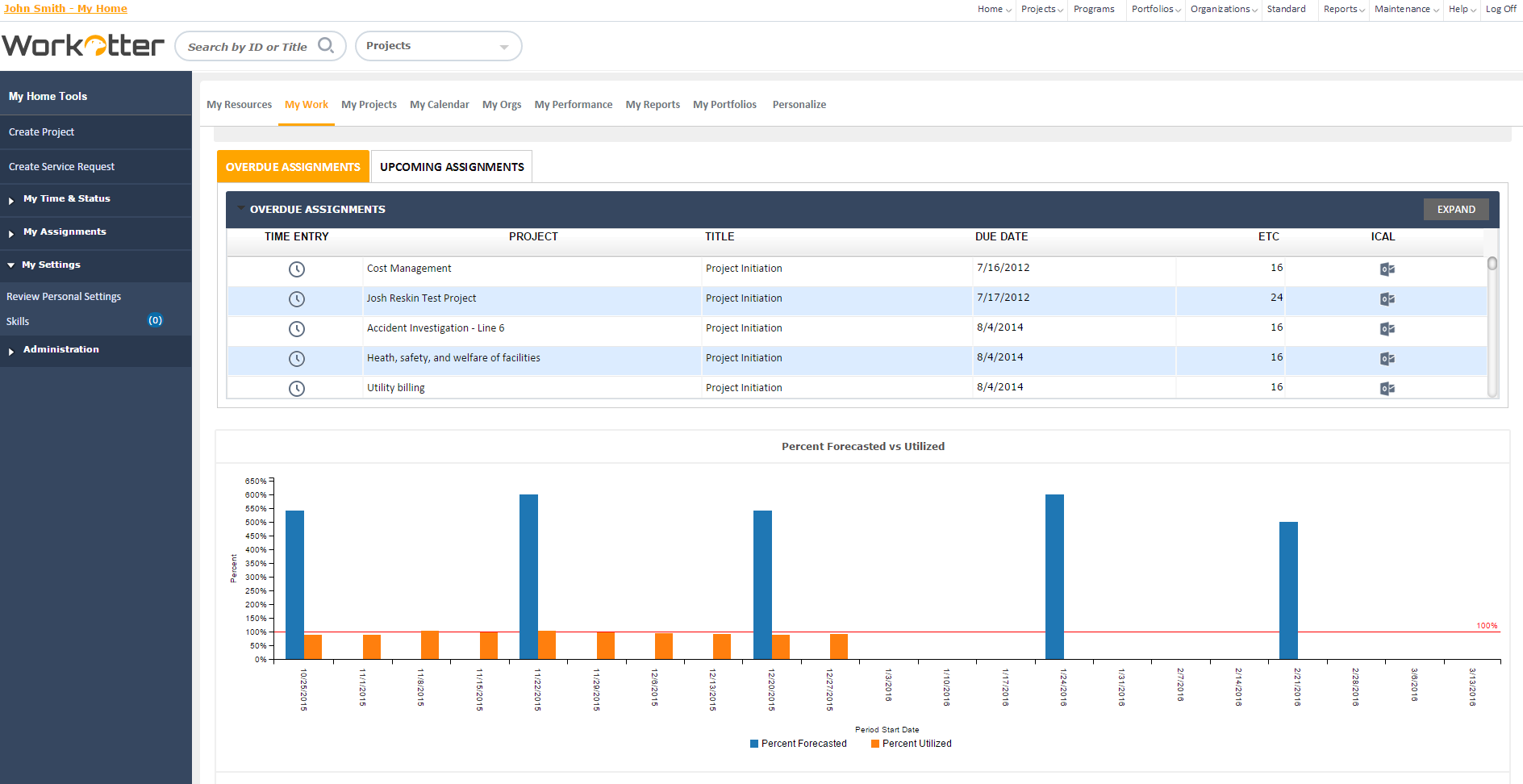 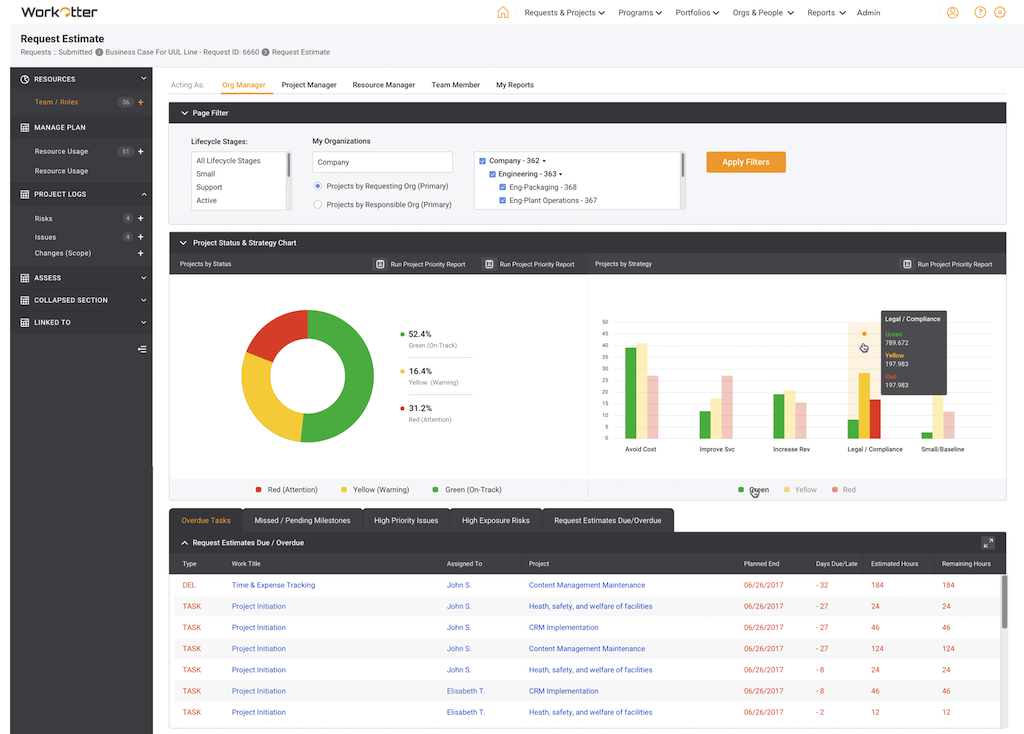    |