TrustRadius: an HG Insights company

RUN Powered by ADP®

Score9 out of 10

840 Reviews and Ratings

RUN Powered by ADP®

Contact about RUN Powered by ADP®

Please fill out the form below to get in touch.

ADP

Connect with ADP

What are you interested in?

Already have an account?

You hereby consent to have TrustRadius share the information supplied on this form with ADP so that ADP and TrustRadius may contact you in regard to the information requested.

What is RUN Powered by ADP®?

The RUN Powered by ADP® cloud-based solution is used to pay employees. It also includes HR and hiring tools, as well as benefits, helping small businesses grow and manage their teams.

Categories & Use Cases

Media

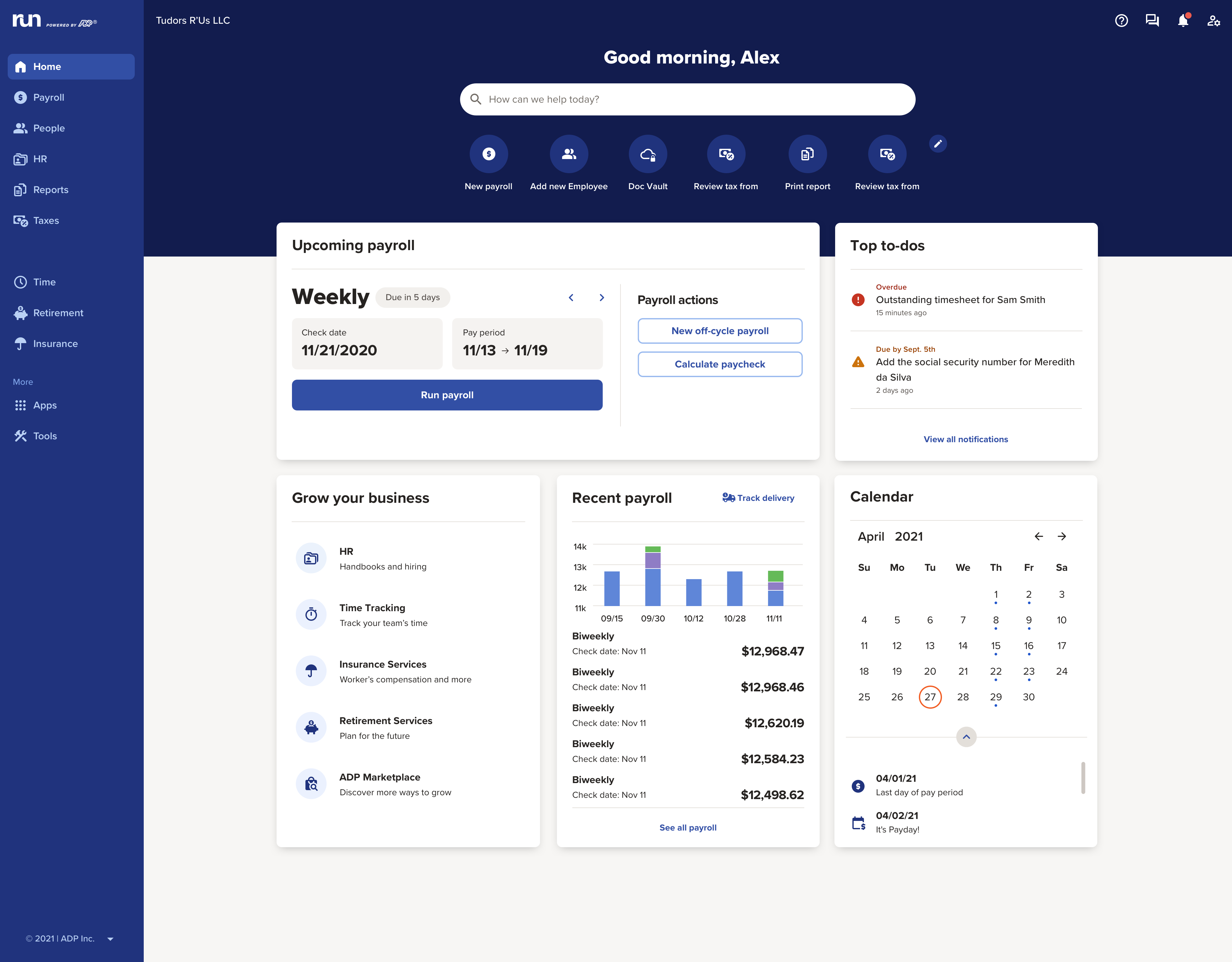
the RUN Dashboard with the business' key info front-and-center
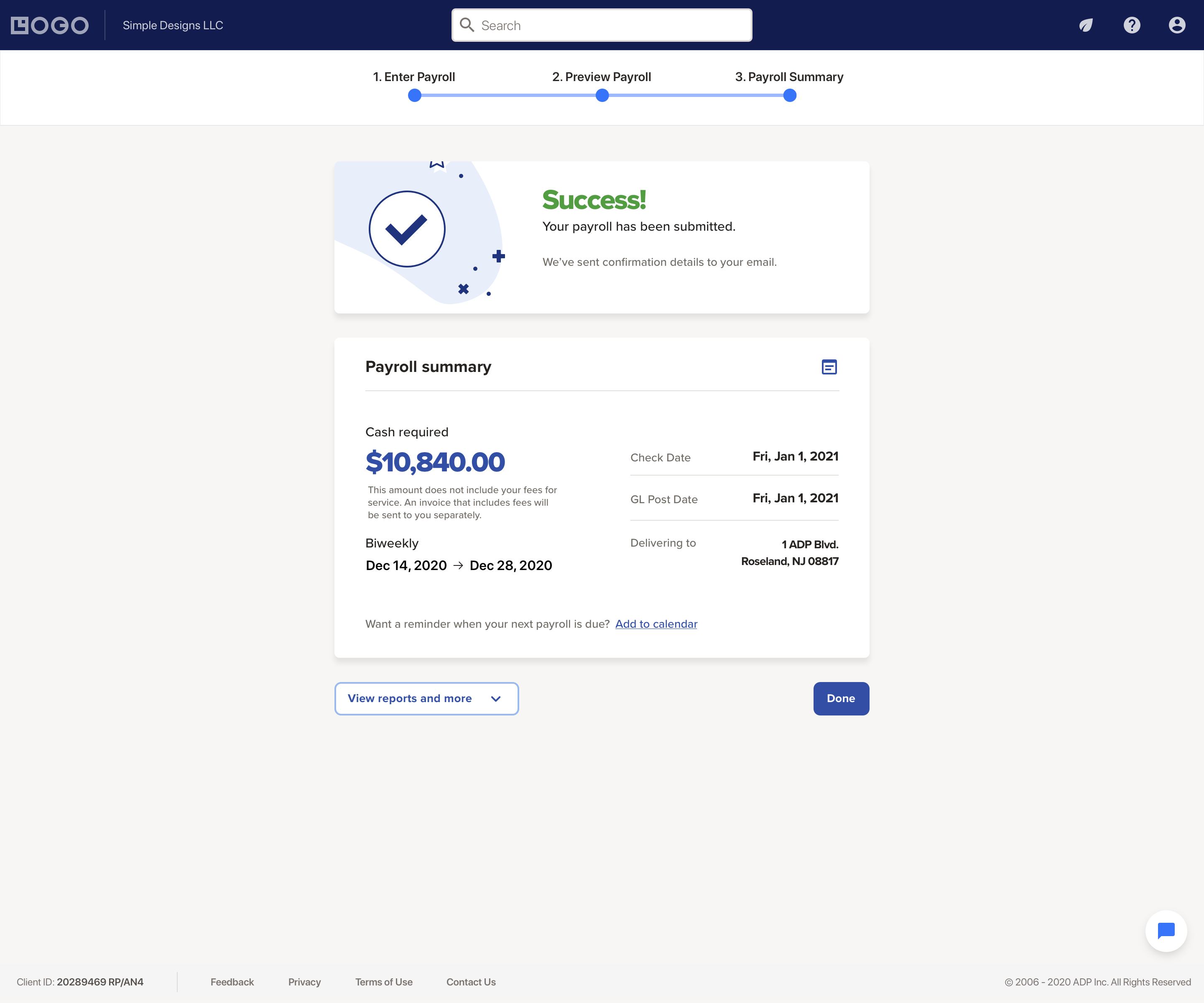
the payroll interface
access to payroll reports and liability amounts
the RUN Powered by ADP mobile app, used to process payroll on the go
the ADP mobile app, where employees can access their historical payroll statements and year-end tax documents

1 / 5

Top Performing Features

  • Direct deposit files

    Direct deposit is the ability to electronically transfer pay to an employee’s personal bank account.

    Category average: 9.2

  • Pay calculation

    Pay calculation provides for computation of employee pay with state and federal deductions.

    Category average: 9.1

  • Off-cycle/On-Demand payment

    Provide employees access to wages accrued during the pay period before the end of the pay cycle.

    Category average: 8.5

Areas for Improvement

  • Support for external payroll vendors

    Support for external payroll vendors is the ability to integrate with 3rd-party payroll services.

    Category average: 7.9

  • Benefit plan administration

    Benefit plan administration is administration of health insurance plans and 401k plans, and other benefits.

    Category average: 8.2

  • Reimbursement management

    Reimbursement management provides cash reimbursement for employee expenses related to business travel or other.

    Category average: 8.1

Time Saver and Anxiety Reducer -- Fully Compliant and Easy to Use

Use Cases and Deployment Scope

We originally switched to RUN Powered by ADP® due to compliance reasons around payroll tracking and retirement benefits. Since then, we've found that they were best in class and price for us in multiple areas including: HR Compliance, Benefits administration, payroll, scheduling, time tracking, and job board posting. Its getting used by our employees multiple times a day and our managers use it every few weeks to confirm benefits with our team members.

Pros

  • Customer Service
  • Up to date on newest compliance concerns
  • Benefits administration is straightforward
  • Seeking customer feedback
  • Personalizing which services we need and use rather than large bulky packages

Cons

  • The ability to customize the language that goes out to our employees
  • Certain onboarding for new employees can't be opted out
  • Most of the services all have different people that are the contact person which means that quoting out services or issues between multiple functions send you bouncing between different reps.

Return on Investment

  • It's saved the management team around 10 hours a week of time keeping and payroll management.
  • When making the jump from a tiny business with 1-2 other employees to a team of people, it brought a level of professionalism to the company that made it feel more like a real job.
  • The retirement and worker's comp benefits and the ability to price out with different insurance providers has likely saved us more than $25,000 in the last 3 years.

Alternatives Considered

Quickbooks Payments & Banking and Paychex

Other Software Used

Dialpad Connect, QuickBooks Online, Google Ads

Highly Recommend RUN Powered by ADP® for small business

Use Cases and Deployment Scope

We have been using this platform for almost a year. RUN Powered by ADP® is a top-tier payroll solution for small businesses (1–49 employees) that need to manage both W-2 employees and 1099 independent contractors. We like the intuitive dashboard, reliability, and the ability to handle both worker types within a single, unified platform.

Pros

  • Excels at simplifying small business payroll and HR through automated, compliant, and mobile-friendly solutions.
  • Comprehensive Employee Self Service on internet and mobile device.
  • Handles tax filings across multiple jurisdictions
  • Complete HR Onboarding

Cons

  • Inconsistent customer service, long wait times
  • Complex pricing and too many feature add ons
  • Limited PTO tracking and integrations

Return on Investment

  • streamlined onboarding
  • accurate reporting
  • PTO tracking

Other Software Used

Datto Autotask PSA

RUN Powered by ADP® makes payroll simple and stress-free

Use Cases and Deployment Scope

We use RUN Powered by ADP® to streamline payroll, timekeeping, and compliance. It manages new hire data, direct deposits, checks, job postings, and tax forms (W‑2s, 1099s). This solves accuracy, efficiency, and compliance challenges while supporting HR, onboarding, timekeeping, and payroll operations across our organization. There is also a great feature that allows us to track employees by location.

Pros

  • Payroll
  • Timekeeping
  • Job Posting
  • Compliance
  • Responsive Tech Support
  • Engages with their clients frequently
  • In-depth training

Cons

  • Proactively offer their great add-on services
  • Assess clients quarterly and offer closely matched relevant services
  • Partner with business formation companies to promote your services

Return on Investment

  • Time savings: Automated payroll and tax filing reduced manual processing by 40%, freeing staff for growth initiatives
  • Cost efficiency: Lowered compliance errors and penalties, saving an estimated $5,000 annually
  • Scalability: Supported onboarding across multiple states, enabling expansion without adding HR headcount
  • Accuracy & trust: Improved employee satisfaction with timely pay and reliable W‑2/1099 delivery

Alternatives Considered

QuickBooks Online

Other Software Used

Microsoft Teams, Google Drive, Microsoft 365

RUN to ADP RUN

Use Cases and Deployment Scope

We use ADP RUN for biweekly payroll and bonuses. Having ADP manage and pay our state, federal, and worker's comp taxes/insurance saves a lot of time (and frustration!) for our small practice--and for me! We use ADP for our Worker's Compensation insurance. It was less expensive than the policy we had before. Plus, ADP takes care of paying the policy for us, and it's already factored into our biweekly payroll reports for accounting purposes.

Pros

  • Figures taxes quickly and easily
  • Provides retirement contribution reports for our investment group
  • Allows printing of current and previous tax forms

Cons

  • When processing bonuses, it would be nice to have a NET pay selection, in addition to the GROSS pay selection.
  • I receive WAY too many emails asking me to purchase additional services, including some that we already have through ADP.
  • I receive(d) daily requests for our Section 125 Compliance documentation, which I sent over four times to each different individual who requested them. ADP "mentioned" they'd charge us $350 for this compliance plan, even though we have it and proved it by submitting the "required submission" of the policy multiple times. It's very frustrating, and it causes me to worry about (A), the validity of the request and (B) ADP's recordkeeping, since they can't keep up with the document I've sent multiple times.

Return on Investment

  • ADP Powered by RUN saves me about 45 minutes (sometimes more!) on each payroll run, compared to our prior payroll entry process through Sage Accounting.
  • The Retirement Contributions Report's clarity is appreciated by our investor, our auditor, and our accountant.

Alternatives Considered

Sage Accounting and Sage 500 ERP

RUN Powered by ADP® is versatile and user friendly

Use Cases and Deployment Scope

We use RUN Powered by ADP® to process our payroll on a bi-weekly basis.

The problems we encounter are usually dealing with hours worked by employees and we keep track of them with a product called CLOCKSHARK which integrates nicely with RUN Powered by ADP®.

The scope of our use is strictly for payroll purposes, even though we use ADP's 401k retirement plan for payroll deductions.

Pros

  • Keeps track of earnings in easily readable reports
  • Easy to access previous paystubs, earnings statements & W2/1099 forms
  • Pretty easy and straightforward to add a new employee in RUN Powered by ADP®

Cons

  • Reports... in the past there was a CENSUS report that could be run with certain information, I am unable to find that report these days.
  • Would be nice to have more options to create CUSTOM reports with information the company needs vs. the information ADP allows.
  • Easier way to see the REMINDERS/NOTIFICATIONS in RUN Powered by ADP®. I don't access RUN Powered by ADP® daily so it would be nice to get notifications sent via EMAIL when there is a new reminder of notification.

Return on Investment

  • I will say ADP in general is not cheap, I think the cost to implement and use RUN Powered by ADP® is higher than some of the other products out there
  • I like the fact that RUN Powered by ADP® can handle payroll deductions for other vendors easily (401k, Insurance plans)
  • Wish we would use RUN Powered by ADP® more when it comes to job costing - trying to determine if a job we are managing is profitable or not

Alternatives Considered

ADP TotalSource

Other Software Used

QuickBooks Online, ClockShark, Adobe Acrobat
