
TrustRadius: an HG Insights company

HCSS

Score9.2 out of 10

115 Reviews and Ratings

What is HCSS?

HCSS is a construction software suite. It includes functionality for bidding, time card and project management, safety, planning, scheduling, equipment management, and data warehousing and reporting. Each module can be purchased separately. The suite can be hosted in the cloud.

Media

HeavyBid - build the structure of an estimate
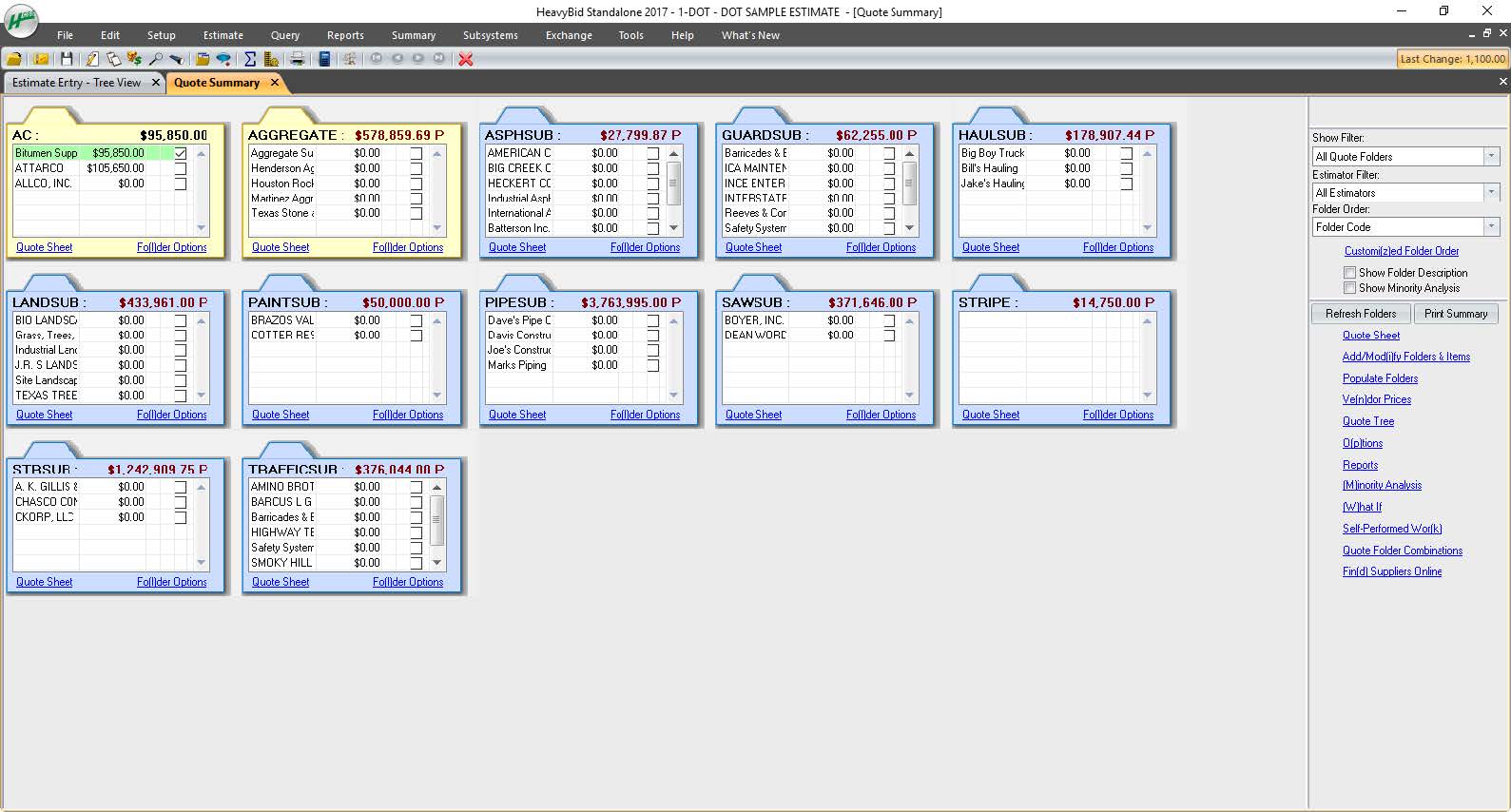
HeavyBid - manage sub and material quotes
HeavyBid - create professional bid proposals
HeavyJob - manage a job site from a mobile device
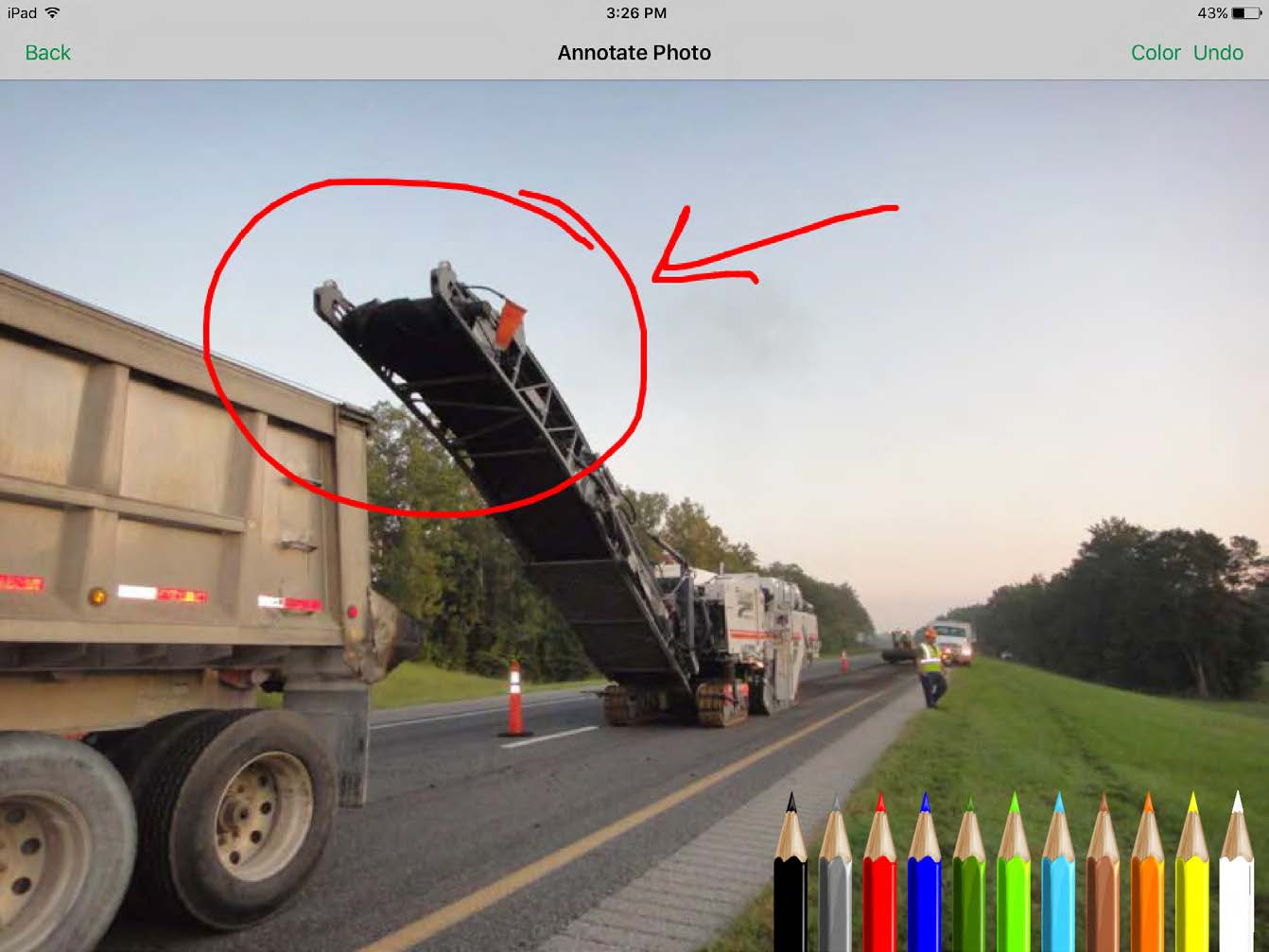
HeavyJob - capture job site photos from any device
HeavyJob - review, edit, and approve time cards from a mobile device
HeavyJob - review daily job information and crew performance on a mobile device
HeavyJob - see how jobs are performing from a mobile device
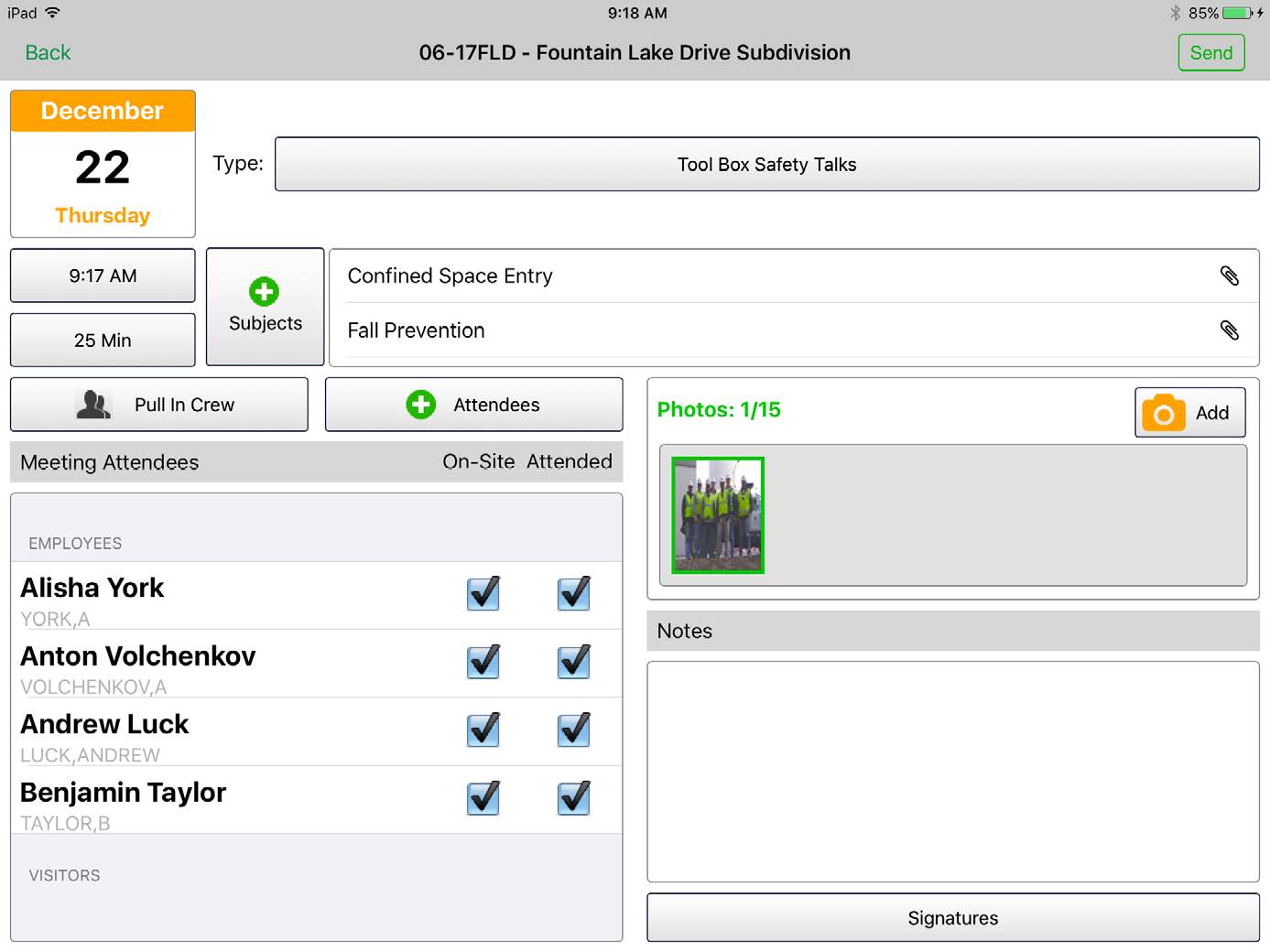
HCSS Safety - lead safety meetings
HCSS Safety - keep permanent inspections in one central location
HCSS Safety - capture near misses in the field
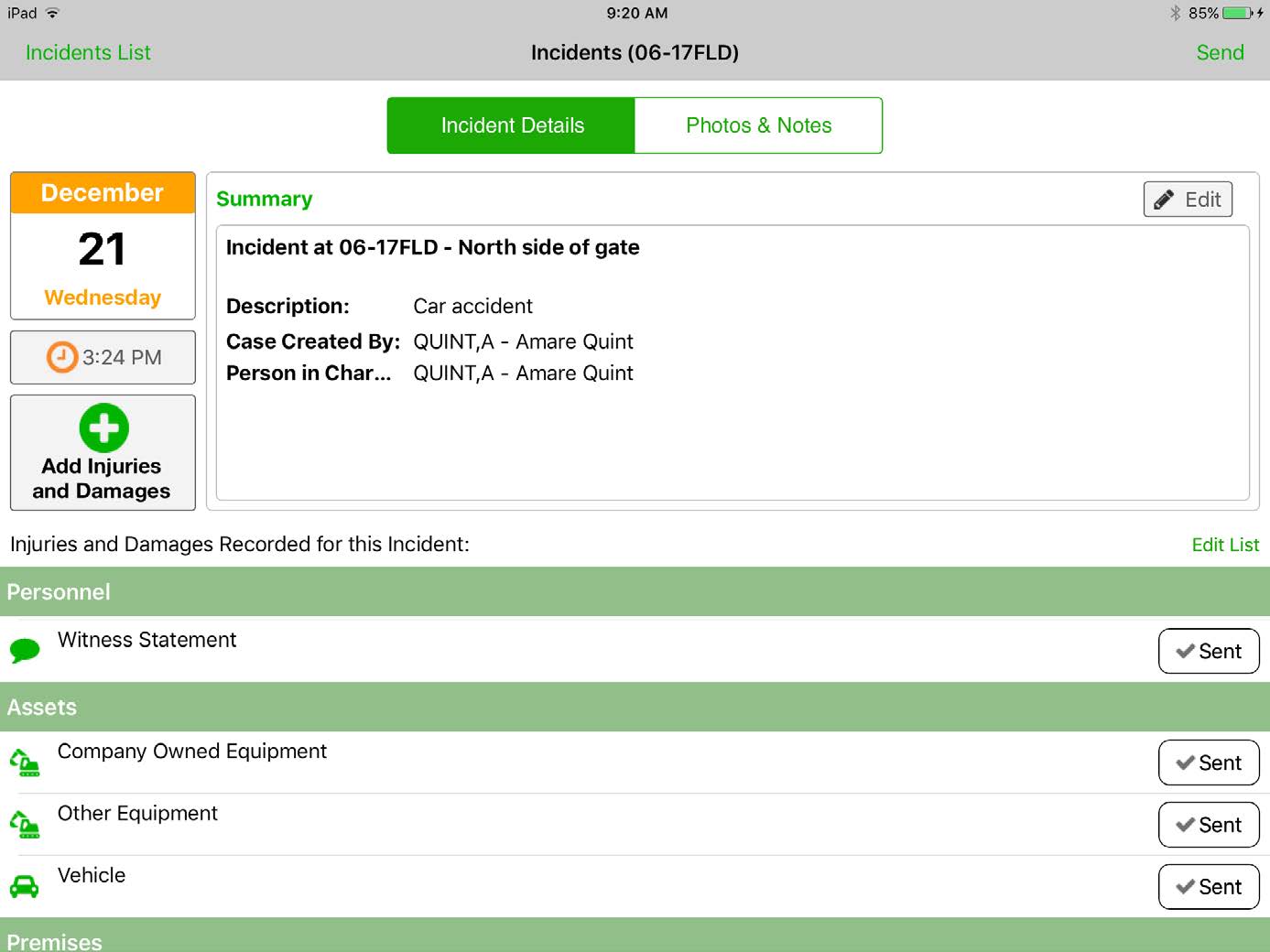
HCSS Safety - capture incident information as soon as it happens
HCSS Safety - JHAs/JSAs/AHAs

1 / 13

Top Performing Features

  • Mobile app

    Users can easily access the system from the field on mobile devices such as phones and tablets.

    Category average: 7.6

  • Jobsite reports

    Users can create and share reports on jobsite safety, daily progress, etc.

    Category average: 8.2

  • Plan distribution & viewing

    Users can compare different versions of plans, and view live updates/revisions to plans (usually from a mobile device in the field).

    Category average: 8.4

Areas for Improvement

  • Document sharing

    Users can share/attach other documents related to construction projects, such as specifications, contracts, drawings, etc.

    Category average: 8.3

  • Collaboration & approvals

    Users can comment, send messages, and/or approve documents.

    Category average: 8.3

  • RFI tools

    Users can create, send, receive, and archive Requests for Information (RFIs), to record exchanges with subcontractors, vendors, and other suppliers.

    Category average: 8.3

HCSS Review - B

Use Cases and Deployment Scope

We use HeavyBid, HeavyJob, HCSS Plans, Telematics, and Insights. Using the full suite of products reduces manual and redundant entries in other places and helps to streamline getting information to the correct people in the shortest amount of time possible.

Pros

  • Customer Service
  • Openness to feedback
  • Willingness to engage in the customer community

Cons

  • Forecasting and billing tools in HeavyJob (remove redundant entry and provide clarity with respect to certain functions)
  • Have more support and options (closer to PowerBI) for Insights
  • More formatting options for Pre-Con reports (multiple project locations, etc.)

Return on Investment

  • Because of the codebooks (bid item codebook for DOT's specifically), we're able to carve off significant time in "stick-building" estimates
  • It's very easy to train newer estimators with HeavyBid due to the abundance of resources available on HCSS Academy and elsewhere (i.e. Arthur Nix's material)
  • The KPI's and Insights that Pre-Con offers helps us to make better decisions on Bid Day.

Usability

Other Software Used

Bluebeam

The only one for heavy civil construction

Pros

  • Production costs
  • Production tracking
  • Equipment allocations

Cons

  • Appears complicated at initial onset; messy interface
  • Not very user friendly, even after training
  • Cumbersome when used in conjunction with other platforms

Return on Investment

  • Forecasting
  • Production

Other Software Used

Procore, Oracle JD Edwards EnterpriseOne, Yardi Voyager

Usability

A Leader in the Construction World

Pros

  • HCSS works wonderfully as a timecard. Using the application is very easy and it speaks very well to our data systems.
  • HCSS is the pinnacle of estimating tools. It allows multiple analytics and set-ups for estimators. In addition, conversions of your bid into budgets are extremely easy once exported.
  • Within HeavyJob, once you enter in manhours and production data they run all the data analysis for you, providing graphs and figures from your inputs.

Cons

  • The software itself seems to be a bit outdated as far as user interface
  • I'm not sure if this is a result of too much data or what, but the programs tend to be on the slower side when importing and exporting data.

Alternatives Considered

Sage Estimating

Other Software Used

Procore, DocuSign, Sage 500 ERP

The Cadillac Software

Pros

  • Customer support.
  • Easy to use.

Cons

  • I can't think of any!

Return on Investment

  • Money savings.
  • Ability to bid more projects in less time.

From a Paper Notepad to a Sofeware Program, what an upgrade.

Pros

  • Dispatcher's history function is of great use. The ability to quickly know what job and what crew used a certain piece of equipment is very useful.
  • Dispatcher's ability to transfer information from one user to the next to reports for end users saves a lot of time and confusion.
  • The amount of time and money that is saved by our lowboy drivers is huge because of the ability to located the piece using the GPS units

Cons

  • In Dispatcher you should be able to make adjustment (date, time, equipment, notes) to scheduled equipment after it has been assigned to driver in dispatch screen
  • In Dispatcher you should be able to select multiple pieces of equipment to modify in dispatch window
  • Dispatch screen in Dispatcher would be better if displayed horizontally instead of vertical