
TrustRadius: an HG Insights company

Help Desk Migration

Score9.6 out of 10

7 Reviews and Ratings

What is Help Desk Migration?

Help Desk Migration is a tool used to transfer data from one platform to another securely, accurately, and with no downtime.

Categories & Use Cases

Media

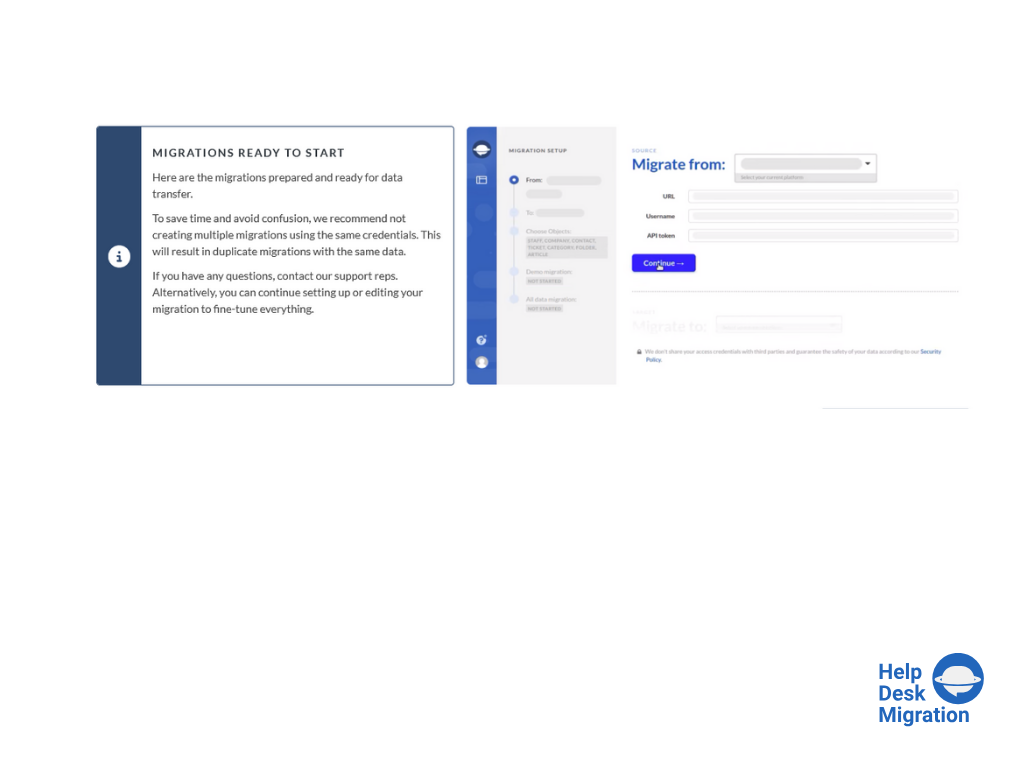
Screenshot of selecting the source and target platforms.
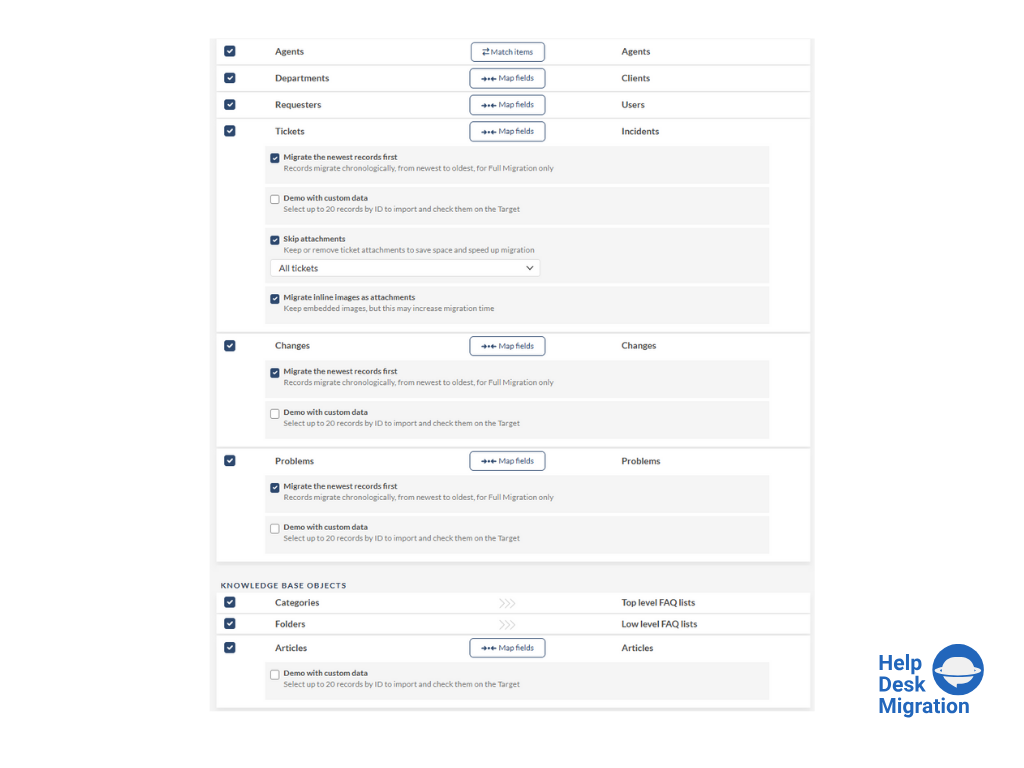
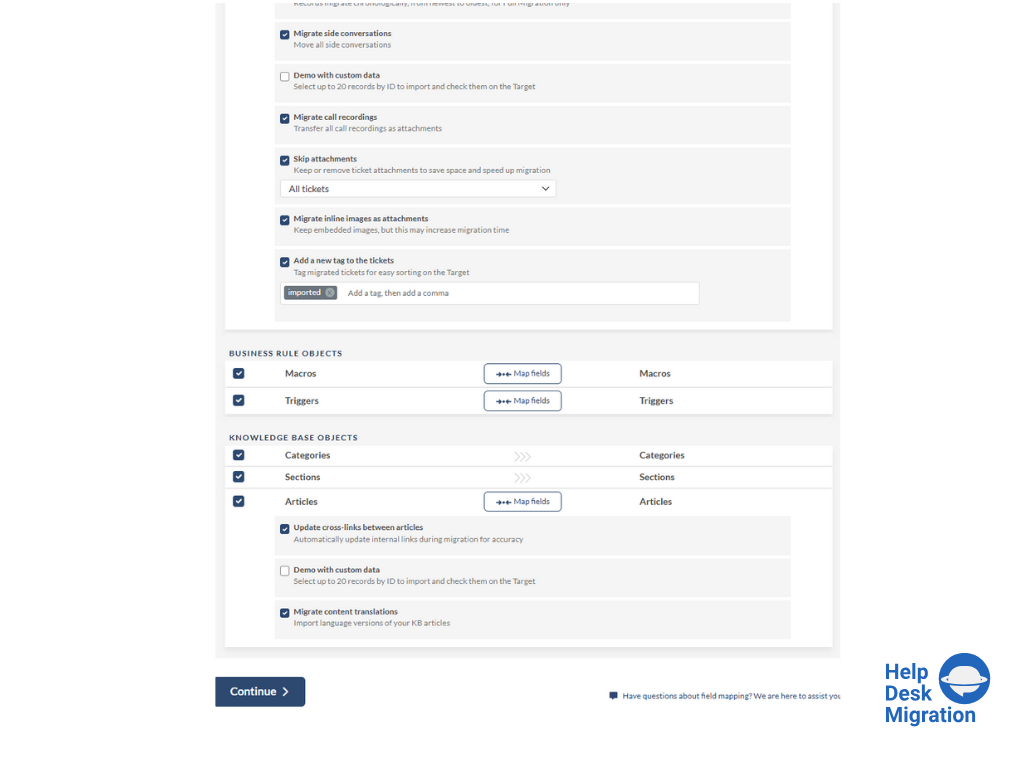
Screenshot of mapping data for an accurate migration process.
Screenshot of running the Demo Migration, which includes transferring 20 tickets and 20 articles.
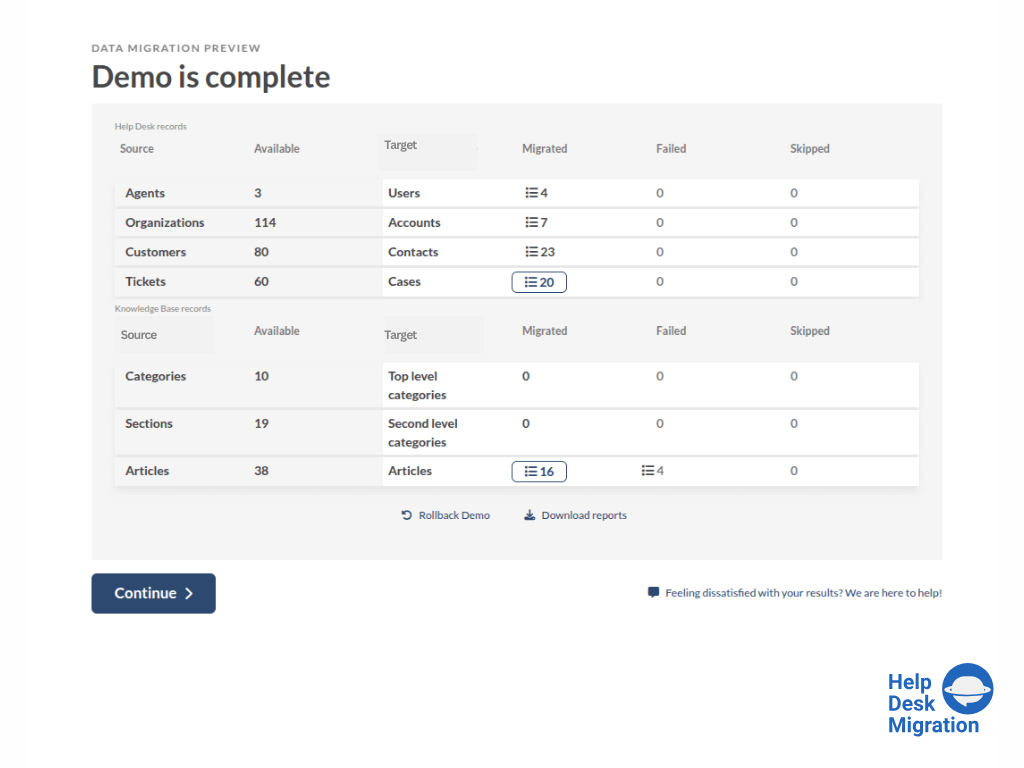
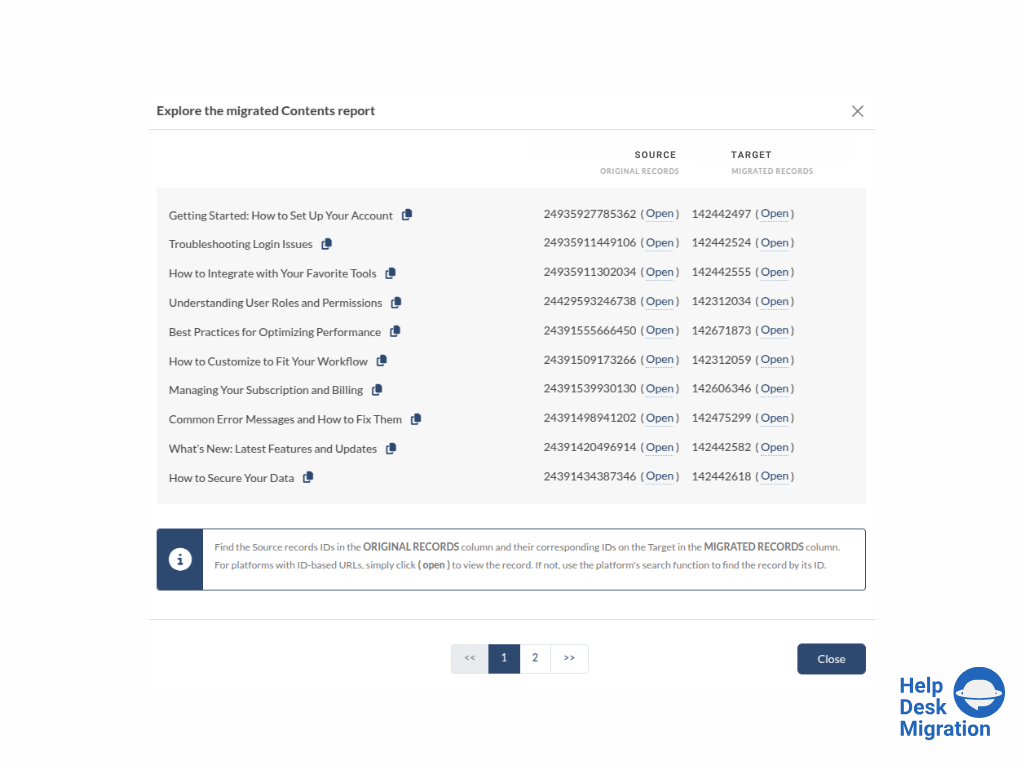
Screenshot of reviewing the demo migration results.
Screenshot of adjusting the mapping and refining the data migration path.
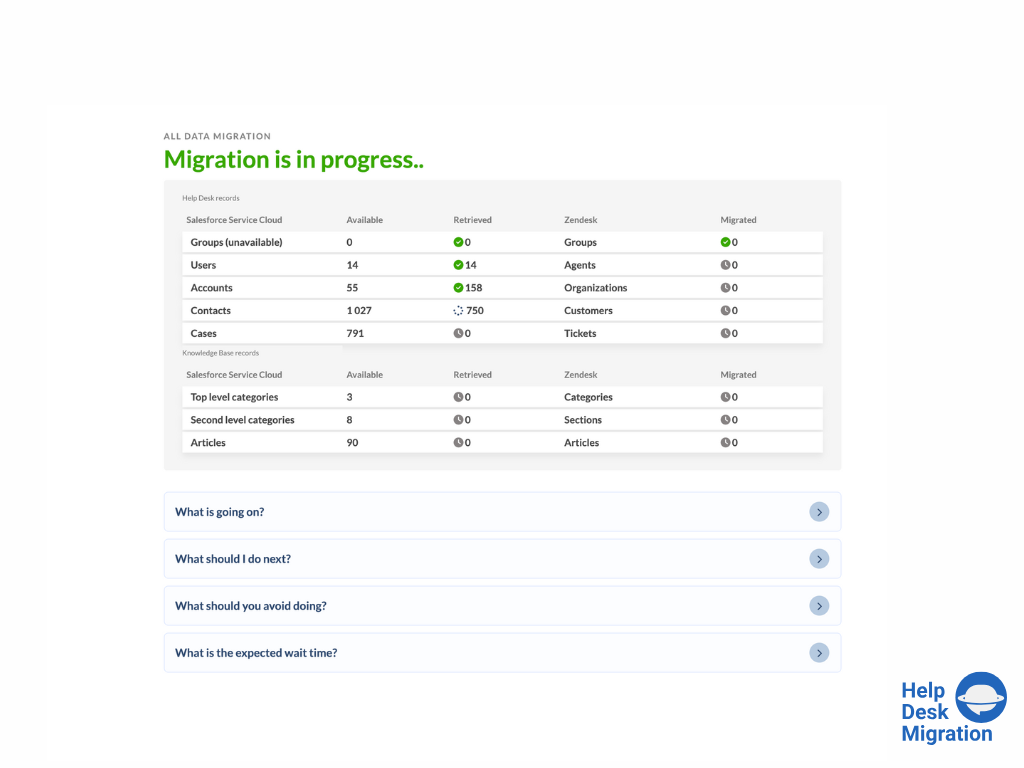
Screenshot of the migration progress — duration depends on the number of records being migrated.
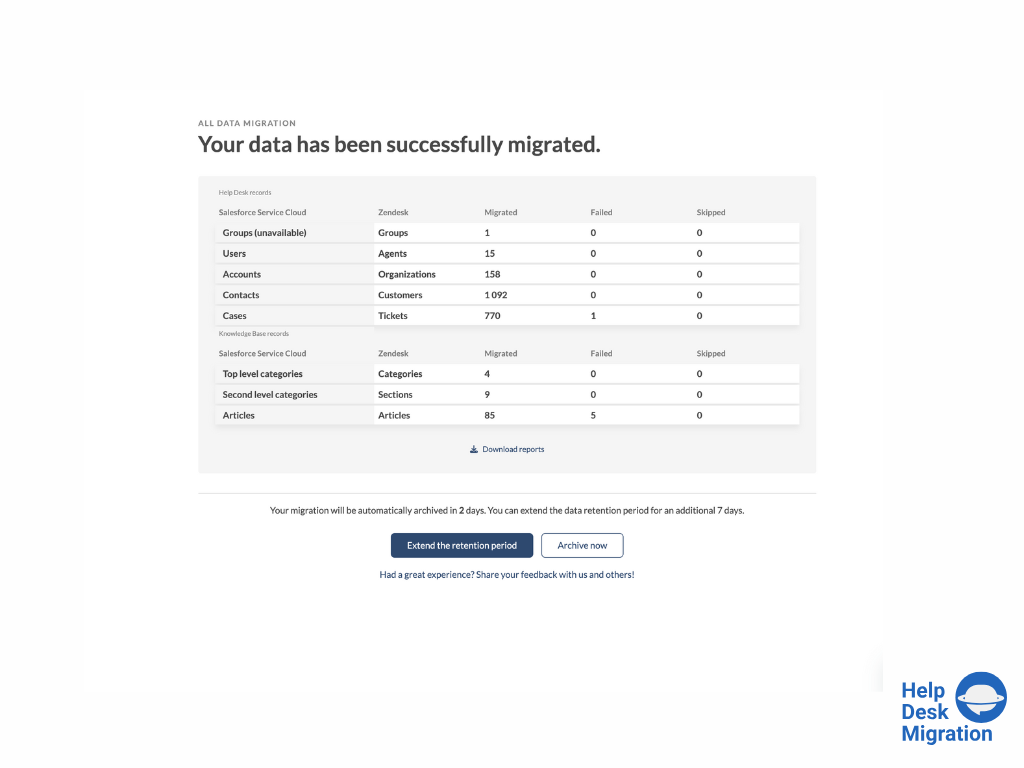
Screenshot of full data migration

1 / 7

Screenshot of selecting the source and target platforms.

Great value for all levels of Support Data ETL projects

Use Cases and Deployment Scope

With my work mainly revolving around post M&A integration projects, migrating and consolidating systems and data is a critical component for the successful integration of multiple orgs into 1 cohesive company.

I have used Relokia's Help Desk Migration service multiple times and they have been instrumental in helping me with the complex ETL process of tickets, KBs and client data.

Pros

  • Ticket migration
  • Clients Data Mapping
  • Migration setup and validation
  • Interaction with the team

Cons

  • Ability to adjust historical data dates out of the box

Return on Investment

  • Low cost (compared to most competitors and vendor PS teams)
  • High Speed delivery (in soe projects within 1 week we were live)
  • ETL ease (no duplicates, super low error rate and automated mapping)

Usability

Complex Migration Made Simple.

Use Cases and Deployment Scope

We were looking for a partner to migrate our Zendesk data to Odoo Helpdesk, and Help Desk Migration was up to the challenge. They custom-built the Odoo integration with their platform, making the migration seamless. After logging in to both platforms and verifying our accounts, the data migration was automatic. We had over 25,000 tickets and needed complex filtering, and Help Desk Migration made that easy!

Pros

  • Communication - proactive emails informing you of where you are in the process.
  • Comprehensive UI - provides step-by-step instructions on authenticating and setting up the platform, making it easy to get started.
  • Mapping - the process was incredibly easy, from predefined maps to adding custom fields; each step was simple.

Cons

  • Some fields could use better descriptions, but overall, everything is well labeled and documented, and the team is readily available for any questions.

Return on Investment

  • Data Continuity - keeping our customer data intact as the business evolves through platforms.
  • Data Hygiene - proper mapping reduces duplicates and keeps our data clean and easy to read.

Usability

Quick and Easy Migration even with special requests

Use Cases and Deployment Scope

We migrated from Jira Service Management and Jira Software Projects in a Jira Cloud Instance to a HaloPSA Cloud Instance.

With the help of Help Desk Migration the migration was very smooth and al special requests were implemented via customization. The migration was fast, reliable and ofcource successfull.

Pros

  • Default Mapping Features resolved already 80% of our needs
  • Customization from the Help Desk Migration resolved our special needs
  • Reporting and visibility of the migration
  • Data Quality after migration
  • ease of use

Cons

  • 2FA Authentication to the Help Desk Migration Portal would be very nice as the software is handling critical data.
  • Billing is run externaly and requires communication via mail

Return on Investment

  • The required manpower was significantly lower than in previous migrations
  • The migration of data was a small task in the context of the whole project
  • No special knowledge of the data structures between the tools was required

Usability

Other Software Used

HaloPSA, n8n, Atlassian Jira

Zoho to Intercom Migration

Use Cases and Deployment Scope

We used Help Desk Migration as a one-time solution to transfer our historical support ticket data from Zoho Desk to Intercom. The core business problem was the need to switch customer support platforms without losing our existing ticket history, customer conversations, and support records. Manually migrating this data would have been extremely time-consuming and error-prone.

Pros

  • Seamless cross-platform compatibility — it handled the Zoho to Intercom migration without requiring any custom development or manual data manipulation on our end.
  • The ability to create custom fields and attributes in Intercom directly within the migration tool was a standout feature — it meant we could map and migrate all of our data without having to jump between platforms or do manual prep work beforehand.
  • Simple, low-effort setup — the process was straightforward to configure and execute, making a potentially complex one-time migration very manageable for a non-technical user.
  • The demo migration feature was extremely helpful — it let us preview how our data would look in Intercom before committing to the full migration, giving us confidence that everything was set up correctly.
  • When we encountered errors or suspensions during the migration process, their support team demonstrated strong technical knowledge and was able to accurately diagnose and resolve the issues.

Cons

  • Support responsiveness was inconsistent — while live chat on the website was effective, ongoing email threads were sometimes left unattended for hours, requiring us to restart the conversation through chat to get timely help.
  • Error messages lacked sufficient detail to troubleshoot issues independently. It would be helpful to have more descriptive error information or the ability to export error logs so teams can diagnose and resolve problems without always needing to rely on support.
  • Field mapping can be confusing in certain areas — we needed to reach out to support to work through some of the configuration, which added friction to what was otherwise a straightforward process. Clearer in-app guidance or documentation on more complex mapping scenarios would reduce the need to rely on support for this.

Return on Investment

  • Migrating over 15,500 tickets, 3,200+ customers, and 800+ accounts from Zoho to Intercom without a custom integration would have required significant engineering time and cost. Help Desk Migration handled all of it automatically.
  • By avoiding custom development, we were able to complete a large-scale platform transition quickly and keep our team focused on their core work rather than a complex technical project.
  • Preserving the full history of 15,500+ tickets along with all associated customer and company records meant our support team had immediate context in Intercom from day one, avoiding any disruption to the customer experience.

Usability

Couldnt have been easier

Use Cases and Deployment Scope

We had around 27000 tickets that we needed to migrate from Zoho Desk to Zendesk and it seemed like team and tooling at Help Desk Migration were the right choice. From the start, they were very quick to answer my questions, guide me through the tooling and were able to adjust it specifically to suite our use case without causing further headaches down the line.

Pros

  • Communication - the team were excellent communicators, anwering all my questions in a timely manner and were able to explain things quite clearly
  • Obligation Free Demo - The chance to run multiple demo migrations was a game changer, this allowed me to not only run it on our sandbox environment, but then again in our live environment once I was happy enough with our custom requirements.
  • The tool itself - It was a pretty easy to use tool and it meant it was something I could accomlish on my own without assistance from engineers within our business. I was skeptical that a tool that caters for so many ticketing systems would be able to do the job well, but I was pleasantly surprised once the demo migrations were complete. The migration was also very quick, only taking 12-15 hours for 27000+ tickets

Cons

  • The mapping descriptions were a little confusing, however I think the blame for some of this can be on the ticketing systems themselves. When you consider the number of fields that need to be mapped and the differences in names across all platforms, it's not always going to be a perfect description

Return on Investment

  • By using Help Desk MIgration, this allowed us to undertake the migration without the need to carve out time from our already busy development team. I was able to undertake all the work myself (with the aid of the Help Desk Migration team) but it meant I was able to do it while letting our developers focus on others parts of the business.
  • Had we undertaken this ourselves, we would not have been able to complete this as quickly either.

Usability