TrustRadius: an HG Insights company

InEight

Score8.2 out of 10

79 Reviews and Ratings

Request a Demo

Contact about InEight

Please fill out the form below to get in touch.

InEight

Connect with InEight

What are you interested in?

Already have an account?

You hereby consent to have TrustRadius share the information supplied on this form with InEight so that InEight and TrustRadius may contact you in regard to the information requested.

What is InEight?

InEight's modular project controls software connects complex project data to improve visibility and delivery in capital construction.

Read more details.

Media

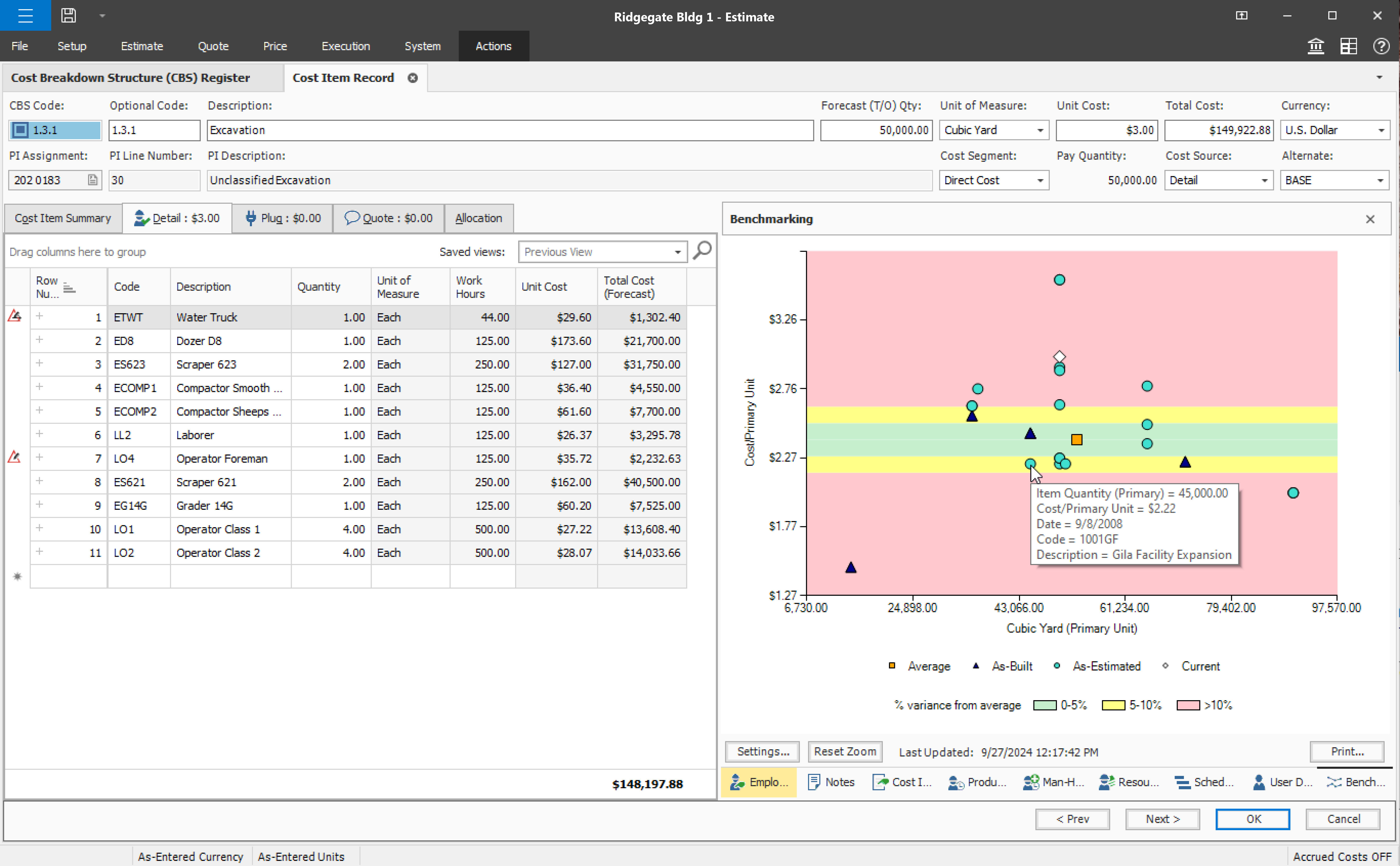
Screenshot of InEight Estimate’s Benchmarking feature, which allows users to compare high, low, and average costs, as well as productivity rates from past projects, to visually assess whether current estimates fall within a realistic range. With historical performance data at their fingertips, estimators can bid more strategically and deliver more reliable, data-driven estimates.
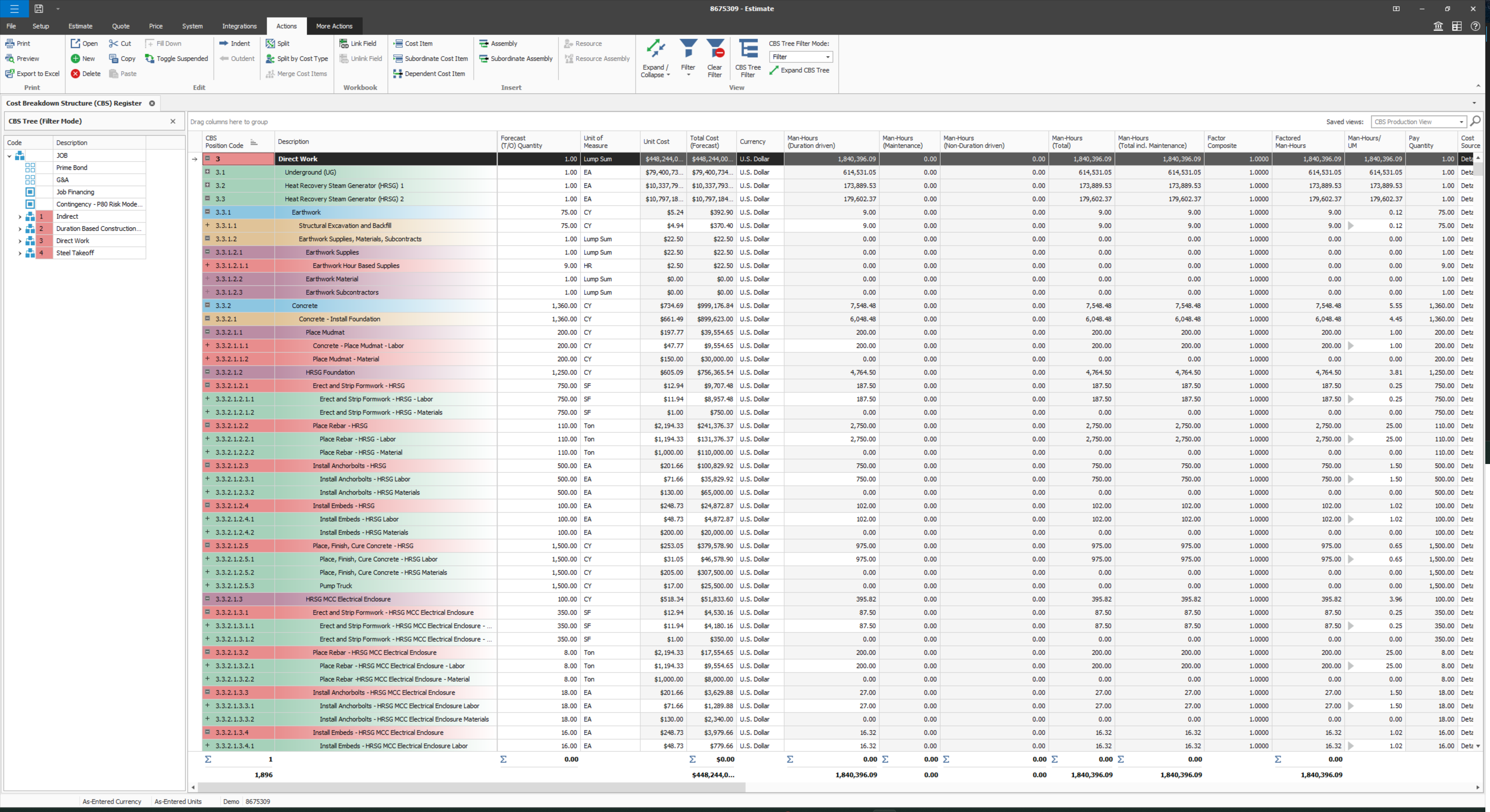
Screenshot of InEight Estimate’s CBS Register, which provides a user-specific view of an estimate, allowing users to create unlimited WBS structures and custom rollups. With parametric cost item assemblies, estimators can generate more accurate, reliable, and data-driven estimates.
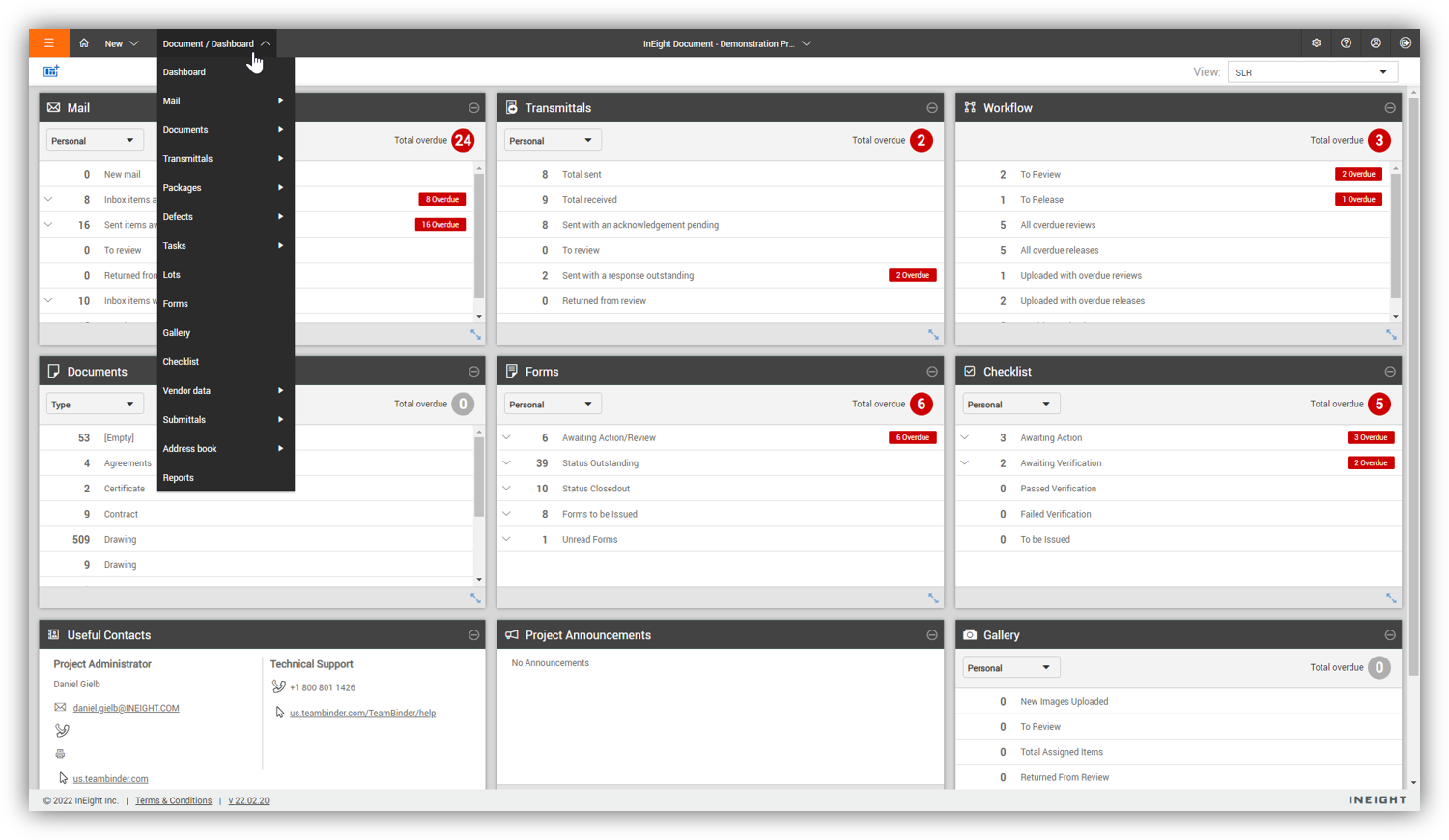
Screenshot of InEight Document’s Dashboard, that delivers a centralized, visual view of project information across all modules. Interactive dashboard tiles make it easy to track document activity and maintain visibility into project performance.
Screenshot of InEight Document’s Gallery, which offers a comprehensive visual library of all project-related files—including drawings, photos, and documents—so teams can quickly access and manage the content they need from one intuitive location.
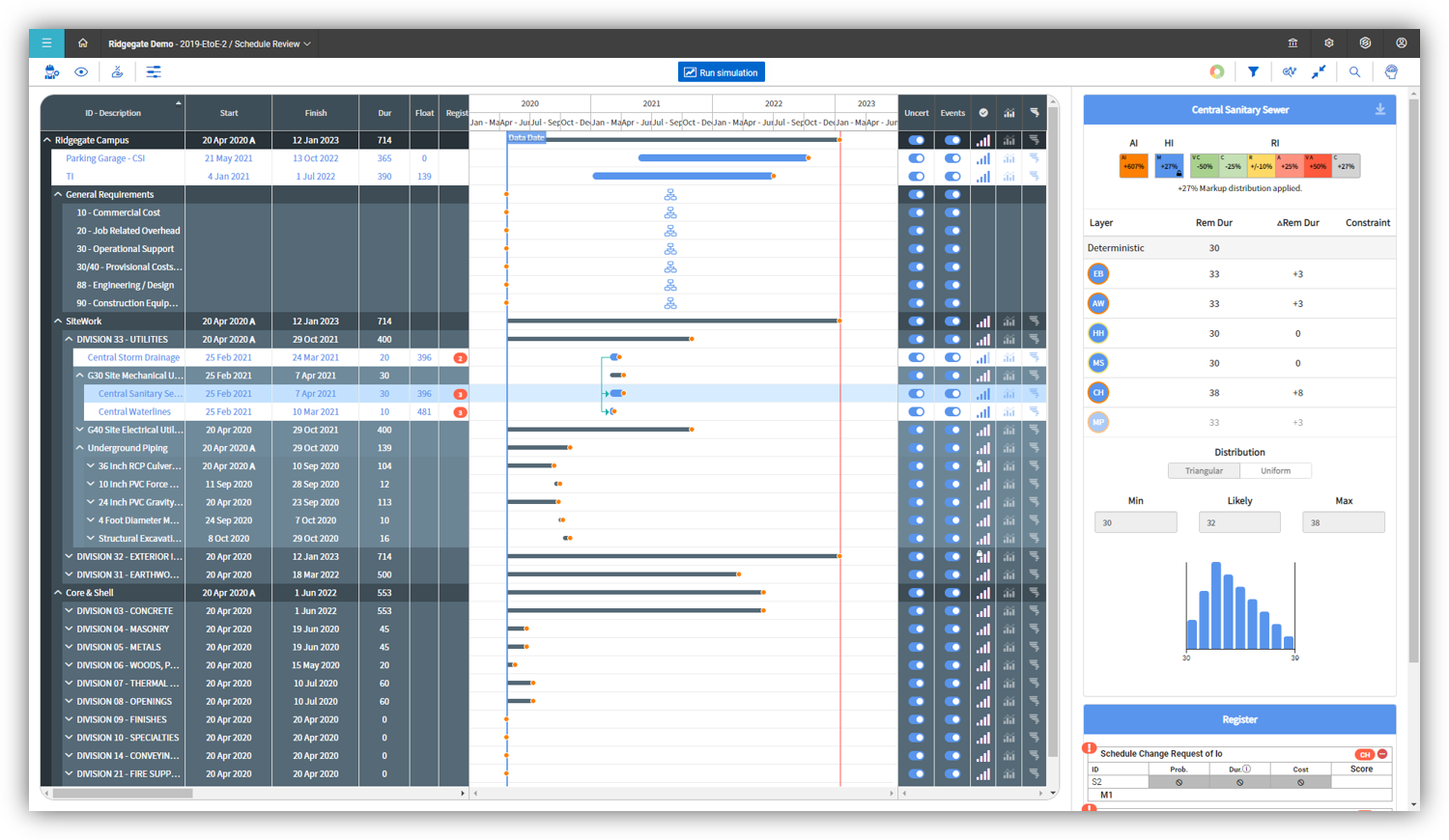
Screenshot of InEight Schedule’s Risk Management feature, which enables project teams to evaluate schedules through a risk-adjusted lens. By visualizing scenarios with varying confidence levels, teams can anticipate potential impacts and plan with greater certainty.
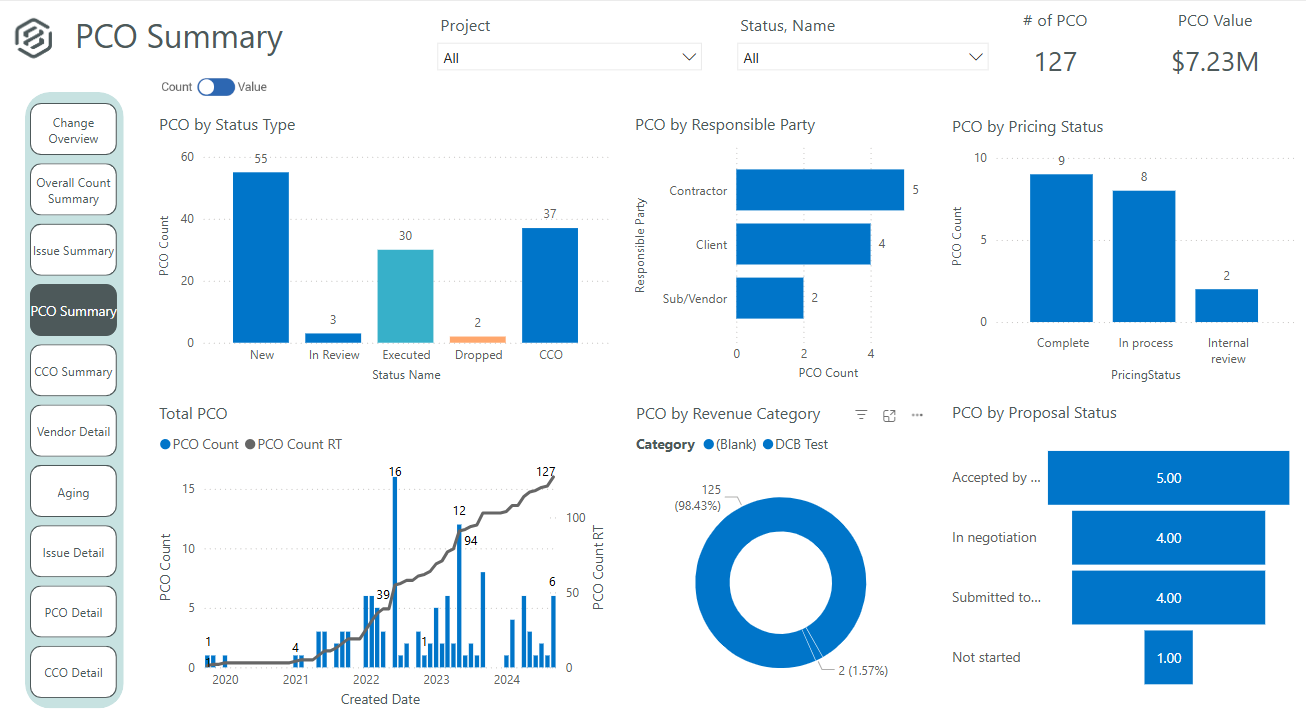
Screenshot of InEight Change’s PCO Summary dashboard that delivers a visual summary of all potential change orders. This helps project teams evaluate impacts, track approvals, and manage changes proactively for better cost and scope control.
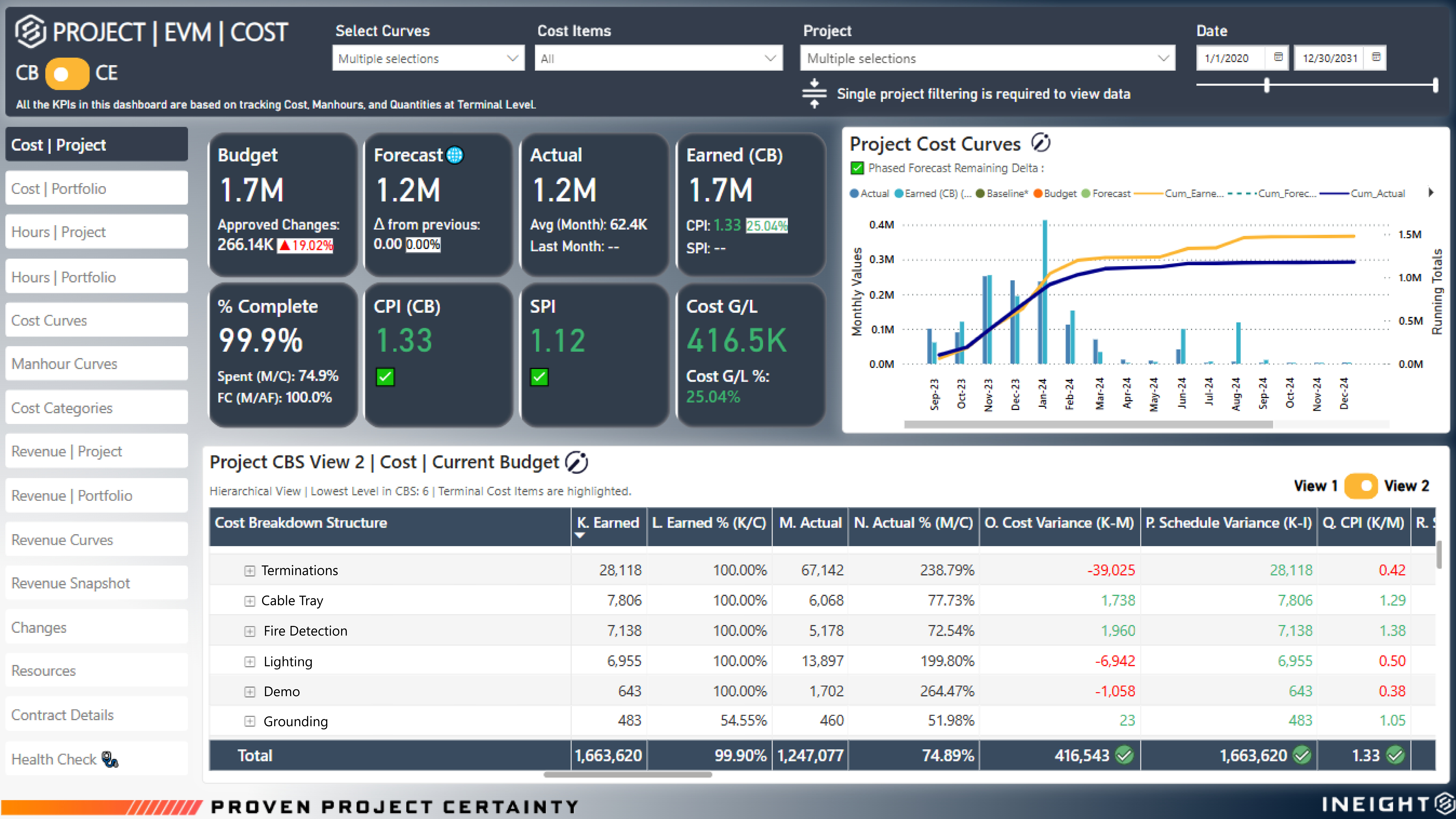
Screenshot of InEight Project Controls’ EVM Dashboard that provides real-time earned value insights, showing the true percent complete of a project. With accurate cost and schedule performance data, teams can identify variances early and keep projects on track.
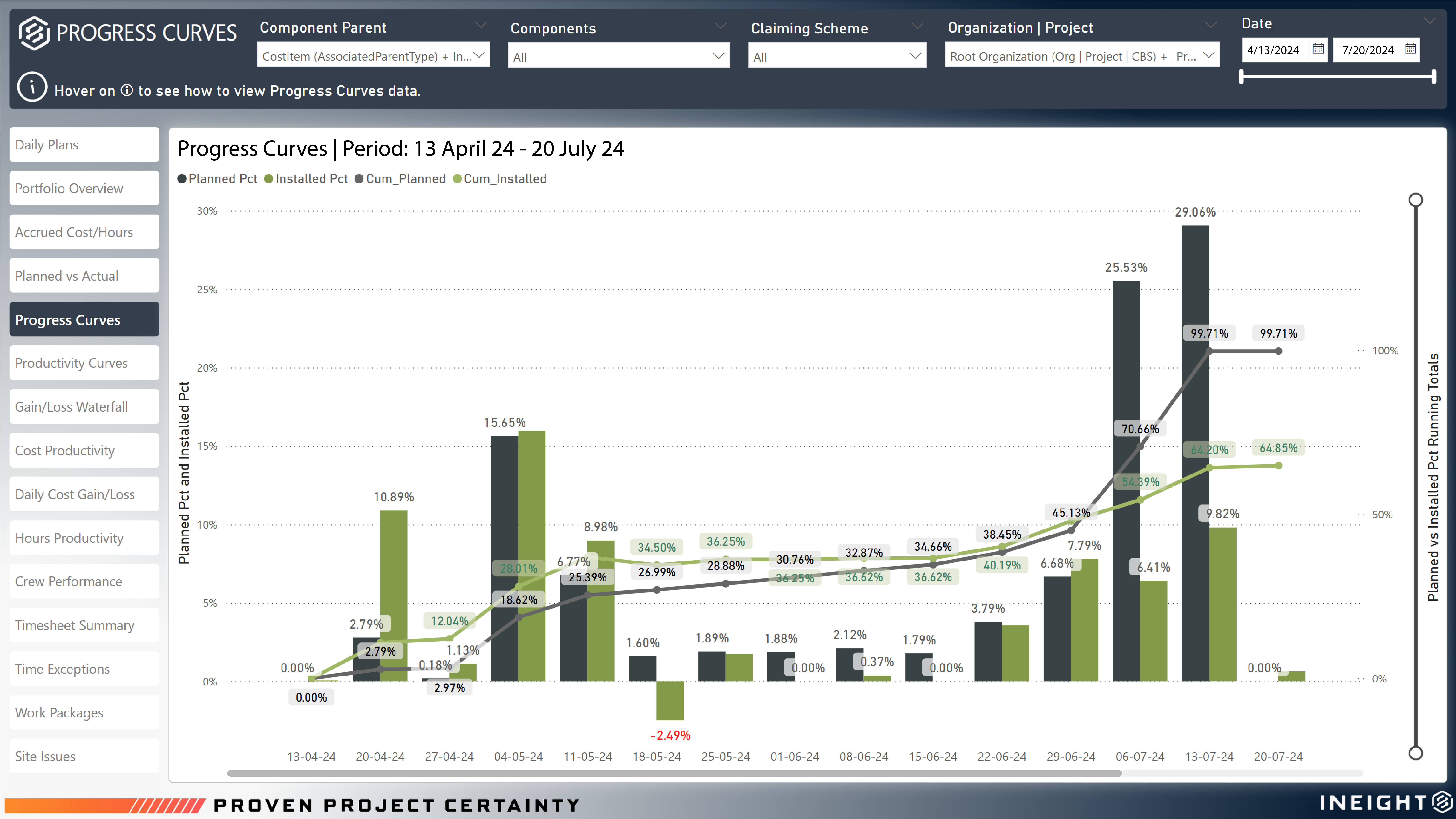
Screenshot of InEight Project Controls’ Progress Curves that visualize planned versus actual performance across project execution. With clear progress trends based on installed and planned quantities, teams gain actionable insights to drive productivity and performance.
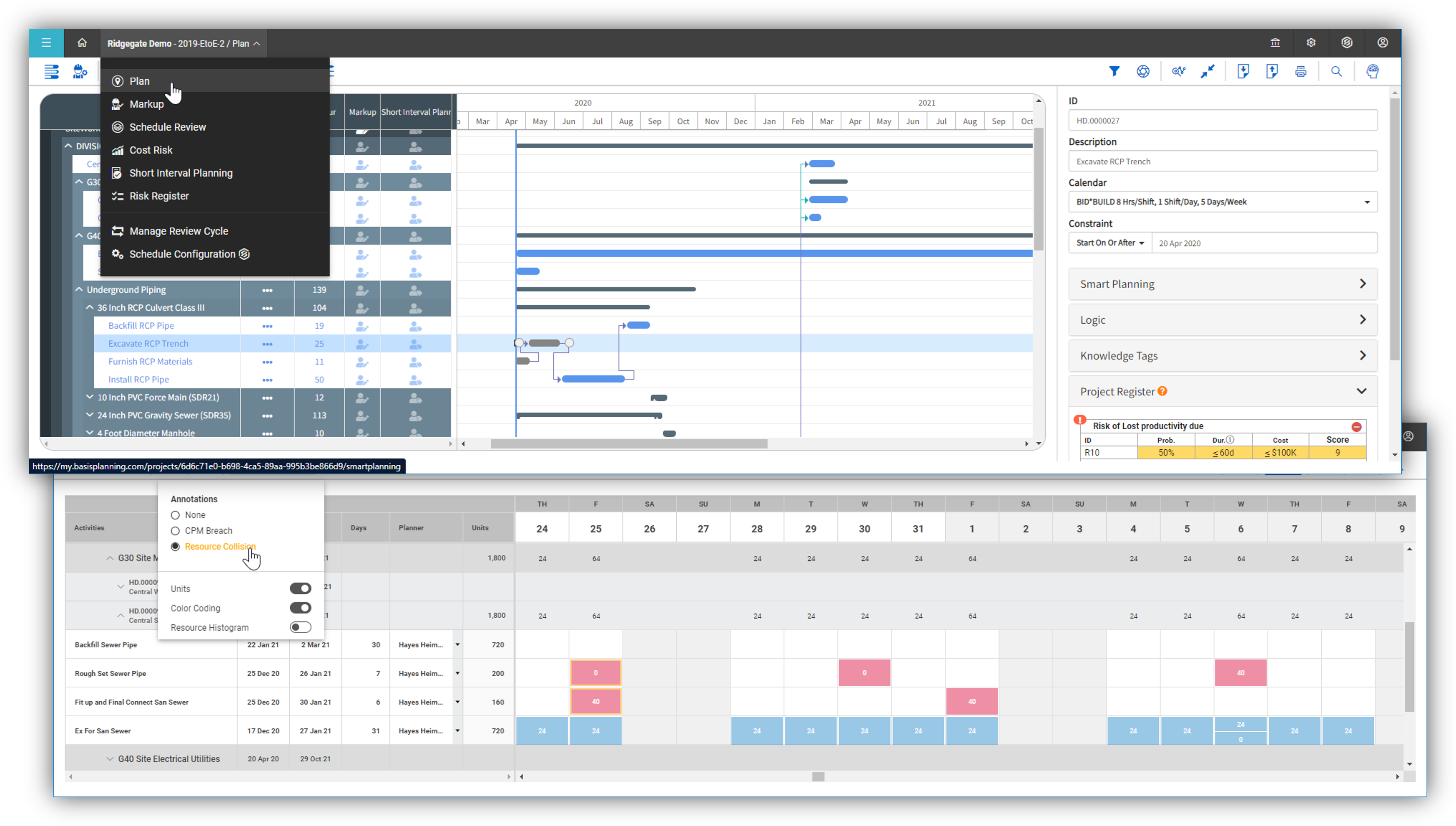
Screenshot of InEight Schedule’s Short Interval Planning, used to empower teams to break down high-level CPM schedules into detailed daily or weekly task plans. This granular view enhances coordination, resource allocation, and field execution efficiency.

1 / 9

Screenshot of InEight Estimate’s Benchmarking feature, which allows users to compare high, low, and average costs, as well as productivity rates from past projects, to visually assess whether current estimates fall within a realistic range. With historical performance data at their fingertips, estimators can bid more strategically and deliver more reliable, data-driven estimates.

Top Performing Features

  • Data exportability

    Data can be exported via a CSV or Excel file for further reporting and analysis outside of the tool.

    Category average: 8.1

  • Issue tracking & punchlists

    Users can track issues from the field, and create punchlists upon substantial completion.

    Category average: 8.3

  • Mobile app

    Users can easily access the system from the field on mobile devices such as phones and tablets.

    Category average: 7.6

Areas for Improvement

  • Document sharing

    Users can share/attach other documents related to construction projects, such as specifications, contracts, drawings, etc.

    Category average: 8.4

  • Takeoff tools

    Allow users to list the materials and quantities they will need for the project either manually from hardcopy blueprints or electronically from digital blueprints.

    Category average: 7.7

  • Specifications

    Construction specifications, also called specs, are the details for the work that needs to be completed in a construction project.

    Category average: 8.1

Pros

  • Efficient document control with in-platform viewing
  • Streamlined daily planning features
  • Intuitive dashboard utility

Cons

  • Slow reporting and filter functionality
  • Limited customization and flexibility
  • Challenging user interface and navigation

InEight Review

Use Cases and Deployment Scope

InEight is used as a document sharing platform in which we can see the status of the document in regard to what stage of review the document is in. The stages can be approved, resubmit or under review.

Pros

  • View document with downloading it
  • stages of review
  • General description of the document
  • Review status

Cons

  • interface
  • document viewer for excel files
  • difficult customization

Return on Investment

  • less manhour to find documents
  • less customizable
  • NA

Alternatives Considered

Unifier

Other Software Used

Microsoft 365, Bluebeam, Microsoft Teams

Usability

Estimating simplified and accurate.

Use Cases and Deployment Scope

We use it for Estimating.

Pros

  • Preparing an estimated budget.
  • Historical record/data.
  • Benchmarking
  • Comparison of estimates.

Cons

  • Simplified interface with Excel or any other applications.
  • Flexibility in making "User Designed" reporting.
  • Global conversion of a unit of measure from English to Metric or vice versa.

Return on Investment

  • More transparent estimating data elements - good for review.
  • There are many different ways to present the estimate - summaries, details, etc.
  • Estimators that are beginners on the job may have a longer learning curve using the program.

Alternatives Considered

Sage Estimating

Other Software Used

Microsoft Excel

Usability

Using InEight in a daily basis

Use Cases and Deployment Scope

I'm a project controls manager here in the company, I'd say the most important usage of the system is the capacity to track quantities via components and their respective claiming schemes, connect them with the actual hours via daily plans and REPORT. I kept reporting in caps since it's my main role as part of this team. Recently, InEight gave me the opportunity to get into OData, and I'm discovering a new world over there, integrating all tables and providing good information throughout the company.
I'm also responsible for setting a new job into InEight, and share this knowledge with people that does not do that too often. I also support the user management as well as operational resources. Another new feature (at least for us) is the usage of Billing Classes and Rates, and we are getting deeper on it, it's working well. We are going to start a better understanding on schedule and estimate in the near future, to expand the usage on the tool and ourselves as well. Excited about that.

Pros

  • Quantity Tracking
  • Daily Plans
  • Billings Class
  • Work Packaging

Cons

  • Forecast
  • Integration Between Modules
  • Controls Setup (maybe improving the upload file with more options)
  • Rates (we are not able to change a rate code as we do for billing class)
  • Forecast quantity inside the component (its sometimes very time consuming)

Return on Investment

  • Standardization
  • All in one
  • Friendly user

Alternatives Considered

SAP Business One

Other Software Used

SAP Concur

Hands down the best construction cradle to grave platform.

Use Cases and Deployment Scope

JWF is in the heavy civil construction market specializing in large diameter underground utilities, transportation, industrial treatment, trenchless, and port facilities. InEight is used daily for the cost estimating and feasibility analysis of hard bid and alternative delivery projects ranging from $1 million to $400 million. With InEight, JWF can easily coordinate multiple users in different locations throughout the world to review, estimate and complete a complex bid, all while maintaining a database that is uniform with a real-time review of the changes. It also provides the flexibility to conform to less robust platforms (Sage/Timberline, HeavyBid).

Pros

  • Tagging segments of work.
  • User defined views and descriptions for all screens.
  • Customizable ribbons to provide an efficient use of the software.
  • Multiple layers/dependents to allow for an extreme drill down of the work and the ability to roll up to a more useful level for upper management review.
  • You can bid the work as you would build it, in detail.

Cons

  • Tie into QTO software such as blue beam or Planswift.
  • Better training of users and continuing education.
  • Links to plan sheets for CBS lines for reference.
  • Ability to have pdf link in assemblies for basis of assembly.
  • less cumbersome copy and paste issues in the CBS
  • Better tax structure to allow certain line items or resources to be taxed in an estimate. Washington state uses a very complex tax structure that can be daunting to cover taxes on mixed projects for first-time users.

Return on Investment

  • More detailed estimates for projects and alternative deliver partners.
  • Able to reduce estimating time entry time on projects with assemblies allowing for more review of plans and specifications.
  • Excellent tool for remote estimates allowing for more involvement from field construction personnel.

Other Software Used

PlanSwift, by ConstructConnect, Bluebeam, Viewpoint Vista

Impressed by the performance

Use Cases and Deployment Scope

I was very impressed with the performance of the application. Versatile in its use due to holding plenty of forms and options. Quick access to my information is excellent, especially when I need to pull information from the field. The ability to support my forms by adding attachments is excellent!

Pros

  • Stores information when I just want to save and come back later
  • Quickly adding pictures to submit forms is amazing
  • Never had any troubleshooting issues beyond an app restart

Cons

  • Pulling up submitted date is not possible
  • Requires a bit of explaining at start
  • Can be overwhelming for new commers

Return on Investment

  • bueno [good]
  • bonito [nice]
  • barato [cheap]