TrustRadius: an HG Insights company

Logi Symphony

Score8.9 out of 10

76 Reviews and Ratings

What is Logi Symphony?

Logi Symphony is a business intelligence and data visualization software that includes customizable dashboards, reporting, and visual data analytics. It can be integrated into users’ existing business applications and its visualization and reporting tools can be customized.

Media

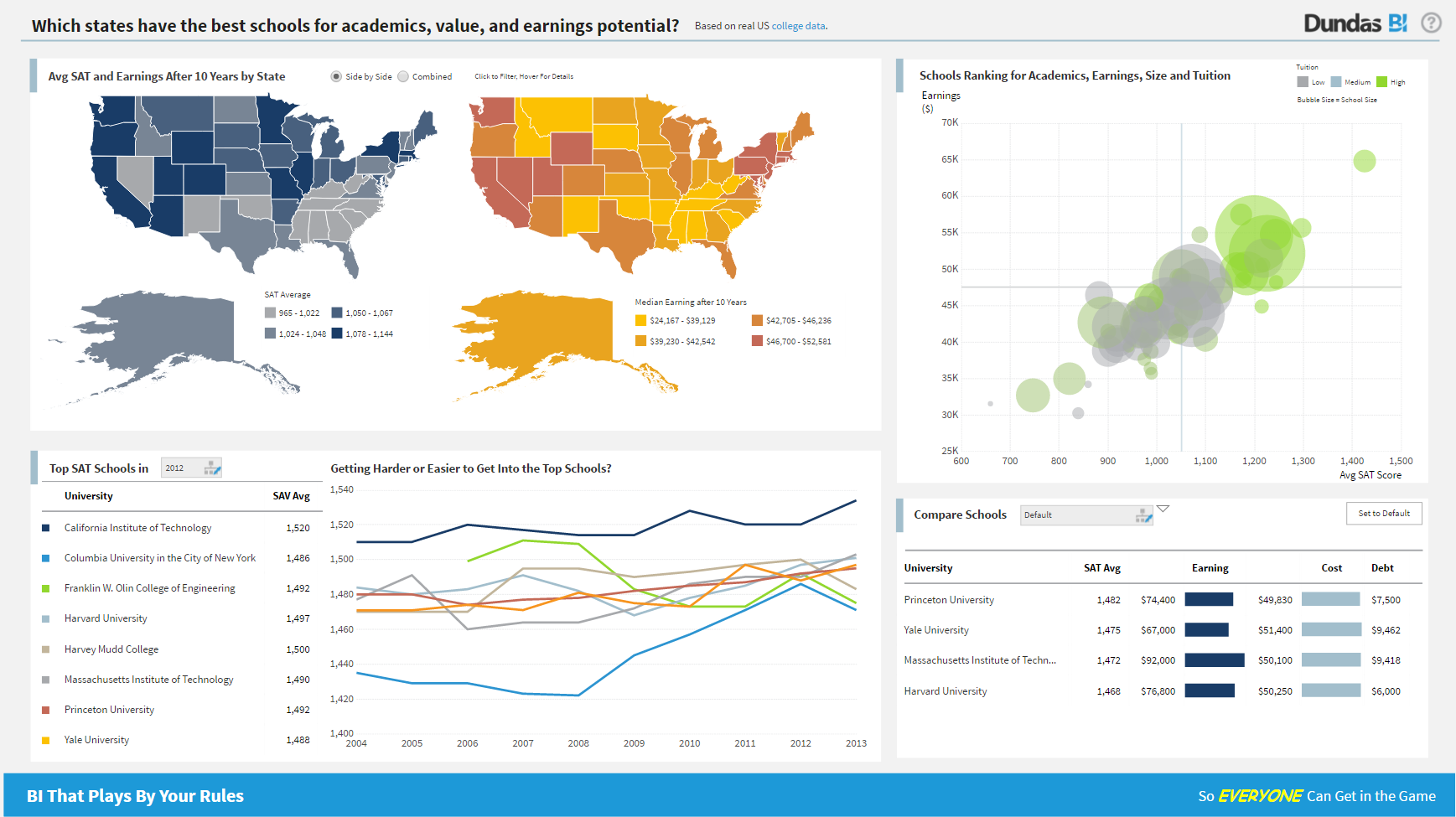
Dundas BI Dashboard Sample - Education
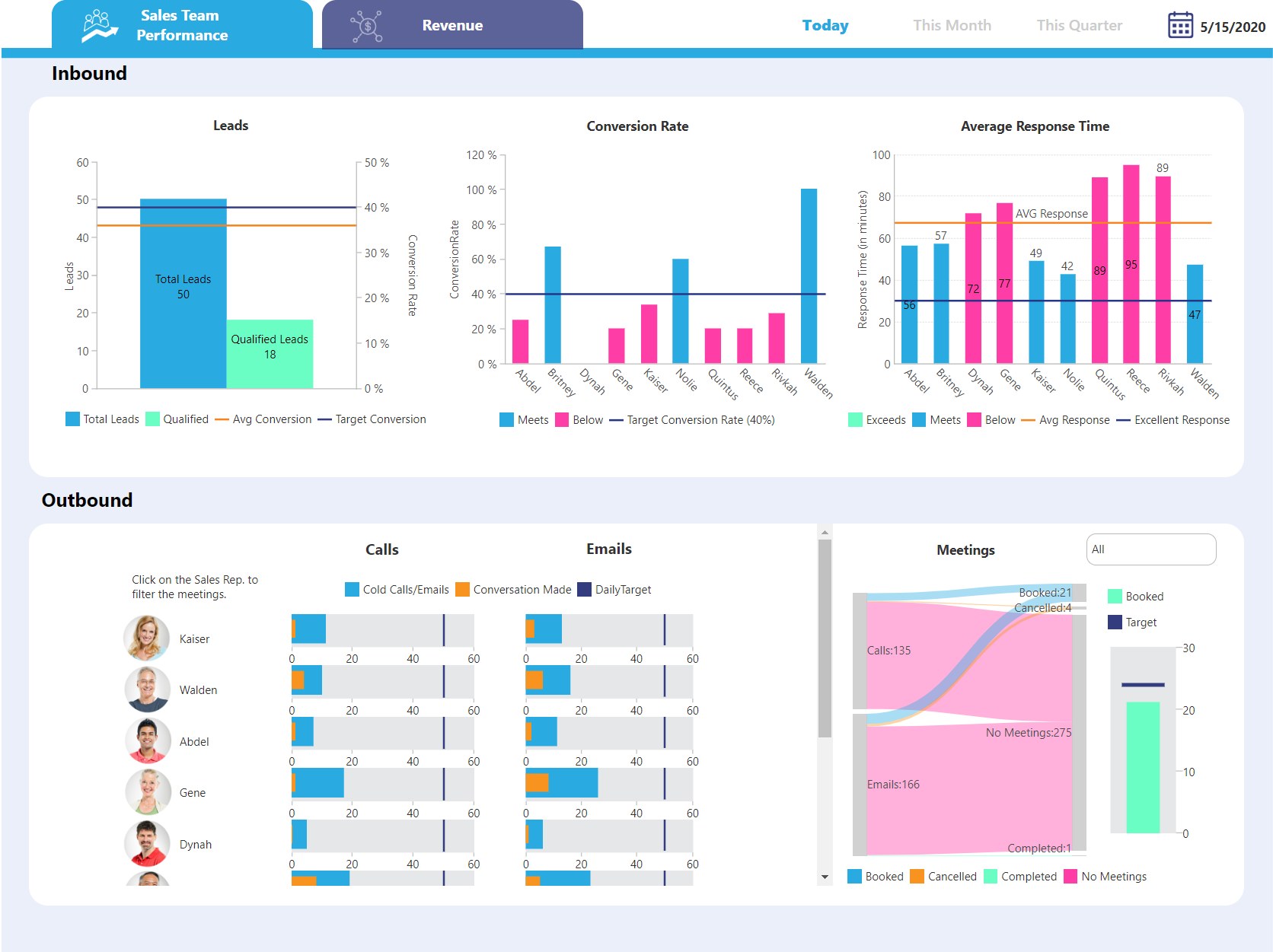
Dundas BI Dashboard Sample - Sales Team Performance
Dundas BI Dahsboard Sample - Sales Performance
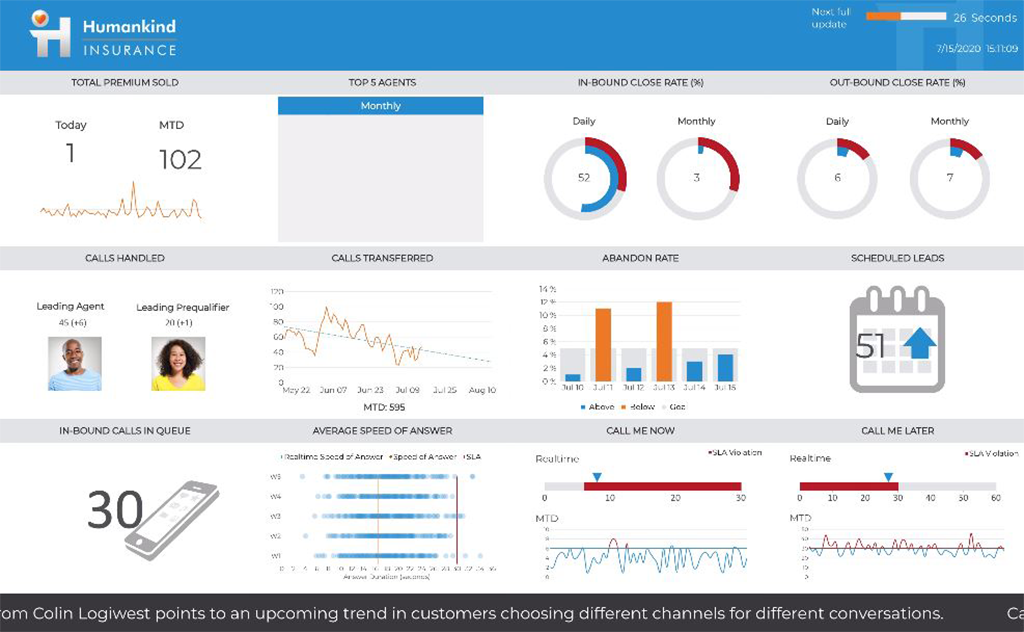
Dundas BI Dashboard Sample - Insurance
Dundas BI Dashboard Sample - Embedded
Dundas BI Dashboard Sample - Sales and Marketing
Dundas BI Dashboard Sample - Sales
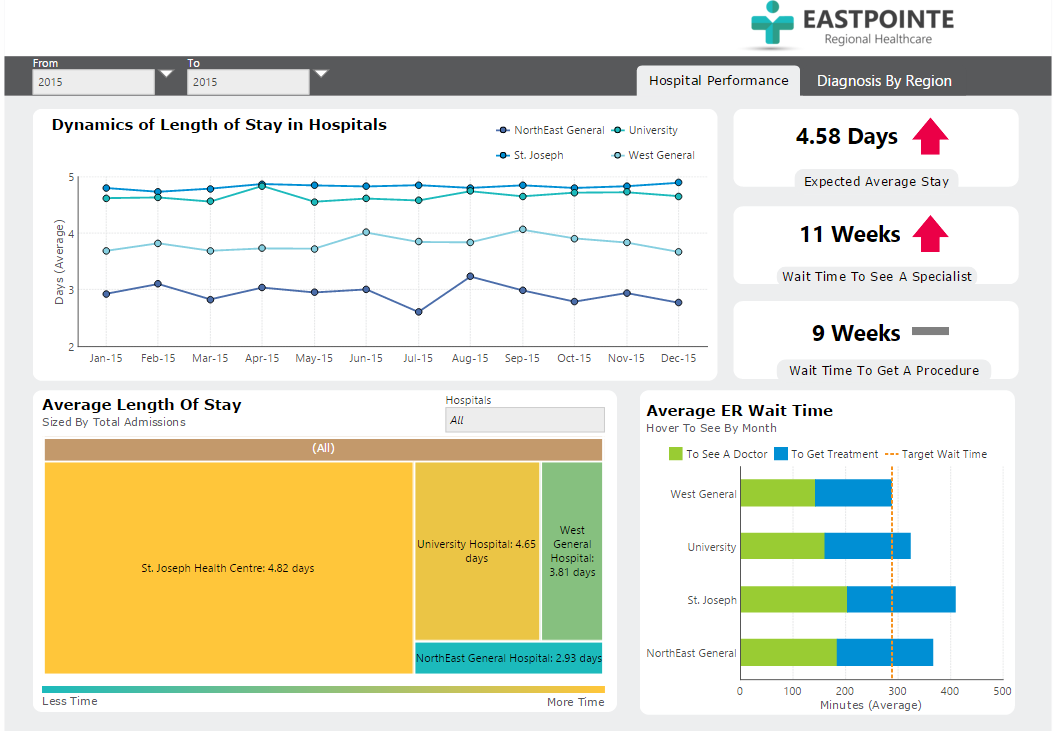
Dundas BI Dashboard Sample - Hospital and Healthcare

1 / 8

Top Performing Features

  • Customizable dashboards

    Customizable dashboards are dashboards providing the builder some degree of control over the look and feel and display options.

    Category average: 8.3

  • Report sharing and collaboration

    Report sharing and collaboration is the ability to easily share reports with others.

    Category average: 8.1

  • Multi-User Support (named login)

    Named model access means that users have access based on name and password.

    Category average: 8.3

Areas for Improvement

  • Predictive Analytics

    Predictive Analytics is the ability to build forecasting models based on existing data sets.

    Category average: 7.2

  • Delivery to Remote Servers

    Ability to deliver reports to remote servers

    Category average: 8

  • iFrames

    An iFrame is an HTML document embedded inside another HTML document on a website

    Category average: 7.7

Great BI platform with unlimited flexibility

Pros

  • Flexibility.
  • Data preparation.
  • Support.
  • Data visualization.

Cons

  • Automated insights.

Return on Investment

  • Data insight.
  • Quick implementation.
  • Simple platform and architecture.

Alternatives Considered

Tableau Desktop, Microsoft Power BI, Yellowfin, Logi Analytics, Exago BI, Looker, Sisense, Domo, GoodData and Izenda


Usability

Get insights of your data on the fly with DBI

Pros

  • Creating data analysis on the fly is very easy! You only need to create a data connector and from there you can start analysing your data just by draging and droping atributes from tables to the canvas!
  • For executives with little time for viewing dashboards, you can create scheduled or data driven notification that can send the dashboard by email!
  • At any time you can revisualize your data with different visualization, e.g., a bar chart can change to a line chart with just two clicks!
  • DBI version 4 has introduced some awesome features: data correction, what-if-analysis, some new types of data visualizations like sankey chart, correlation matrix, support for svg files.

Cons

  • I felt the need to create a calculated metric based on metrics from different metric sets

Return on Investment

  • We did manage to sell the solution implemented with Dundas easily

Other Software Used

QlikView, Microsoft Power BI

Usability

Dundas BI - powerful, flexible and fun

Pros

  • Wide array of built in functionality
  • Extensibility with scripting to make anything possible
  • Easy to create basic requirements with automatic settings

Cons

  • Speed of large reports is sometimes an issue
  • Pricing is not flexible enough

Return on Investment

  • Enabled us to quote clients and create projects quickly and easily
  • Pricing for multiple users who are not using it regularly is not advantageous for us

Usability

Happy with value, still working out the kinks

Pros

  • Easy to create aestheically pleasing visualizations
  • Easy naviagation for people used to MS look and feel
  • ETL layer allows for advanced development

Cons

  • Response is always speedy from customer service, though frequently is not as thorough as expected
  • Slower performance of wide tables for reports
  • Migration between environments is very manual

Alternatives Considered

Pentaho, Microsoft Power BI, Oracle BI Foundation Suite and Sisense

Other Software Used

Pentaho, SQL Developer, JIRA Software

Dundas BI Version 5, Meeting all your dashboard needs with a smile

Pros

  • Project organization from Development to Production, you get a production and development license but I think the best way to do it is with DEV and Prod project in the Production box. Use the development box for testing updates and really crazy things. With the Dev and Prod projects on the same box, you just publish from Dev to Prod and you are done. Users only have access to the Prod projects so no one can mess up what you are working on.
  • Security - If you have a hierarchy (subsidiaries, divisions, department, teams) and you want each group to see only their data, then Security hierarchies are for you!
  • Dependent filters! What's this you ask? Here is an example of how it can be used, in your company you have departments and who works for what department is in your database. You make a dashboard that has a department filter (only show these departments), a managers filter, and employee filter. Not every manager or employee is in multiple departments usually only one. With dependent filters you can say that the manager and employee filter are dependent on what is selected in the departments filter so when you go to filter them they only show the managers or employees that are part of that department, and you can even it do so employees are not only dependent on department but on manager as well. Then it gets even better as it can be done in reverse as well so when you select a manager then go to the department it only shows the departments he works for (there are better situations where this is more useful).
  • It is scriptable! From calculate columns, null replacements, button actions, load actions, hover over events there a way to do what you want.
  • They are constantly improving and listens to your suggestions.

Cons

  • Setting up security is easy but reviewing it later could be made easier.
  • Dashboard templates - tried to use them but I do not design mine to fit in a box.