

TrustRadius: an HG Insights company

Pointerpro

Score9.3 out of 10

30 Reviews and Ratings

What is Pointerpro?

Pointerpro is an assessment platform designed for professionals who want to turn their expertise into personalized, scalable guidance. Instead of stopping at data collection, Pointerpro transforms each completed assessment into an automatically generated, fully branded PDF or PowerPoint report containing personalized results and recommendations. This enables organizations to deliver insights instantly, without manual analysis.

The platform supports advanced scoring models, custom logic, and deep personalization while maintaining full white-labeling to match an organization’s brand. Pointerpro also integrates into existing workflows and software stacks, helping teams embed assessments and automated reporting directly into their operations. Boasting a strong security foundation, it supports organizations that need a reliable and professional way to translate expert knowledge into consistent, data-driven outputs at scale.

Categories & Use Cases

Media

the Pointerpro assessment app, used to build maturity assessments, personality tests, 360 assessments, competency quizzes, self-assessments, or quote calculators.
how respondents can immediately receive their personalized report after they complete their assessment. Of course the tool also offers the possibility of giving postponed feedback.
the tool's no-code assessment builder.
how Pointerpro allows respondents to download their personalized PDF with a download button at the end of the assessment.
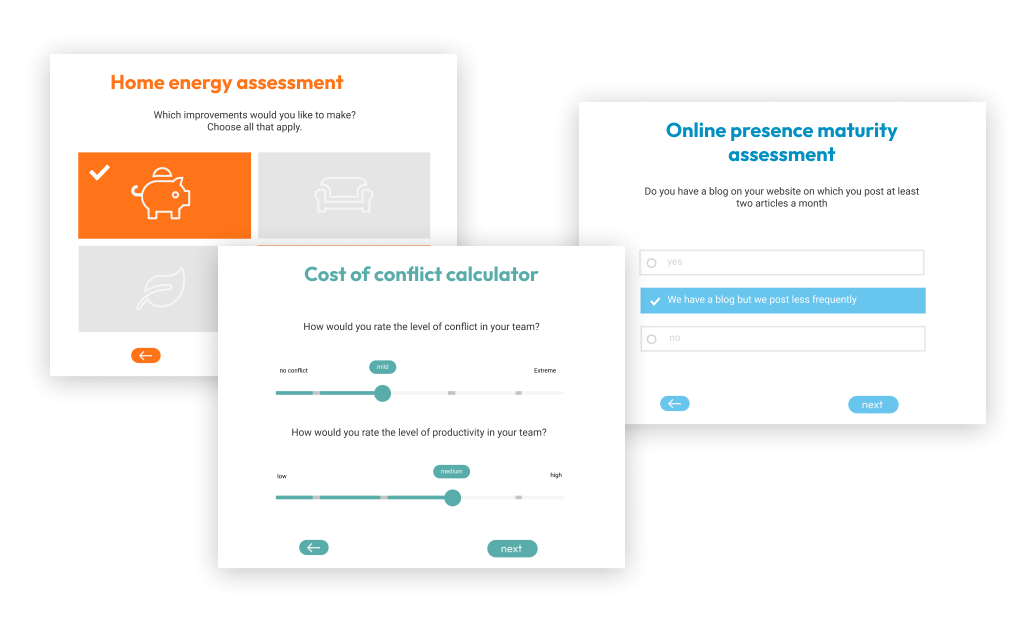
some examples of Pointerpro's branded assessments.

1 / 5

Pointerpro Packs Powerful Features and Stays Simple to Manage

Use Cases and Deployment Scope

Pointerpro is used for both assessments (both a short and long version), as well as surveys. Pointerpro is great for all of the features it provides--way more than other survey-like platforms we've used.

Pros

  • Customized options
  • Customized design
  • User friendly for set up

Cons

  • Question defaults
  • Size when embedding on websites

Return on Investment

  • More participant responses
  • Better internal tracking on our impact

Usability

Alternatives Considered

SurveyMonkey

Other Software Used

HubSpot Marketing Hub

Great product, but very expensive

Pros

  • Quiz feature looks good: One question at a time
  • The outcomes are very helpful
  • Able to integrate with MailChimp through Zapier (Wish I didn't have to go through Zapier though)

Cons

  • Your prices are WAY TOO EXPENSIVE.
  • Better reports available are someone takes the survey
  • Offer the PDF download to all plans. Survey Anyplace charges so much more for 5000+ PDF reports generated. We can't afford that.

Return on Investment

  • Hurting our annual costs as its way too expensive
  • It has provided the features we have been looking for though

Alternatives Considered

Jotform

Other Software Used

Zapier, Mailchimp

Usability

Assessment and Report were key to our program's success!

Pros

  • Easy to learn
  • Resources are available
  • Customer support team is responsive.

Cons

  • Move Question Blocks into a different order once created.

Return on Investment

  • It's allowed us to launch an effective, successful leadership development program and see growth in our participants since we were able to target the report to their specific needs.

Usability

Great for automating survey responses in a PDF to download or email

Pros

  • Build a PDF summary of responses to questions
  • The PDF can be downloaded and/or emailed to the recipient with their branded report
  • Lots of solutions for quizzes, gamification, trade show or exhibition use

Cons

  • I think the help pages need updating, they're not very clear when you are new to Survey Anyplace as they describe how to do things but do not show you step-by-step.
  • Not being able to customize the front cover image of a PDF template is a bit annoying and unless you're a CSS wizard, the PDF responses can look very plain.
  • You can't drag questions in order, you have to click the number and type in the new number of the question of where you want it to go.

Return on Investment

  • Wider engagement
  • Personalisation
  • Data capture
  • Sponsorship

Alternatives Considered

Qualtrax

Other Software Used

SharpSpring, Later, QuickBooks Online

Usability

Great tool for quickly creating, designing and deploying surveys.

Pros

  • Ease of survey preparation.
  • Creating a nice user experience that looks really professional.
  • Sharing access to the survey through short links and QR codes.

Cons

  • I can't always create a question in exactly the format I want, but I can work around that.

Return on Investment

  • Participants seem to have no issues in completing survey, totally intuitive.

Usability
