
TrustRadius: an HG Insights company

Quadient Accounts Payable

Score7.2 out of 10

36 Reviews and Ratings

What is Quadient Accounts Payable?

Quadient Accounts Payable by Beanworks is an accounts payable solution that uses custom rules to automate and show every step of an organization's AP workflow, and is used to route POs, invoices, and payment approvals.

Read more details.

Media

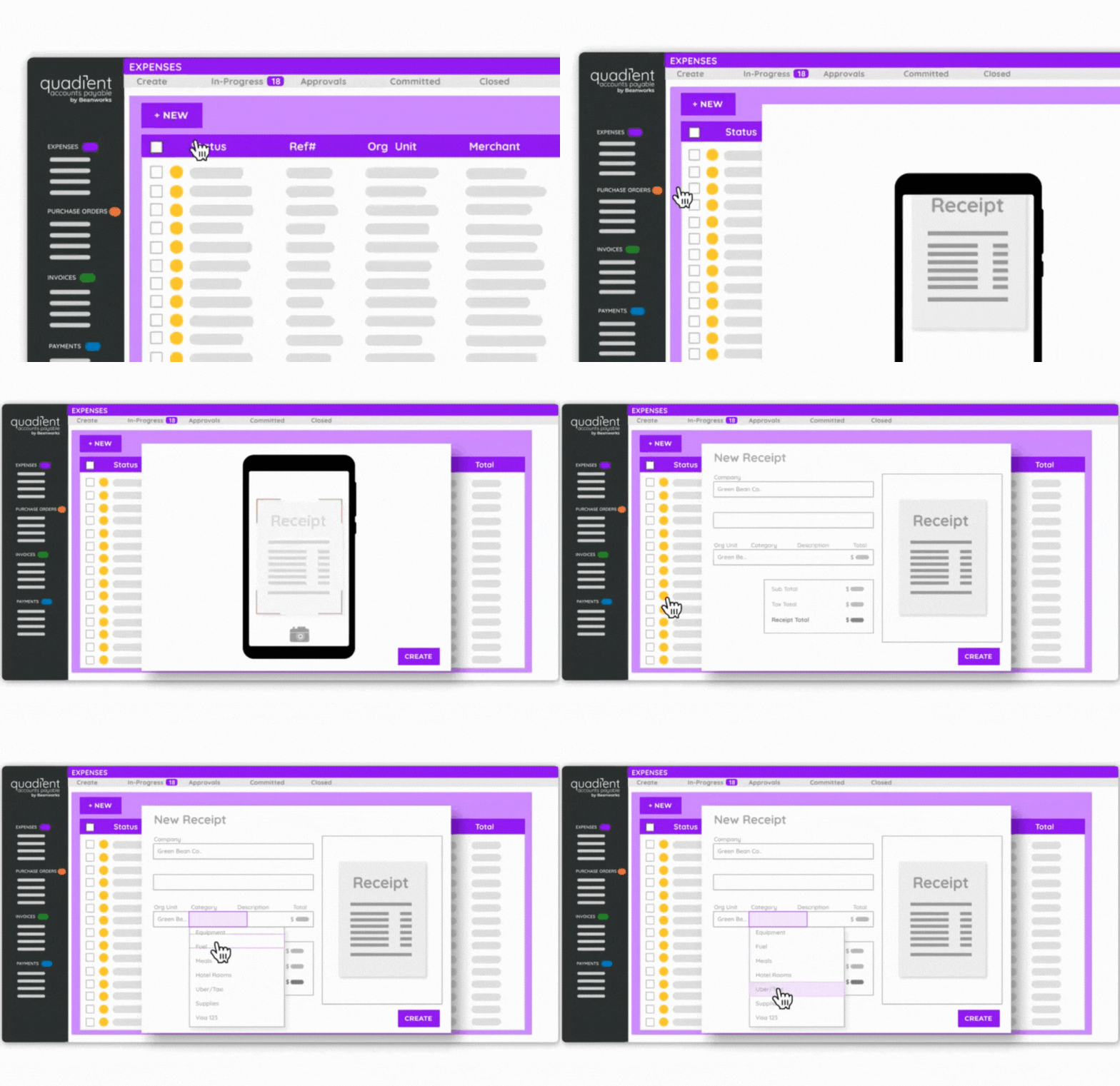
Screenshot of the expenses interface.
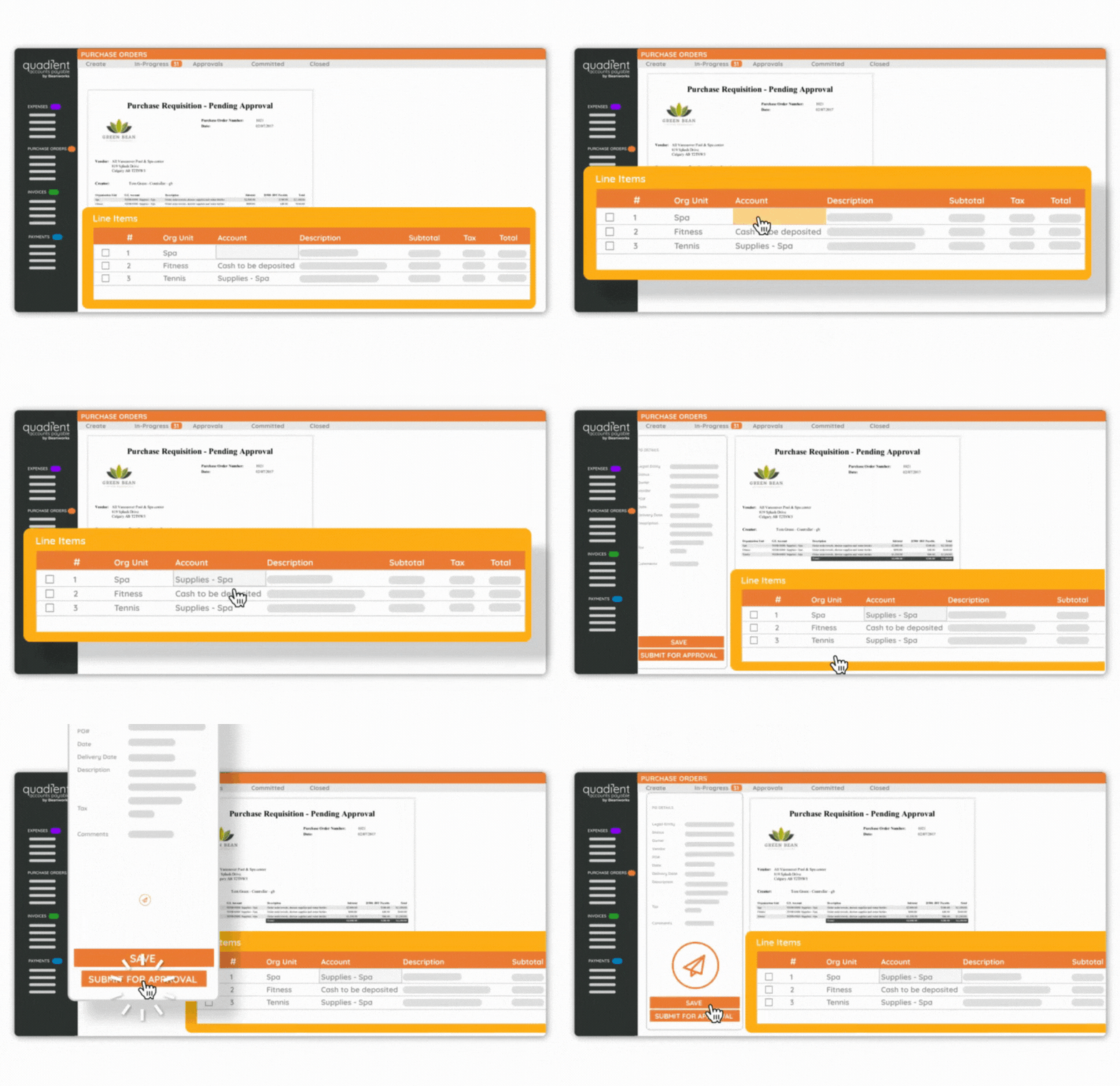
Screenshot of a purchase order.

1 / 2

Screenshot of the expenses interface.

Top Performing Features

  • Customizable Approval Policies

    Policies for different types of approvals can be customized, sent to multiple approvers, automatically approved, etc.

    Category average: 8.6

  • Financial Document Management

    Invoices, expense reports, and associated documents are stored within the platform for any future needs.

    Category average: 8.4

  • Automated Accounts Payable Processes

    Accounts payable processes are automated based on pre-determined workflows.

    Category average: 8.7

Areas for Improvement

  • Vendor Management

    Holds information related to vendor terms and contracts.

    Category average: 8.5

  • Payment Audit Trail

    Allows admin users visibility into the entire payment process, from receiving the expense claim or invoice to the payee receiving payment.

    Category average: 8.9

  • Advanced OCR

    Automatically imports information from invoices, receipts, expense reports, and other scanned documents into the platform.

    Category average: 8.4

Pros

  • Automated invoice tracking and approval routing
  • User-friendly interface and ease of use
  • Efficient invoice data capture and processing

Cons

  • Inconsistent accuracy of OCR technology
  • Non-intuitive user interface for login and task management
  • Limited customization options for data filters and dropdown lists

A Strong Choice for AP Automation.

Use Cases and Deployment Scope

As an AP supervisor, I use Quadient AP to run our AP workflow, using only the Invoice module. It covers automated invoice intake and pre-coding, approval tracking, any kind of report, backup and audit trails, and is very flexible. This makes for a weekly check run done by one person for a company of our size, which is pretty impressive. I lost my AP clerk during downsizing, but we are growing again with current transaction volume of about 2/3 of the previous, and we can still handle it alone. So, manpower saving is the biggest advantage. Transparency and convenience are next. Maintains accountability, visibility, and convenient access to records.

Pros

  • Catching duplicates.
  • Flexibility/variety of reports that can be produced.
  • Approval tracking.
  • Ease of producing backup.

Cons

  • Pre-coding can be more precise, especially when it comes to legal entity or org unit recognition.
  • Add a "DATE APPROVED" filter to help identify batches of invoices approved by a particular approver, by date.

Return on Investment

  • Saves manpower, but we don't track the numbers closely.
  • Improved transparency of approval and access to information.
  • Reliability and peace of mind.
  • Ease of operation

Usability

Other Software Used

QuickBooks Desktop Enterprise, Hybrent by Procurement Partners

Makes tracking revenue easy.

Use Cases and Deployment Scope

I use these services on a daily basis to work through our AR and AP Processes, and keep our accounts accurate.

Pros

  • tracking invoices and payments
  • keeping payments accurate and timely
  • making sure correct reports are maintained and filed

Cons

  • navigating and pausing certain tasks

Return on Investment

  • For me just being able to track the spending and make sure all of my accounts are staying paid make a huge difference in our day to day .
  • Being able to pull up listings to compare revenue streams coming and going make watching our growth easy.

Usability

Other Software Used

Sage Intacct, TripMaster

Quadient AP Review

Use Cases and Deployment Scope

Quadient AP is used for the invoice approval process for all payments before being exported into QBO. We process the invoices there and use the OCR to populate the values and vendors. This has provided us with the necessary tool for proper approval of invoices by relevant class before payments are made. In addition having the OCR saves us time on data entry and the direct integration with QBO.

Pros

  • OCR is relatively accurate to save time typing details manually.
  • Ease of use and good options for approval workflows
  • Integration with Quickbooks Online

Cons

  • For the invoice postings in Quickbooks Online the PDF attachment should have an option to be exported as well.
  • Allow adjusting of the chart of accounts in beanworks directly as some sub accounts appear duplicated in beanworks from QBO. This causes issues when posting/exporting.
  • For approval workflows allowing an option to have an invoice requiring more than one approval to have any approver approver first rather than tiered

Return on Investment

  • No particular metric but just provides the benefit of housing all of our approval workflows rather than trying to keep track with signed invoices or email trails.

Usability

Alternatives Considered

Expensify and SAP Concur

Other Software Used

QuickBooks Online

Quadient Accounts Payable has been a great tool for our organization

Use Cases and Deployment Scope

Uploading and approving invoices for our business. This makes accounting process clean and tracked. Very useful for us with multiple programs and directors to approve invoices.

It's been very helpful for budgeting and tracking as well. We are able to track by accounting code or company which is very useful in searching for financial data.

Pros

  • Invoice tracking
  • Invoice approval
  • Reporting
  • Budgeting

Cons

  • Load times are a bit slow but not a big issue
  • sometimes key words don't seem to bring up results
  • Cleaner main page organization perhaps.

Return on Investment

  • Helped keep things organized across multiple programs
  • Helped us prepare budget based on actual data
  • Helped us save with prompt payment, no late fees

Usability

Alternatives Considered

QuickBooks Live Bookkeeping

Other Software Used

QuickBooks Live Bookkeeping, Microsoft 365, CampBrain

Clear Visibility Faster Approvals and Better Control

Use Cases and Deployment Scope

We use Quadient Accounts Payable to handle our invoice process from start to finish. Invoices arrive into the system and are reviewed, approved, and processed by the finance team, with managers approving costs where needed. This has cut down a lot of manual work, emails and chasing people for invoice sign-offs.

The main problems Quadient has helped us with are time consuming manual processes, poor visibility and slow approvals. Before using Quadient AP, it was difficult to keep track of invoices and get a clear picture of what was outstanding and which suppliers they related to. Now we can easily see the status of invoices, who needs to approve them and what is outstanding. It's improved our audit trail, sped up invoice payments and given us better control over the overall process.

Pros

  • Speed of Invoice Processing and Payments
  • Invoices move through the system faster than before, this has improved payment times and reduced last-minute payment requests and pressure before payment runs.
  • Reduced Manual Work
  • Reduced the amount of manual work invoice in the invoice process. The AI data capture extracts key invoice details automatically, which has cut down on manual entry and reduced the risk of errors. Freeing up time within the finance team and making the process more efficient.
  • Ease of Use
  • The interface is straightforward and easy to navigate, which has helped speed up user adoption across the business and reduced the amount of time needed for staff training.

Cons

  • More Customisation
  • Allow the AP/Finance team to control what appears in the drop-down lists. At the moment, the system pulls through every option from our account software, resulting in very long lists. We only use a small number of these options, but over 100 are displayed.
  • Improved AI Accuracy
  • At times the AI can make sloppy mistakes and isn’t always consistent, even when processing invoices with the same layout from the same supplier. Improving this consistency would reduce the need for manual corrections.
  • Invoice Comment Notifications
  • Comments are helpful, but currently there is nothing to notify you when a user has added one. An alert or flag to show new comments with be extremely useful.

Return on Investment

  • Time Saving
  • Reduced manual invoice processing and fewer emails needing to be sent. It is estimated to have saved the company 1,000+ hours a year across all our departments.
  • Faster Payments
  • Fewer approval delays have shortened our payment turnaround times, helping us pay suppliers several days faster on average and reduced late-payment issues.
  • Improved Month-End Efficiency
  • Better visibility of outstanding invoices has helped our month-end close run more smoothly, fewer adjustments are needed than previously.

Usability
