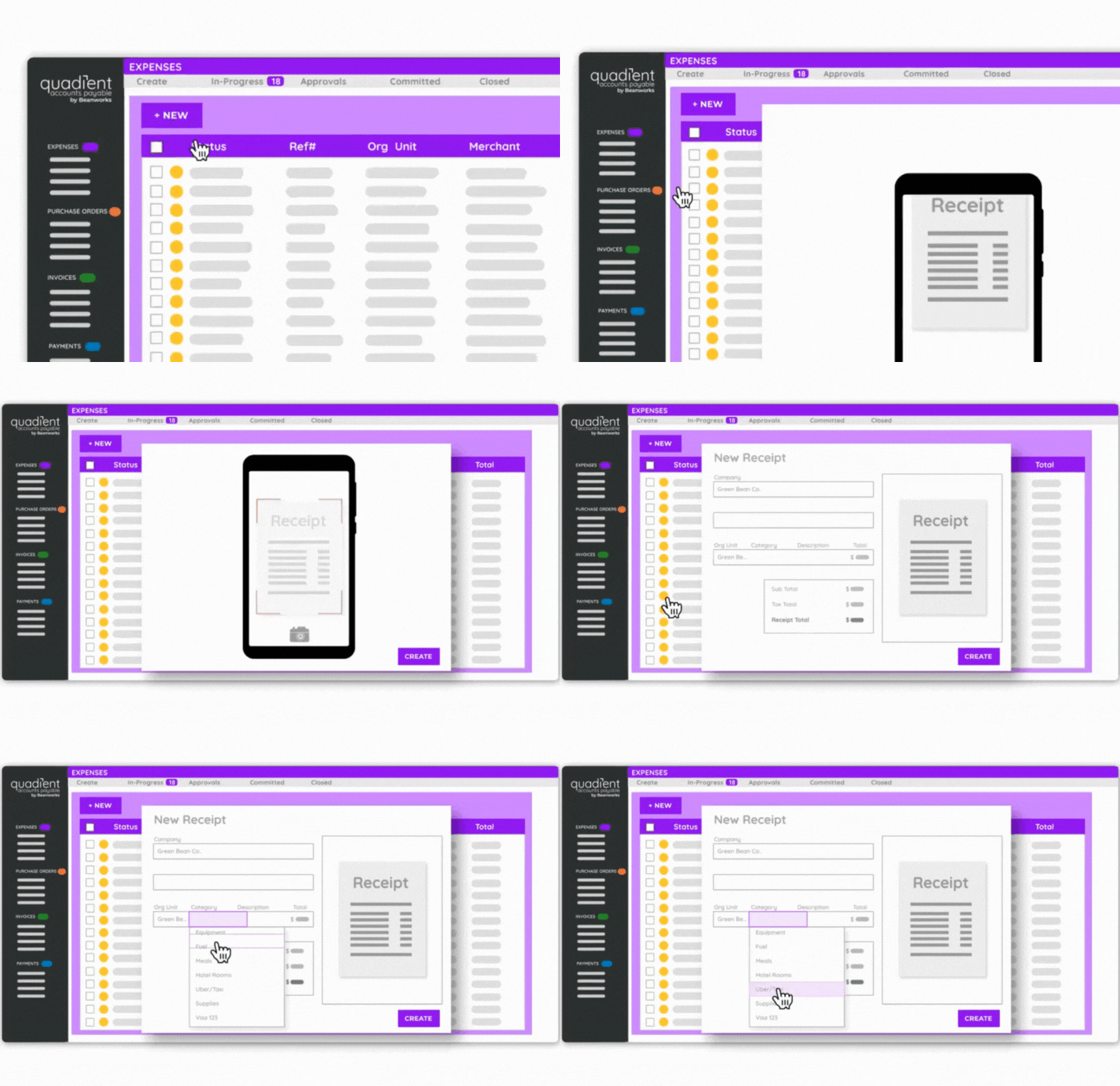
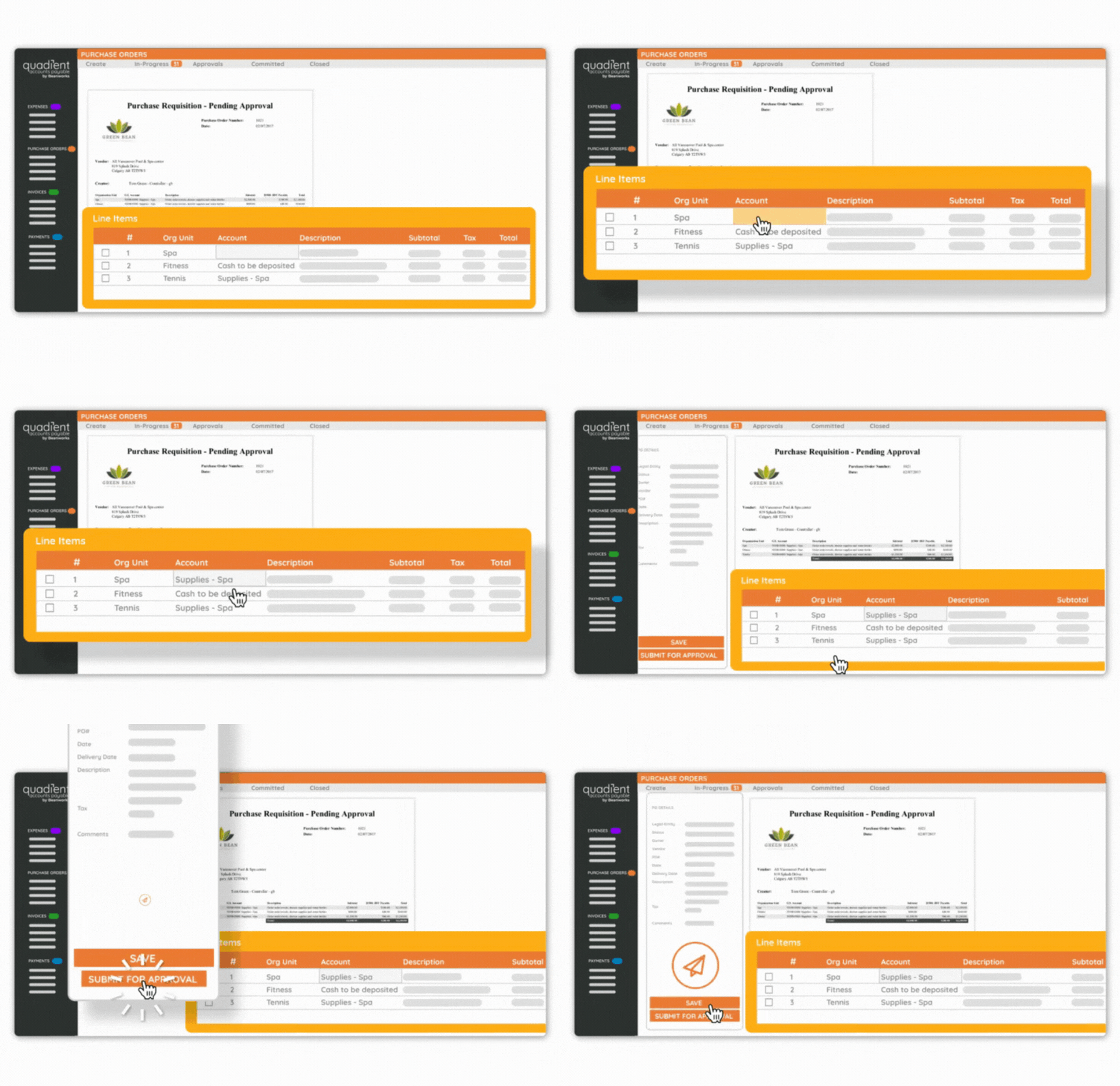
Quadient Accounts Payable by Beanworks is an accounts payable solution that uses custom rules to automate and show every step of an organization's AP workflow, and is used to route POs, invoices, and payment approvals.
N/A
Tipalti
Score 7.7 out of 10
Mid-Size Companies (51-1,000 employees)
Tipalti automates critical financial processes to drive efficiency, including accounts payable, mass payments, procurement, and expenses, all on one global finance automation platform that grows with the organization, automating, de-risking and simplifying finance.
$129
per month
Pricing
Quadient Accounts Payable
Tipalti
Editions & Modules
No answers on this topic
No answers on this topic
Offerings
Pricing Offerings
Quadient Accounts Payable
Tipalti
Free Trial
No
No
Free/Freemium Version
No
No
Premium Consulting/Integration Services
Yes
Yes
Entry-level Setup Fee
Required
Required
Additional Details
—
Pricing starts at $149 per month for the platform fee. Users can upgrade to Tipalti's more advanced capabilities as their businesses gets more complex.
The Tipalti pricing model is designed to grow with the user's company. Advanced features such as W-8 tax forms, international tax IDs, or multi-entity payables are available as needed.
On my second time selecting, I was not going to consider any other vendors. My bank had some arrangement with MineralTree so I was obligated to go through their process. Ultimately it came back to Tipalti's payment processing capabilities as the standout feature.
Use it when you have a small workforce or handle most tasks alone. It's an ecosystem of relationships, and explaining the relationships between components can be hard for others. Like approval channels setup and how it affects invoice coding for approval. Better to separate these aspects between the admin and the clerk. Incredibly helpful in evaluating your workload and planning weekly check runs. Allows you to see far ahead what's coming down the pipeline and course-correct as appropriate. Seamless sync with QuickBooks. Great customer service, always responding promptly and on point.
I would tell them that it manually syncs to ERPS. Additionally I would include the fact that you can pay multiple entities in one pay run allowing to be very efficient. I would also include that they can add rules to bill approvals or set up auto payments for certain vendors. Lastly, there are many reports you can run providing you will very informational data in seconds.
I wish the export function allowed more options for the posting date of invoices. All invoices have the same posting date once they reach Sage 300, but this must be changed when they reach the transaction file. We should have the option of using the invoice date as the posting date or a selected date.
The report that provides the "Not payable" vendors does not work well for us, particularly because the sync to our ERP goes both ways, which means all of the employees also sync over to Tipalti and remain as Not Payable. So the list is very long, and I don't find a good use for it.
At this time we don't really need to review the use of the program. In the future as we grow with new partnerships, purchases and expenses and revenue we may at some point look at reviewing our use but for now and the immediate future there is no need to review such
Solid system performance. Suits our needs and solution provider very inclined to accept feedback and involve users in developing the solution to serve both the provider and the ultimate user. Tipalti has streamlined our process that was previously very manual and prone to error. Now there is transparency of information and role.
It's a fairly simple and easy to understand product. it is very intuitive. we were able to have our entire staff up and running within a week of our go live date with limited training required. Once everyone learned how to use it, there hasn't been any questions or errors. the layout is logical and the filtering options are quick and easy to use
Two-time Tipalti selector, implementor, and user. The payment features in the app saves many steps in the payment process. No longer do you have to set-up or upload payment information to your bank and then go back to your accounting system and mark items as paid. Tipalti does all of this with a click of a mouse. The payment feature is the stand out feature. Many vendors can process your invoices. Look at how at the payment process of others.....you will see.
Since I also work in customer support, I often have to contact Tipalti's team with questions from our users. Tipalti's support team has always been exceptionally helpful and it was a pleasure to communicate with them. I have always received prompt responses to any inquiries and they are excellent at solving our customers' issues within a short time
These are all user friendly with great tracking. I can simply navigate through this program and reuse all the information. I like simple and fast programs because i need to move from one thing to another and this make that ease for me. i don't know how in would work with out it. thanks
From initial implementation through to user experience, Tipalti has been able to exceed our expectations in terms of its functionality and useability. We have found with other systems implemented in the past they did not match our expectations which resulted in us terminating these services.
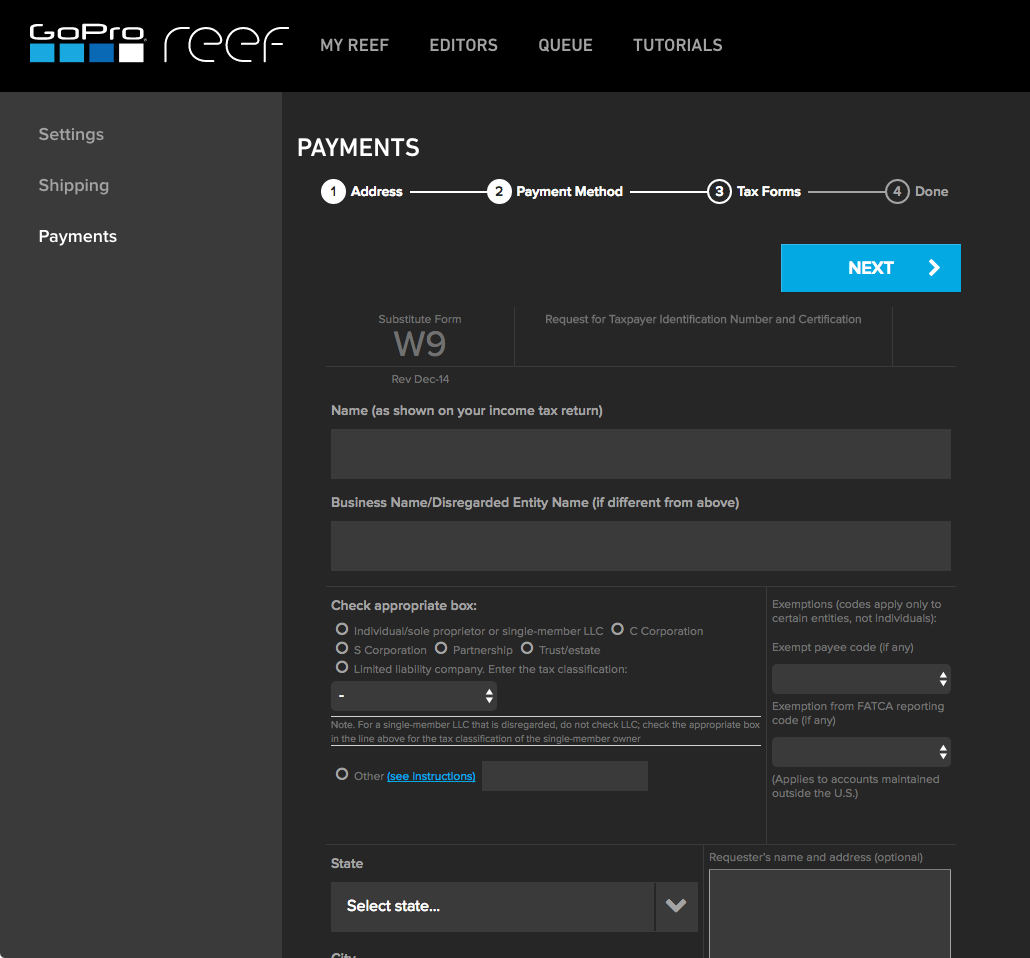
Vendor onboarding has taken the responsibility from one person to the Vendor directly. This provides the vendor with the ability to enter their own banking information for payments and upload their Federal W9 form.
Vendors can upload their own invoices to the system, taking the possibility that our AP team did not receive an emailed or mailed invoice to upload. This also increases payment efficiency as the vendor's invoice is processed in a more timely manner.
AP can review invoices for accuracy and concentrate on how to code an invoice, rather than be a paper pusher or a data entry clerk. AP doesn't spend time searching for invoices that might be a duplicate, the system will communicate this on the software review process and if AP has uploaded by email the same invoice multiple times, an email will be sent to AP to indicate that the invoice was not uploaded due to duplication.