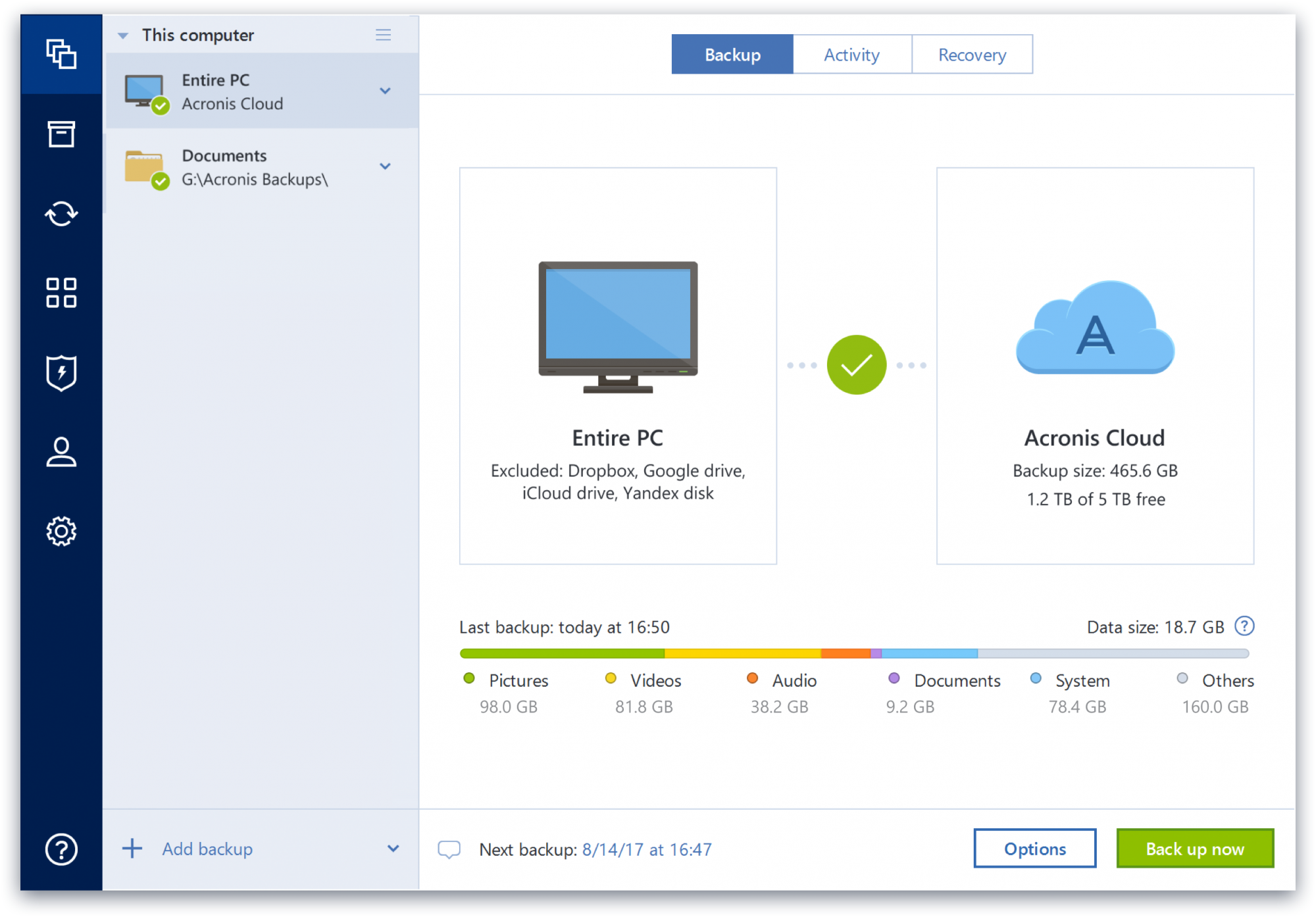
Acronis True Image is a backup, cloning, cyber protection and privacy tool suite for home users.
N/A
Digital Guardian
Score 7.0 out of 10
N/A
The Digital Guardian Platform from Fortra (formerly HelpSystems, acquired in late 2021) is a cloud-delivered data protection platform purpose-built to stop data loss by both insiders and outsiders on Windows, Mac and Linux operating systems. Additionally, Digital Guardian User Activity Monitoring enables users to detect, investigate and mitigate suspicious user actions to ensure sensitive data doesn’t get out. And Digital Guardian for Data Discovery provides visibility and auditing of sensitive…
N/A
Norton Small Business
Score 6.6 out of 10
N/A
Cybercriminals increasingly target small businesses because they expect it to be easy. Norton Small Business is an antivirus service available as a subscription for protecting a multitude of endpoints, from NortonLifeLock (formerly Symantec).
Acronis Cyber Protect is great for any small/mid-sized business. The price point makes it attractive to all budgets >$100/year for 5 device deployments. Competitors offer less and charge more! Very happy with the suite of products, and renewals are simple and straightforward as well. I hope they don't change a thing!
Digital Guardian has excellent data-preventing solutions, which locate and protect [that] database that [is] super sensitive. More so, Digital Guardian offers complete coverage of endpoint safety and network monitoring. Again, Digital Guardian has a team of elite professionals, who screens and detect any cyber threats. Finally, Digital Guardian has improvised and detailed attack response, very efficient in making the right controls.
We are a small company; Norton Small Business gives us the freedom for our remote employees to work securely using their personal laptop /smartphone. Less appropriate: Someone with a few separate locations that require separate cybersecurity environment but would still benefit from centralized management.
Email data leaks - DLP software must prevent certain actions to work well. Let's say you try to copy and paste an SS # to an email, or upload sensitive data to your personal email account. Guardian Edge can prevent that, and then alert administrators that it happened
Unauthorized file copies - Guardian Edge can also prevent users from copying files from a sensitive restricted area to somewhere else where they might be able to more easily exfiltrate it. A good example would be from a company file share to a less secure server or their own home drive
Alerting Administrators of suspicious activities - Any time a user uploads a file to an upload service or personal email, it is logged and reported as an event to be reviewed. If it found nothing in scanning the data, it will still notify you that it happened so you can review it yourself to confirm it wasn't a false negative.
Some features have actually become more complicated over the years. One that comes to mind is creating a backup plan that can execute daily to an external USB media that is changed daily (older versions would back up to the, for example, "F" drive regardless of which drive was attached - newer versions identify each drive uniquely, and a backup task created with a given external drive will fail due to the lack of media presence if the drive is replaced).
Error messages could be less cryptic.
Support turnaround time and live assistance could be faster.
Protect my system from data loss and also can manage multiple devices via online cloud from any where and also can set Multifactor authentication for more secure login access. Archive any backup which will use less space and we can transfer it to any other space also so it is very easy as server admin to manage acronics utilities
It's good for a small business that needs cybersecurity without needing to spend a lot of money. Besides being affordable it seems to be extremely, reliable, and easy to use.
Beyond a single instance, I haven't had to approach Acronis' support. I needed a new key following the death of my previous workstation, and they rapidly supplied it. I've heard from colleagues that they've quickly answered any questions that've been asked. If I need something, I'll generally frequent FAQ pages first, although Acronis actually has instructional videos to help users get started, which is forward-thinking. Great software that fills a vital niche for Windows systems.
IDrive is incredibly faster than Acronis on cloud backup. After Acronis' failures on cloud storage I moved to IDrive for peace of mind. IDrive can also do local backups, and either variant of system state, server, outlook, exchange, etc. It does not however have the ability to do a full image of a bitlocked machine like Acronis, so I'm continuing the local imaging with Acronis.
DG is the only DLP platform I've used at my current employer. I used it at my previous employer as well, and we ended up abandoning future deployments of it due to many problems caused by it, especially with web browsers. This was in 2015, rather than the 2018 version I used with my current employer, but I feel it still warrants mentioning. DG works great...when it works. When it doesn't, it's a disaster.
We did not actively consider any other software. Overall we did do a basic understanding of a pricing & features and found that the offerings from Symantec were better than others even prima facie. At the current time for an organisation such as ours we do not believe that there is any other option worth active consideration
The Windows version is generally reliable and only ran into one issue thus far. Restores are easy and there are many features. On MacOS, it's a completely different story. There is significant resource leakage related to the updater app that can bog down part of a CPU core continuously until it is disabled. The mobile backup feature also needs to be disabled via UNIX command line or CPU usage will go up when a mobile device on the same network like an iPad or iPhone's screen is turned on.