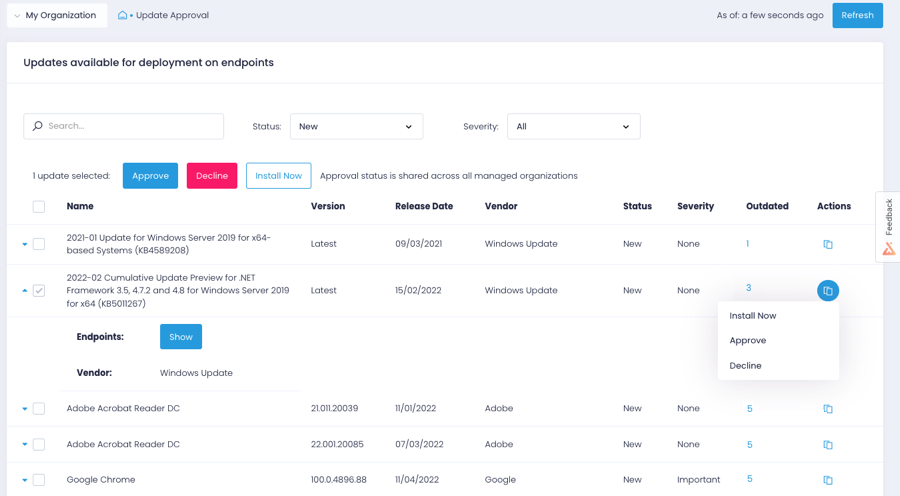
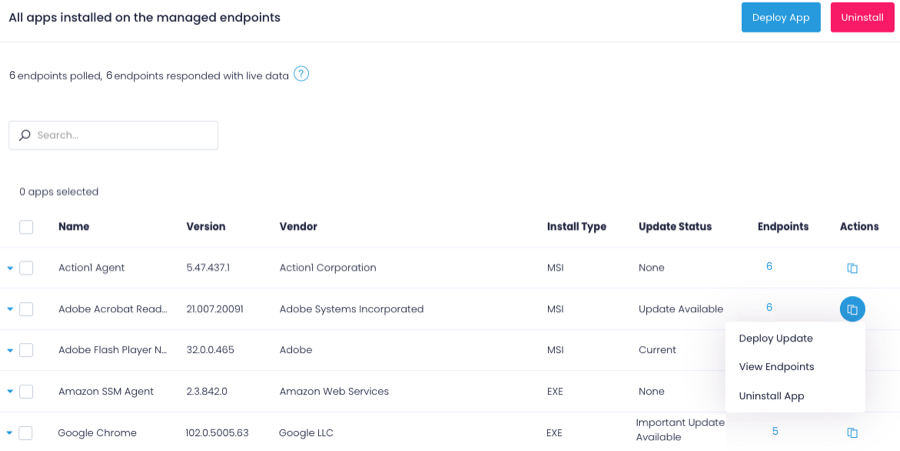
Action1 is an autonomous endpoint management platform that is cloud-native, scalable, and configurable in 5 minutes. It is free for the first 200 endpoints, with no functional limits. By pioneering autonomous OS and third-party patching - AEM’s foundational use case - through peer-to-peer patch distribution and real-time vulnerability assessment without needing a VPN, it eliminates costly, time-consuming routine labor, preempts ransomware and security risks, and protects the digital…
N/A
GitLab
Score 8.8 out of 10
N/A
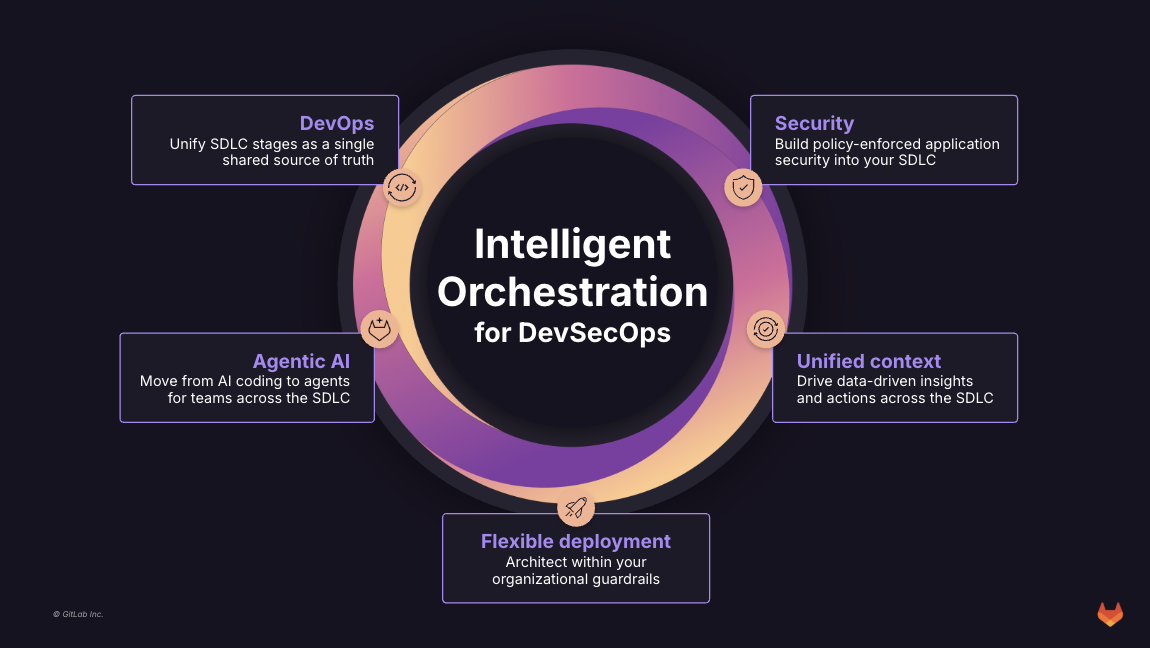
GitLab is an intelligent orchestration platform for DevSecOps, where software teams enable AI at every stage of the software lifecycle to ship faster. The platform enables teams to automate repetitive tasks across planning, building, securing, testing, deploying, and maintaining software.
$0
Pricing
Action1
GitLab
Editions & Modules
No answers on this topic
GitLab Free (self-managed)
$0
GitLab Free
$0
GitLab Premium
$29
per month per user
GitLab Premium (self-managed)
$29
per month per user
GitLab Ultimate
Contact Sales
GitLab Ultimate (self-managed)
Contact Sales
Offerings
Pricing Offerings
Action1
GitLab
Free Trial
No
Yes
Free/Freemium Version
Yes
Yes
Premium Consulting/Integration Services
No
No
Entry-level Setup Fee
Optional
Optional
Additional Details
—
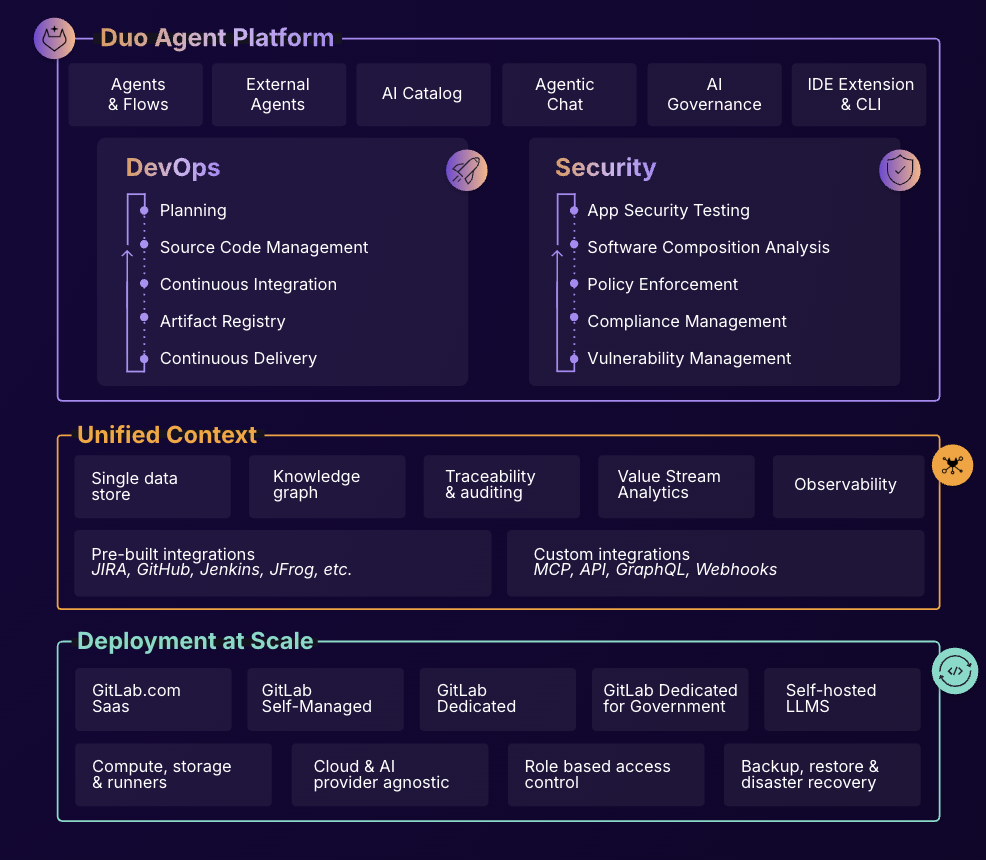
GitLab Credits enable flexible, consumption-based access to agentic AI capabilities in the GitLab platform, allowing you to scale AI adoption at your own pace while maintaining cost predictability. Powered by Duo Agent Platform, GitLab’s agentic AI capabilities help software teams to collaborate at AI speed, without compromising quality and enterprise security.
If usage exceeds monthly allocations and overage terms are accepted, automated on-demand billing activates without service interruption, so your developers never lose access to AI capabilities they need.
Real-time dashboards provide transparency into AI consumption patterns. Software teams can see usage across users, projects, and groups with granular attribution for cost allocation. Automated threshold alerts facilitate proactive planning. Advanced analytics deliver trending, forecasting, and FinOps integration.
While other RMMs may only be good at one thing, Action1 is really good at everything that their does. If they don't have it in the platform yet, that's because it's not good enough for their standards. From a pricing standpoint on Patch/Software management there is no match for …
Action1 has a sweet spot with the functionality it provides at a great price point. The product is not overwhelming yet continues to grow with functionality that customers request.
Freshdesk and Freshservice are great products with Freshservice being the better of the two. However, in comparison to Action1 with regards to our budget, it was an easy choice to select Action1. I selected Action1 not only because of the "free" price tag, but also because I …
Aforementioned regarding the high cost of Lansweeper. In my experience, it also has a greater effort to configure and isn't as easy to deploy and customize out of the box. In my opinion, their platform is built around the assumption everyone is a long-time customer and/or a big …
To be honest, I might have been lucky, but Action1 was the first I actually tested. I've heard from our mother company from Italy, that they have tested NinjaOne but it was not what they were expecting in terms of vulnerability and patch management. I've recently suggested them …
GFI Languard was pretty nice, but that was ages ago. I do pay for PDQ deploy and inventory though and am happy with that software...however, while its feature set does overlap with Action1, it is not just another flavor of the same thing, so I find that I use both of them.
Action1 excels with patch management and their ability to show if applications have been marked as vulnerable. It is also hard to beat their free model where the first 200 are free. When I first started with Action1 it was only 50 endpoints so seeing that expand so much is …
From a functionality point of view the platforms are very similar, when we worked with NinjaOne they tried the hard push for us to onboard our entire organization. We didn't want that and they refused to scale down to the requirements of our small satellite office (<10 …
For the amount of functionality you get with the cost, no other product compared to Action1 did. The free trial and free endpoints they offer help prove there is no time trial to rush and select a product. The support has been fantastic with the company as well as the Action1 …
Action1 is a similar but less feature-filled product than ConnectWise or Kaseya. However, Action1 can fulfill the main use-case scenarios of both products at a much lower cost per endpoint. Action1 is also constantly innovating and working with its users to improve upon the …
Price for one. The cost is extremely reasonable IMO. Action1 is easier to use for a non-technical person and there is zero maintenance since it is cloud hosted.
After looking at different solutions, Action1 [Cloud Remote Monitoring and Management Solution] was the perfect fit for us that delivered all of the features we wanted without being as costly as some of the others alternatives we've looked at. There was no minimum endpoint …
Action1 Cloud Remote Monitoring and Management Solution may not be as feature rich as SCCM and Intune, but it does its job without having to set up and support additional infrastructure on your network. It's more user friendly than ManageEngine's Desktop Central but does most …
GitLab is a cost effective alternative to names like GitHub and others. It provides easy to use interface that is not dissimilar from GitHub and Atlassian Bitbucket. Where GitLab really shines is in its simplicity and ease of use. It's very intuitive and effectively allows a …
It is easy to use , devsecops/ dataops / gitops implementation is quite easy and straightforward compared to other tools which we have tested , it provides seamless integration with tools like dbt , talend , snowflake , collibra and python. Merge issues as well as pipeline …
I liked GitLab better than Beanstalk. GitLab had a free option, which Beanstalk did not at the time. From what I have used of Bitbucket, I probably like it better than GitLab, specifically I like the design better. Doing things in Bitbucket seemed a bit slower to me though. Now …
GitLab is widely used throughout the developer community and provides all the required features industry wide. Many of the paid features help the team a lot to achieve efficient source code management. Many features like vulnerability management and AI chat while code review in …
Gitlab is an industry standard tool for version controlling of the source code with multiple features used by the developers to maintain efficient development process and scalable services integration on the larger code bases. Multiple tools like AI code review helps the …
GitLab is an industry standard software and provides alot of features helpful for the developers with a suitable price point. It has most of the features that are provided and are useful. Team management and security for the source code and restrictions helps achieve all the …
GitLab is an all-in-one Git and CI/CD platform that also offers generous credits in its free plan. It allows both private and public projects. The pipelines can be fully defined in YAML files put under version control.
GitLab is superior to beanstalk but still lacking in some areas in comparison to newer features to Github. However, it's enterprise based approach is very attractive to many of our top tier clients making it and effective solution for us within their organizations. It's well …
We have recently migrated from Bamboo to GitLab across our enterprise as part of our tech modernization roadmap. GitLab provides a all-in-one platform for integrated code management. The only advantage that Bamboo had over GitLab was the integration with JIRA. The streamlined …
In our case, we opted for an open source solution and complete control of information, meaning we kept critical information and company developments in-house.
As mentioned earlier, the features like chart visualization sets it apart from the others. Other than that, GitLab is open source while other are not and comparatively more secure that its other counterparts. Also, GitLab supports adding other types of attachments which is not …
When i was using the other platform, Some time i face down time, But GitLabs its not happening for single time. GitLab is having easy user interference as compared to other platforms. Pull Request, Code review, Issue tracking, Merging, Access control and User Roles is having a …
GitLab is miles ahead of the competition. In so many words, having a simple UI with robust security and the ability to conduct Git actions takes the cake. The competitions like to say they can do these things easily but their products are more confusing and hard to use.
Because it has the latest features, it is perfect for collaboration, has the best integrations available, and is super secure. Basically, it covers all my needs and the companies. I love its pipelines because of its secrets and agents. I also love that you can manage the …
GitLab allows a self-hosted version that is easy to setup and configure. It is also open-source as compared to GitHub. The integrated CI/CD tools is a plus, since we do not have to worry about those tools, unlike Github. The All-in-one solution of GitLab made sense for our …
Gitlab offers the best support for CI/CD pipelines and the highest degree of customisation for workflows, permissions, and integrations. The integration of BitBucket with JIRA is better than GitLab but CI/CD features are limited in comparison. GitLab's built-in Container …
Gitlab provides basic functionality like any other git tool. Some features of push and pull requests , clone and merge is handled equally well. It lacks in AI features which are there in GitHub and setup processes are difficult. Cost difference is the only concern while …
GitHub is an inferior product from most points of view. We had to use it and the teams finds no positives about it. Everything is a downgrade from our previous GitLab solution.
GitLab CI\CD is vastly superior to workflows, for example doing a manual node is just "when : manual" …
It's much simpler than the competitors. The one important feature Gitlab stand out is the CI/CD pipeline. GitHub required integration with external CI tools but Gitlab has this feature built-in. Compare to Jenkins and Teamcity, It's easy to use without any additional Plugins. …
Gitlab seems more cutting-edge than GitHub; however, its AI tools are not yet as mature as those of CoPilot. It feels like the next-generation product, so as we selected a tool for our startup, we decided to invest in the disruptor in the space. While there are fewer …
Any place that has multiple computers that need to be managed can benefit from using Action1. Currently that means Windows PC's and servers, Linux PC's and servers and devices running MacOS can be managed by Action1 and benefit from their patch management and software management tools. Mobile OS need not apply at this point.
It is well-suited for any project that needs VCS. It's an excellent choice for teams that might be remote or have to collaborate across teams. Plenty of features allow for async working. With its dashboards and reporting features, it is also suitable for nontechnical PMs or stakeholders. It allows for very bespoke customization and can most often do much more than you need it to.
Automations. We utilize scheduled tasks that we define within Action1 to provide additional controls for reporting, alerting, and for endpoint management. It is a unique way to expand functionality by use of centrally managed scripting events.
Able to create and view reports showing detailed information of all types of endpoints within my enterprise. We can also create custom reports from a large set of available data points and can also create custom alerts based on these data points.
Vulnerability detection and resolution management. Able to detect vulnerabilities and apply controls or actions based on the vulnerabilities found. Along with the Security patching, this adds and extra layer of visibility and control to secure my environment.
Custom application deployments. Action1 provides a large set of third part applications you can deploy and patch updates for, but if you have custom applications built in-house or just an application that is not available in the software repository that Action1 has, you can build your own custom deployments easily.
The deployment screens for update deferrals can be hard to understand at first and easy to skip since it carries some default info when you create a new automation rather than a more conspicuous prompt to update.
I really feel the platform has matured quite faster than others, and it is always at the top of its game compared to the different vendors like GitHub, Azure pipelines, CircleCI, Travis, Jenkins. Since it provides, agents, CI/CD, repository hosting, Secrets management, user management, and Single Sign on; among other features
Easy to use. Straight Forward. No hidden settings or stuff that's buried several layers deep and you have to watch a video before you do it. Point. Click. It works and I can feel assured that my CVE issues are being handled.
I find it easy to use, I haven't had to do the integration work, so that's why it is a 9/10, cause I can't speak to how easy that part was or the initial set up, but day to day use is great!
I've never had experienced outages from GItlab itself, but regarding the code I have deployed to Gitlab, the history helps a lot to trace the cause of the issue or performing a rollback to go back to a working version
GItlab reponsiveness is amazing, has never left me IDLE. I've never had issues even with complex projects. I have not experienced any issues when integrating it with agents for example or SSO
At this point, I do not have much experience with Gitlab support as I have never had to engage them. They have documentation that is helpful, not quite as extensive as other documentation, but helpful nonetheless. They also seem to be relatively responsive on social media platforms (twitter) and really thrived when GitHub was acquired by Microsoft
Freshdesk and Freshservice are great products with Freshservice being the better of the two. However, in comparison to Action1 with regards to our budget, it was an easy choice to select Action1. I selected Action1 not only because of the "free" price tag, but also because I didn't need a full fledged ITSM product. Action1 is cheaper, easier to setup and use, and is cloud based as well so you don't need to install it on a server to utilize.
GitHub is an inferior product from most points of view. We had to use it and the teams finds no positives about it. Everything is a downgrade from our previous GitLab solution. GitLab CI\CD is vastly superior to workflows, for example doing a manual node is just "when : manual" in GitLab while you have to do clickops in GitHub to achieve the same. No overview of code in branches is a minus when we tried to figure out what our colleagues are trying to merge as it looked off.
It's pretty hard to negotiate investments / costs in IT when you have a small team in a mid size company. Everything is seen as useless cost and not investment. As of now, I'm pretty sure that if we ever cross the free-tier, I'll have no problems with investment approval since the tool is proven and useful on a daily basis. I believe this was the single most importat decision that Action1 took in their sales model.