AdobeAdvertising Cloud (formerly Adobe Media Optimizer) is an ad management product and is part of the Adobe Marketing Cloud. It delivers a rules-based bidding solution that improves the performance of search engine marketing campaigns and is integrated with Adobe Analytics.
N/A
NGINX
Score 9.1 out of 10
Mid-Size Companies (51-1,000 employees)
NGINX, a business unit of F5 Networks, powers over 65% of the world's busiest websites and web applications. NGINX started out as an open source web server and reverse proxy, built to be faster and more efficient than Apache. Over the years, NGINX has built a suite of infrastructure software products o tackle some of the biggest challenges in managing high-transaction applications. NGINX offers a suite of products to form the core of what organizations need to create…
I think it is good to keep in mind the type of business application you have in mind when selecting Media Optimizer for your company. For us, as an agency, it makes sense for us to utilize the reporting and paid search optimizing portions for our clients as we manage over 300+ clients PPC campaigns. With this tool it is possible to set up campaigns easily and as long as the parameters are set correctly within the portfolio, there is a great opportunity for the tool to do its job and use the simulation/modeling process to run and grow a paid search campaign with ease of human interaction.
Nginx is well-suited for any web server scenarios, such as web applications, backend or reverse proxy for both application and HTTP requests, and distribution. It is less appropriate for Windows-based applications that run directly on a Windows Server host. In any case, it is very easy to manage, through separate conf files for each application or site you want to host with it.
As with most Adobe products, it can be a little tedious to use and requires a bit of extra training and "googling" around to make sure you are getting things right. It has improved over time within the entire Adobe suite, and I anticipate that this will be true of this as well.
Adobe training and learning platforms can include a lot of technical terminology and jargon that makes it difficult for a novice to understand without feeling like they need a whole new education.
Customer support can be strangely condescending, perhaps it's a language issue?
I find it a little weird how the release versions used for Nginx+ aren't the same as for open source version. It can be very confusing to determine the cross-compatibility of modules, etc., because of this.
It seems like some (most?) modules on their own site are ancient and no longer supported, so their documentation in this area needs work.
It's difficult to navigate between nginx.com commercial site and customer support. They need to be integrated together.
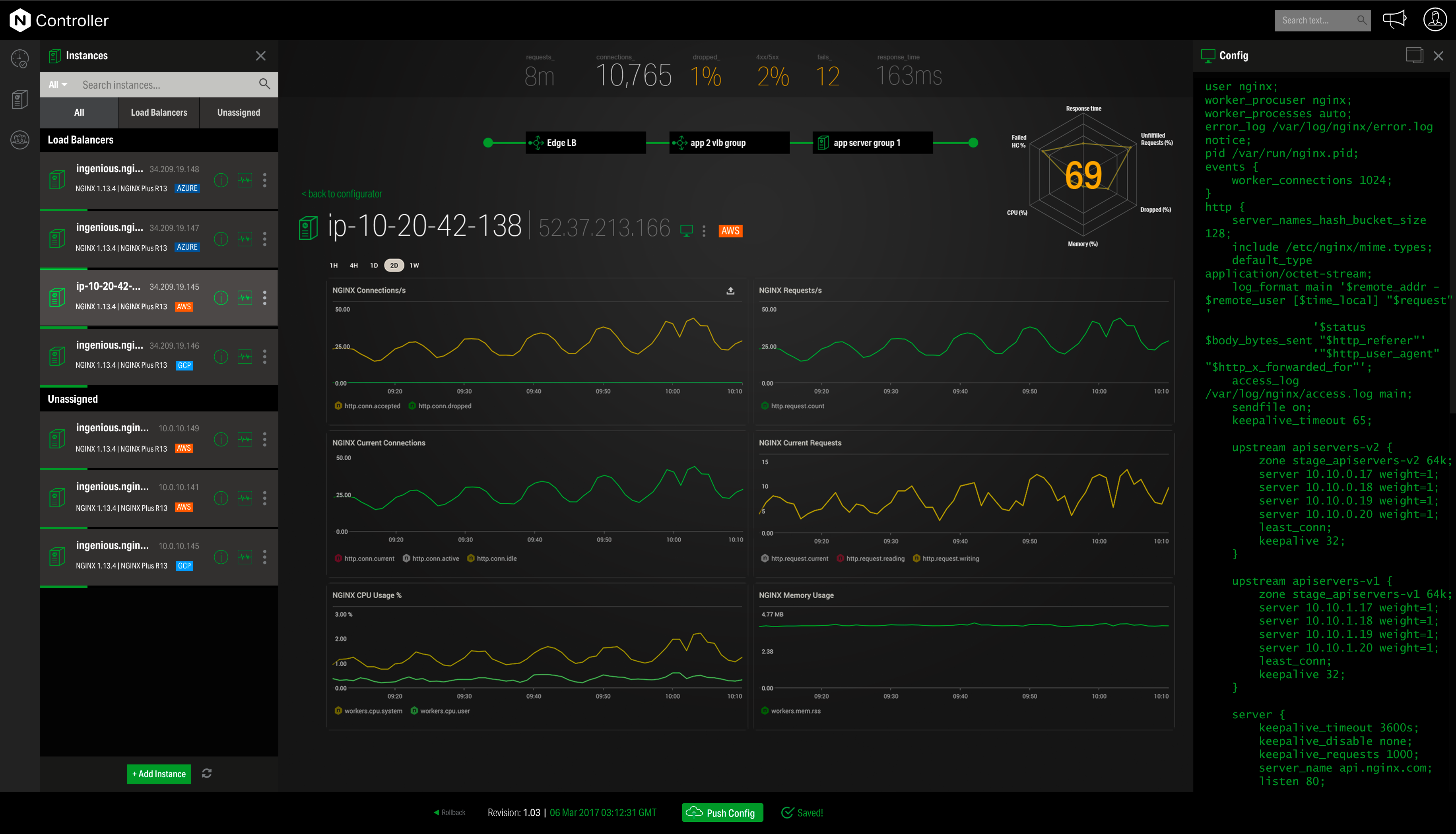
I'd love to see more work done on nginx+ monitoring without requiring logging every request. I understand that many statistics can only be derived from logs, but plenty should work without that. Logging is not an option in many environments.
As of this writing, we have just discontinued our use of Adobe Media Optimizer. Other vendors gave us a better rate, a better contract option, and the product is just better than what we had with Adobe at the time. We may revisit Adobe again at the future, but it seems like they have a lot of work to do to catch up with the leader in the space
It definitely takes some instruction to get to be able to use the system. One would struggle trying to get it to work without any previous experience with it. If you are famailiar with the interface it is actually quite fast and easy to maneuver around.
This tool is really easy to use and configure. Consumes very less system resources. It is highly modular and configurable. You can easily use it with other tools like certbot for SSLs. You can configure basic security with configuration and headers
They are super knowledgable and help in almost all situations, however sometimes I feel they put you on hold to find the answers themselves as they literally have said. "Can you hold a few minutes while I research that answer for you?" Most of the time they come back with a solution, other times they manually escalate it to someone else.
Community support is great, and they've also had a presence at conferences. Overall, there is no shortage of documentation and community support. We're currently using it to serve up some WordPress sites, and configuring NGINX for this purpose is well documented.
It was a step up from Marin in terms of UI. Very similar functionality to Marin. Compared to Kenshoo Search and Google Marketing Platform it was probably not as advanced but offered the benefit of integrating with other products in the Adobe stack like Adobe Analytics, Adobe Target, and Adobe Campaign.
I have found that [NGINX] seems to perform better throughout the years with less issues although I've used Apache more. I would definitely recommend [NGINX] for any high volume site and I've seen this to usually be the case from most provided web hosts who will pick [NGINX] over alternatives
By using Nginx, we can host multiple web services on a single server, keeping our infrastructure costs lower.
Nginx maintains our HTTPS connections, allowing us to keep our promise to our customers that their data is safe in transit.
Due to Nginx's extremely low failure rate, our web addresses always return something meaningful, even when individual services go down. In sense, this means we are "always online" and allows us to maintain brand and support our customers even in the face of catastrophe.