Adobe XD is a prototyping and UX/UI option for website and mobile application design, featuring a range of UI tools and and templates, a versatile artboard and contextual layer panels, and deep integration with Adobe's creative suite of products for fast import of objects from these applications.
$33.99
per month per license
Balsamiq
Score 7.3 out of 10
N/A
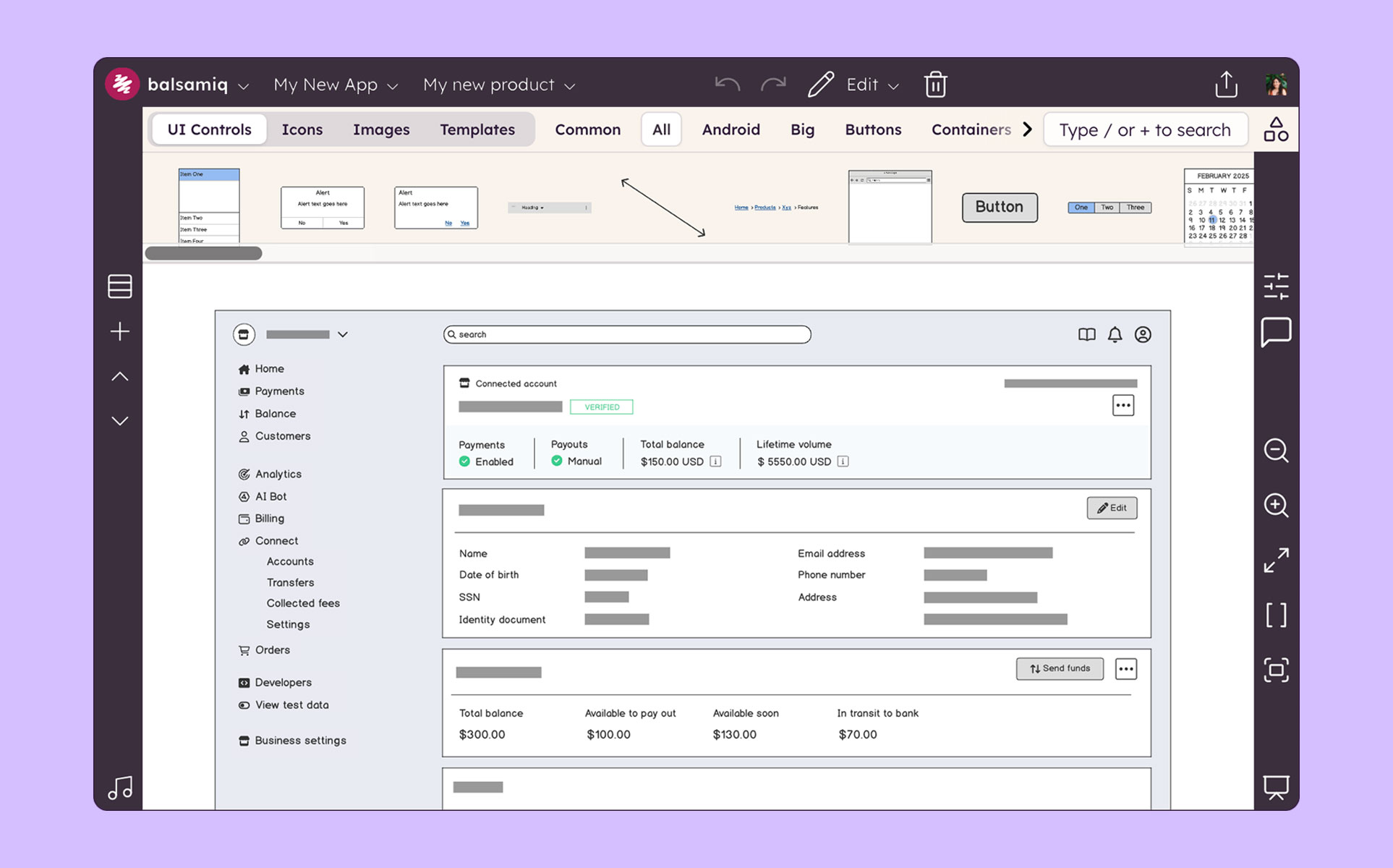
Balsamiq is a wireframing tool that helps lean product teams turn early ideas into clear, actionable direction. The tool helps product managers, founders, and engineers worldwide share concepts, reduce rework, and build better products.
$12
per month (up to 2 projects)
Marvel
Score 9.0 out of 10
N/A
Marvel is a prototyping and wireframing app.
N/A
Pricing
Adobe XD
Balsamiq
Marvel
Editions & Modules
Individual
$9.99 ($119.88)
per month (annual, prepaid)
Students & Teachers - All Apps
$19.99 ($239.88)
per month, annual plan (for the year)
Business - Single App
$33.99
per month per license
Business - All Apps
$79.99
per month per license
Schools & Universities - Institution Wide
Contact Sales
No answers on this topic
No answers on this topic
Offerings
Pricing Offerings
Adobe XD
Balsamiq
Marvel
Free Trial
No
Yes
No
Free/Freemium Version
No
No
No
Premium Consulting/Integration Services
No
No
No
Entry-level Setup Fee
No setup fee
No setup fee
No setup fee
Additional Details
—
Pay per project, not per user
—
More Pricing Information
Community Pulse
Adobe XD
Balsamiq
Marvel
Considered Multiple Products
Adobe XD
Verified User
Professional
Chose Adobe XD
The biggest benefit of Adobe XD for us is how easily we can use it based on our familiarity with Adobe products and because of the product’s integration with other Adobe products. There can be extra tasks when working, say, with Adobe Photoshop and Sketch. With XD, working …
While I love these other tools for many different reasons, Balsamiq is the tool I use for low-fidelity wireframing every time. It’s the most simple and easy-to-use out of the bunch, and it gets the job done without a ton of effort and time required. In the early stages of …
Balsamiq is a quite simple tool; but does exactly what was designed for, it helps with creating mockups, wireframes, and flows. Its simplicity works great for people who are not designers but need to visually represent their ideas. Low-fidelity wireframes work really well in …
In some works, I prefer to use InVision than Marvel for high fidelity prototypes, as there is a wide variety of interactions and micro-interactions available, but still, I use marvel a lot for quick prototyping. It also uses Figma a lot for high-fidelity prototypes. The …
Marvel isn’t the most robust prototyping tool, but its simplicity is what makes the tool rise to the top when it comes to creating quick, simple prototypes to elicit feedback on designs and iterate upon them. While tools like InVision and Axure provide many tools to make more …
Marvel has replaces InVision for me in terms of quick prototyping for high-fidelity mockups. There is a greater variety of interactions, especially between screens, and overall it seems to just have a sleeker feels. I still use Principle over Marvel for more detailed …
If its already part of your organization, and they have a license for Creative Cloud, its worth learning. It doesnt take long to get started, but compared to other software in the same field, its lacking in many ways, from quality of life features to just simply not having the option for Darkmode. Even for website design, UX/UI, and mocking up proof-of-concepts, there are much better tools like Figma.
Balsamiq is a great tool for quickly getting ideas into visual form. At first it seems like there are not that many UI assets, but this constraint actually adds to the speed. There are less things for you to fuss over, you can focus on getting your ideas down. This is a tool for lofi rough drawings not a tool for building beautiful prototypes for developers to code to. It is fantastic for ideation because you mostly just drag and drop components onto the canvas and move things around. It's great in a live workshop setting for that reason.
Marvel is a very strong tool in scenarios where designers seek to quickly create simple prototypes on their desktops using a simple, intuitive interface. It offers “just enough” functionality to create somewhat realistic designs to present to stakeholders and other designers. However, there’s a limit to how “realistic” those designs can be, given that Marvel has somewhat limited functionality around animations. Marvel is not a strong option for those who want to create very complex prototypes with many animations, or for those who want to edit prototypes on their tablet or phone. Marvel is a jewel for simplicity but starts to be difficult to use when creating complicated designs. For creating more complicated prototypes, I would recommend a more robust tool, such as Axure.
Mock ups are obviously only just mock ups (this is important as if users see mock-ups in HTML, for example, they tend to think the system is ready to use or not far off)
Has a good selection of standard shapes that mock real world fields / controls
Allows not for profit organisations use it for free
The sketch-like style can be off-putting to some stakeholders, and it’s not initially very clear that there is the option to turn this “off.” While I do think there is benefit to the default style, knowing from the start that this flexibility existed would have helped us be able to use this tool more often in the past and in different situations.
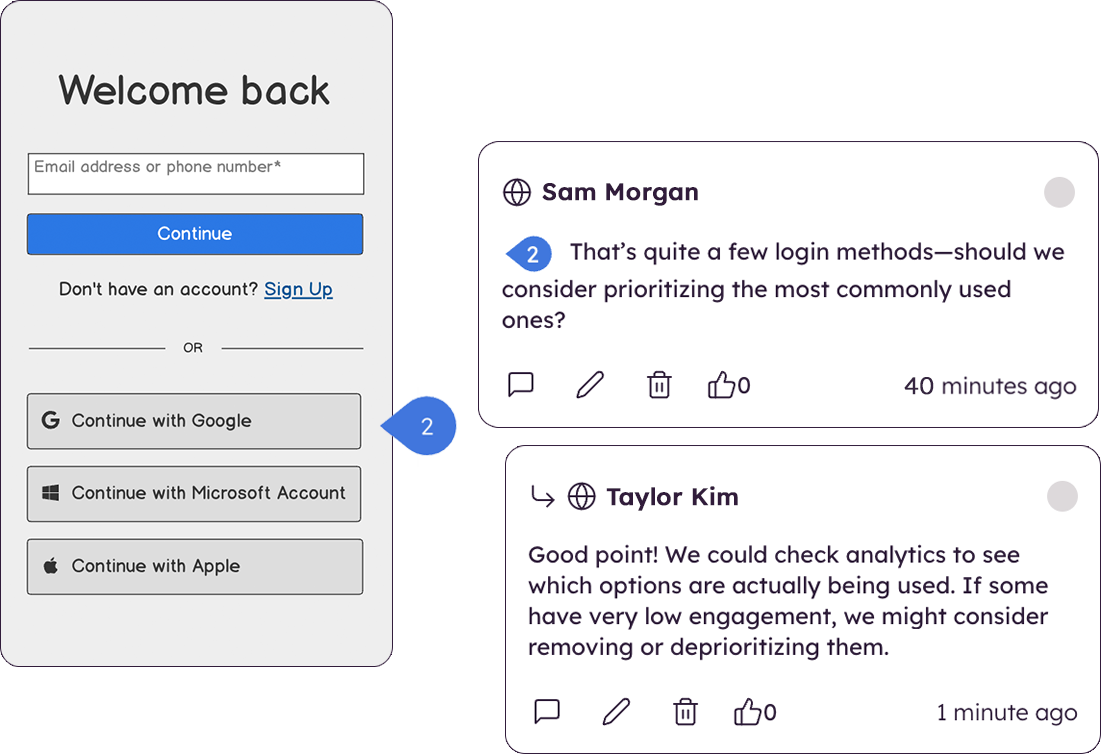
There are very limited collaborative functionalities. When it’s early in the design process, it’s often really helpful to have a number of people in the design to offer in-app feedback so the designer doesn’t have the burden of collecting feedback from many disparate sources in order to incorporate the feedback.
There are limited UI elements. As design evolves, there are more and more UI elements to consider, and many to stop using. Our Balsamiq wireframes would be a lot more effective in communicating design ideas to stakeholders if there was a wider range of UI elements to choose from.
I really miss being able to duplicate, make a copy of the prototype I'm working on. Sometimes, I want to make a comparison with detail changes and without being able to duplicate it is difficult.
Compared to other similar services, I feel the animations could be more fluid and smoother.
It could have more free sophisticated icons and images.
We utilize many of the applications in the Adobe CC suite and our usage of this application came about simply because it was the one that was already paid for. Bearing that in mind we will definitely be renewing the software upon the expiration of the licensing. I am not sure if this is the solution we would go with were it not already included, we would have to evaluate all other options
I'm not sure how else we would be able to complete our work without Balsamiq or another similar tool. All of my experience with Balsamiq has been positive and they continue to develop new features so that my job gets easier. I would be very surprised if we didn't renew Balsamiq
Adobe XD is basically on life-support now, there are much better software out there that do everything XD can do, and a few that you don't even have to pay a monthly subscription fee on. While Adobe XD is great as shortcuts that are used in other CC software works, and its integration with CC is great. But it still lacks compared to its closest competitor.
Very intuitive and easy to understand. It only takes minutes to get the hang of it and get back to work. For new analysts (like, brand new, fresh out of school) it's not difficult and they need minimal to no hand-holding. The training content that is embedded is easy to find and use.
I have not had a need to connect with the Adobe XD support team as of yet, but from past experience when dealing with the other products, the support has been very very good, and I would have no reason to think that this product would be any different. There are a good number of training videos on the Adobe site for this product as well as on other social media sites so a quick search should let you find the answers in several different ways.
Before XD came to the company, screens were designed in Illustrator or Photoshop and a PDF presentation was generated, which was extremely time-consuming. XD saved us a lot of time (and money) by generating interactive prototypes, which are much more tangible for the client than a PDF. The "fight" with Figma is frequent. Both have features in which they are better than their competition. And, while I still choose Adobe XD, don't rule out moving to Figma with its multiple updates.
Creating digital wireframes in Photoshop is a nightmare. Photoshop was not really designed for this purpose. It doesn't have good collaboration options and it doesn't allow pattern libraries, which are essential for consistency and efficiency. We use UXPin and Axure for some time, but found that these platforms were a bit bloated. Balsamiq is much simpler than any of these options. It's a perfect wireframing platform for non-designers or for designers that want to focus on content and element-placement prior to design
Ultimately, InVision was just a better fit for our company's needs. It's probably faster to create prototypes using Marvel, but InVision's collaboration features (comments, notes, etc.) are much more robust, which was helpful for our large team spread across multiple continents. InVision also offers more advanced features, and Marvel felt a little too limited for our overall business needs.
Ease of use means we are up and running in no time.
Integrates and is a part of the Adobe CC platform (which we already subscribe to) so there was no additional cost.
Online proofing and developer handoff links are the icing on the cake. Keeps everything in one place.
Handles all our assets (mostly created in Illustrator) like a dream. Even imports native Photoshop docs, too, so that saves us so much time round tripping.
The product works very well for showing product owners and developers design ideas for purposes of discussion, debate and refinement.
The products also works very well for specifying new designs for developers. This is best done in a series of screens that show various screen states and user interactions.
I also use the products to document bugs in software products and websites we have developed. This includes outlining and documenting bugs and changes to user interactions and refinements to the usability of completed interfaces and user experiences.