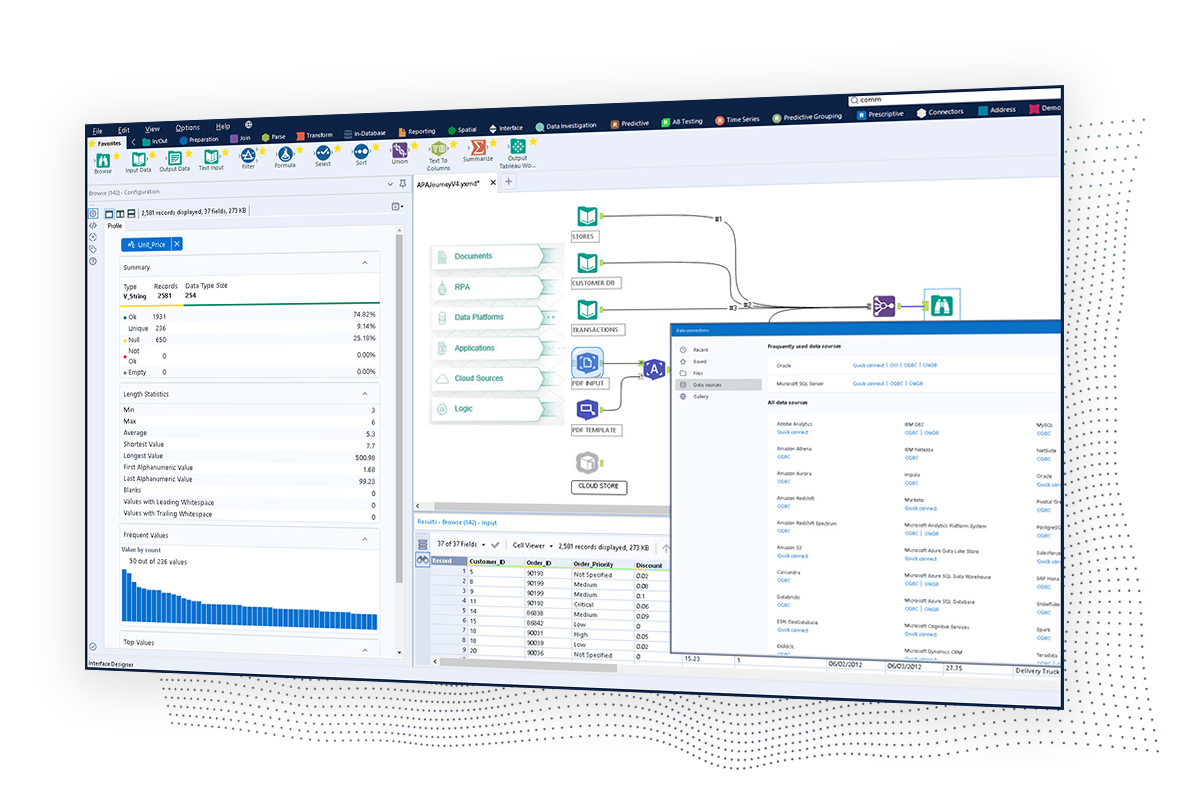
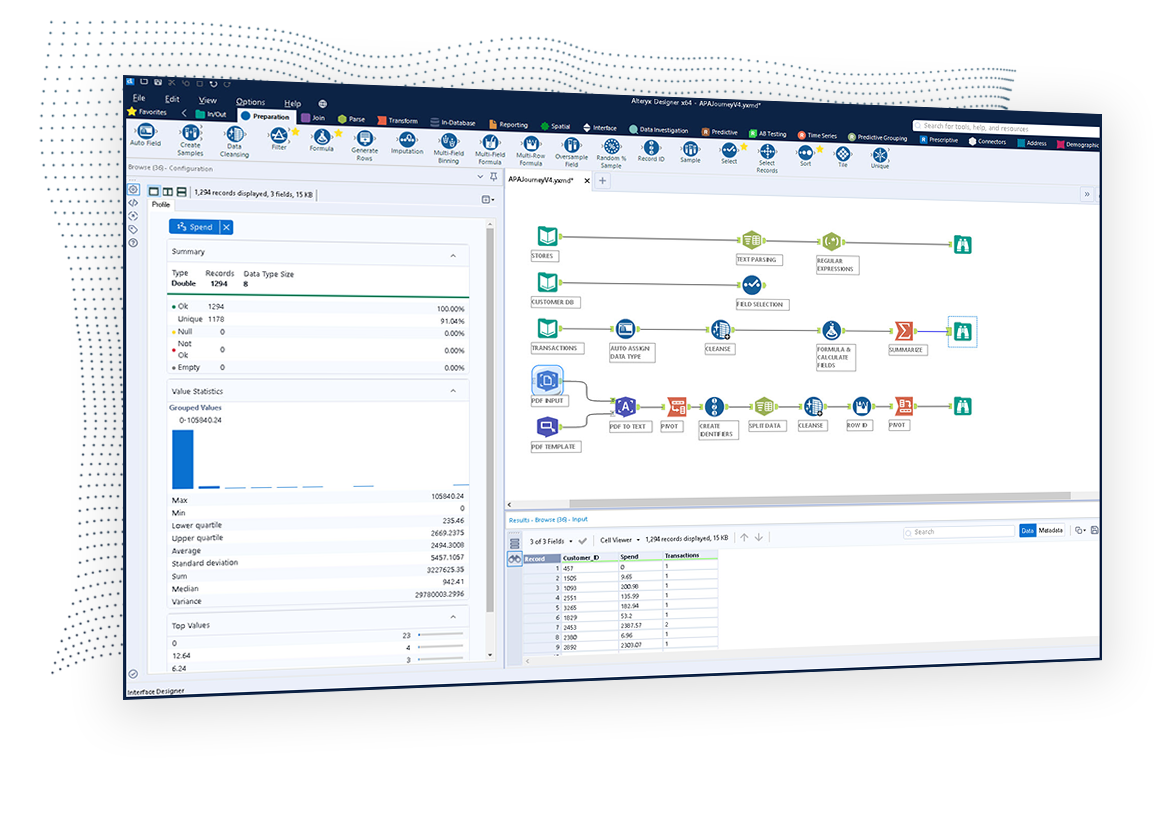
The Alteryx AI Platform gives organization automated data preparation, AI-powered analytics, and machine learning with embedded governance and security. Its self-service functionality, with self-service data prep, machine learning, and AI-generated insights, gives enterprise teams with a simplified user experience allowing everyone to create analytic solutions that improve productivity, efficiency, and the bottom line. Alteryx Designer can be used to automate every analytics step…
$4,950
per year per user (minimum of 3 users)
Microsoft Power BI
Score 8.5 out of 10
N/A
Microsoft Power BI is a visualization and data discovery tool from Microsoft. It allows users to convert data into visuals and graphics, visually explore and analyze data, collaborate on interactive dashboards and reports, and scale across their organization with built-in governance and security.
$14
per month (billed annually) per user
Netlink Dataware
Score 8.0 out of 10
N/A
Netlink headquartered in Wisconsin offers Dataware, a platform for extracting and preparing data, performing data cleansing, data mapping, data conversion, and combining of data.
N/A
Pricing
Alteryx Platform
Microsoft Power BI
Netlink Dataware
Editions & Modules
Designer Desktop
starting at $5,195
per year per user
Designer Cloud Professional Edition
Starting at $4,950
per year per user (minimum of 3 users)
Power BI Pro
$14
per month (billed annually) per user
Power BI Premium
$24
per month (billed annually) per user
No answers on this topic
Offerings
Pricing Offerings
Alteryx Platform
Microsoft Power BI
Netlink Dataware
Free Trial
Yes
Yes
No
Free/Freemium Version
No
Yes
No
Premium Consulting/Integration Services
No
No
No
Entry-level Setup Fee
No setup fee
No setup fee
No setup fee
Additional Details
—
Power BI Desktop is the data exploration and report authoring experience for Power BI, and is available as a free download.
—
More Pricing Information
Community Pulse
Alteryx Platform
Microsoft Power BI
Netlink Dataware
Considered Multiple Products
Alteryx Platform
Verified User
Anonymous
Chose Alteryx Platform
Alteryx was the only tool when evaluating since I had personal experience with the product for almost 10 years.
I prefer Alteryx Platform to all the above products. In my opinion, the Microsoft products (Excel, Power BI) are inferior, cheaper alternatives to Alteryx Platform.
I think Alteryx Platform offers a much more user friendly and can be owned by the business user much easier than SAS data insights tool can. Both are powerful but the end-user experience is much easier and intuitive with Alteryx compared to SAS from my perspective.
Fivetran is a basic on its own, but it is very cloud based solution and useful for large teams handling large data sets, hence wasn’t useful for our case. That is why we picked Alteryx which provides easy to use and understand interface for low knowledge, people.
I used ACL before so all my scripts were written in SQL and it was not low code at all. After me and my team started using Alteryx, we moved all the scripts to workflows in Alteryx, it took some time, but works way better than ACL, it is faster and easier to maintain it any …
Alteryx is by far the most powerful tool to carry out complex and customized calculations with ease and highly reproducible while the other tools often face memory issues and 10x more time to carry ou similar calculations
Alteryx is more efficient than competitors we've tested and used. Alteryx Designer can handle data wrangling and analysis that we once needed to do in multiple software.
I still use SQL, Python, and Excel when I have to - but alteryx has largely replaced all three of these. Every operation I need to do in any of these I can do in alteryx and see what I'm doing each step of the way - so problem solving is also easier.
IMHO KNIME is not user friendly as much as Alteryx. Learning curve is long. Regardless is Open Source, the GUI is awful. To do same job in Alteryx you need to add many components and the configuration is very complex. Although the application is free, the server side is not. I …
Digital Transformation & Innovation Lead, Middle East Africa (MEA), Turkey & Central Asia
Chose Alteryx Platform
IBM is old school, deployment capabilites and automation capabilities lack compared to many market players... Also opensource integrations were limited. Alteryx is good on both deployment and opensource integrations. New versions, IBM WatsonX, is expected to be better the but …
Microsoft Access is still in place, but will be subsitute by Alteryx, because connection to cloudbased data works, more automazitaion is possible. Easier to use.
We asked our external auditors for suggestions on how to make our processes better and they scheduled a meeting with us and presented Alteryx and then showed us a little bit about PowerBI but it was on their suggestion and their being able to show us at that presentation some …
Alteryx beats Tableau fair and square. Tableau is good for vizzy but nothing is comparable to Alteryx's data analysis and big data power. KNIME as well is nothing compared to the R&D Alteryx has. Alteryx having a cost compared to KNIME is a factor but the ROI is definitely …
Alteryx stacks up against its competitors in the marketplace because from day one its goal was to simplify and democratize data processes. Its visual nature and transparent tool set, combined with its highly addictive joy to use make it stand out from the crowd.
Alteryx is MUCH more user friendly. both provide the ability to code within them, but Alteryx has much nicer interface. The formula tools have a more simple language that is easier to learn than formulae in SSIS. Alteryx is easy to read with multi colored tools identifying what …
Alteryx low-code/no-code workflow development, and the ability to view my data at every step, immediately improved my development time by at least 60%. Highbond (formerly Galvanize / ACL) relies on a proprietary ACL script coding language, which can be time-consuming to …
Knime is open source and free. It also positions itself a little on machine learning. But the user experience and the features available are far less powerful than Alteryx. I was a former user of Lavastorm (ancestor of Infogix Data360) and got acquainted with the low-code …
Tableau having pure visuals, we can't make custom visuals. Power BI costs around $10 per month, but Tableau costs around $30-$40 per month, so comparing with Power BI it is costly. Using Power BI is very easy for everyone (technical/non-technical), but tableau is only can …
Plotly has been used to create time-series charts that we are hosting internally. Sometimes, it hasn't been easy for us to set up a data gateway. (for security) To get an internal report, we used Plotly instead of Power BI. Plotly does require some JavaScript knowledge to …
Microsoft Power BI has more templates and the control panel for modifying data visualizations is more powerful with more choices of line charts, bar charts, maps/scatter points than Google sheets, which is limited to simple bar charts and pie charts.
All others apps are enablers and Microsoft Power BI is the visual that end user sees which often adds more value to the end user to make strategic decisions from this. All are equally great but Microsoft Power BI is the end result
Microsoft Power BI vs. Tableau Power BI cheaper and works well with Microsoft tools. Tableau has better visuals but is costly. Microsoft Power BII vs. Looker Looker is good for big data, but Microsoft Power BI is easier to use. Microsoft Power BI vs. Qlik Qlik is fast for big …
Microsoft Power BI provide a user friendly in many ways to analyse the data and visualization of the data .Stacking makes the works easier easily attach the table ,chart row and column through the various available tool ..it also reduces the work part and manpower mechanically …
Microsoft Power BI is more flexible and it requires less effort in order to create a working environment. The results have an attractive and customizable display. The model is a star schema therefore it do not require specific database adaptation. Excel and csv files could be …
Microsoft Power BI is free. If I didn't want to create a custom platform (i.e. my organization insisted on an existing platform that I *had* to use), I'd use Microsoft Power BI. For any start-up or SMB, I'd just use Claude & Grok to build it quickly, also for free. Would …
Microsoft Power BI is easier to learn, a lot of examples on YouTube, internet documentation books helps to the implementation and personalization of the dashboards easier to use than other platforms.
While excel can be useful for a very quick data dump, Microsoft Power BI is able to bring that data to life, and show trends and the actual story of what is happening. Microsoft Power BI is the ultimate display tool, and allows us to share information quickly to the CORRECT …
Compared to this tool, Microsoft Power BI doesn't involve heavy coding and provides user friendly interface to visualize data. Microsoft Power BI reports can be shared and published without exposing your source code. Also, the reports are interactive providing drill down …
Power BI is much simple to use, and more modern than BusinessObjects, which has now been discontinued. It costs much less to license than Tableau which is perhaps more niche and designed better. It is also much more powerful for data analysis than excel, smartsheet, airtable, …
Some of the strengths are 1. User-Friendliness 2. Self-Service BI (Caters to all levels of the employees 3. Cost-effective. 4. Easy integration with Microsoft Suits. 5. DAX Calculations 6. Familiar Interface like traditional Excel. 7. Easier Self-Service platform for …
It's got a larger user base and seems better supported. Personally it feels like alot more work getting comparable results from Tableau. Microsoft Power BI will be WAY easier to work with all your various data sources, if you are working in an environment with M365 already. …
After several years using Google Looker Studio and BigQuery, Microsoft Power BI is a step-up in terms of visualizations. It is also much more powerful, leading to less errors and has a more intuitive interface. Looker studio has a focus on google analytics whereas Microsoft …
NA - did not use any other software, yet. Happy with the services and features provided by Microsoft Power BI which helps us navigate through the client requests on a daily basis while also providing actionable insights / solutions with maximum efficiency and that too in a …
Each has a different function. I think Microsoft Power BI is easier to use than Tableau and cheaper but SQL and databricks have so much more versatility
I prefer Power BI because of its affordability and fewer complicated tools than Tableau. It's easy to use and compatible with other Microsoft products, which are mostly used in the IT industry. It's not limited to only one platform like Looker Studio, which is mostly used in …
We're trying right now to get more people using it at our company so we can send management documented cases for how we can expand and purchase Alteryx Server which will extend the capabilities even more and across more departments. It's been well suited for pretty much everything we do on a repeating schedule. It's worth the time to set up the workflows. When Treasury sends me the bank download now - I save it to a folder and run our workflows and send back 2 journal entries in .9 seconds. (yes - in less than a second it's finished running)
Microsoft Power BI is great for sales tracking, financial reporting, and real-time operations monitoring. It integrates data from multiple sources, creating interactive dashboards for better decision-making. However, it's less ideal for real-time big data processing, offline access, or when deep customization is needed. It works best for structured reporting but struggles with highly complex data models.
Pulling data from multiple disparate data sources.
Allows users to see the data at every step of the workflow to be able to cleanse, analyze, and optimize the data.
Provides an analytics platform that is easy for users of all levels to thrive in whether they are just starting out in their analytics journey or they have a master's degree in Data Science.
Steeper Learning Curve: Alteryx can have a steep learning curve for users who are new to the platform or have limited experience with data analytics. Enhancements to the user interface and user onboarding resources could help make the learning process more intuitive and accessible to a wider range of users.
Enhanced Data Visualization Capabilities: Alteryx offers basic data visualization capabilities, but there is room for improvement in terms of advanced visualizations and interactive dashboarding features. Adding more sophisticated chart types, interactive widgets, and customization options would enhance the data visualization capabilities within the platform.
Improved Error Handling and Debugging: Alteryx provides error handling mechanisms, but enhancing the error reporting and debugging capabilities would be beneficial. Improved error messages, better visibility into data flow, and debugging tools could help users troubleshoot and resolve issues more efficiently.
We've developed a working partnership with Alteryx. As an enablement suite, we're continuing to innovate and deliver great products with use of Alteryx in our solutions. Alteryx use expands to our global product development teams and is in use in multiple parts of our organization. Alteryx also delivers Experian demographic content to other clients in their product offering. We're highly likely to renew, but that decision is way above my pay grade.
Microsoft Power BI is an excellent and scalable tool. It has a learning curve, but once you get past that, the sky is the limit and you can build from the most simple to the most complex dashboards. I have built everything from simple reports with only a few data points to complex reports with many pages and advanced filtering.
I've found that while some things might take a little longer to create, the flexibility of Alteryx allows you to perform any function needed. I haven't found a use that was not available in Alteryx yet. APIs and XMLs can be created to perform certain functions. In addition, CMD line commands can be sent using Alteryx to perform certain functions as well.
Takes a little bit to get used to it. Not natively intuitive but fairly straight forward to pick up. Also docking it a few points because you can create a really clean, simple UI in Claude very quickly that's faster than building all of this yourself in Microsoft Power BI.
I use many programs and compared to others, Alteryx virtually never goes down, freezes up or gives an application error. Over a 4 year time period that I have used this program, any of these may have happened 3 times. It is an incredibly stable program that I feel completely confident in.
Alteryx is an extremely reliable platform. If there is an error in my workflow, I feel pretty strongly it was probably my fault. The platform also handles large amounts of data very quickly and can join/match, sort, filter, calculate on that data quickly as well. One of my favorite things to build into a workflow are the messages based on data/metadata and error messages based on errors I have come across before.
Stellar, bar-none. Some of the best support folks of any vendor. The Alteryx Community is the most responsive and supportive. On the rare occasion of a release issue or bug, we've been able to get quick help to solve the core problem. Alteryx does not play the blame game. They genuinely help the users solve their issues or respond to questions
It is a fantastic tool, you can do almost everything related with data and reports, it is a perfect substitutive of Power Point and Excel with a high evolution and flexibility, and also it is very friendly and easy to share. I think all companies should have Power BI (or other BI tool) in their software package and if they are in the MS Suite, for sure Power BI should be the one due to all the benefits of the MS ecosystem.
1st level of trainings which I've attended in Paris was easy and I was already knowing %90, that learning could have been an e-learning instead of in-person
Very good, detailed online trainings which you can take at your own pace, and strong certifications exists, certifications are extremely detailed and hard...
There is really not much to it (the installation, that is). Once you get it installed, along with any of the add-ons (demographics, R, etc.), you are up and running almost immediately. There is really no additional setup. You can immediately begin blending data, running demographics, performing spatial queries, running predictive analysis, etc. And for many of these functions, the learning curve is quite easy.
I used ACL before so all my scripts were written in SQL and it was not low code at all. After me and my team started using Alteryx, we moved all the scripts to workflows in Alteryx, it took some time, but works way better than ACL, it is faster and easier to maintain it any changes have to be done.
All others apps are enablers and Microsoft Power BI is the visual that end user sees which often adds more value to the end user to make strategic decisions from this. All are equally great but Microsoft Power BI is the end result
Individual analysts can quickly generate results using their own copy of Alteryx Designer. But using the Server and developing macros for more complex needs can be time consuming.
Error handling - allows controls to be built into workflows easily and allows them to be isolated and spat into control reports that can be easily reviewed and audited, thanks to the ability to create multiple outputs in one go.
Time-saving - saved huge amounts of time, especially when moving Excel processes into Alteryx.
Product development - allowed my firm to create products that we have been able to market and sell to clients.
We're still early in the adoption process at this company, but we've illustrated how bad data keeps us from being more productive. ~25% of a team's work week was dedicated to effectively cleaning up entries, but it was always seen as a normal to them.