Overview
ProductRatingMost Used ByProduct SummaryStarting Price
Arlo
Score 10.0 out of 10
Mid-Size Companies (51-1,000 employees)
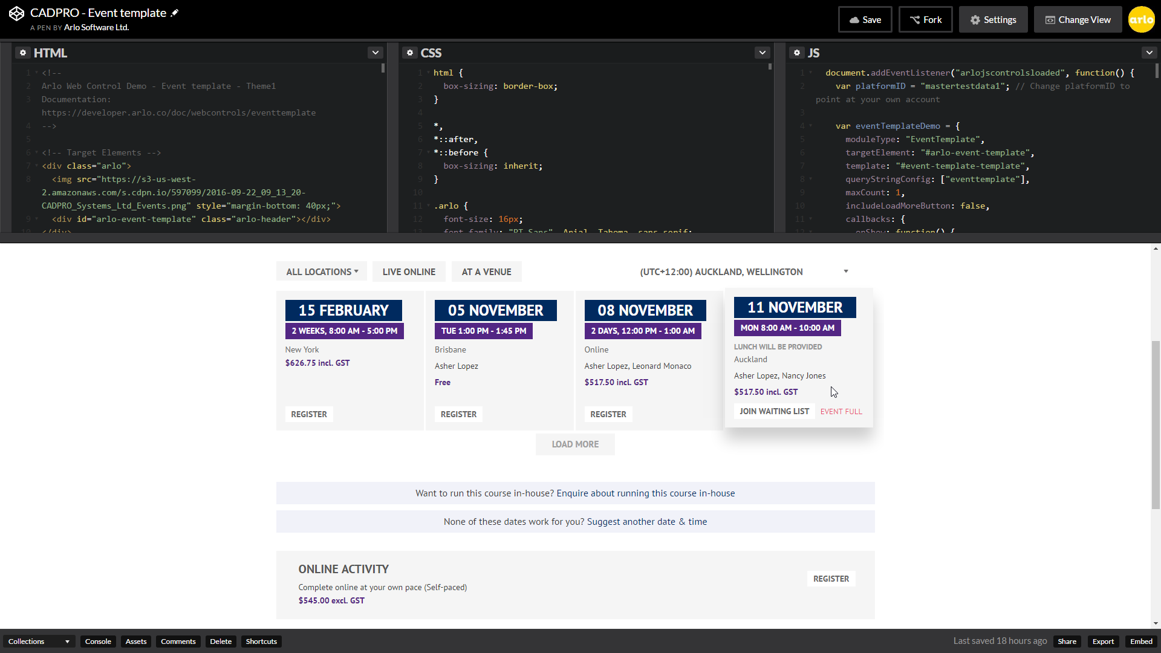
Arlo is a cloud based training and event management software designed to promote, sell and deliver courses and events. Arlo automates manual processes by providing simple scheduling, automatic communication, custom reporting, payments & invoicing. Client records are kept updated within Arlo’s robust CRM. Courses and events are easily managed within the Arlo platform and online registration can be tailored with fully customisable registration forms.…
$99
per user, per month
CheckPoint
Score 8.5 out of 10
N/A
CheckPoint is a digital access management and engagement system for venues. It automates and digitizes the registration, ticketing, and check-in process while enabling venues, vendors, and exhibitors to engage with guests directly to their phone's lock screen. CheckPoint is an event management tool for events, conferences, festivals, clubs, and more. The venue management solution boasts users among both the Oscars and Nasdaq.N/A
ClickMeeting
Score 9.4 out of 10
N/A
ClickMeeting is a webinar solution formerly owned by GetResponse, an email marketing software company. ClickMeeting's online meeting and collaboration tools are designed to support the sales, marketing, e-learning, and training needs of business of all sizes.
$25
up to 25 attendees
Pricing
ArloCheckPointClickMeeting
Editions & Modules
Simple
$99
per user, per month
Professional
$189
per user, per month
Enterprise
$249
per user, per month
No answers on this topic
Live 25
$25
up to 25 attendees
Live 50
$35
up to 50 attendees
Automated 25
$40
up to 25 attendees
Automated 50
$45
up to 50 attendees
Live 100
$60
up to 100 attendees
Automated 100
$75
up to 100 attendees
Live 200
$119
up to 200 attendees
Live 500
$139
up to 500 attendees
Automated 200
$145
up to 200 attendees
Enterprise
$165
500 - 5000
Automated 500
$179
up to 500 attendees
Live 1000
$239
up to 1000 attendees
Automated 1000
$279
up to 1000 attendees
Offerings
Pricing Offerings
ArloCheckPointClickMeeting
Free Trial
YesNoYes
Free/Freemium Version
NoNoNo
Premium Consulting/Integration Services
NoNoNo
Entry-level Setup Fee$99 per user, per monthRequiredNo setup fee
Additional DetailsUsage charges are as follows: 95¢ per registration for free events/online activities and $2 per registration for paid events/online activitiesDetailed enterprise pricing on demand.
More Pricing Information
Community Pulse
ArloCheckPointClickMeeting
Considered Multiple Products
Arlo
Chose Arlo
Arlo is great for home office video monitoring. Meraki is more geared toward enterprise. Both work equally well for what they are designed for but Meraki has more advanced features that businesses might need.
Chose Arlo
Im still comparing and so far Synology is a better choice for its clarity and ease of use.
Chose Arlo
It came down to several business associates who provided a strong referral. I truly believe in networking and using the experiences of others to help avoid costly mistakes. Once the product arrived it was packaged well and contained very easy instructions. The products are …
CheckPoint
Chose CheckPoint
CheckPoint is easier to use, the leader of the NGFW firewall and for the price equal to other competitor. the support for the devices owned is also a good side of the vendor that allow to learn about a lot of information behind the CheckPoint TAC support and PS engineer.
Chose CheckPoint
-policy granularity of achieving the incoming traffic behaviour better than fortinet -best suited for enterprise companies then barracuda -stability is very long -compliance can be achieved according to industry standards and best practices according to security standards, …
Chose CheckPoint
The CheckPoint Firewall and Cisco ISR router serve different purposes. Our organisation uses both devices, but in different areas of the topology. The Cisco ISR is a remote device and its function is to relay information to our edge firewall, which then passes to our internal …
Chose CheckPoint
There is no clear leader for anti-malware, all have strengths and weaknesses, nothing is good or great at everything.
ClickMeeting
Chose ClickMeeting
I have not used other webinar platforms extensively, so my choice was based on ClickMeeting’s features, ease of use, and reliability.
Chose ClickMeeting
ClickMeeting was designed with webinars in mind, and it's done well. It features built-in registration forms, automated emails, surveys, and analytics, making event management and tracking easier. Furthermore, joining a webinar is simple and doesn't require software …
Chose ClickMeeting
ClickMeeting is better suited for large group of people and it is available in Polish, which is quite important for my customer base.
Chose ClickMeeting
We chose ClickMeeting over zoom and teams because it’s better for running structured webinars and online workshops. Unlike Zoom, it has built-in tools for registration, reminders, and audience engagement without needing extra setup. Teams is great for internal meetings, but not …
Chose ClickMeeting
ClickMeeting stands out due to its more visually appealing interface and simplified usability. The layout feels more intuitive, especially for hosting webinars and interactive sessions. The platform is easier to navigate for both hosts and participants. Another strength of …
Chose ClickMeeting
For several years we have been using the ClickMeeting platform exclusively for our webinars. As for meetings within the organization - here we previously used other platforms. However, since we have ClickMeeting we also use this platform to organize meetings for our teams. …
Chose ClickMeeting
We selected ClickMeeting for its specialized focus on webinars and virtual events, which aligns with our organization's needs. ClickMeeting's dedicated webinar features and ease of use make it an ideal choice for hosting engaging and interactive online presentations and live Q&A…
Chose ClickMeeting
The interface is clear and legible, user-friendly. The quality of audio-video is outstanding, as with the other platform we sometimes encountered some issues. ClickMeeting has a lot better registration tools and other user engaging features (polls and surveys). The technical …
Chose ClickMeeting
I only use ClickMeeting to conduct online meetings and webinars. I don't need to change the program to another one. I am satisfied with the functionalities that the program offers. The ability to upload your own files and record meetings is very nice. The program helps a lot in …
Chose ClickMeeting
While Google Meet is a reliable product for small, internal meetings, the specific features and functionalities of ClickMeeting make it a better fit for the purposes of organizing large scale events and webinars. Whether through the ability to add multiple event managers, …
Chose ClickMeeting
ClickMeeting distinguishes itself as a standout EU solution primarily due to its GDPR compliance, a feature that sets it apart in the competitive market. Unlike Teams and Zoom, which often grapple with GDPR-related issues, ClickMeeting's adherence to these regulations makes it …
Chose ClickMeeting
In addition to its benefits for staff meetings and online courses, ClickMeeting offers a range of teaching tools that enhance the learning experience. These tools allow for interactive presentations, real-time collaboration, and engaging multimedia content. Furthermore, …
Chose ClickMeeting
While Google Meet is a reliable platform for simple meetings, ClickMeeting offers a more comprehensive set of features tailored for webinars and large-scale events. These include advanced event management, interactive engagement tools like polls and Q&As, and seamless screen …
Chose ClickMeeting
ClickMeeting won competition with other products becuse it gives ability to organise big events, has good support and takes care of clients.
Chose ClickMeeting
We chose ClickMeeting because this solution offers us the optimal basis for our language teaching. Working with the ClickMeeting platform comes in our opinion closest to the possibilities of a face-to-face language training. All classroom tools can be found on the platform, …
Chose ClickMeeting
Our organization considered using skype, but it did not seem safe in terms of data security. Skype also offered fewer features than the ClickMeeting platform. Clickmeeting is a very secure platform. It offers a number of different functions. There is a possibility to conduct …
Chose ClickMeeting
ClickMeeting is better priced, has post-event abilities that I am looking for. LOVE the automated webinars. Love being able to make a separate studio room for a tech check with guest presenters. Been using for so long, the product is very stable, tech support chat is really …
Chose ClickMeeting
Zoom is fine for education, however, it has no support for earning with it ClickMeeting gives us suport for conntact with clients, we can manage webinars easily, it's integrated with FB, it save our time fo administration and organizational work it's really adopted for need of …
Chose ClickMeeting
- does not require installation - clear interface - fast chat technical support - available in Polish language - provides a stable connection - it allows us to share presentations - we can also record the meeting - the process of creating the meeting is quick and easy also …
Features
ArloCheckPointClickMeeting
Performance & Compatibility of Online Events Software
Comparison of Performance & Compatibility of Online Events Software features of Product A and Product B
Arlo
-
Ratings
CheckPoint
-
Ratings
ClickMeeting
9.0
Ratings
13% above category average
High quality audio00 Ratings00 Ratings9.80 Ratings
High quality video00 Ratings00 Ratings9.50 Ratings
Low bandwidth requirements00 Ratings00 Ratings8.60 Ratings
Mobile support00 Ratings00 Ratings8.30 Ratings
Screen Sharing
Comparison of Screen Sharing features of Product A and Product B
Arlo
-
Ratings
CheckPoint
-
Ratings
ClickMeeting
9.5
Ratings
18% above category average
Desktop sharing00 Ratings00 Ratings9.60 Ratings
Whiteboards00 Ratings00 Ratings9.30 Ratings
Online Meetings / Events
Comparison of Online Meetings / Events features of Product A and Product B
Arlo
-
Ratings
CheckPoint
-
Ratings
ClickMeeting
9.7
Ratings
17% above category average
Calendar integration00 Ratings00 Ratings9.70 Ratings
Meeting initiation00 Ratings00 Ratings9.60 Ratings
Integrates with social media00 Ratings00 Ratings9.60 Ratings
Record meetings / events00 Ratings00 Ratings9.90 Ratings
Slideshows00 Ratings00 Ratings9.70 Ratings
Online Events Collaboration
Comparison of Online Events Collaboration features of Product A and Product B
Arlo
-
Ratings
CheckPoint
-
Ratings
ClickMeeting
9.7
Ratings
18% above category average
Live chat00 Ratings00 Ratings9.60 Ratings
Audience polling00 Ratings00 Ratings9.70 Ratings
Q&A00 Ratings00 Ratings9.80 Ratings
Online Events Security
Comparison of Online Events Security features of Product A and Product B
Arlo
-
Ratings
CheckPoint
-
Ratings
ClickMeeting
9.5
Ratings
17% above category average
User authentication00 Ratings00 Ratings9.80 Ratings
Participant roles & permissions00 Ratings00 Ratings9.70 Ratings
Confidential attendee list00 Ratings00 Ratings8.90 Ratings
Best Alternatives
ArloCheckPointClickMeeting
Small Businesses
Whova
Whova
Score 9.5 out of 10
Whova
Whova
Score 9.5 out of 10
Whereby
Whereby
Score 9.9 out of 10
Medium-sized Companies
Cvent Event Diagramming
Score 9.2 out of 10
Whova
Whova
Score 9.5 out of 10
JioMeet
JioMeet
Score 9.8 out of 10
Enterprises
Cvent Event Diagramming
Score 9.2 out of 10
Whova
Whova
Score 9.5 out of 10
Webex Meetings
Webex Meetings
Score 8.7 out of 10
All AlternativesView all alternativesView all alternativesView all alternatives
User Ratings
ArloCheckPointClickMeeting
Likelihood to Recommend
10.0
(0 ratings)
1.0
(0 ratings)
9.5
(0 ratings)
Likelihood to Renew
-
(0 ratings)
1.0
(0 ratings)
9.1
(0 ratings)
Usability
-
(0 ratings)
5.7
(0 ratings)
9.3
(0 ratings)
Support Rating
9.0
(0 ratings)
-
(0 ratings)
9.9
(0 ratings)
Implementation Rating
-
(0 ratings)
-
(0 ratings)
9.1
(0 ratings)
User Testimonials
ArloCheckPointClickMeeting
Likelihood to Recommend
  • Excellent for home security and monitoring in areas with strong WiFi signals.
  • Excellent for mounting cameras with a lot of mounting options.
  • Wireless is good with a long battery length before charging is needed.
If there is a weak WiFi signal like at a cabin or in remote areas it is less appropriate.
Read full review
-enterprise companies prioritising threat prevention -companies prioritising compliance like Hipaa -companies having hybrid setup like onprem and cloud -companies require strong network segmentation. - I believe that this is best suited for all companies. Since this is run most of the finance companies then you could easily how stable is this -For smaller companies would be bit expensive but if they are already aware of their company is going to run for the long time then they should opt for this firewall to cater their issues at the early stage of their security compliance, the hierarchy of the product features are really amazing
Read full review
ClickMeeting is highly suitable for large-scale webinars, remote training sessions, team meetings, and non-profit outreach events due to its robust features and user-friendly interface. However, for small team meetings or highly interactive workshops, a simpler or more specialized platform might be preferable. Also, its performance could be impacted in areas with limited or unstable internet connections. Overall, it's an excellent tool for remote communication and collaboration, but its suitability may depend on the specific needs and circumstances.
Read full review
Pros
  • It records everything
  • Sends notifications
  • App is easy to use
Read full review
  • Rules
  • Gui
  • Updates and patches
  • Communication from Sales Team
Read full review
  • ClickMeeting is user-friendly, the admin and user panel is simple, intuitive!
  • When conducting training, you can use default settings such as edu mode and it saves time, I don't have to worry if I'm sure I've muted everyone and if I'm the only one visible.
  • ClickMeeting is also integrated with the Moodle e-learning platform, so it's a great support in organizing blended-learning processes.
Read full review
Cons
  • The camera battery life could be improved although it is pretty good.
  • Products are expensive.
Read full review
  • I think Guard cloud should have an improvement as Palo Alto prism has a more depth integration with container security
  • API management should be having more automation to make interaction with SOC
  • User interface should be more user friendly
  • Harmony should be as good as Palo Alto XDR which offers incident and analytical response
  • Cost should be evaluated for licensing modules
  • false positives may occur
Read full review
  • Individual Audio Controls. I'd love to be able to adjust the audio for each of the presenters within the platform, as the host. Not all presenters are tech savvy and sometimes don't know how to adjust this themselves.
  • Additional Saved Color Schemes. I'd love to be able to create/save multiple custom color schemes that I can use for various events instead of a single one.
Read full review
Likelihood to Renew
No answers on this topic
Every dollar to CheckPoint is a wasted dollar.
Read full review
No answers on this topic
Usability
No answers on this topic
the solution offer the most improvement about the usability by management more firewall in the same context or multicontext instead. The shared database allow to use one object for more than a package target of a cluster or more of gateways firewall. The management remain isolated from traffic pass through the firewall so the disruption is limited at minimum.
Read full review
ClickMeeting solves many problems related to the organization of online meetings. Thanks to this platform, you can easily connect with other people from anywhere in the world without leaving your home. This saves time and travel costs. ClickMeeting also enables interactive exchange of information, presentations and documents, which allows for more effective teamwork. Additionally, the platform offers features such as meeting recording, allowing you to easily store and share information. ClickMeeting also provides high quality audio and video, which allows for smooth and effective online communication. All these benefits translate into time savings and increased work efficiency.
Read full review
Support Rating
I have only had to contact them one time, and they were responsive and professional. It is difficult to give a rating on this unless you actually have an issue. This is the reason for a 9 out of 10. I can not give a perfect rating if I never had an opportunity to truly experience something.
Read full review
No answers on this topic
ClickMeeting has never disappointed. This platform made us organize webinars and trainings for our target groups more often. Our internal communication has also improved thanks to the use of this tool. ClickMeeting responds to all our need and we are very glad that we decided to use it. It is a cost-effective tool which is quite important for NGO.
Read full review
Implementation Rating
No answers on this topic
It was very simple.
Read full review
Alternatives Considered
Im still comparing and so far Synology is a better choice for its clarity and ease of use.
Read full review
The CheckPoint Firewall and Cisco ISR router serve different purposes. Our organisation uses both devices, but in different areas of the topology. The Cisco ISR is a remote device and its function is to relay information to our edge firewall, which then passes to our internal firewall (CheckPoint) to securely control traffic requests.
Read full review
In addition to its benefits for staff meetings and online courses, ClickMeeting offers a range of teaching tools that enhance the learning experience. These tools allow for interactive presentations, real-time collaboration, and engaging multimedia content. Furthermore, ClickMeeting's optimized video streaming capabilities minimize delays, ensuring a smooth and uninterrupted learning environment for students.
Read full review
Return on Investment
  • It's been positive overall using Arlo.
  • They seem to respect privacy more than their competition.
  • Haven't had any issues with the models we use.
Read full review
  • Support
  • Reliability
  • Easy to use
Read full review
  • ClickMeeting has had a very positive impact on our organization’s objectives. It allows us to run open training sessions and webinars for participants from multiple organizations, reaching more people without the need for travel or large venues. The platform’s reliability and ease of use help us deliver high-quality training efficiently.
Read full review
ScreenShots

Arlo Screenshots

Screenshot of View information in real-time. At a glance, see what events are coming up, monitor registrations, view events people have registered interest in, track the value of orders per month, and manage your daily tasks.Screenshot of Create event registration forms with a range of options to capture the information you need for each event. Add sessions for workshop registrations, options for accommodation, and capture special information using custom fields.Screenshot of Receive payments easily with payment gateway integrations.Screenshot of Arlo makes it quick and easy to create a great looking and engaging experience for your visitors.  Use a website template and you can be up and going in no time.  Alternatively, have your web designer integrate Arlo with your website’s Content Management System (CMS) or skin up an Arlo website theme.Screenshot of Whether you are an administrator, presenter, or support staff, you’ll have access to all the information you need in the palm of your hand with Arlo for mobile.

CheckPoint Screenshots

Screenshot of CheckPoint ecosystem includes the digital ticket using the wallet pass technology, a near-field communication tap device used for registration and check-in, and an admin portal used to provide real-time updates and analytics to make data-driven decisions.Screenshot of CheckPoint gives exhibitors, vendors and sponsors access to your guests' lock screen to send personalized notifications. Send urgent messages in real-time to increase security around your venue.Screenshot of Modernize your venue with CheckPoint's digital ticketing system that lives in your guests' mobile wallets. By using CheckPoint, improve your user experience by enabling a 100% contactless and automated system that gets your guests into your venues faster and smarter.Screenshot of Increase security around check-in with CheckPoint's automated and contactless system. CheckPoint is a sleek digital solution that condensed a multi-step process into one simple tap to speed up check-ins.

ClickMeeting Screenshots

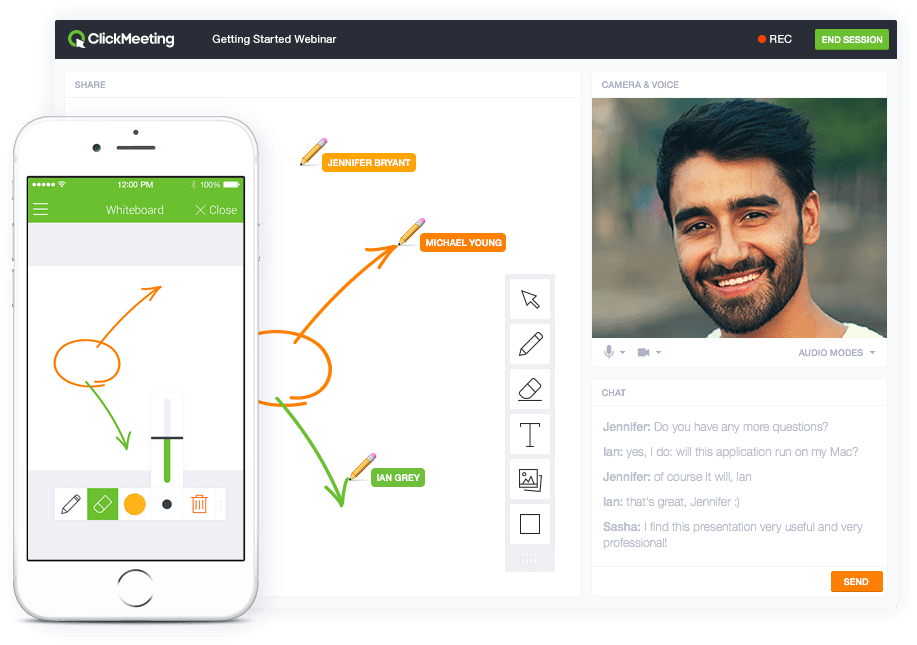
Screenshot of Whiteboard featureScreenshot of Presentation featureScreenshot of Responsive designScreenshot of Webinar roomScreenshot of Webinar room 2Screenshot of Webinar room 3