Chose Avaza
Avaza takes the easy of Asana and adds the invoicing and bookkeeping capabilities you need all in one place.

| Product | Rating | Most Used By | Product Summary | Starting Price |
|---|---|---|---|---|
 Avaza | Mid-Size Companies (51-1,000 employees) | Avaza is a software suite targeted for all business sizes. It includes modules for project management and collaboration, resource scheduling, team chat, time tracking, expense management, quoting and invoicing. Depending on their business needs, companies can use as many, or as few, of the modules as they need. Avaza offers reporting functionality, and the project management module is designed with both list view and Kanban style task management, so users can choose… | $0 Unlimited Project Collaborators, 1 Admin, 1 Timesheet/ Expense User, 1 Resource Scheduling User | |
 Flowdock | N/A | Flowdock is a collaboration tool built around a chat and team inbox interface. Flowdock is available via app or as a browser-based solution. It was originally offered by Rally Software Development, which was acquired by CA Technologies, which was acquired by Broadcom in 2018. | N/A |
| Avaza | Flowdock | |||||||||||||||
|---|---|---|---|---|---|---|---|---|---|---|---|---|---|---|---|---|
| Editions & Modules |
| No answers on this topic | ||||||||||||||
| Offerings |
| |||||||||||||||
| Entry-level Setup Fee | Optional | No setup fee | ||||||||||||||
| Additional Details | — | — | ||||||||||||||
| More Pricing Information | ||||||||||||||||
| Avaza | Flowdock | |
|---|---|---|
| Considered Both Products |  Avaza  Tristan Boyd Owner Chose Avaza Avaza is the only solution that ties all of our needs together in one platform at a reasonable price.  Veronica M Duckett Managing Partner Chose Avaza This is miles ahead of ActiveCollab. It has more features, the interface is easier to use and the invoicing is easier to use. Across the board better. We migrated from ActiveCollab, but that was just essentially a Fancier Wunderlist. If you just need one project and a few tasks … | Flowdock  Vinicius Lima Computer Technician Chose Flowdock Slack is a similar software. Private chat or channels are well implemented in both softwares and both are also very easy to setup. Besides of some usability problemas I think Flowdock is still better than Slack in this user experience and design.  Kyle Golembiewski Marketing Analyst Chose Flowdock Slack is a better product. They're taking the spirit of the startup and moving quickly towards IPO. In my own experience, Slack provides enough software integrations with hope for future releases that continue to improve the product. The early days of Flowdock were very … |
| Avaza | Flowdock | ||||||||||||||||||||||||||||||||||||||||||||||||
|---|---|---|---|---|---|---|---|---|---|---|---|---|---|---|---|---|---|---|---|---|---|---|---|---|---|---|---|---|---|---|---|---|---|---|---|---|---|---|---|---|---|---|---|---|---|---|---|---|---|
| Project Management |
| ||||||||||||||||||||||||||||||||||||||||||||||||
| Professional Services Automation |
| ||||||||||||||||||||||||||||||||||||||||||||||||
| Communication |
| ||||||||||||||||||||||||||||||||||||||||||||||||
| File Sharing & Management |
|
| Avaza | Flowdock | |
|---|---|---|
| Small Businesses |  Stackby Score 8.9 out of 10 | Stackby Score 8.9 out of 10 |
| Medium-sized Companies |  InEight Score 8.2 out of 10 |  Troop Messenger Score 9.8 out of 10 |
| Enterprises | InEight Score 8.2 out of 10 |  HCL Connections Score 9.0 out of 10 |
| All Alternatives | View all alternatives | View all alternatives |
| Avaza | Flowdock | |
|---|---|---|
| Likelihood to Recommend | 10.0 (0 ratings) | 6.6 (0 ratings) |
| Likelihood to Renew | 10.0 (0 ratings) | 10.0 (0 ratings) |
| Usability | 9.0 (0 ratings) | - (0 ratings) |
| Support Rating | 10.0 (0 ratings) | - (0 ratings) |
| Avaza | Flowdock | |
|---|---|---|
| Likelihood to Recommend |
|
Vinicius Lima Computer Technician |
| Pros |
|
Vinicius Lima Computer Technician |
| Cons |
|
Vinicius Lima Computer Technician |
| Likelihood to Renew |
Veronica M Duckett Managing Partner |
Kyle Golembiewski Marketing Analyst |
| Usability |
| No answers on this topic |
| Support Rating |
Veronica M Duckett Managing Partner | No answers on this topic |
| Alternatives Considered |
|
Vinicius Lima Computer Technician |
| Return on Investment |
|
Vinicius Lima Computer Technician |
| ScreenShots | Avaza Screenshots  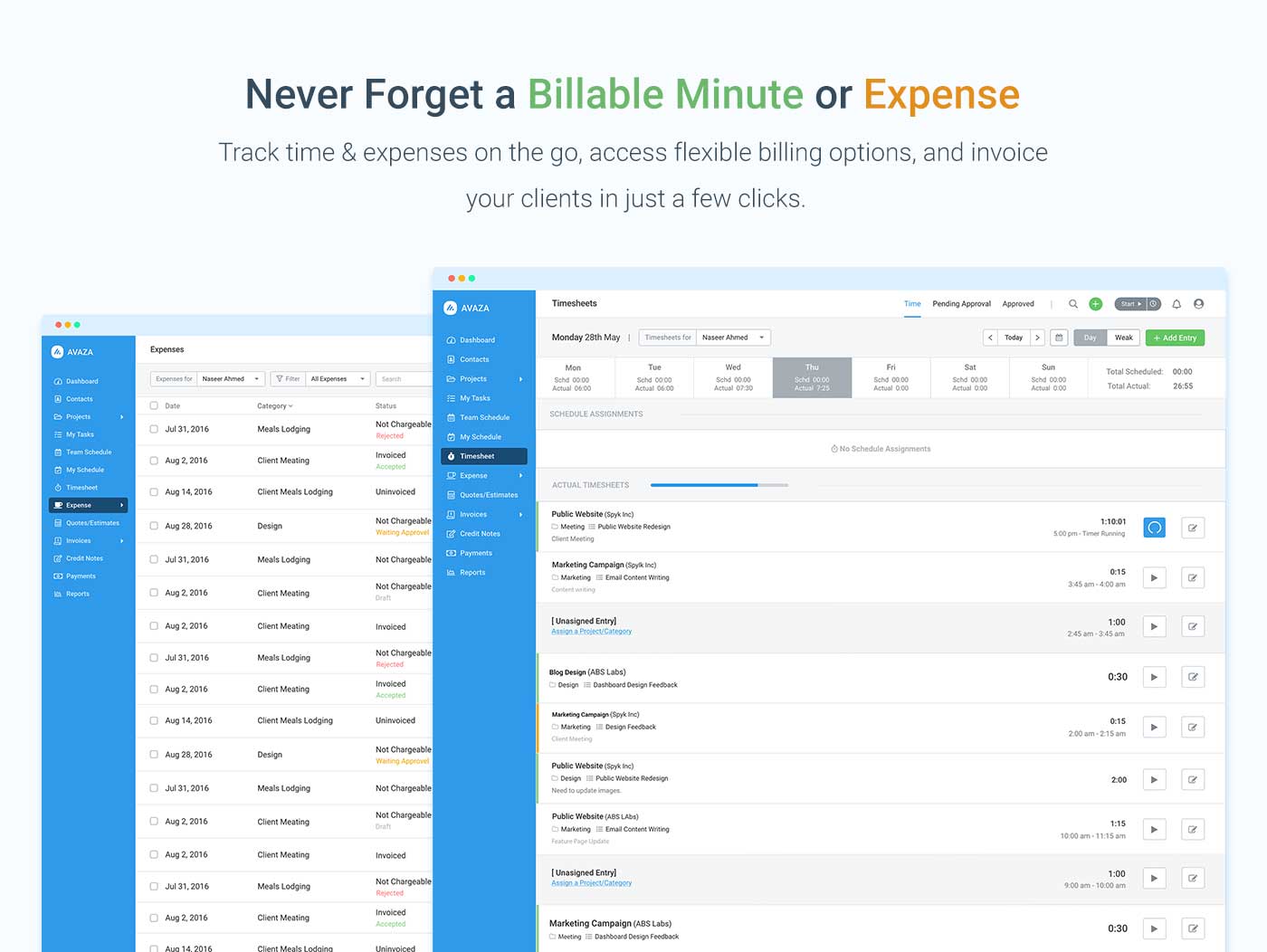    |