
Rachael Ossovicki
Professional Marketer
Chose Bookafy
Bookafy is more advanced and has more features that I need comparing to these other brands. Calendly is very basic while Bookfy offers more robust features.

| Product | Rating | Most Used By | Product Summary | Starting Price |
|---|---|---|---|---|
 Bookafy | Small Businesses (1-50 employees) | Bookafy is an online appointment scheduling solution targeted at a variety of industries. The vendor’s value proposition is that their solution is simple to use, fully customizable, has an elegant user interface and can be embedded into the business user’s website. Support is available via phone, email or chat. | $9 per month | |
 Calendly | N/A | Calendly helps organizations globally automate the meeting lifecycle by removing the scheduling back and forth, with the goal of enabling companies to close deals, hire candidates faster, and build relationships. | $10 per month (billed annually) per seat | |
 Homebase | N/A | Homebase in San Francisco offers restaurants, hotels, hospitals, and retailers their employee scheduling and time tracking tools with scheduling optimization and team messaging for coordinating shifts; service includes a free time tracking app. | $14 per month |
| Bookafy | Calendly | Homebase | ||||||||||||||||||||||
|---|---|---|---|---|---|---|---|---|---|---|---|---|---|---|---|---|---|---|---|---|---|---|---|---|
| Editions & Modules |
|
|
| |||||||||||||||||||||
| Offerings |
| |||||||||||||||||||||||
| Entry-level Setup Fee | No setup fee | No setup fee | No setup fee | |||||||||||||||||||||
| Additional Details | 30% discount available for annual pricing. | Monthly billing also available. | — | |||||||||||||||||||||
| More Pricing Information | ||||||||||||||||||||||||
| Bookafy | Calendly | Homebase | |
|---|---|---|---|
| Considered Multiple Products |  Bookafy Rachael Ossovicki Professional Marketer Chose Bookafy Bookafy is more advanced and has more features that I need comparing to these other brands. Calendly is very basic while Bookfy offers more robust features.  Juan R. Arroyo Yap Chief Clarity Officer Chose Bookafy The main decision for Bookafy was influenced by the lifetime deal and Zoom integration. Bookafy doesn't embed as well as Calendly. It also doesn't have the ability to set up hidden meetings. Meetfox is all through a browser which is convenient for that not tech savvy but it … |  Calendly  Taylor Robinson Marketing Consultant Chose Calendly Calendly has a much more specific purpose geared toward business meetings or any kind of meetings where as google makes more sense in an internal meeting or a school project or something like that. Calendly is really good at getting a smooth schedule down between client and …  Amanda Duron VP Brand and Engagement Chose Calendly I haven’t explored many other options, but I am a sold-out believer in this product and have used it at multiple organizations.  Tara Brueske Booking and Vocal Coaching Chose Calendly Square Appointments  Joe Natoli UX Consultant, Author + Speaker Chose Calendly Everything I've said previously. It takes me entirely out of the loop of coordinating people's schedules, sending invites, booking time, ensuring they get a Zoom invite, etc. It does everything while I do next to nothing, which is as it should be. As a team of one, my time …  Asiya Khan Consultant Chose Calendly Bookings is ok - but the game changer or I guess the deal breaker was bookings wasn't offering reminders or notifications to clients. This is important so our users are not wasting their time once again with emails that could be automated. With Calendly not only are you set …  Brian Krause Instructional Technology Coach Chose Calendly Ease of use  Brian Thomas Professor of Physics and Astronomy Chose Calendly I have not considered other products. Chose Calendly When I started using it, there were not many competitors in this space. I've seen some like Mixmax that seem to work well for solopreneurs or where free version might be better than Calendly's free version. I use the paid version of Calendly and it's just kept serving us well …  Renea Hanks Director Of Brand Development Chose Calendly Square Appointments I like it as well it just doesn't have the robust ability that Calendly does. Personally, if there were an ability to do that, Square Appointments could give Calendly a run for their money for their own customers. I don't see how they could move the compete …  Ryan Berg CRO Chose Calendly Calendly is not meant to be a full featured CRM. Better if you're comfortable adding a scheduling software to your overall CRM and calendar stack. | Homebase |
| Bookafy | Calendly | Homebase | |
|---|---|---|---|
| Small Businesses |  vcita Score 9.0 out of 10 | vcita Score 9.0 out of 10 |  7shifts Score 9.9 out of 10 |
| Medium-sized Companies |  LeanData Score 8.8 out of 10 | LeanData Score 8.8 out of 10 |  PowerDMS by NEOGOV Score 7.0 out of 10 |
| Enterprises |  Zoom Workplace Score 8.5 out of 10 | Zoom Workplace Score 8.5 out of 10 |  Zoho People Score 8.9 out of 10 |
| All Alternatives | View all alternatives | View all alternatives | View all alternatives |
| Bookafy | Calendly | Homebase | |
|---|---|---|---|
| Likelihood to Recommend | 8.7 (0 ratings) | 9.5 (0 ratings) | 8.0 (0 ratings) |
| Likelihood to Renew | - (0 ratings) | 9.1 (0 ratings) | - (0 ratings) |
| Usability | - (0 ratings) | 10.0 (0 ratings) | 8.0 (0 ratings) |
| Support Rating | - (0 ratings) | 8.7 (0 ratings) | - (0 ratings) |
| Bookafy | Calendly | Homebase | |
|---|---|---|---|
| Likelihood to Recommend |
|
Tara Brueske Booking and Vocal Coaching |
|
| Pros |
Rachael Ossovicki Professional Marketer |
|
|
| Cons |
|
Renea Hanks Director Of Brand Development |
|
| Likelihood to Renew | No answers on this topic |
| No answers on this topic |
| Usability | No answers on this topic |
|
|
| Support Rating | No answers on this topic |
| No answers on this topic |
| Alternatives Considered |
Juan R. Arroyo Yap Chief Clarity Officer |
Joe Natoli UX Consultant, Author + Speaker |
|
| Return on Investment |
|
Asiya Khan Consultant |
 Amy DiMouro Deputy Education Director |
| ScreenShots | Bookafy Screenshots 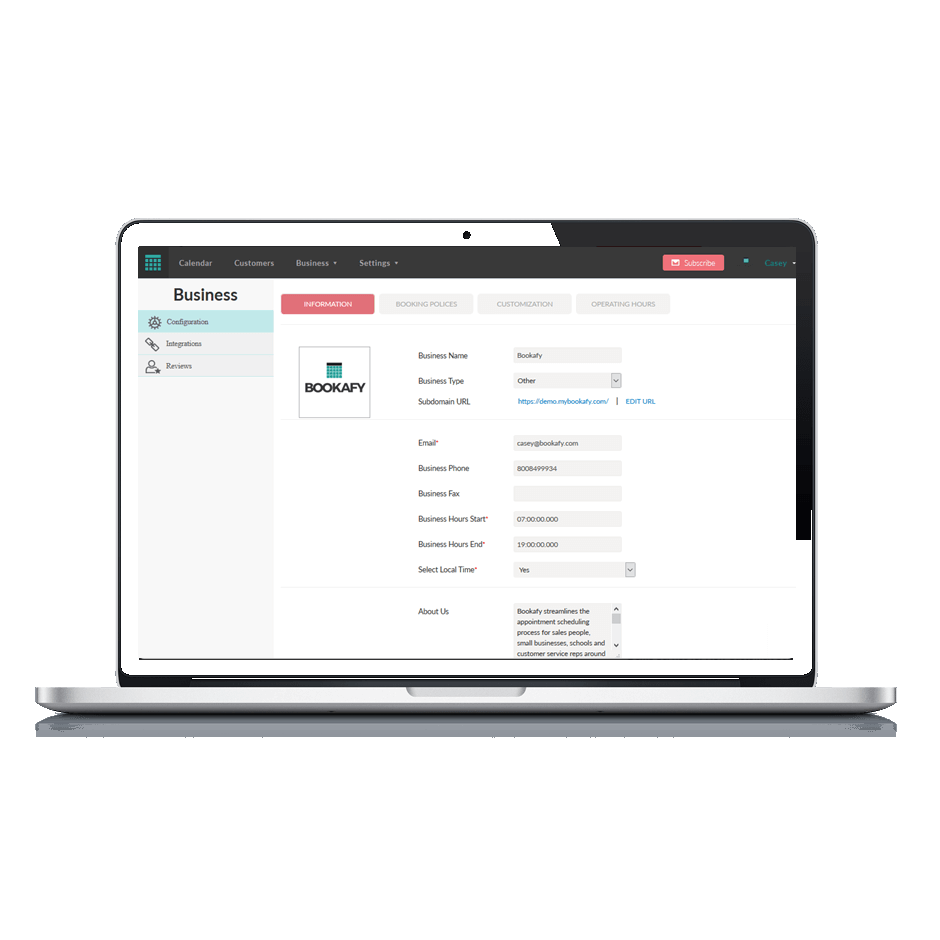    | Calendly Screenshots      |
