
TrustRadius: an HG Insights company

Paycom

Score8.4 out of 10

1,103 Reviews and Ratings

What is Paycom?

Paycom is an automated HCM platform, built on a single database that eliminates redundant data entry through automation. A payroll and HR software solution, Paycom is used by organizations of all sizes to access employee data without navigating multiple systems.

Media

Screenshot of a new study that reveals that for a composite organization representative of interviewed clients, unifying HR and payroll in a single-database software with automation and streamlined workflows achieved a three-year 362% ROI and resulted in: $1.4M net present value*; over 45% total time saved by HR; 80% time saved on compliance work.
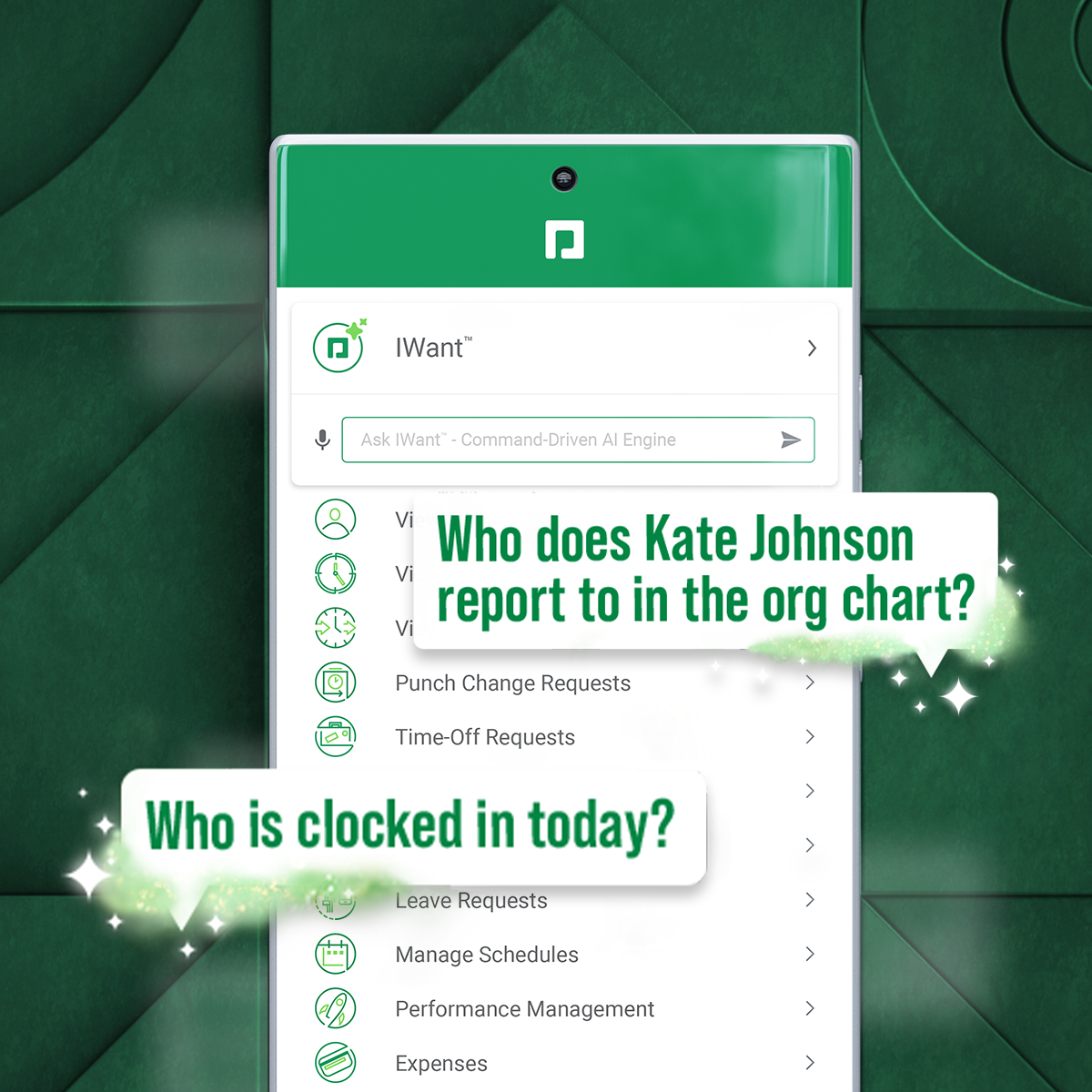
Screenshot of IWant, which is a command-driven AI engine in a single database, for instant access to employee data.
Screenshot of Direct Data Exchange®, which takes a detailed pulse of how employees interact with Paycom. It automatically assigns a dollar value of savings based on Ernst & Young research.

1 / 3

Screenshot of a new study that reveals that for a composite organization representative of interviewed clients, unifying HR and payroll in a single-database software with automation and streamlined workflows achieved a three-year 362% ROI and resulted in: $1.4M net present value*; over 45% total time saved by HR; 80% time saved on compliance work.

Top Performing Features

  • Direct deposit files

    Direct deposit is the ability to electronically transfer pay to an employee’s personal bank account.

    Category average: 0

  • Update personal information

    Employees can update personal profile with change of address, dependents, or other personal data.

    Category average: 0

  • View and generate pay and benefit information

    Employees can view pay and benefit data and print pay stubs.

    Category average: 0

Areas for Improvement

  • Tracking of all physical assets

    Tracking of track laptops, pagers, phones, and other company equipment.

    Category average: 0

  • Line-of sight-visibility

    Line-of-sight visibility is the provision of line-of sight visibility for each goal to see how goals support overall corporate objectives.

    Category average: 0

  • Corporate goal setting

    Corporate goal setting is the ability to define corporate goals, and/or vision statements in the system.

    Category average: 0

Paycom Review

Use Cases and Deployment Scope

We use it starting with applicant tracking. We use it for all of our new hires. We use it for payroll. We use it basically from start to finish for any employees that we hire. It has solved so many problems of keeping everybody in one system because we used to have multiple, and it's just an amazing product overall.

Pros

  • It's very quick, very fast. It keeps everything and everybody in one system, which is amazing, and it helps us save some time during the day and not have to pull up multiple websites.

Cons

  • My only thing is that I wish they would bring back the flag colors on the applicants' side because I really miss them. I like the big bold colors.

Return on Investment

  • Honestly, we just started using the background check feature, and we have seen a major return on investment. It's quickened the process so much that it's now in one system. We don't even have to go to another one.

Other Software Used

Indeed.com, LinkedIn Jobs

Usability

Paycom Review

Use Cases and Deployment Scope

We mainly use it for employee tracking. We hire, we use them for payroll, which is the most important. Love the payroll feature. We use it for benefits and recruiting. Well, payroll, that's the first one. We use it a lot, but we also use it for some reporting, reports that we need for the company, such as turnover or how many hires.

Pros

  • Payroll. So easy. It's just two or three buttons all done. Time cards are very easy to edit if needed, move around, manipulate, and are user-friendly. Our employees with the app on their phones, they can in and out and request PTO, whatever they need to do. And it's very user-friendly, very easy to use.

Cons

  • The one thing would be the tips. For Paycom to be able to talk to our POS system, like Toast, so that we can transfer tips from one system to the other.

Alternatives Considered

ADP Global Payroll and Paychex

Other Software Used

LinkedIn Sales Navigator, Indeed.com, SAP Concur

Usability

Paycom Review

Use Cases and Deployment Scope

Entering new hires, benefits, payroll, employee changes, mean W2s, everything basically all payroll and all throughout.

Pros

  • All of the resources are in one platform, which helps the company. So with all the information in one place, it makes it user-friendly and an asset to the company.

Cons

  • Working with other systems. We have a performance review system; if it could collaborate better, that would be best for us.

Return on Investment

  • More convenience. It's easy to just go into Paycom and get, if not everything, centralized so we don't have to keep going in and out of platforms.

Alternatives Considered

UKG Pro

Other Software Used

PerformYard, PayPal Payments Pro

Usability

Paycom Review

Use Cases and Deployment Scope

It's our everything as far as hiring, personnel action forms, disciplinary action forms, onboarding. We use it for everything that it has to offer.

I'll tell you this, benefits administration—I oversee that part as well. Before we got with Paycom and got the 360 file feed from Fidelity to Paycom, with turnover in that position, we would have people kind of fall off. But Paycom's willingness to come in and work with Fidelity both ways definitely helped our tracking of when employees make changes to their 401(k) selection. So I think that was a huge, huge benefit for us.

Pros

  • You know what? I'm going to use this time to shout out Riley Seal. She's our representative. Any issue, anything, an email or a phone call away, prompt response, the right answer. If she doesn't know it, she'll get back to you with the right answer. So the customer support, I think that is very huge.

Cons

  • If I’m honest with you, it’s kind of as we go. Because when you first purchase any product, they tell you all it can do and you don’t find out what it can’t do until you get inside of it. And so back to Paycom’s willingness to adjust. When we did come across something it couldn’t do or it wasn’t doing, they would fix it or make it able to do it. So I think that’s pretty cool. And to that point, I don’t have a space right now that I can say, “Oh, it needs to do this right now.”

Return on Investment

  • Positive impact. The fact that employees can take care of the minor things that they can do that historically they have to come to HR and our HR assistant would have to do it, but the small things—changing phone numbers, your bank account stuff—all that's smooth.

Alternatives Considered

Workday Human Capital Management

Usability

Paycom Review

Use Cases and Deployment Scope

HRIS and payroll systems are pretty common and there are legacy players who have a lot of customers. The difference that we've found with Paycom is that Paycom was built online, fully integrated, and they've been very careful about what they add to the product so that it continues to be seamless, and it doesn't get pieced in and puzzled in the way some other products work. That for us is hugely significant because whenever we want data, we know where to go, and it's readily available quickly because it's native in that system.

Pros

  • Data and access to data are very important in an HRIS and payroll system. Access to that through reporting tools and very easy reporting tools is one of the top benefits of Paycom. The other benefit is that every time they make enhancements to the software, it's always with a larger view of how it will impact the other parts of the software. And so the software, instead of just getting new benefits that you go, “Well, how did that come about and why did they add it?” every one of the benefits that I see added to Paycom and the evolution of the software is with a cohesive product in mind.

Cons

  • The one area that I think I would make recommendations to change is in performance management. I believe that the already built-in formats for 360-degree reviews and for standard performance management reviews could use a bit more flexibility of customization. For example, the number of raters, how the calculations are made in terms of the metrics, and the final scores of those reviews are all elements that are programmed by Paycom. If we wish to pursue a slightly different model, we are restricted to those changes that Paycom has anticipated and not locked out. If there was a little more adaptability built into this module, I think it would be an improvement.

Return on Investment

  • As a business executive, one of my goals is cost savings. And cost savings don't always show up in the cost of the software, but they do show up in the level of effort that it takes to reach the desired data and reporting, to evaluate metrics, inform decisions, etc. Paycom makes our team's efforts much easier because we can usually go directly to the data that we need. We don't have to jump around with a dozen keystrokes, log into different modules, or attempt actions that are not intuitive. Effort is important, and effort costs money, but we're able to minimize additional effort because Paycom feeds users the important HR data in a common sensical user experience. We're able to use most of the built-in Paycom tools, and the decision tools are excellent. For example, the succession planning module helps us see where the future needs are in the business and who we can develop to take those roles. Those are decisions that, without these kinds of tools, we'd be making in the dark. The ability to set calendar scheduling to these tasks (and others) means that we don't just rely on team memory, department calendars, or user requests. The system guides our responsible actions.

Alternatives Considered

BambooHR®, Paychex, Paylocity and Paycor

Other Software Used

Microsoft 365 Copilot, Mitratech Syntrio

Usability