TrustRadius: an HG Insights company

Bookafy

Score9 out of 10

9 Reviews and Ratings

What is Bookafy?

Bookafy is an online appointment scheduling solution targeted at a variety of industries. The vendor’s value proposition is that their solution is simple to use, fully customizable, has an elegant user interface and can be embedded into the business user’s website. Support is available via phone, email or chat.

Media

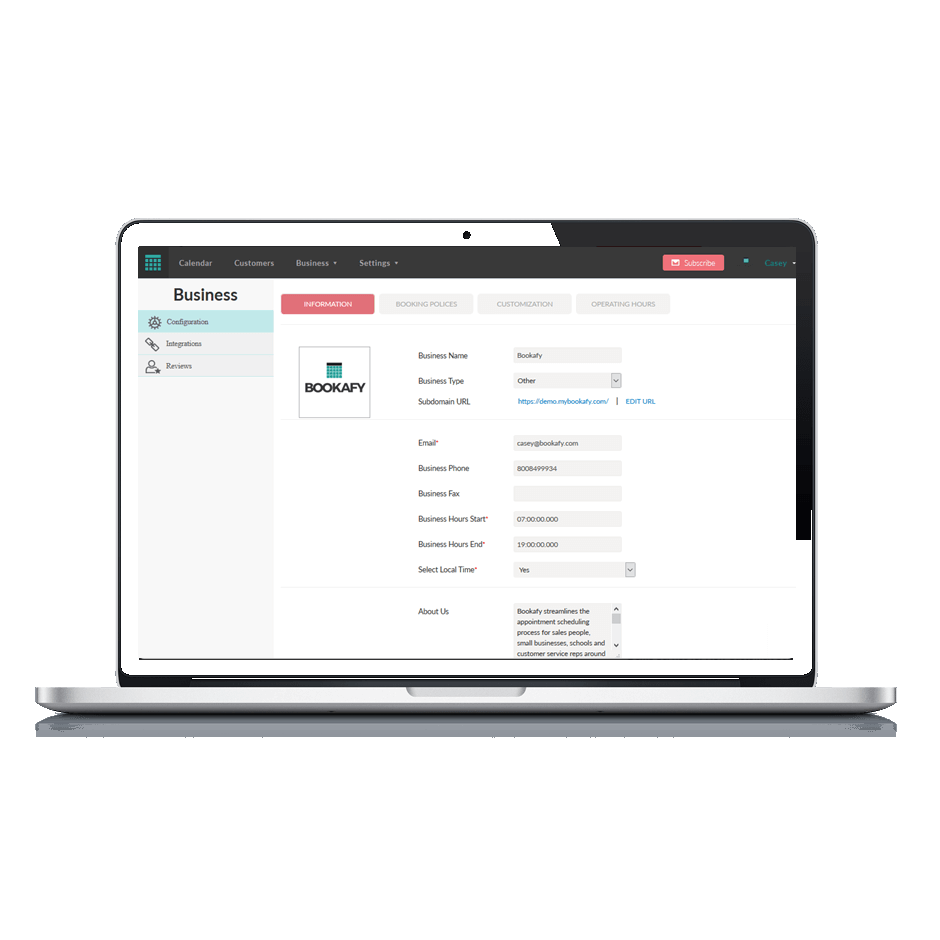
Online appointment scheduling made easy, with a beautiful user interface, simplicity for the customer and powerful customization and integrations.
Business settings allow unlimited services, unlimited staff members and many other custom settings.
Custom automation... decide when your reminders go out, if you want review requests sent, and much more.
Customize staff schedules, availability, services and allow your staff to sync with Google or Outlook calendars
Match your brand design with custom colors on your own online scheduling tool.

1 / 5

Good Value if You Dont Want the Bells and Whistles

Use Cases and Deployment Scope

I use Bookafy to manage appointment setup with current and future clients. A lot of time can be wasted trading emails, texts, and checking calendars to set up a meeting. Bookafy helps save time by allowing the client to pick a convenient time for them at any point during their day without having to wait for our answer. Bookafy also helps me control when I can meet with clients and when I focus on work by limiting availability. Since it allows me to synchronize with multiple calendars at once, I don't have to worry about overlapping with personal meetings or medical appointments. Bookafy also lets me assign meetings to a specific user, which allows me to delegate better.

Pros

  • Calendar synchronization
  • Payment collection
  • Booking page is intuitive
  • Covers core scheduling needs of a business

Cons

  • Embedding specific meetings on a website is not clearly visible and limited in customization options. Someone with HTML knowledge could handle it all but most business owners don't have that knowledge. Also, when it embeds, it's not as responsive and it seems very crowded
  • It doesn't have the ability to have private meetings accessible to customers. This means that I can't have a hidden meeting scheduler that I sent only to my VIP clients as a special bonus. I have to make the meeting public for it to allow someone to book. All competitors of Bookafy have this feature
  • Personally, I don't understand why the meeting types and setup are inside the "Account Settings" area. To me, the creation of meetings and their setup should be a front and center menu
  • I find the user interface outdated and clunky. Feels like a collection of embedded tables rather than sections and rows. Somehow the look affects how intuitive I perceive the back-office of the platform. It reminds me of 1990s website designs... Not visually appealing and crowded screens

Most Important Features

  • Calendar sync
  • Zoom integration
  • Straight forward booking process

Return on Investment

  • I ended up trying Bookafy thanks to a lifetime deal so the savings on subscription payments is great
  • It has saved me countless hours of back and forth trying to setup a meeting with someone
  • Automatic time blocking on my calendar and spacing of meetings have saved me from tardiness and not having time to eat.

Alternatives Considered

Calendly, Acuity Scheduling, a Squarespace company and MeetFox

Other Software Used

Evernote, Trello, Systeme.io

Bookafy makes appointments easy.

Use Cases and Deployment Scope

I use Bookafy for my freelance business. It's way more robust than using Gmail or other platforms. It's easy to schedule appointments, see money made from appointments, send text reminders, and have someone book an invite on your calendar. The syncing capabilities are excellent. I enjoy scheduling my calls this way and everyone get notified.

Pros

  • Appointment reminders.
  • Scheduling.
  • Agenda and Calendar views for organization.
  • Integrations.

Cons

  • More customizable email templates.
  • More robust review capabilities.

Most Important Features

  • Email reminders.
  • Scheduling capabilities.
  • Syncing and integrations.

Return on Investment

  • Bookafy keeps track of money made from appointments.

Alternatives Considered

Calendly, Google Calendar and Apple iCloud Calendar (iCal)

Prospects and clients may easily plan time with me using Bookafy.

Use Cases and Deployment Scope

As a meeting/appointment booking tool, Bookafy excels; it substantially simplifies the process of locating a time slot that meets both the client's and the host's needs. Bookafy's customer service has also been outstanding; they have tailored the platform to meet our specific needs at a fair rate. Our use case is unique, and Bookafy did not perfectly meet it, but they came to the table willing to make improvements that other suppliers would not. Support for having personnel in multiple time zones is still a missing functionality that we are working on.

Pros

  • Booking or scheduling appointments.
  • See calendar in one page.
  • Notify meetings in advance.

Cons

  • Lack of calendar customization.
  • Tracking data.
  • Configuration is confusing.

Most Important Features

  • Book meetings.
  • Email notice.
  • Text reminders.

Return on Investment

  • On time meetings.
  • Some configuration was somewhat confusing.
  • Allow me to send people my personalized link.

Bookafy is a HUGE time saver!

Use Cases and Deployment Scope

I used Bookafy as my booking system for meetings while I was working in Sales for a construction technology company. Using Bookafy was really helpful in streamlining the booking process and allowing customers to have access to my calendar and instantly book. It really helps to eliminate any need for email threads, missed calls, and unnecessary phone tag.

Pros

  • Help to streamline the booking proccess
  • Allows customers to have access to my calendar and book a meeting instantly
  • Eliminates email threads and unnecessary phone calls

Cons

  • It can be difficult with the back and forth of rescheduling meetings
  • You have to remember to manually block off time on your calendar
  • The calendar tab can be confusing at times

Most Important Features

  • Streamlining the meeting booking process
  • Giving clients access to the calendar

Return on Investment

  • Saves a lot of time
  • Streamlines the process
  • Eliminates unnecessary back and forth calling and emailing

Alternatives Considered

Calendly

Good alternative for online appointment scheduling

Pros

  • Easy to embed the appointment form to websites
  • You can show off professionalism while booking meetings
  • You can sync the appointments with Google Calendar
  • Easy to use interface, so you don't waste time trying to figure out things around.

Cons

  • Load speed for the embedded form in websites could be a little quicker
  • Improve the email notification editing capabilities

Return on Investment

  • We improved the scheduling process in our company
  • We look more professional (first impression)
  • We are spending more time prospecting new clients than figuring out with who and where is the next meeting

Alternatives Considered

Calendly

Other Software Used

iSpionage, CloudApp, LiveAgent