BulkSignature vs. CodeTwo Email Signatures 365

Overview
ProductRatingMost Used ByProduct SummaryStarting Price
BulkSignature
Score 9.1 out of 10
Mid-Size Companies (51-1,000 employees)
BulkSignature is an email signature management tool for Google Workspace boasting over 400,000 users. BulkSignature integrates with Google Workspace, allowing users to import data and manage Organizational Units and Groups. The sign-in process uses a single Google Account and Universal Navigation. Managing user and company data can enhance profiles with high-quality pictures, selectively update information, and users can perform bulk updates using CSV file uploads.…
$11
per month 10 users ($1.1/user/month)
CodeTwo Email Signatures 365
Score 9.7 out of 10
N/A
With CodeTwo, users can quickly set up automatic email signatures, legal disclaimers, and branding on all email apps and devices in their organization. CodeTwo offers an award-winning cloud service for Microsoft 365 & Office 365, developed in compliance with ISO/IEC 27001 & 27018.
$13.60
per month for 10 monthly users (minimum)
Pricing
BulkSignatureCodeTwo Email Signatures 365
Editions & Modules
No answers on this topic
Monthly subscription (500 users)
$0.81
per month per user
Yearly subscription (500 users)
$8.76
per year per user
Offerings
Pricing Offerings
BulkSignatureCodeTwo Email Signatures 365
Free Trial
YesYes
Free/Freemium Version
NoNo
Premium Consulting/Integration Services
NoYes
Entry-level Setup FeeNo setup feeNo setup fee
Additional DetailsPricing depends on the number of licences and the subscription plan (yearly or monthly). The yearly plan includes 10% discount.
More Pricing Information
Community Pulse
BulkSignatureCodeTwo Email Signatures 365
Best Alternatives
BulkSignatureCodeTwo Email Signatures 365
Small Businesses
Terminus ABM Platform
Score 8.0 out of 10
Terminus ABM Platform
Score 8.0 out of 10
Medium-sized Companies
Terminus ABM Platform
Score 8.0 out of 10
Terminus ABM Platform
Score 8.0 out of 10
Enterprises

No answers on this topic

No answers on this topic

All AlternativesView all alternativesView all alternatives
User Ratings
BulkSignatureCodeTwo Email Signatures 365
Likelihood to Recommend
9.1
(1 ratings)
9.6
(195 ratings)
Likelihood to Renew
-
(0 ratings)
9.1
(13 ratings)
Usability
8.2
(1 ratings)
9.6
(32 ratings)
Availability
-
(0 ratings)
10.0
(1 ratings)
Performance
-
(0 ratings)
10.0
(1 ratings)
Support Rating
-
(0 ratings)
9.6
(15 ratings)
Implementation Rating
-
(0 ratings)
9.4
(6 ratings)
Configurability
-
(0 ratings)
8.2
(1 ratings)
Contract Terms and Pricing Model
-
(0 ratings)
9.1
(1 ratings)
Ease of integration
-
(0 ratings)
10.0
(1 ratings)
Product Scalability
-
(0 ratings)
10.0
(1 ratings)
Vendor post-sale
-
(0 ratings)
8.2
(1 ratings)
Vendor pre-sale
-
(0 ratings)
9.1
(1 ratings)
User Testimonials
BulkSignatureCodeTwo Email Signatures 365
Likelihood to Recommend
BulkSignature
definitly suited for small and mid-size companies
Read full review
CodeTwo Software
We use CodeTwo Email Signatures 365 with Office 365 and the integration is fantastic. I never have to worry if a use isn't going to see the right template, or if the plugin isn't going to work right. The system just works as advertised and it does it well. The signature templates are very easy to use and apply.
Read full review
Pros
BulkSignature
No answers on this topic
CodeTwo Software
  • Uniform Signatures: CodeTwo Email Signatures 365 allows administrators to create and manage email signatures centrally, ensuring all employees have consistent and professional signatures across their entire organization.
  • Automated Disclaimers: Automatically appends legal disclaimers and compliance-related information to all outgoing emails, which is crucial for industries with strict regulatory requirements.
  • Promotional Banners: Allows the inclusion of promotional banners, links to recent blog posts, or company news in email signatures, turning every email into a marketing opportunity.
Read full review
Cons
BulkSignature
No answers on this topic
CodeTwo Software
  • I would absolutely love to see the introduction of being able to force a branding format (Font, size etc) across our email real estate, this was a feature moons ago but would love to see this come back especially when Microsoft can kill all this for you at the drop of a hat....erm Aptos makes me sad!
  • Easier to navigate training and how to videos to allow you to work out how to make changes and be creative yourself more
  • I genuinely cant think of another point here!
Read full review
Likelihood to Renew
BulkSignature
No answers on this topic
CodeTwo Software
The solution is pretty much set-and-forget. It does what it needs to do, nothing more, nothing less, and it does it very well.
Read full review
Usability
BulkSignature
super intuitive and easy to use for non technical people, but also with the flexibility to create whatever you want with technical knowledge
Read full review
CodeTwo Software
As already described, the set-up process is kept totally simple. This makes setup quick even for untrained administrators. If anything is unclear, you can find all the information you need on the manufacturer's website. As access and configuration are carried out via the web browser, adjustments can be made from any end device. Whether on the move, in the office or at home.
Read full review
Reliability and Availability
BulkSignature
No answers on this topic
CodeTwo Software
We have not witnessed any downtime so far ...
Read full review
Performance
BulkSignature
No answers on this topic
CodeTwo Software
There are no performance issues related
Read full review
Support Rating
BulkSignature
No answers on this topic
CodeTwo Software
No problems but we had a couple of questions about functionality or edge use cases and anytime I contacted CodeTwo Email Signatures 365 support I was absolutely happy with their responses. Very helpful, polite and smart people are working over at CodeTwo Email Signatures 365 support. I would suggest other companies to take note on CodeTwo Email Signatures 365's quality of support and service.
Read full review
Implementation Rating
BulkSignature
No answers on this topic
CodeTwo Software
It is important to make sure Active Directory is correctly populated and that content is standardized, eg telephone number formats.
Read full review
Alternatives Considered
BulkSignature
No answers on this topic
CodeTwo Software
Unfortunately, we have often had problems with CI-Sign. Rolling out the signatures often didn't work and the administration was a problem for our e-mail administrators every time. In addition, the support was unfortunately not good. All this is better with CodeTwo Email Signatures 365. Above all, we are delighted with the application's outstanding support.
Read full review
Scalability
BulkSignature
No answers on this topic
CodeTwo Software
The product is very reliable :-)
Read full review
Return on Investment
BulkSignature
No answers on this topic
CodeTwo Software
  • End user spend less time to no time at all with setting up or editing their signatures
  • Signatures are always conform to company standards
  • It can take a few seconds for the signature to be inserted, this might bother some users
Read full review
ScreenShots

BulkSignature Screenshots

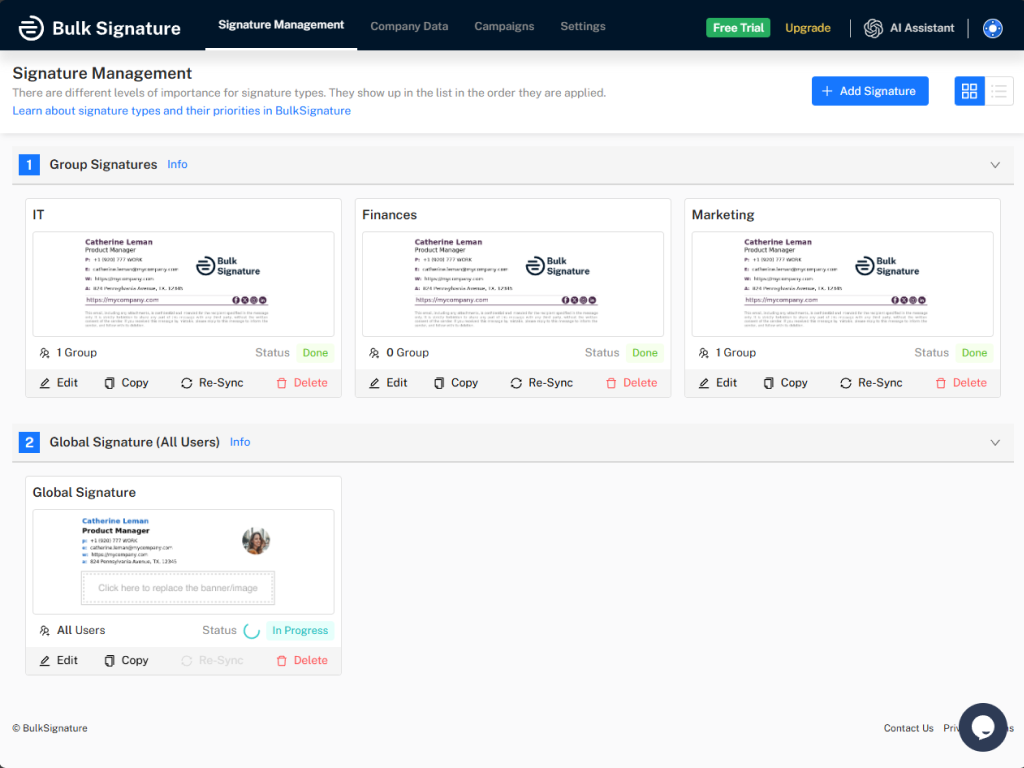
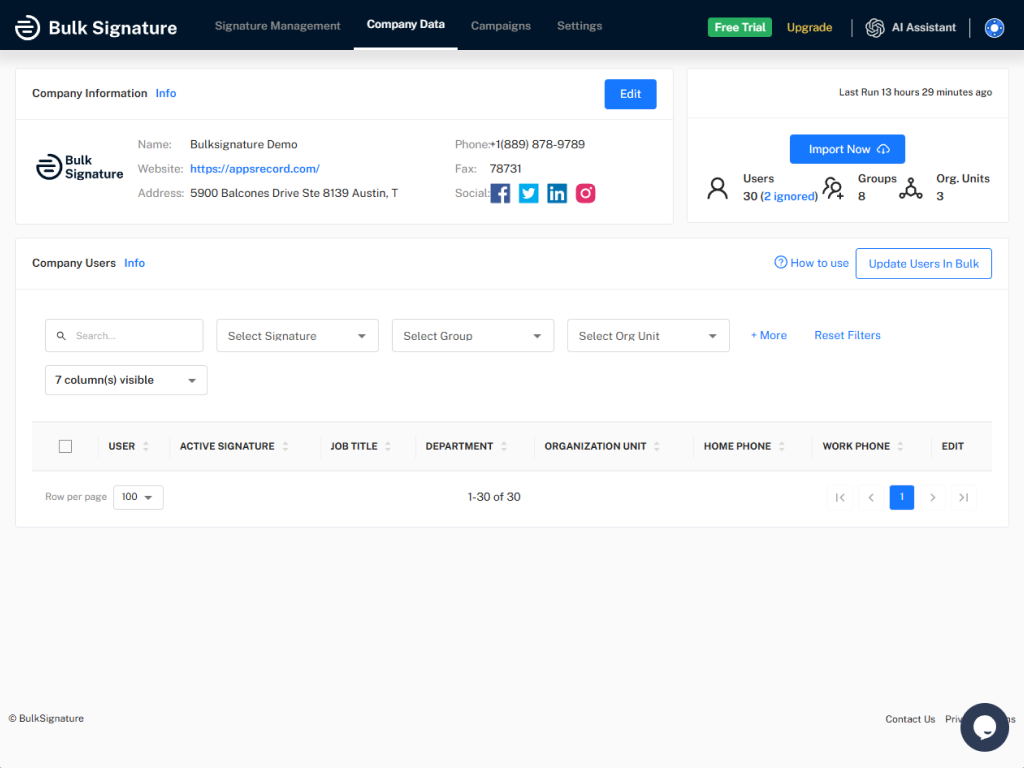
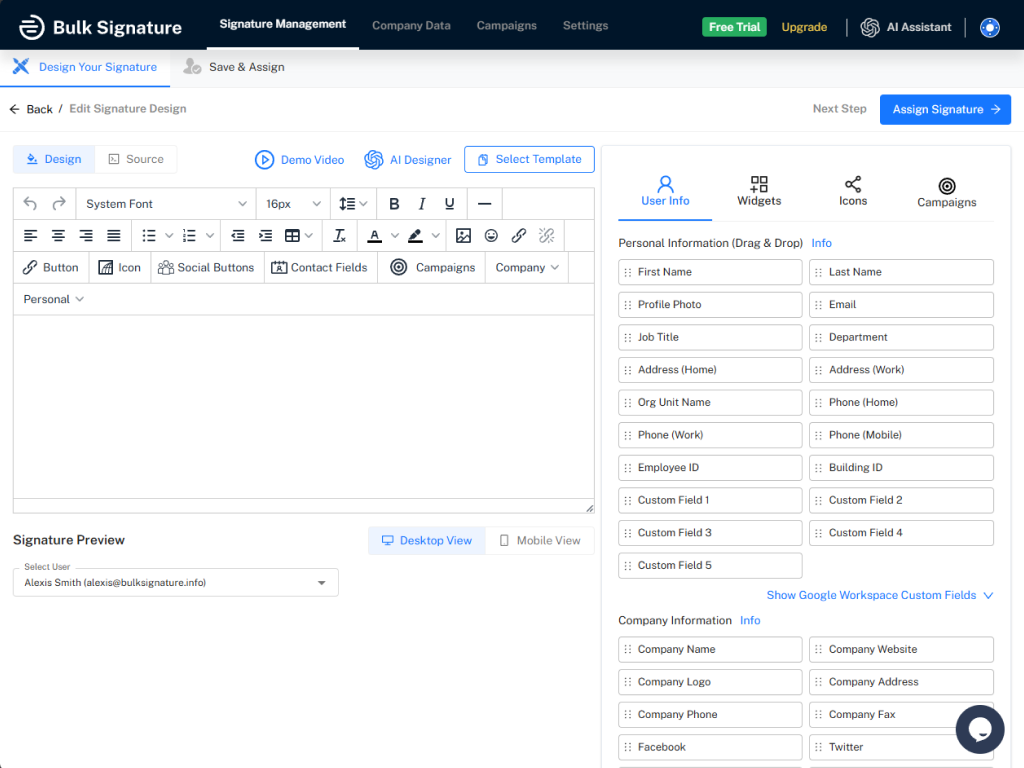
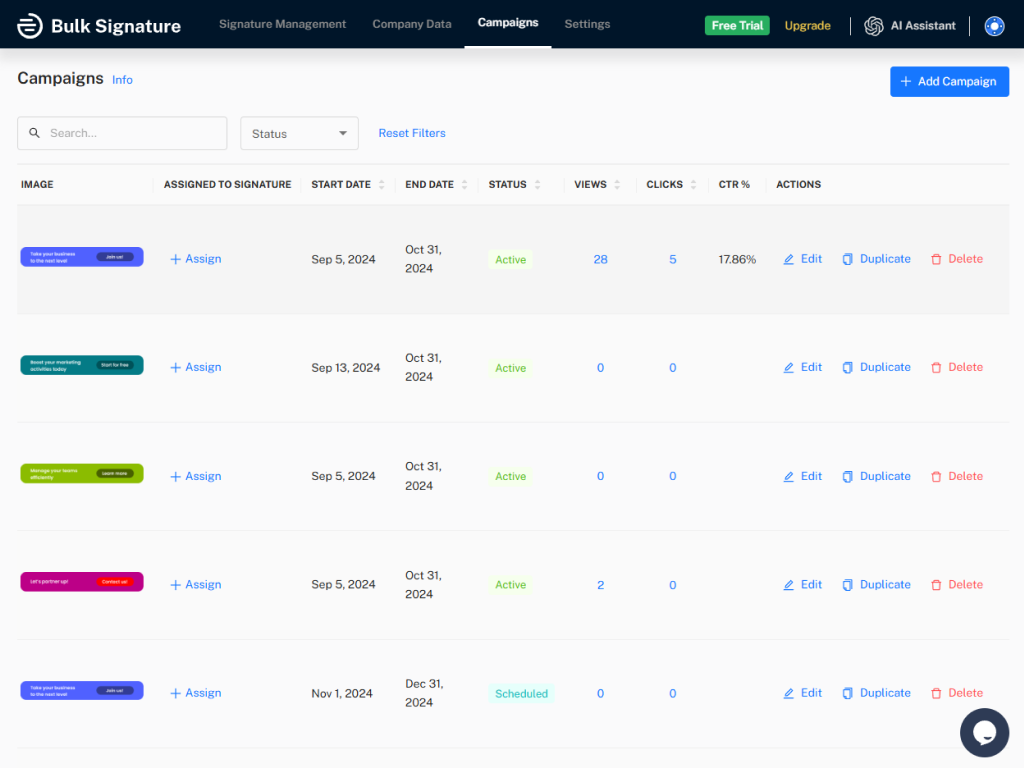
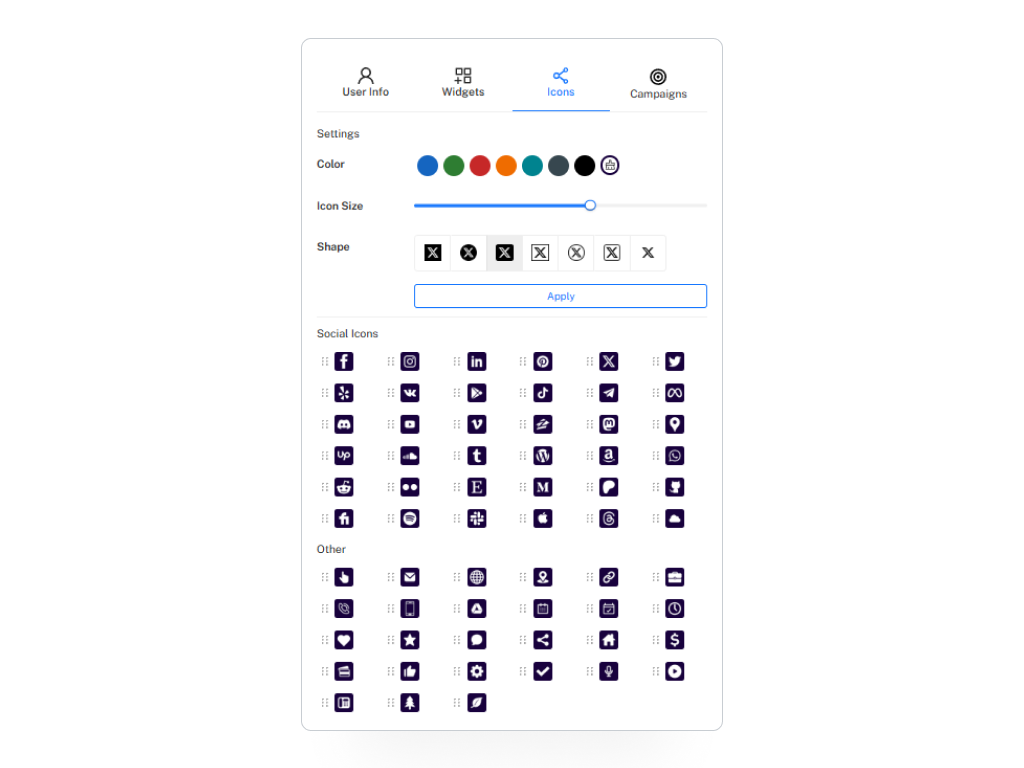
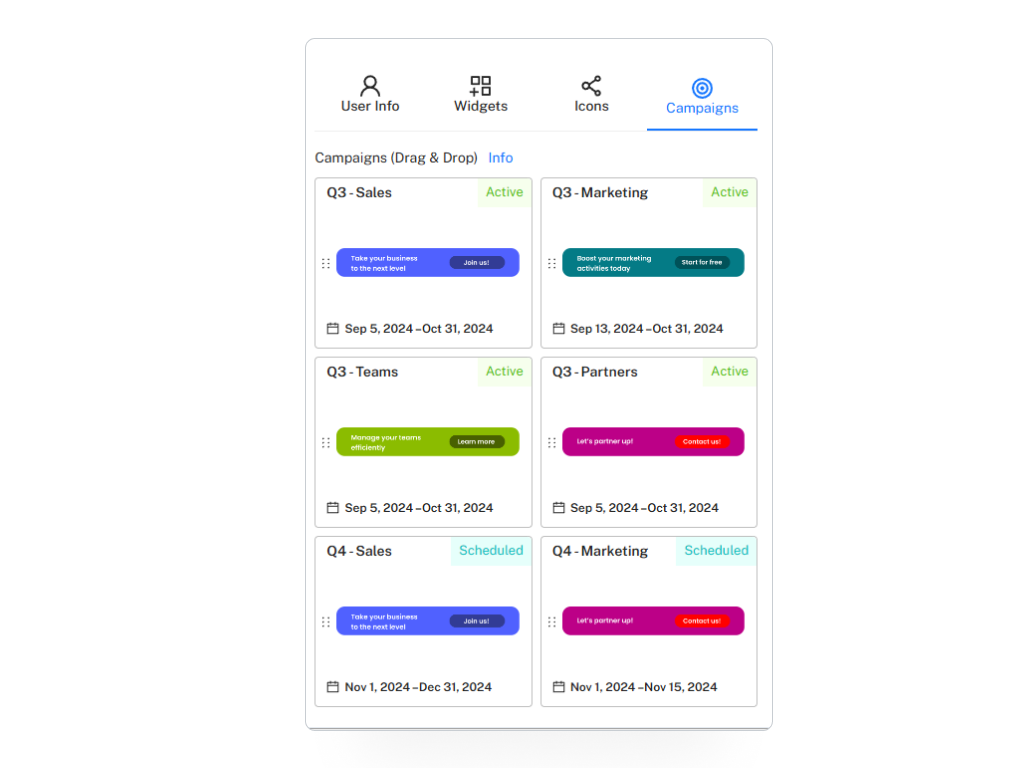
Screenshot of the Signature Management interfaceScreenshot of Company InformationScreenshot of the signature design editorScreenshot of the Campaign management interfaceScreenshot of some of the available iconsScreenshot of campaigns

CodeTwo Email Signatures 365 Screenshots

Screenshot of CodeTwo Email Signatures 365, appearing across platforms. It supports all PCs, Macs, mobile phones, and tablets with professional email signatures and branding.Screenshot of an example one-click survey, used to collect customer satisfaction data and feedback directly from emails. Analytics included.Screenshot of where placeholders are automatically updated with user data like first name, email address, etc. These can be included in signatures to keep everyone’s signature info personalized and updated.Screenshot of an automatic, personalized email signature, which is offered when the user first starts composing an email in Outlook on all platforms, including Outlook on mobile devices.Screenshot of the template library, which includes dozens of signatures designed by experts. These can be customized, or a blank template can be used as a starting point for personalized design.