ChartHop vs. GaggleAMP

Overview
ProductRatingMost Used ByProduct SummaryStarting Price
ChartHop
Score 8.4 out of 10
N/A
ChartHop, from the company of the same name in New York, is an organization management platform, providing org chart that integrates with HRIS systems, workforce analytics with custom reporting, and tools to support people and succession planning, compensation plans, and process performance reviews and data.
$0
per month per user
GaggleAMP
Score 8.7 out of 10
N/A
GaggleAMP's employee advocacy and communications platform enables companies to boost the distribution of workforce communications and social media messaging. The solutions aims to foster a network of people, or a Gaggle, who share company-created messages to their social media networks and contribute content to their internal workforce community. This aids in employee development, leveraging them as a thought leader in their space while increasing social selling and recruitment…
$25
per month
Pricing
ChartHopGaggleAMP
Editions & Modules
ChartHop Basic
$0
per month per seat
ChartHop Modules
Contact us
Enterprise
$1
Call for Quote
Agency
$1
Call for Quote
Small and Medium Businesses
$300
25 seats per month
Offerings
Pricing Offerings
ChartHopGaggleAMP
Free Trial
NoYes
Free/Freemium Version
YesNo
Premium Consulting/Integration Services
NoNo
Entry-level Setup FeeNo setup feeNo setup fee
Additional DetailsGaggleAMP serves small businesses, medium-size businesses, enterprise-class organizations, and agencies that represent these businesses. Their small business offering starts at 25 seats for $300 per month, with additional packages available based on the number of seats needed. For Enterprise-class pricing and agency offerings, it is best to speak with a GaggleAMP representative to secure a rate.
More Pricing Information
Community Pulse
ChartHopGaggleAMP
Features
ChartHopGaggleAMP
Workforce Analytics
Comparison of Workforce Analytics features of Product A and Product B
ChartHop
8.4
6 Ratings
1% below category average
GaggleAMP
-
Ratings
Automated data collection9.25 Ratings00 Ratings
Data analysis9.06 Ratings00 Ratings
Data integration8.05 Ratings00 Ratings
Predictive analytics6.73 Ratings00 Ratings
Benchmarking7.13 Ratings00 Ratings
Report designer9.06 Ratings00 Ratings
Pre-built content10.06 Ratings00 Ratings
Data management8.54 Ratings00 Ratings
Self-service insights8.06 Ratings00 Ratings
Best Alternatives
ChartHopGaggleAMP
Small Businesses
Rippling
Rippling
Score 8.9 out of 10

No answers on this topic

Medium-sized Companies
Predictive Index Behavioral Assessment
Score 9.5 out of 10
Influitive
Influitive
Score 8.1 out of 10
Enterprises
Predictive Index Behavioral Assessment
Score 9.5 out of 10
Sprinklr Marketing
Sprinklr Marketing
Score 7.6 out of 10
All AlternativesView all alternativesView all alternatives
User Ratings
ChartHopGaggleAMP
Likelihood to Recommend
9.0
(7 ratings)
8.7
(12 ratings)
Likelihood to Renew
-
(0 ratings)
10.0
(1 ratings)
Usability
9.0
(1 ratings)
-
(0 ratings)
Support Rating
-
(0 ratings)
10.0
(2 ratings)
User Testimonials
ChartHopGaggleAMP
Likelihood to Recommend
ChartHop
Not Suited - The tool is suited for organizations with an employee count of more than >500. There are much cheaper tools out there for a company size of below 500 employees. Integration with other tools can be improved. Suited - From an admin POV who sometimes works closely with HRs, customization and storing information is great.
Read full review
GaggleAMP
GaggleAMP is well suited when you want to get timely local language content out to folks in other countries/regions, or content for a specific group/department. It is also well suited when you have multiple Gaggle content managers with multiple content calendars. It might be less appropriate if you want to hold multiple Social contests (gamification) with different rules, scopes, leaderboards, etc. for different groups/tags as there is only one leaderboard.
Read full review
Pros
ChartHop
  • The org chart is very easy to use
  • It can be integrated into other things like internal company websites
  • The UI looks nice
Read full review
GaggleAMP
  • Easy to tell associates what posts to like and share. Especially like that we can point them to like or share industry posts.
  • Easy to get others in organization to sign up. Also offers app and browser app.
  • Gamefication aspect allows associates to have friendly competition and allows awarding of prizes for reaching set point values
Read full review
Cons
ChartHop
  • When org charts or other visualizations get really big, the UI gets very buggy
  • Sometimes the platform will randomly lag or will automatically refresh and I will lose progress
  • Can sometimes be difficult for new users to learn due to new features that have been added. Lots to try and learn.
Read full review
GaggleAMP
  • There are no out of the box implementations to get started quick.
  • The campaign manager could be more involved and vocal about recommendations and how to implement them.
  • I'd like deeper insight into what my employees do and do not like to share.
Read full review
Likelihood to Renew
ChartHop
No answers on this topic
GaggleAMP
Customer service has been good. It's easy to use. It's cost effective. It's a good way to expand your social presence and get your employees more vested in branding the company without spending a ton of money. There are bells and whistles that may be good for other users. I just haven't had the time to use them
Read full review
Usability
ChartHop
For teams and people who have enough time to learn the platform or enough patience to read through documentation or to watch through tutorials, the platform is pretty usable and it is relatively easy to pick up new concepts and how to do certain things, specifically around self-service if there is some problem. With that being said, the platform can sometimes be inherently unintuitive with certain edge cases
Read full review
GaggleAMP
No answers on this topic
Support Rating
ChartHop
No answers on this topic
GaggleAMP
Support for GaggleAMP is easily the best customer support I've experienced with any software tool. Our rep, Sam, is dedicated to our account (no bouncing around a call-center bullpen), and is highly proactive and eager to help us succeed. Most of our interactions have nothing to do with problems, but rather opportunities to optimize our use of the tool and set us up for greatest success. GaggleAMP sets a gold standard for customer support!
Read full review
Alternatives Considered
ChartHop
This is a whole new ball game with Charthop, there was not the options we have on charthop on adp
Read full review
GaggleAMP
A former colleague suggested EveryoneSocial, but I think that GaggleAMP has more industry experience in terms of employee advocacy and social engagement. While it did appear somewhat easier to use, it didn't have all the features and attention to detail that GaggleAMP provided such as the detailed reporting and the specific activity suggestions I was looking for.
Read full review
Return on Investment
ChartHop
  • This relationship is not as clear
  • When comparing this service to others, it may simply be a matter of preference
  • This visualization platform is only a way to enables ideas that will increase things like ROI. I don't see it as something that impacts revenue.
Read full review
GaggleAMP
  • Take this with a grain of salt, but our company's all-time CPC (cost per click) savings is $1.85 M ($184,116.95 last quarter).
  • GaggleAMP has become an important part in getting our employees and partners to engage with us on Social Media more regularly - a great tool for getting information out there.
  • Brand awareness.
Read full review
ScreenShots

ChartHop Screenshots

Screenshot of Rich employee profiles: Used to drive connections across the employee base while humanizing people dataScreenshot of Visualizations: Familiar formats like org charts, graphs, and maps enable anyone to understand the data.Screenshot of Consolidated data: Data is accessed in one place through ChartHop’s integrations with existing HR systems, including HRIS, compensation, equity, engagement, and performance.Screenshot of Flexible reporting: Data can be sliced and diced across any dimension, through custom configurations or by using out-of-the-box options

GaggleAMP Screenshots

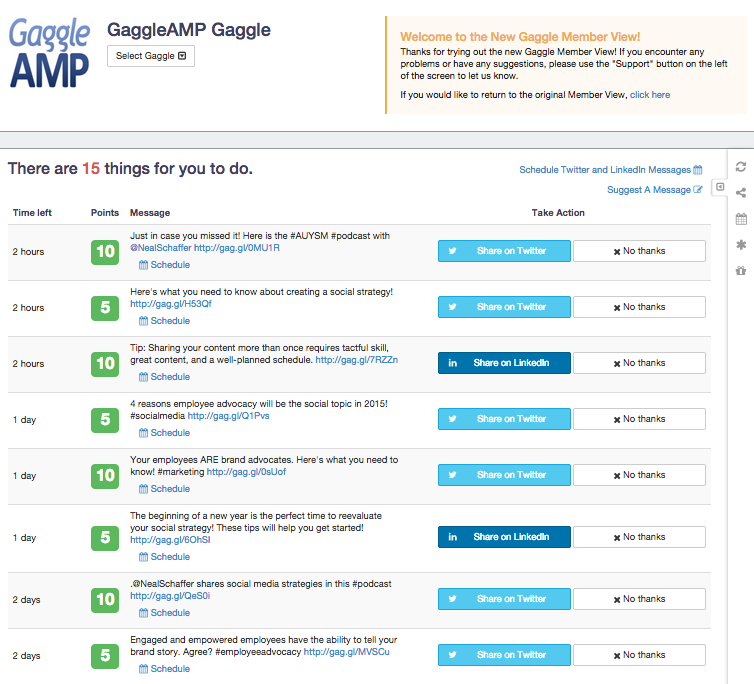
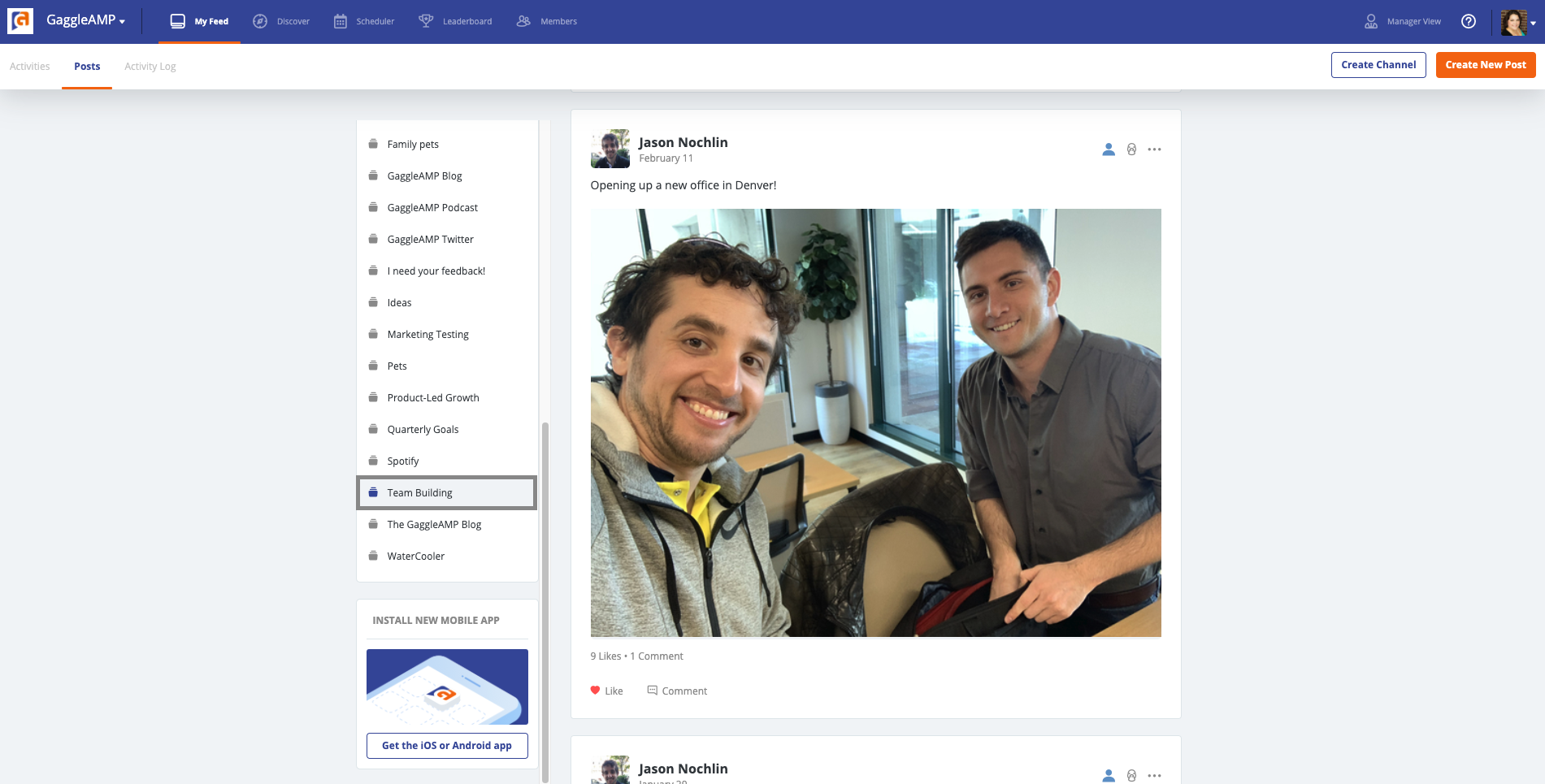
Screenshot of The member view provides a simple view of actions and messages available. Acting take a simple click of a button. "Share" to share the message or "No Thanks". If a user declines a message/action there is an opportunity for them to provide feedback on why they chose not to share the message or perform the action. This helps the Gaggle manager learn the preferences of their member base and helps future content curation.Screenshot of Channels provide an outlet for employees to create user-generated content, communicate with their fellow employees, discover new content, and more. Channels also allow for automated RSS feeds, pulling in Twitter Lists, and monitoring hashtags, making the content curation process easier for marketing team.Screenshot of My feed shows employees and stakeholders what activities they have available to them. This area enables employees to engage and interact with content. Here they can share content to their social channels, see when content is expiring, and also engage with external and internal Channels.Screenshot of The GaggleAMP scheduling feature helps employees and stakeholders schedule their social media advocacy efforts on their time. Here they can pick and choose which messages they want to schedule, when they want to schedule them to go out, and their default preferences.Screenshot of Gaggle Managers, the term for the administrator of an employee advocacy program, can choose what types of activities to send to their employees and stakeholders. GaggleAMP offers over 50 different activities on any favorite social media networks. Some favorites are displayed here.Screenshot of Leaderboards allow sorting by reach and by points assigned to activities during certain timeframes. With leaderboards, employees and stakeholders can see how they are performing compared to their peers and also have the option to opt-out of the leaderboard.