The business case that we need it is a solution that could upgrade or downgrade easily because we open and close contacts center or we need to redistribute workloads so Cisco Meraki MS was the solution that fix that business need
Cisco Meraki equipment is easier to configure, setup, and deploy as well as manage. The only thing I will say for the other gear is that they have their special niche requirements, protocol options, and special configuration options that not all Meraki gear has. Meraki gear …
Meraki MS switches don't offer the very high-end configuration options as Cisco Nexus switches, and we needed some of those high-end options in our core switch stack. So we bought the Cisco Nexus for our core and bought some engineering time from a contractor to help us set it …
I am able to go deeper into analytics and troubleshooting. A lot more updated and features that are far different than others evaluated or had used previously on the network
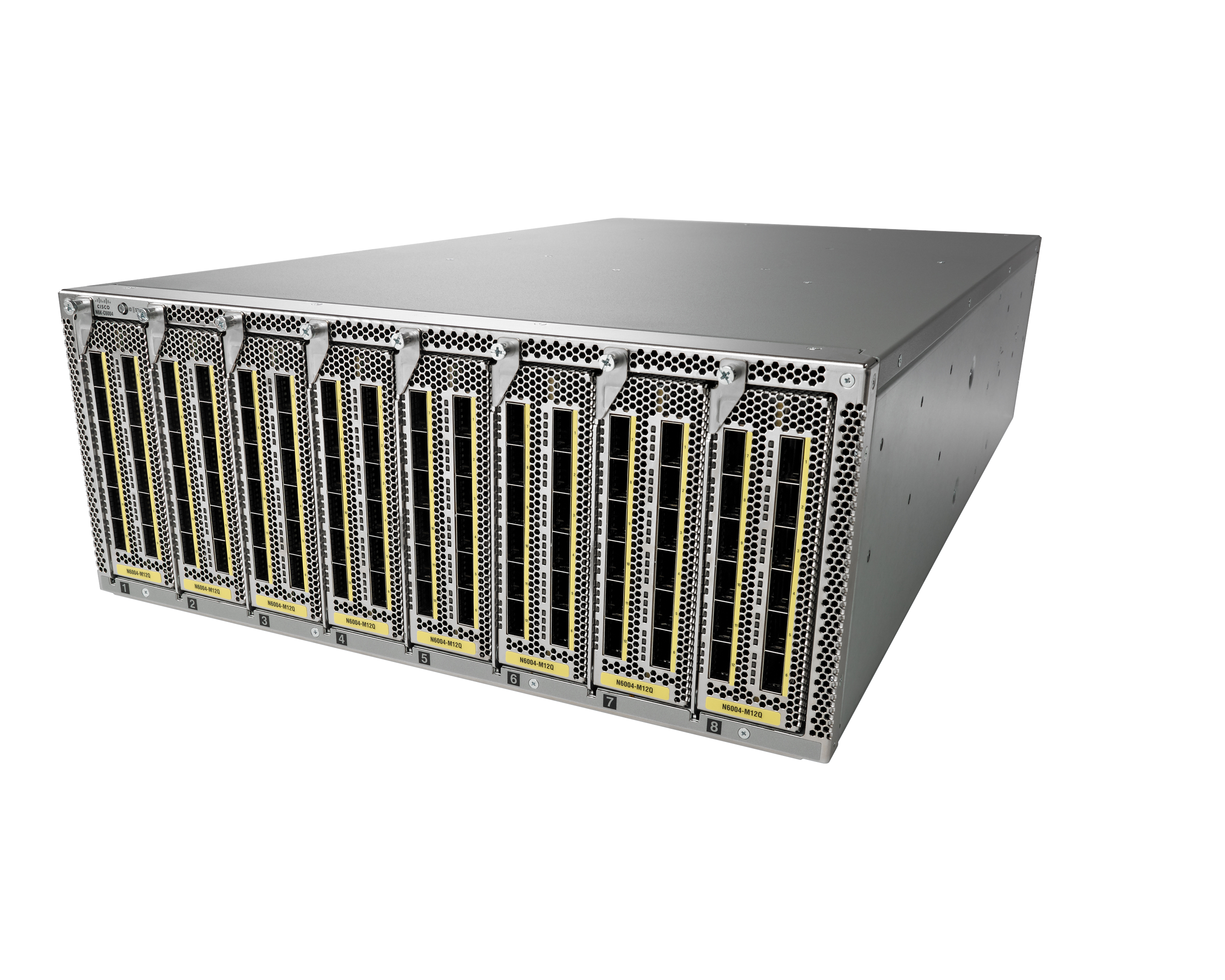
Cisco Nexus Series Switches are built perfectly in terms of scalability and efficiency. Performance monitoring and the planning of new networks and excellent tools. Although Cisco Nexus Series Switches are costly they are worth the money.
Cisco Nexus switches are the Cadillac in switching. All the other switching we have and use is for lesser demanding requirements and for most cost effective implementations.
A Cisco Meraki solution should always be in the toolbox for a small-medium office. Especially for a project team that moves around a bit. It is very easy to deploy and if after 6 months the project moves to another location, re-deployment times are much faster than traditional kit. Whilst it could do the job. It is not at the point of replacing a large corporate office of Catalyst Switches but we feel it does not need to do that necessarily.
It fits perfectly in all our data centers where we are using it. For small companies or smaller racks or something. I don't think it fits there because Cisco Nexus Series Switches is a big one. It's the most advanced one.
I think when it comes to the Meraki products, it's just the ease of use and ease of troubleshooting because it's all cloud-based, easy to access from anywhere I can literally get on now and troubleshoot. So I think it's just the ease of use, which is great.
Maintenance, upgrades, and software certification can be performed without service interruptions because of the modular nature of NX-OS and features such as In-Service Software Upgrade (ISSU) and the capability for processes to restart dynamically
FabricPath:
Enables each device to build an overall view of the topology; this is similar to other link state routing protocols. Each device in the FabricPath topology is identified by a switch-id. The Layer 2 forwarding tables are built based on reachability to each switch-id, not by the MAC address. Eliminates spanning-tree to maximize network bandwidth and flexibility in topological configurations, as well as simplify operational support and configuration. This enables a tremendous amount of flexibility on the topology because you can now build FabricPath topologies for Layer 2-based networks the same as for Layer 3-based networks
Overlay Transport Virtualization (OTV): Enables the Layer 2 extension between distributed data centers over any transport Layer 3 network
So compared to the Cisco Catalyst series, there isn't that many dolls you can turn and just optimize stuff. So particularly I'm not quite sure around how stuff like MACsec would work on the MS. It's something that I've really got to look into more and the documentation isn't really that obvious for that feature.
Implementing jumbo frames on interfaces of its fabric extender series (N2k, etc.) by editing the network QoS does not have to be a global configuration that would affect all its interfaces. It can be improved to become just an interface configuration.
Licensing on the NXOS is a bit complicated and expensive. I understand that the Nexus is made for core data center switching but it does not have to break the bank.
OTV technology is for Nexus only. Based on the advantage of the technology, it should be made vendor-neutral to accommodate other vendor devices.
At the time I am writing this, Meraki MS has conver all of the required needs. Is really easy to implement, the dashboard helps a lot with the implementation and troubleshooting process, the devices are very robust and you can count with the meraki support in case you face a physical or logical issue with them.
Actually if we need to implement or develop our actual DC we will use Cisco Nexus Series Switches again. The solution is well known and we will be able to interconnect easily the switches, as we're not using all the possibilities of features we know what is solution is a long term solution.
The Meraki dashboard is one of the most intuitive and user-friendly network management interfaces available. It simplifies many traditionally complex tasks, such as VLAN configuration, port management, and firmware updates, making it easy to deploy and manage networks without extensive CLI work. Features like zero-touch provisioning, remote troubleshooting, and real-time monitoring significantly reduce the time and effort needed for network administration. The reason it’s not a perfect 10 is that while Meraki is great for most standard networking tasks, it can feel somewhat limiting for advanced configurations. Additionally, the reliance on the cloud dashboard means there’s very little local management option, which could be a drawback in environments with strict compliance requirements. Overall, it’s one of the easiest networking solutions to work with, but power users might find certain advanced features lacking.
The platform has a good performance. The major issue is all the bugs you can discover across the operations, and it can be a big challenge depending on the number of Cisco Nexus Series Switches you have deployed. In our case, we own more than 200 Cisco Nexus Series Switches 9k, and we face an upgrade process, it could be a long time project to grant a new software deployment in all our switches platform.
Cisco Meraki MS switches are quite reliable, robust, and incredibly rare to experience failures. Most of the time, as with all equipment, problems arise from incorrect configurations, not from poor performance of the equipment itself. In any case, when a hardware or software issue arises, Meraki support responds promptly, and if equipment replacement is required, the service is dispatched quickly and efficiently.
In deployments using Cisco Meraki switches, no issues with performance, slowness, or loss have been reported; overall, performance is quite good. Communication and integration with other devices and brands is quite good, and the devices rarely fail.
These switches are very fast. They've been designed to work within the data center. We connect them to Cisco UCS-B Mini servers with the storage being directly attached. They are able to handle the data traffic pretty easily. We can also move servers pretty fast from data center to data center without overloading them. This has allowed our company to stay running during any kind of conditional outage. We have come to really rely on them for business continuity.
Meraki support is excellent. They are also highly proactive. They literally replaced all of a particular model of our MS switches when it was discovered that they were not sure about the longevity of a particular chassis fan inside those switches. Without us having to do anything other than ask, they shipped us all new replacements (with a better fan in them) for the 10 or so of the switches that were in the affected model group, and we shipped the defective ones back to them int he same packaging, prepaid. None of the recalled switches had ever experienced a fan failure, but they were not willing to let them run in a production environment. I like that. Meraki MS support staff are also quick to get back to you and very knowledgeable about their product. I actually contact our Meraki rep to instigate a support case (although i could call support directly), and he gets the details from me first, then opens the ticket for us and explains it to support. This means that I only even need to talk to one person, and I like that, too. Meraki MS switches are designed to be essentially "plug and play", so support is generally not needed unless the end user is not following the deployment and operation guides
Overall, Cisco has great products and I believe that they believe in the philosophy of a great customer experience. Although there have been a few technical support issues that caused a lot of company anxiety, in most cases, Cisco has gone above and beyond in making a valiant effort to help the customer solve any issues.
The In-person trainings are very useful because allow you to ask questions in live to the instructor. In general, most training sessions have been delivered directly through the Meraki platform with on-demand videos. However, having a dedicated instructor has allowed us to address specific topics that in some cases aren't covered in depth in the courses.
The Cisco Meraki learning platform is very user-friendly and offers all kinds of videos, reading material, and forums related to the different courses. There are courses for specific topics and also dedicated learning paths for certifications. In both cases, the content and explanation are easy to understand and provide highly didactic examples, sample equipment configurations, and quizzes at the end of each lesson to assess the acquired knowledge.
In general, the implementation process was relatively simple, given that we already have a relationship with the partners and experience in other implementations, from the acquisition of licenses, purchase of equipment, configuration of switches and support from the Meraki team, everything has been easy to manage and the support from both the partner and the Meraki team has been excellent.
Catalyst is good but it requires CLI configuration which can be very complex for beginners because they tend to forget commands. Cisco Meraki MS takes out the complexity by having a GUI, and another advantage is the risk of committing bad configuration is minimized (such as typing a typo in a long command for a vlan or IP address). The GUI's just a lot cleaner to work with.
The Cisco 9000 stacks up quite well against the Cisco Catalyst 3850 switches. The additional features available in the Nexus 9000, such as VPN, FCoE, 40 gigabits, give us the ability to support the future needs of the company in our data center. The Nexus 9000 allowed us to condense our core and aggregation environment that comprised of 2 Catalyst 6504 and 2 Catalyst 6509 to a port of Nexus 9000. Although the Catalyst 3850 would be sufficient to handle routing, those features in the Nexus 9000 made it the clear choice for us.
We recently use the entreprise agreement on another perimeter, I could say that is linked to the typology of deployment. On our nexus perimeter, pricing and contract terms are defined without any evolution also is quite simple.
I would say probably eight. I think there's a lot of, the scalability is very nice and I've definitely deployed a lot of sites quickly. I think for us right now that we have to pivot away from manual configurations and using automated configurations. And so just being sure we prevent things like drift between sites is kind of important right now for us. And so I think that's the next steps for us in that product. And so I think if there was better documentation or better best practices about how to automate and deploy standardized, I think that would help.
The Nexus 3000 series switches are data center switches, so I would say they have similar security ability to other switches in this segment. I don't have a lot of experience doing more than basic ACL security on switches, but I know these can be integrated into other security solutions like Cisco ISE and 802.1x authentication. It could also be integrated into an ACI solution to add micro segmentation, which would bring in other security functions.
I can't think of any negatives. Positive, well, I had nothing but positive things to say about it. Like I said, multiple times. Of course it does give us so much visibility, which is important to us. As far as on a daily basis, I mean the dashboard daily of course, and the use of the phone. It's just also they keep innovating and adding new features to it, which help us lower our troubleshooting times and uptime. And just the overall use of the product itself.