Claris' FileMaker is presented as a Workplace Innovation Platform, and is used to create a custom app. Manual processes can be automated with Claris FileMaker Pro, and apps can be created to manage contacts, track inventory, organize projects, etc.
$21
per month per user
Progress Kendo UI
Score 8.0 out of 10
N/A
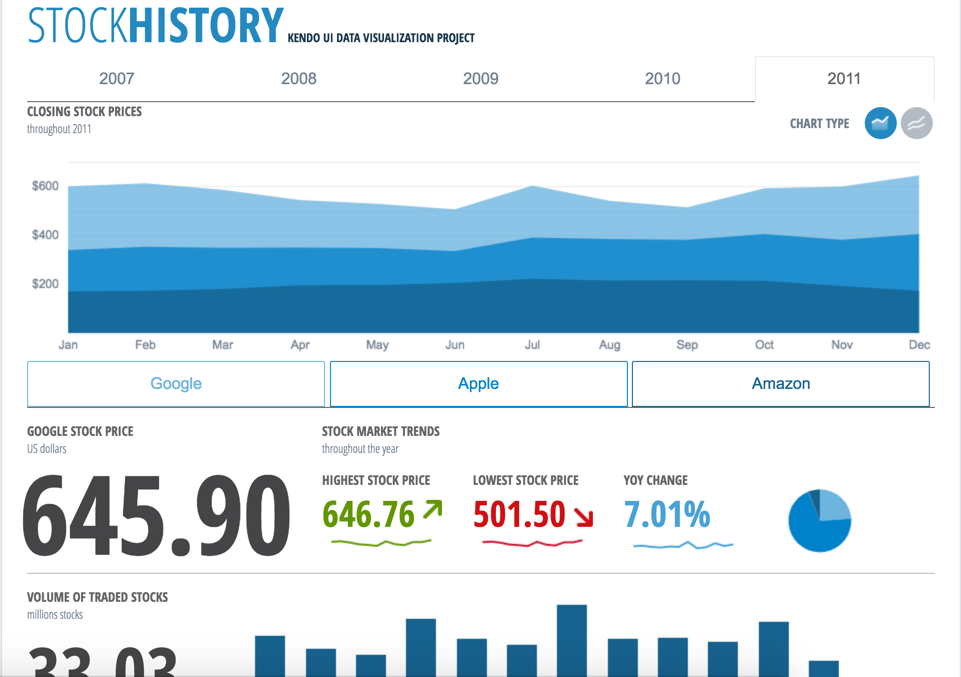
Kendo UI is a JavaScript UI toolkit that allows users to build responsive web-based apps integrated into their framework of choice (jQuery, Angular, React, or Vue). The vendor’s value proposition is that Kendo UI offers a large library of popular and configurable components ranging from sophisticated grids and charts to basic buttons, so users don’t have to waste development time building their UI. The vendor also says the large library of customizable themes means users can easily deploy a…
$999
per developer, royalty-free
Moovweb XDN
Score 8.7 out of 10
N/A
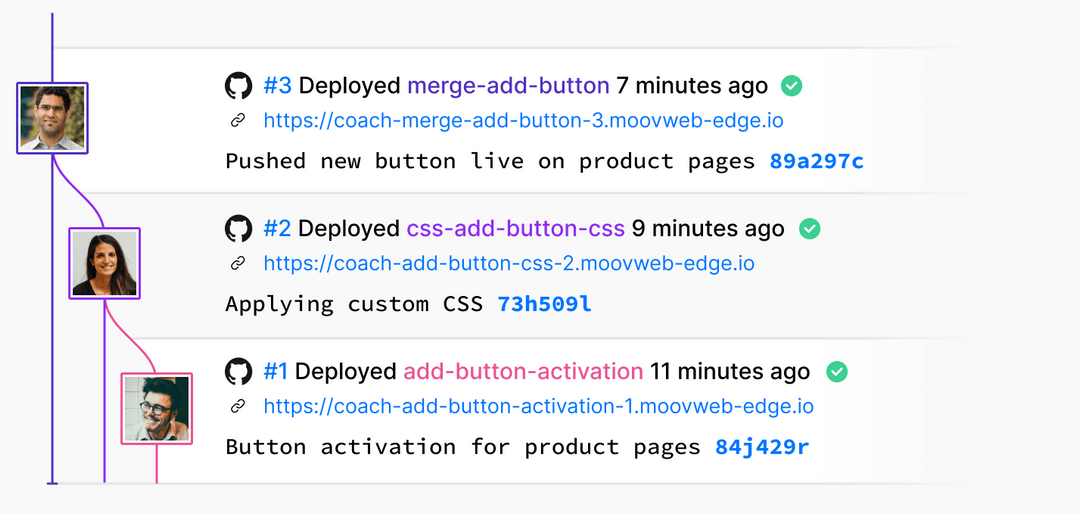
Moovweb is a mobile development platform.
$500
per month
Pricing
Claris FileMaker
Progress Kendo UI
Moovweb XDN
Editions & Modules
Platform Subscription
$21
per month per user
Individual desktop license
$594
one-time fee
Kendo UI with Priority Support
$999
per developer, royalty-free
DevCraft UI
$1,299
per developer, royalty-free
DevCraft Complete
$1,499
per developer, royalty-free
DevCraft Ultimate
$2,199
per developer, royalty-free
Community
$0
Hyper
$500
per month
Enterprise
Contact Sales
Offerings
Pricing Offerings
Claris FileMaker
Progress Kendo UI
Moovweb XDN
Free Trial
No
Yes
No
Free/Freemium Version
No
No
Yes
Premium Consulting/Integration Services
No
Yes
No
Entry-level Setup Fee
No setup fee
No setup fee
No setup fee
Additional Details
—
—
Open Source projects on Layer0 can qualify to be FREE FOREVER.
If your company is really small, I can understand the need for a product like this. However, I would go for MS Access... FileMaker Pro can not be integrated with other systems (like MS Access can at least be handled by C# for instance, and can be integrated with MS Excel or even SQL server). I'm really not sure in what scenario one would choose for FileMaker Pro. If your application or company grows bigger, you're going to have a problem to move to another environment. Also, the fact that only one person can work with the backend at any given time is a problem in a somewhat larger company.
It allows us to extend the components or create new components in an easy way. The control suite is complete and powerful enough that you do not need to consider other competing packages. The controls are relatively easy to implement and when we ran into problems the documentation and online support were very reliable.
It depends on who you are. If you are very small it won't be worth the money. If you have a very cranky site with nested tables coming out of every orifice, maybe you should look at a replatform or desktop rewrite first. If you have a site with vast numbers of custom content pages, it will work but may not be cost effective. Moovweb is well suited to you if you need the ability to control mobile experiences and respond to changes in mobile and the demands of mobile aware executives who want to move more quickly than your current IT processes allow. It is well suited if you need something quickly but also want the option to bring mobile development and support in-house some time in the next year or two (which you should). It is well suited if your desire to improve a responsive experience has been thwarted by internal fears over the impact that it might have on desktop. It is well suited if you want to experiment on mobile but do more than just change the color of a button or make a font larger. It's very good at letting a UX team try things out and see what real customers do.
The relational database management system makes the program highly customizable to fit the needs of any product. You can add a ton of information to each record and update your inventory on a regular basis with an Excel import or manually inside of the record. It has the capability to incorporate barcoding, which can manage your available inventory with ease.
The scripting language allows FileMaker to automatically calculate complex algorithms automatically or generate report outs with the click of a button. This allows for greater UI, especially with active users who are not familiar with writing code. Almost all of our internal data is linked to the FileMaker database
The server license allows many users to update the database in real time, which is handy if your inventory is constantly changing. We have users with Macs, PCs, iPhones and handheld tablets linked to our FileMaker database and they are updating the information constantly throughout the day.
If you invest some time into formatting and scripting the database, there is a high ease of use for users without knowledge of any programming or FileMaker itself.
Kendo UI controls provides rich set of features and capability that is required for enterprise products.
Performance of controls are satisfactory overall though few other vendors provides extraordinary performance for specific controls and for specific purpose. Kendo UI provides most of the required controls and with rich feature that made us to select Kendo UI controls for our development.
Kendo UI controls quality, in terms of performance, robustness and well defined interfaces are very positive notes.
Moovweb takes the time to really understand your needs and challenges and is willing to work with and address them. They are partners during and AFTER implementation.
Moovweb and their implementation partner 64Labs has a fantastic response time and work ethic. They really will do what it takes.
Moovweb takes the time to share their product road map with customers.
Developer features need to be beefed up - namely adding the ability to search code for a phrase or keyword and the ability to do the same in the "relationship graph" in the database.
Add ability for users to edit the same table record at the same time by version control.
Allow Filemaker Server to use more than 1 core; currently multi-processing is not supported and it can be tricky to find just the right server to support the application you've built to the fullest capacity.
Kendo UI is always moving forward and staying current with latest development trends. While that is beneficial, that can cause some issues when supporting customers (particularly government) that don't move their IT infrastructure along nearly as fast. A prime example is web font icons. Great and easy to use, but where Kendo UI utilizes web font icons as the sole means of displaying an icon, not all organizations (again, especially government) allow the use of these. There have been times where Kendo UI became unusable and we had to downgrade to a version a few years old. Makes continued payment for licenses sometimes feel wasted as we may not be able to always use the new releases
Kendo UI has a wonderful feedback system and they do indeed listen to the community. However, there do seem to be some instances where there is large support for a new feature/component and it never gets addressed. It is easy to understand that not all ideas are easy or even prudent to implement, but would be nice to see a better follow-up on ideas with a current status
Refreshing Kendo UI grids is simple, yet the standard API method causes the grid to return to the default state. We have many use cases where we would love to update the grid data but need current grid state (such as expanded detail rows, sorts, filters, etc) preserved after the grid is updated so that users do not have to perform grid actions again to return to the desired state.
Depending on how your site is built and maintained, there may be a different solution that will be a better option for your business and customer needs.
At the end of the day, this is another layer that is added to your development plan and time to ensure updates work across multiple devices. Moovweb is really good about the turn-time for these updates, but there still needs to be the added QA step for M&T optimization per release.
It it not really up to me but my opinion does have some weight in the decision and the reason I would renew my use FileMaker Pro 8.5 is because I am finally getting used to it! Now that I have been working with the program, tasks have become quicker and projects are getting done faster. File Maker Pro 8.5 really is a versatile tool and I think we are just scratching the surface with it's abilities.
Nothing better has come along. I'm always on the lookout for new UI libraries and I have tried most of them. Kendo has done a good job of keeping my business. They aren't perfect, but no one has done it better as far as I can tell. I'll keep a look out and my rating may change in the future if they get complacent.
Personally as a Mobile Architect I am a huge proponent of building mobile-first responsive websites. I will always fight for a lobby for businesses to build sites with all devices in mind and not focus their attention on desktop driven sites which are then adaptively scaled to meet the demands of the business, in my opinion leading to a never ending cycle of building separate media queries to compensate for every device the business chooses to market to
It's almost what it should be after so may years and with Apple's longevity and strength behind it. For people who earn their living based on efficiency I think there are too many developer obstacles that waste time and therefore money.
it's easy to implement in applications. The kendo widgets are able to be used in almost any type of business application which has a UI. For most part, once the developer has completed a project which uses Kendo, many time code can be copy/paste into a new application. Kendo UI documentation keeps improving so finding the answers to questions can be easy
The forums are great with lots of helpful experts and the staff monitor them to provide help where needed. There have been a couple of unique technical issues I've had to deal with that I haven't been able to get resolved so I chose to score this a 9 instead of a 10.
Overall, we are satisfied with the support offered by the Progress Kendo UI team. We had raised few helpline incidents in the past and they have been resolved timely by the team. Also, we were satisfied with the level of information and support provided by the team.
Good set of customer success people combined with the flexibility to use high-quality onshore partners if workload increases at busy times. I think Moovweb's support efforts are pretty solid.
Suggest you use an iterative R.A.D. or AGILE development approach. (i.e. rather than writing a gigantic spec for a system, then building it). FileMaker facilitates quick prototypes. Developing an example, then allowing users to "try it out" is a snap.
it took me about one day to make the components available for all the team members, including a quick demo, parallel setup in everyone’s workstation and packages deployment into our nuget server after 3 days of one to one support, everyone was able to use the components or find help in the documentation or resuest support
Don't spend weeks in design. Because of the way the technology works nuances of design can change very quickly further down the line. We have changed the look of the product list for a client a week before launch.
Push for getting the project into UAT within four weeks of the kickoff of the project. There are few retailer projects that need to take more than that. In my experience the more concentrated the timeline the more effective the implementation.
Check that there are no major changes planned on desktop during the time of your implementation (another reason to keep the development to four weeks).
If you have custom mobile content requirements, get them to your implementer at the start. Moovweb is great at heavy-lifting existing content, but your implementer will need to recommend solutions for custom content that will need to be tested. Get these requirements out at the start.
Make a list of your desktop plugins. Moovweb can handle them all, but they can be handled in different ways
If you have Paypal/Google Wallet and want it on mobile as part of your project, talk about that early on.
FileMaker is still the quickest way to go from zero to having a minimum viable working solution. Simple solutions can be built in as little as a afternoon of development. It is the only tool I am aware of which allows tech savy end users with domain knowledge to build bespoke apps for their businesses without undertaking professional software development training.
At the time of our product selection we identified better cross-browser compatibility and we estimated that turnaround for support was superior. At the time, the vendor had a higher positive feedback footprint among their user community.
This is the only mobile technology we have used. We went through an extensive research and vetting process. In the end Moovweb was the best choice for technology and business needs. We considered the following companies: Moovweb,Mobify, Usablenet, Mad Mobile, SKAVA, Wompmobile. Forrester has a mobile infrastrucutre services report that could be very helpful.
We are a more agile company because of FileMaker. A few of us who are tech-savvy enough to manage the database (but are not professional developers) can make needed adjustments to our database without having to employ an in-house developer or contract with a 3rd party. As our business processes evolve and change, it's easy to update the database to accommodate those changes.
Kendo UI has saved us a ton of time in development.
We were able to get certain things to market faster due to the fact that we didn't have to piece multiple libraries together like is so common with modern web development.
Because of the price of the library, however, we have not been able to purchase upgrades every year.
The implementation was 4 months from start to finish. Mobile is about 10% of our visits today and our mobile revenue for the first half is about $200K so we will have a payback in 1 -2 years.
Moovweb is not the most economical solution out there. It is one of the most comprehensive for sites needing all their content available for mobile.