TrustRadius: an HG Insights company

Save this comparison

Save this comparison

Add Product

Recommended Comparisons

    Overview
    ProductRatingMost Used ByProduct SummaryStarting Price

    Clonezilla

    Score8.9 out of 10
    N/AClonezilla is free and open source software for disk imaging and cloning, under the GNU General Public License (GPL) Version 2. Three types of Clonezilla are available, Clonezilla live, Clonezilla lite server, and Clonezilla SE (server edition). Clonezilla live is suitable for single machine backup and restore, and Clonezilla lite server or SE is for massive deployment, and can clone 40 plus computers simultaneously.

    $0

    RealVNC Connect

    Score8.9 out of 10
    N/ARealVNC® Connect is a secure remote access solution from RealVNC. It can be used to connect to a remote device anywhere in the world to view its desktop in real-time and take control as though sitting in front of it.

    $99

    per year (one concurrent session)

    Pricing
    ClonezillaRealVNC Connect
    Editions & Modules
    Clonezilla live
    $0
    Clonezilla lite server
    $0
    Clonezilla SE (Server Edition)
    $0
    Essentials
    $8.25
    per month (billed annually) per concurrent session
    Plus
    $16.50
    per month (billed annually) per concurrent session (add up to 3)
    Premium
    $29.75
    per month (billed annually) per concurrent session (add up to 5)
    Enterprise
    Custom Pricing
    per year
    Enterprise
    Custom Pricing
    Offerings
    Pricing Offerings
    ClonezillaRealVNC Connect
    Free Trial
    NoYes
    Free/Freemium Version
    YesYes
    Premium Consulting/Integration Services
    NoNo
    Entry-level Setup FeeNo setup feeNo setup fee
    Additional Details—Plans work on a Per Concurrent Session basis. Each plan gives access to a bundled number of devices, but limits apply to the amount of devices that can be connected at any given time. The Premium plan includes On-Demand Assist, a useful tool for providing just-in-time remote support to end-users without them needing RealVNC Connect installed on their device.
    More Pricing Information
    Community Pulse
    ClonezillaRealVNC Connect
    Considered Both Products
    Open Source
    No answer on this topic
    RealVNC
    No answer on this topic
    Key User Insights
    Would buy again
    No answers on this topic
    100%
    Would buy again
    11 Answers
    Delivers good value for the price
    No answers on this topic
    100%
    Delivers good value for the price
    10 Answers
    Happy with the feature set
    No answers on this topic
    100%
    Happy with the feature set
    11 Answers
    Lived up to sales and marketing promises
    No answers on this topic
    100%
    Lived up to sales and marketing promises
    7 Answers
    Implementation went as expected
    No answers on this topic
    100%
    Implementation went as expected
    11 Answers
    Features
    ClonezillaRealVNC Connect
    Remote Administration
    Comparison of Remote Administration features of Clonezilla and RealVNC Connect
    Feature
    Clonezilla
    -
    Ratings
    RealVNC Connect
    7.3
    32 Ratings
    8% below category average
    Screen sharing00 Ratings9.028 Ratings
    File transfer00 Ratings8.015 Ratings
    Instant message00 Ratings6.119 Ratings
    Secure remote access with Smart Card authentication00 Ratings7.05 Ratings
    Access to sleeping/powered-off computers00 Ratings6.09 Ratings
    Over-the-Internet remote session00 Ratings9.030 Ratings
    Initiate remote control from mobile00 Ratings9.019 Ratings
    Remote management of servers & workstations00 Ratings4.76 Ratings
    Centralized management dashboard00 Ratings7.116 Ratings
    Session record00 Ratings8.02 Ratings
    Annotations00 Ratings5.36 Ratings
    Monitoring and Alerts00 Ratings7.03 Ratings
    Multi-platform remote control00 Ratings9.011 Ratings
    Best Alternatives
    ClonezillaRealVNC Connect
    Small Businesses
    No answers on this topic
    N-able Take Control
    Score7.2 out of 10
    Medium-sized Companies
    No answers on this topic
    Remote Desktop Manager
    Score9.6 out of 10
    Enterprises
    No answers on this topic
    BeyondTrust Privileged Remote Access
    Score9.1 out of 10
    All AlternativesView all alternativesView all alternatives
    User Ratings
    ClonezillaRealVNC Connect
    Likelihood to Recommend
    7.0
    (1 ratings)
    9.7
    (38 ratings)
    Likelihood to Renew
    -
    (0 ratings)
    8.0
    (8 ratings)
    Usability
    -
    (0 ratings)
    8.0
    (4 ratings)
    Support Rating
    -
    (0 ratings)
    8.0
    (2 ratings)
    Online Training
    -
    (0 ratings)
    7.0
    (2 ratings)
    Implementation Rating
    -
    (0 ratings)
    8.0
    (2 ratings)
    User Testimonials
    ClonezillaRealVNC Connect
    Likelihood to Recommend
    Open Source
    CloneZilla has several scenarios where it can be used in business. Firstly the main purpose for us is for imaging of larger number of systems with varying specifications and operating systems in quick succession. However we have also used it for "point of time" imaging of systems for when employees have left the company or have a full metal backup made.
    Incentivized
    Read full review
    RealVNC
    It is very easy to use if the remote device is already set up to receive connections, so if you are setting up devices before deploying them, it is a great tool to have. It is well-suited to use when shadowing users or using it as a teaching tool. There are other products that are better if you are trying to help someone on a one-use basis.
    Incentivized
    Read full review
    Pros
    Open Source
    • The ability to quickly setup imaging servers to rapidly increase the number of systems imaged.
    • Handling large numbers of device imaging off a single live server instance
    • Ability to run the server side of things on low end hardware
    Incentivized
    Read full review
    RealVNC
    • VNC Connect does an excellent job in remotely connecting to a computer through either your local area network or even another computer on the internet. As long as the VNC Connect services is installed and the client is running in the background.
    • VNC Connect provides password protection to prevent unauthorized users from attempting to remotely access your computer. There's an option to have a separate password to remotely view vs view & access a computer. You can even add an additional level of security by turning on the feature to require Windows login credentials.
    • VNC Connect provides an additional set of controls after a remote connection has been established with another computer. You can have special keystrokes like Ctrl+Alt+Del sent as a command sequence to the other computer as well as access more than a single screen when in use at the remote computer location.
    Incentivized
    Read full review
    Cons
    Open Source
    • The interface is not easy to navigate or understand by non technical staff
    • Many many key presses before an actual image starts processing
    • Does not feel "clean" - in that it feels very batch driven rather than having a more simpler way of managing the process end to end.
    Incentivized
    Read full review
    RealVNC
    • Its a pretty straight forward product - I would like to see more tools with a "wow" factor.
    • Panel colors are blah - I would like more eye-catching colors.
    • A more consistent look with all platforms - like Mac & PC.
    Incentivized
    Read full review
    Likelihood to Renew
    Open Source
    No answers on this topic
    RealVNC
    VNC is a solid product for the price. It simply works and its reliable across different platforms. Some products state they work well in the Mac environment but don't deliver. This one does what it says. Connections are reliable, but of course, this depends on internet connections. The product works well over wireless connections as well. It delivers on what a remote tool should deliver on. My technicians are happy with the product and customers appreciate the ease of use when letting us connect to their systems. Some also appreciate the remote support while they are multi-task.
    Incentivized
    Read full review
    Usability
    Open Source
    No answers on this topic
    RealVNC
    It's a niche product and in that niche they try to cater to as many use cases as they can. Other as a TCO aspect i don't see many use cases where you can't use this product as the one tool for all remote session use cases in your company
    Incentivized
    Read full review
    Support Rating
    Open Source
    No answers on this topic
    RealVNC
    VNC Connect is a reliable product that has been around for a long time. It is reasonably priced and works well in the Mac & PC environment. When you have a small team that supports many users we need tools that we can rely upon and that will get the job done on the first try. Many customers appreciate the quick assistance and can multi-task while our team works on their computer issues remotely. From a customer service point of view, this tool gives us transparency and efficient effectiveness.
    Incentivized
    Read full review
    Online Training
    Open Source
    No answers on this topic
    RealVNC
    The training is very informative, quick and to the point. All of the details one would need are present so the user doesn't have to go searching for additional information just to use the application. The layout of the training was also neat and concise, some of the other training sessions for other companies I've done in the past were confusing and not well thought out, this one is much more superior
    Read full review
    Implementation Rating
    Open Source
    No answers on this topic
    RealVNC
    No problem at all, love the product.
    Incentivized
    Read full review
    Alternatives Considered
    Open Source
    Whilst other imaging and deployment suites provide nicer interfaces which suit less technical staff, they do have quite significant price differences in comparison to CloneZilla. CloneZilla not only provides us a significant number of features, it provides a full imaging solution at a price which no one can compete with!
    Incentivized
    Read full review
    RealVNC
    VNC is light and sleek with the quick setup, was impressed with the quick setup despite poor Internet connection outdoor. TeamViewer is good, but the pricing is not as good as VNC. Both do the basic job, but VNC still outperform TeamViewer in terms of performance and ease of use.
    Incentivized
    Read full review
    Return on Investment
    Open Source
    • CloneZilla provides us a very cheap solution for imaging of systems in our business
    • It has allowed us to rapidly increase our ability to image more systems across multiple locations
    • CloneZilla has allowed us to adapt and evolve our imaging environment to handle lots of different scenarios with little issues
    Incentivized
    Read full review
    RealVNC
    • I have just used the software for about 1 month and so far so god. I am saving time whenever I can access my client's computers from my desk as opposed to having to leave my office to go to their offices. Saves me time and the client money.
    Incentivized
    Read full review
    ScreenShots

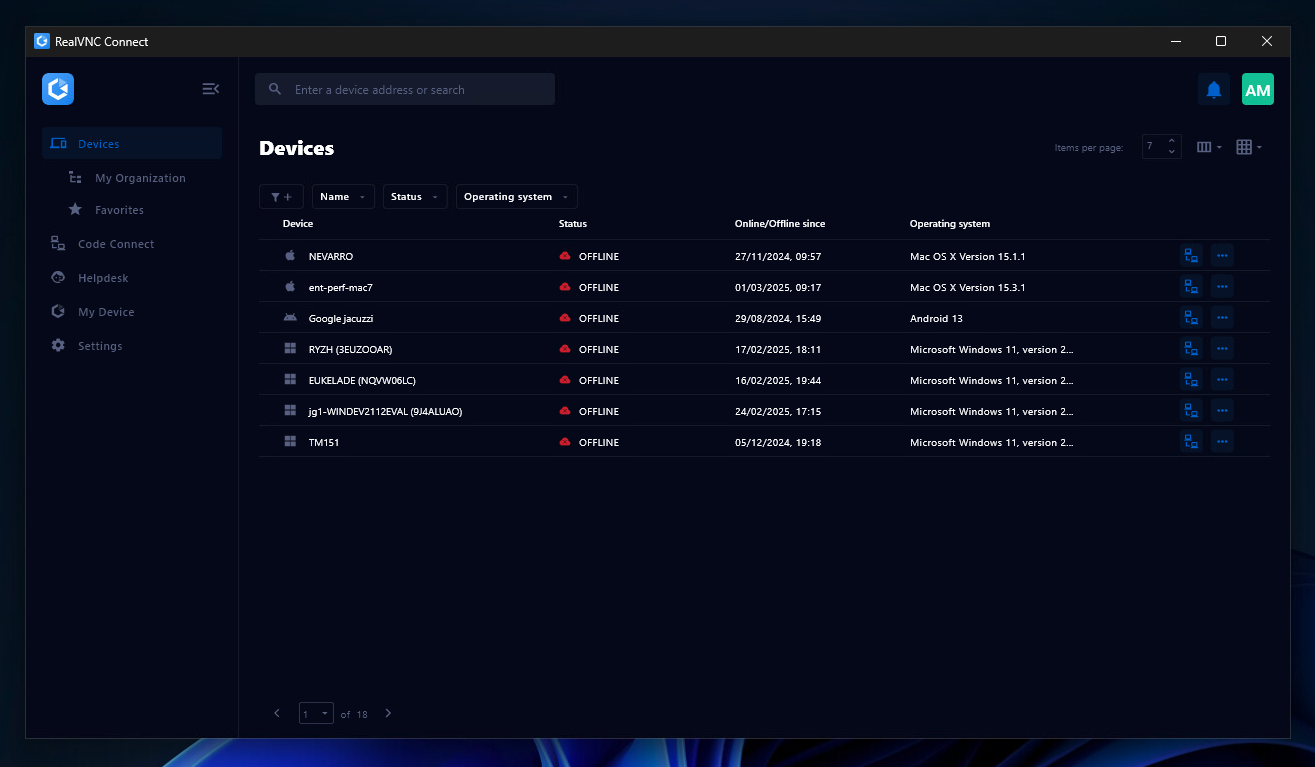
    RealVNC Connect Screenshots

    Screenshot of the Device List in the Connect v8 desktop appScreenshot of On-Demand Assist, which can be used to start a remote support session using a single-use code.