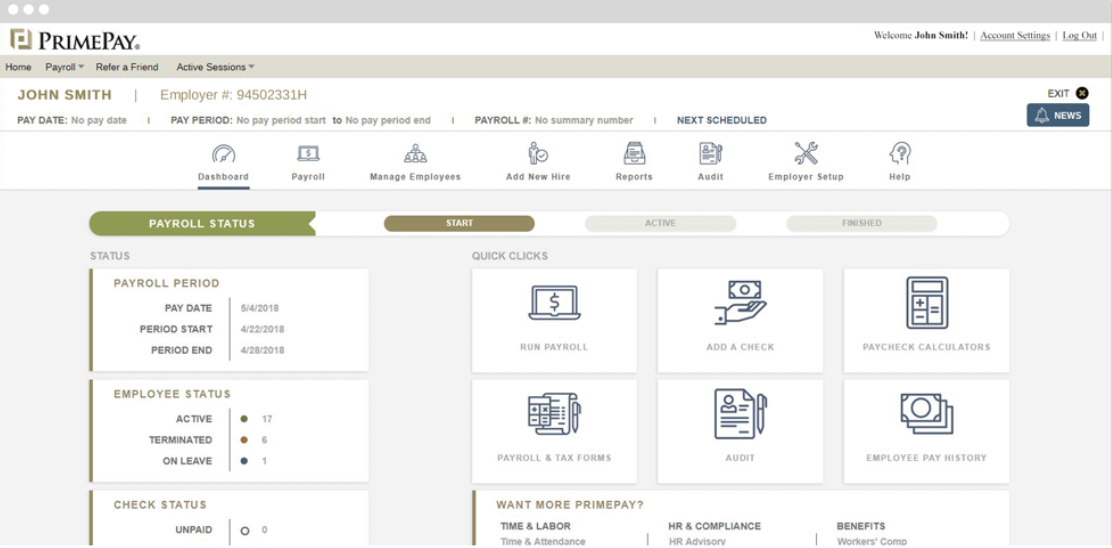
PrimePay is an HR management software that provides employers with tools to use from recruiting to onboarding to offboarding. PrimePay offers support for applicant tracking, payroll, benefits administration, and time tracking to streamline several HR processes.
N/A
Wrike
Score8.5 out of 10
Mid-Size Companies (51-1,000 employees)
Wrike is a project management and collaboration software. This solution connects tasks, discussions, and emails to the user’s project plan. Wrike is optimized for agile workflows and aims to help resolve data silos, poor visibility into work status, and missed deadlines and project failures.
$240
per year 2 users (minimum)
Pricing
CoAd
Wrike
Editions & Modules
No answers on this topic
Wrike Free
$0
per month per user
Wrike Team
$10
per month (billed annually) per user (2-15 users)
Wrike Business
$25
per month (billed annually) per user (5-200 users)
Apex
Request a quote
per month per user
Pinnacle
Request a quote
per month per user
Offerings
Pricing Offerings
CoAd
Wrike
Free Trial
No
Yes
Free/Freemium Version
No
Yes
Premium Consulting/Integration Services
No
Yes
Entry-level Setup Fee
No setup fee
No setup fee
Additional Details
Pricing is available online for their time clock service only. For all other services or for companies with more than 150 employees, reach out to the vendor for a custom quote.
Every premium plan begins with a 14-day trial period.
syncHR is designed for mid to large size companies, typically 200-2000 employees. Any organization that has a strong reporting need and/or a complicated payroll process could benefit from the unique features built into the platform
Wrike helped us stitch PMO-related activities under one umbrella. The easy collaboration with multiple access types, combined with security access definitions, helped users across the organization contribute according to their roles. This helped provide the organization with multiple items to be reviewed in a single tool. This saved time in weekly review meetings by avoiding switching between multiple tools & files.
A de minimis incentive was given to thank the reviewer for their time. The incentive was not used to bias or drive a particular response, nor was the incentive contingent on a positive endorsement. More Info
Automated retroactive change processing and mid-period rate changes – completely automated with no manual intervention needed - If you ever need to give someone a merit increase and make it retroactive or if an employee is entitled to enroll in health benefits on their first day employment but has 30 days to enroll, syncHR will automatically handles these retro changes.
A single application designed from the ground up that gives equal weight to HR, payroll, and benefit functions - syncHR is designed as a true unified solution with no back-end mainframes or separate front-ends vs backends. Everything is processed real-time in the cloud which has eliminated all discrepancies.
Customer Service - syncHR provides a designated account manager as your single point of contact. Since the The StaffWell Group is a 24/7 business, I needed a company that was available when I needed them. syncHR delivered with 24/7 emergency support.
Event-driven employee self service - Other systems we have used rely on employees to make the correct choices as to what is required when completing an employee initiated transaction. With syncHR, the system always directs the employee to the next step reducing both errors and calls to our support staff. I believe this is also the reason why we had a 40% increase in the adoption of ESS.
Dynamic Security & Workflows - syncHR has no static pages which allows security and workflows to be updated automatically whenever a change is made. This has virtually eliminated the time and effort required from HR to manually update workflows to the correct personnel.
Learning Management System- syncHR currently does not offer an LMS system. They only track and report training dates, licenses and certifications.
Although syncHR is a global solution it is somewhat limited to tracking employee headcount, HR documents, paperless on boarding and benefit information. There is no international payroll option like the one they provide for domestic employees. Although the system can handle multiple languages and currencies, I would like to see a global payroll option.
Succession Planning - syncHR provides little functionality for succession planning. The system can track budgets vs actuals, goals and ratings but does not offer a true succession planning module
A de minimis incentive was given to thank the reviewer for their time. The incentive was not used to bias or drive a particular response, nor was the incentive contingent on a positive endorsement. More Info
I wish that Wrike had more drag and drop functionality that would be connected to assignee and also I wish that the finish date of a task would update to the date where you checked completed. It does not do that. Also finishing a task doesn't move the start date of the next task it "protects your time in that way", but our management team wants us to quickly see what we have down the pipeline rather than having to scroll down the list of upcoming tasks.
A de minimis incentive was given to thank the reviewer for their time. The incentive was not used to bias or drive a particular response, nor was the incentive contingent on a positive endorsement. More Info
Overall the system is very easy to navigate but more importantly my employees find it so easy to use. The percentage of employees who now use ESS went up by 40%
We have project templates set up based on what job type is selected in our work request form. This helps save time by having specific tasks already on each job as it is opened. Then it's just a matter of scheduling the tasks based on the job request and current workload. As long as a due date is flexible, it's easy to shift specific due dates as needed.
A de minimis incentive was given to thank the reviewer for their time. The incentive was not used to bias or drive a particular response, nor was the incentive contingent on a positive endorsement. TR verified that a representative sample of customers was invited. More Info
Over two years of (almost) daily usage without outages. Don't remember any errors. I give it 9 only because some Wrike plugins (for online document edit) are based on NPAPI architecture. These types of plugins are being phased out in new browsers, and NPAPI plugins are disabled by default in recent versions of Chrome so you have to do some browser adjustments when you switch browsers or move to another computer.
Wrike tasks loads fine, but I hate clicking files and wait for a bit of time since it is powerpoint or word, Wrike assumes I want to open those on Wrike. My suggestion is to link it to office 365 so we do not need Wrike based decoder for PPTX and DOCX
A de minimis incentive was given to thank the reviewer for their time. The incentive was not used to bias or drive a particular response, nor was the incentive contingent on a positive endorsement. More Info
Whenever we need support our designated account manager is there to provide answers for us. If she doesn't have or know the answer, additional support is provided via a service matter expert in that field. Support hours are 24/7
During my learning phase with Wrike, I initially struggled with setting up automation rules and request forms. However, Wrike support was always my go-to, resolving issues within seconds or minutes. Their assistance made the learning process much easier. My best experience was receiving step-by-step screenshots to follow, with the support team on standby until I was completely satisfied.
A de minimis incentive was given to thank the reviewer for their time. The incentive was not used to bias or drive a particular response, nor was the incentive contingent on a positive endorsement. More Info
A de minimis incentive was given to thank the reviewer for their time. The incentive was not used to bias or drive a particular response, nor was the incentive contingent on a positive endorsement. More Info
I love the Wrike training options. Wrike Discover has tons of courses, learning plans, certifications, etc. This is an area where Wrike definitely shines! I wish these resources were more in your face for new people, because it seems like a lot of coworkers didn't know all of this training was available to them.
A de minimis incentive was given to thank the reviewer for their time. The incentive was not used to bias or drive a particular response, nor was the incentive contingent on a positive endorsement. More Info
During the first few weeks of implementation it is important to have all key members participate in meetings. Finance, HR, Payroll and Benefits should be involved from the early stages to ensure that the solution is designed to meet your specific requirements. Since syncHR personalizes their solution for each company a few wrong steps early on regarding the design we wanted caused us to spend extra time later. The more info you provide syncHR upfront the better they can take all of your rules and needs into account from day one. In our case, finance did not get involved right away and therefore some of the items that we needed for our GL needed to be re-done. SyncHR was very accommodating though as they spent extra time with us to update some of the allocations so that finance got what they needed
There are a lot of bells and whistles in Wrike, and not all of it is easy or intuitive to understand once it's plopped in your lap. It's easier when there are a few choice people who understand Wrike as a platform and articulate it in such a way where it makes it easy to pass it along to others in the group
As I mentioned I have used UltiPro, ADP, Ceridian as well as several others and none of them seem to offer half of the functionality and service that syncHR provides. Although we had some problems from time to time, I hold companies in high regard by how they resolve these problems. It's a comfort knowing that my HCM provider truly cares about me and my business so if for no other reason than this, I feel syncHR is far and away the best system I have used. The system works as advertised which is all I could ask for
Jira did not at all help us get our work done as content creators. I think that was because Jira wasn't quite right for our uses. Wrike fits our needs so much better. I can't tell you enough the relief I felt when we adopted Wrike and I never had to use Jira again.
A de minimis incentive was given to thank the reviewer for their time. The incentive was not used to bias or drive a particular response, nor was the incentive contingent on a positive endorsement. More Info
A de minimis incentive was given to thank the reviewer for their time. The incentive was not used to bias or drive a particular response, nor was the incentive contingent on a positive endorsement. More Info
The sky is the limit for what can be done in Wrike. We started with 1 use case and within 5 months we migrated several key business practices over to Wrike because they were easier to manage. Use cases so far: process improvement, management review, corrective actions, maintenance requests, month-end financial closing, and document management. As we grow, it's easy to imagine putting even more into Wrike where it becomes a cornerstone for how we do business
A de minimis incentive was given to thank the reviewer for their time. The incentive was not used to bias or drive a particular response, nor was the incentive contingent on a positive endorsement. More Info
Due to complexity of our payroll, it would typically take us almost 3 full days to verify hours and perform retro changes before actually running payroll. With so many retroactive changes and manual calculations it was a time consuming and error prone process. With syncHR, the accuracy of payroll has increased tremendously and the amount of time we now spend preparing to process payroll decreased to less than 4 hours per week. All approved time seamlessly moves from the T&A module into payroll and all retro transactions are automatically processed.
When I initially selected syncHR I was a little hesitant because I never heard of them before and was concerned about their viability as a company and customer service. Several years later I'm happy to say that syncHR has provided better support than any of the better know competitors ever did.
Although no system is ever perfect, overall syncHR has exceeded most of my expectations. The sales and implementation process was wonderful, the salesperson was responsive and did not oversell what the system could do.
Training & Implementation - syncHR spent a considerable amount of time learning my business rules in order to build the system to meet my requirements. Training was provided on all aspects of the system until my team felt comfortable enough to handle things on their own. I never felt as though we had a set number of hours of training or that our questions, no matter how redundant or simple were a bother to them.
Different teams (e.g., contracting, compliance, provider relations) can view updates in real time, comment directly on tasks, and escalate items when needed.
Wrike allows us to template the contracting process (from intake to signature) to ensure consistency across payers and reduce administrative overhead.
Leadership can see the status of negotiations at a glance, identify bottlenecks, and prioritize resources accordingly.
A de minimis incentive was given to thank the reviewer for their time. The incentive was not used to bias or drive a particular response, nor was the incentive contingent on a positive endorsement. More Info