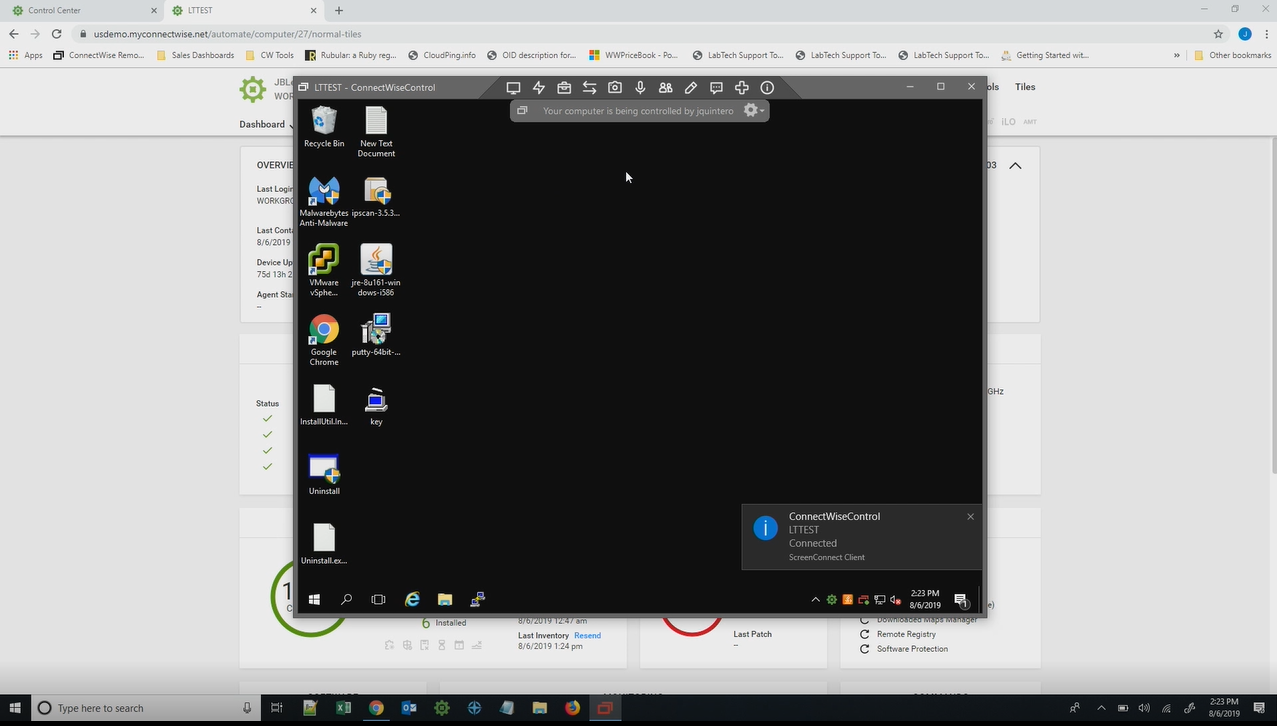
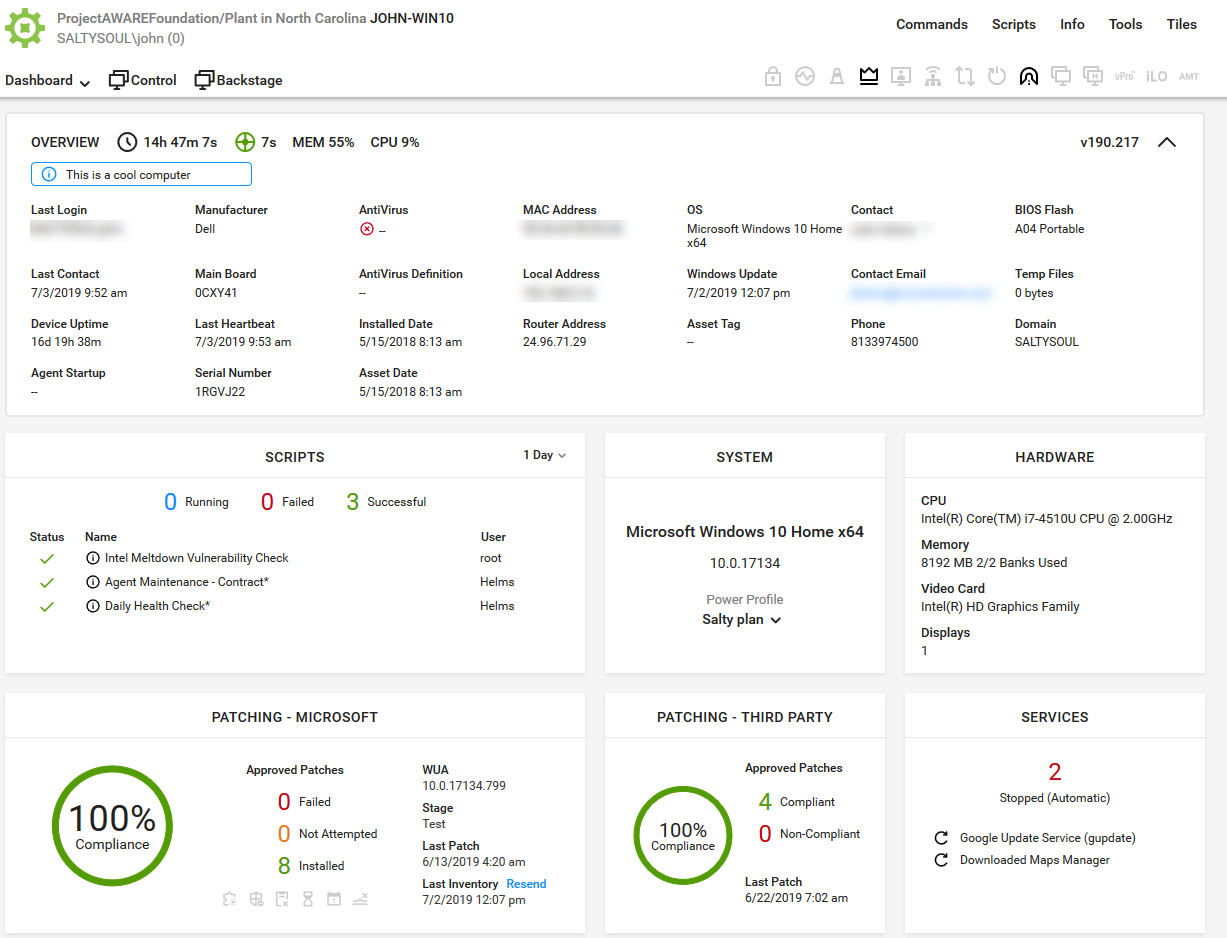
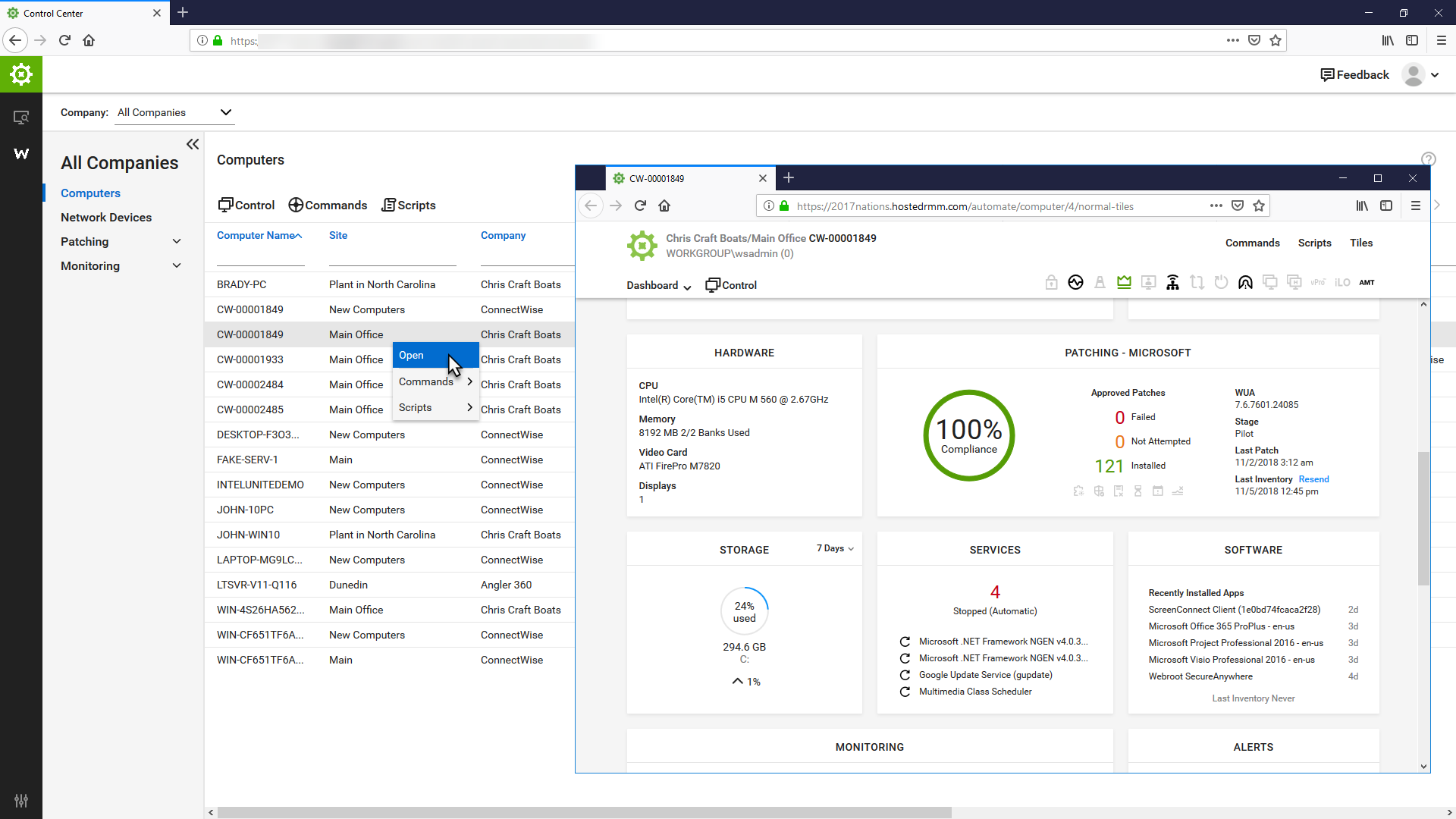
ConnectWise Automate, formerly LabTech, is a remote monitoring and management (RMM) platform. It provides powerful automation to discover and manage devices, monitor for problems, and scripts repetitive action.
$700
Hyper-V
Score8.4 out of 10
N/A
N/A
$24.95
per month
Pricing
ConnectWise Automate
Hyper-V
Editions & Modules
Agents
$1.00-$6.00
per month/per agent
Implementation Fee
$700
Developer
$24.95
per month
Bronze
$49.00
per month
Silver
$89.00
per month
Gold
$135.00
per month
Platinum
$199.00
per month
Offerings
Pricing Offerings
ConnectWise Automate
Hyper-V
Free Trial
Yes
No
Free/Freemium Version
No
No
Premium Consulting/Integration Services
No
No
Entry-level Setup Fee
No setup fee
No setup fee
Additional Details
—
—
More Pricing Information
Community Pulse
ConnectWise Automate
Hyper-V
Considered Both Products
ConnectWise
No answer on this topic
Microsoft
Verified User
Chose Hyper-V
Hyper-V is much simpler and less costly the VMWare. Administration is far more intuitive. This reduces cost to implement, and cost to maintain. In our SMB focused environment (10-70 users) the enterprise advantages of VSphere (multi-site, blade / SAN architecture, and …
A de minimis incentive was given to thank the reviewer for their time. The incentive was not used to bias or drive a particular response, nor was the incentive contingent on a positive endorsement. More Info
I recommend it to all IT colleagues; regardless of the size of the PCs with which you work most of the time, the application allows connection stability between computers that make it possible to continue working or taking care of the infrastructure from afar.
A de minimis incentive was given to thank the reviewer for their time. The incentive was not used to bias or drive a particular response, nor was the incentive contingent on a positive endorsement. More Info
Hyper-V makes a lot of sense in scenarios that will support several Windows Server-based OS virtual machines. The only limitation of those licensed VMs is the hardware that hosts the Hyper-V role. If you need to deploy many servers running Windows Server OS, it is worth the price. Hyper-V also does a great job of managing the server host's computational resources, including memory, CPU, network, and storage.
A de minimis incentive was given to thank the reviewer for their time. The incentive was not used to bias or drive a particular response, nor was the incentive contingent on a positive endorsement. More Info
A de minimis incentive was given to thank the reviewer for their time. The incentive was not used to bias or drive a particular response, nor was the incentive contingent on a positive endorsement. More Info
Easy to use GUI - very easy for someone with sufficient Windows experience - not necessarily a system administrator.
Provisioning VMs with different OSes - we mostly rely on different flavors of Windows Server, but having a few *nix distributions was not that difficult.
Managing virtual networks - we usually have 1 or 2 VLANs for our business purposes, but we are happy with the outcomes.
A de minimis incentive was given to thank the reviewer for their time. The incentive was not used to bias or drive a particular response, nor was the incentive contingent on a positive endorsement. More Info
They have conflicting scheduling paradigms. When scheduling patching for clients, the 1st Friday is interpreted as the very first Friday of the month, even if this is the 1st of the month. For scripting, the 1st Friday of the month is interpreted as the 1st Friday of the 1st FULL WEEK of the month. This makes no sense to have two different interpretations, and makes it unreliable to schedule recurring scripts to fall when recurring maintenance does. The scripts need to be done manually because of this.
There is no way to dictate reboot orders for patch policies. This tied directly in with my first point. We have some clients that require reboot orders. This is not possible without having different patch policies for each server and specifying a time this way. But, there aren't small enough increments of time to make this reliable, plus patching duration might vary. Excluding reboots with patching and scheduling reboot scripts fixes this. However, this can't be done once on a recurring schedule due to the different scheduling paradigms already discussed. We have to schedule these manually each month.
A de minimis incentive was given to thank the reviewer for their time. The incentive was not used to bias or drive a particular response, nor was the incentive contingent on a positive endorsement. More Info
We manage Hyper-V using both System Center Virtual Machine Manager (SCVMM) and the in-build Hyper-V administration tool, the former being the main product we use as the built-in tool is very light on functionality, unlike VMware ESXi.
Management of storage is not great and quite a shift away from how VMware does it with ESXi; there is no separate panel/blade/window for LUNs/data stores, which means there is a lot of back and forth when trying to manage storage.
A dedicated client with all functionality in one place would be awesome.
Having the equivalent of ESXi's virtual console is something which is absolutely needed.
A de minimis incentive was given to thank the reviewer for their time. The incentive was not used to bias or drive a particular response, nor was the incentive contingent on a positive endorsement. More Info
The primary reason for this rating is that ConnectWise Automate is currently so integral to our operations that moving away would involve more man hours than we would realistically have to invest. However, ConnectWise Automate is also completely capable of meeting all of our business needs and customizable to the point where if something is not meeting those needs out of the box, it can be modified to do what we want. From only installing software on machines if a different software package exists, to push a new version of that software is available, to check if credentials for user/machine have been updated to our new standards and then updating them if they have not, ConnectWise Automate is capable of doing everything we ask of it.
A de minimis incentive was given to thank the reviewer for their time. The incentive was not used to bias or drive a particular response, nor was the incentive contingent on a positive endorsement. More Info
Cheap and easy is the name of the game. It has great support, it doesn't require additional licenses, it works the same if it is a cluster or stand-alone, and all the servers can be centrally managed from a system center virtual machine manager server, even when located at remote sites.
A de minimis incentive was given to thank the reviewer for their time. The incentive was not used to bias or drive a particular response, nor was the incentive contingent on a positive endorsement. More Info
Basic use of the product is fairly easy. Information about the machines you manage can be found in customizable dashboards, which can be unique for each user, and, therefore, properly suited to the users' needs/job function. This is not a 10 because some of the interfaces are very clunky (Patch Management), and some features are not intuitive and not well documented (reporting). Scripting and Patch Management have a fairly steep learning curve (For structure in patch management and syntax in scripting), but once learned, they work well.
A de minimis incentive was given to thank the reviewer for their time. The incentive was not used to bias or drive a particular response, nor was the incentive contingent on a positive endorsement. More Info
It is quite intuitive. Junior techs are able to provision and administrate Hyper-V virtual server infrastructure with little to no additional training. Documentation from Microsoft is easily avaliable and decently well written. Hyper-V is reliable and does what it is supposed to. Can be admin from an intuitive gui, or aoutmated with extensive powershell.
A de minimis incentive was given to thank the reviewer for their time. The incentive was not used to bias or drive a particular response, nor was the incentive contingent on a positive endorsement. More Info
In the past 2 years our Hyper-V servers have only had a handful of instances where the VM's on them were unreachable and the physical Hyper-V server had to be restarted. One time this was due to a RAM issue with the physical box and was resolved when we stopped using dynamic memory in Hyper-V. The other times were after updates were installed and the physical box was not restarted after the updates were installed.
A de minimis incentive was given to thank the reviewer for their time. The incentive was not used to bias or drive a particular response, nor was the incentive contingent on a positive endorsement. More Info
It used to be great, but then they broke reporting, speed and responsiveness with version 11 and the new Patch Manager. It's really bad and their support people are way behind on fixing so many bugs. They have really gone downhill. If they don't get it together soon, we'll start looking around.
A de minimis incentive was given to thank the reviewer for their time. The incentive was not used to bias or drive a particular response, nor was the incentive contingent on a positive endorsement. More Info
Hyper-V itself works quickly and rarely gave performance issues but this can be more attributed to the physical server specifications that the actual Hyper-V software in my opinion as Hyper-V technically just utilizes config files such as xml, and a data drive file (VHD, VHDX, etc) to perform its' duties.
A de minimis incentive was given to thank the reviewer for their time. The incentive was not used to bias or drive a particular response, nor was the incentive contingent on a positive endorsement. More Info
ConnectWise Automate lets you manage more endpoints, with enhanced productivity and improved service, all without increasing expenses. It can manage patches and updates across thousands of computers. We also use it for customized monitoring and alerting on workstations and servers. Monitoring is really robust and granular. It does a great job of gathering a TON of data about the network, and that data is searchable. There are a bunch of different reports built in. Integrates with Manage, Control, and other applications. It does a ton of stuff out of the box, and has endless customization options.
A de minimis incentive was given to thank the reviewer for their time. The incentive was not used to bias or drive a particular response, nor was the incentive contingent on a positive endorsement. More Info
I gave it a middle of the road rating - as far as getting direct help from Microsoft this never seems to happen. (Good luck getting ahold of them.) Getting help from online support forums is pretty much where I get all my help from. Hyper-V is used quite widely and anything you could need help with is out there and easily searched for on your favorite search engine.
A de minimis incentive was given to thank the reviewer for their time. The incentive was not used to bias or drive a particular response, nor was the incentive contingent on a positive endorsement. More Info
We had in person training from a third party and while it was very in depth it was at a beginner's level and by the time we received the training we had advanced past this level so it was monotonous and redundant at that point. It was good training though and would have provided a solid foundation for learning the rest of Hyper-V had I had it from the beginning.
A de minimis incentive was given to thank the reviewer for their time. The incentive was not used to bias or drive a particular response, nor was the incentive contingent on a positive endorsement. More Info
The Online training has been re-done and needs a lot more work. When you look at training in different roles, it shows a lot of the same topics but no explanation to what is different about them. Several times that topics are the exact same, but they make you re-take the same information for a different topic, instead of marking that you have already completed that portion of training.
A de minimis incentive was given to thank the reviewer for their time. The incentive was not used to bias or drive a particular response, nor was the incentive contingent on a positive endorsement. More Info
The training was easy to read and find. There were good examples in the training and it is plentiful if you use third party resources also. It is not perfect as sometimes you may have a specific question and have to spend time learning or in the rare case you get an error you might have to research that error code which could have multiple causes.
A de minimis incentive was given to thank the reviewer for their time. The incentive was not used to bias or drive a particular response, nor was the incentive contingent on a positive endorsement. More Info
Start small and learn the in's and out's before making policies and rolling things out company wide. Ask the questions of why if you don't agree with something or your company does things a different way. Usually they are done a certain way for a reason. Start simple with roll out and slowly enable or add on the functionality that is needed.
A de minimis incentive was given to thank the reviewer for their time. The incentive was not used to bias or drive a particular response, nor was the incentive contingent on a positive endorsement. More Info
initial configuration of hyper-v is intuitive to anyone familiar with windows and roles for basic items like single server deployments, storage and basic networking. the majority of the problems were with implementing advanced features like high availability and more complex networking. There is a lot of documentation on how to do it but it is not seamless, even to experienced virtualization professionals.
A de minimis incentive was given to thank the reviewer for their time. The incentive was not used to bias or drive a particular response, nor was the incentive contingent on a positive endorsement. More Info
I believe the monitoring and alerts in Continuum command is better, but [ConnectWise Automate (formerly LabTech)] does have stronger scripting, and perhaps a better interface. N-Central is inferior on all fronts to both. I did not make the purchasing decision. I would myself likely pick Continuum if I had to make a on the spot choice.
A de minimis incentive was given to thank the reviewer for their time. The incentive was not used to bias or drive a particular response, nor was the incentive contingent on a positive endorsement. More Info
VMware is the pioneer of virtualization but when you compare it with Hyper-V, VMware lacks the flexibility of hardware customization and configuration options Hyper-V has also GPU virtualization still not adequate for both platforms. VMware has better graphical interface and control options for virtual machines. Another advantage VMware has is it does not need a dedicated os GUI base installation only needs small resources and can easily install on any host.
A de minimis incentive was given to thank the reviewer for their time. The incentive was not used to bias or drive a particular response, nor was the incentive contingent on a positive endorsement. More Info
Nothing is perfect but Hyper-V does a great job of showing the necessary data to users to ensure that there is enough resources to perform essential functions. You can also select what fields show on the management console which is helpful for a quick glance. There are notifications that can be set up and if things go unnoticed and a Hyper-V server runs out of a resource it will safely and quickly shut down the VM's it needs to in order to ensure no Hardware failure or unnecessary data loss.
A de minimis incentive was given to thank the reviewer for their time. The incentive was not used to bias or drive a particular response, nor was the incentive contingent on a positive endorsement. More Info
We found we were able to provide good monitoring of our customers sites which was an objective. However, that came at a significant time investment that never seemed to be finished.
We were able to negotiate a price that worked for us for an up-front purchase which was nice.
We found the pricing to be very competitive.
Bottom line for us was despite the pros of the product, we found other RMM solutions to be a better overall "value" due to not having to dedicate technicians to maintaining the product.
A de minimis incentive was given to thank the reviewer for their time. The incentive was not used to bias or drive a particular response, nor was the incentive contingent on a positive endorsement. TR verified that a representative sample of customers was invited. More Info
Massively positive impact on expenses in my company by reducing our storage needs drastically. We were able to reallocate the budget to upgrading our primary Hyper-V server with pure enterprise SSD's as we reduced the storage needs by over 50% and by this we increased performance by over 400%.
We have deployed more than 8 servers with EXTREMELY minimal cost using Hyper-V and not requiring another hardware server to host it. We have leveraged our hardware resources in our 2 servers so well that we were able to add many new services, not in place prior, as we did not have the servers to host them. Now with Hyper-V, we deployed many more servers in VM's, purchased OS's & CAL's, but did not need any hardware, which is the greatest expense of all.
With Hyper-V, our ROI was reduced from 36-40 months on our primary server, down to only 13 months by reducing costs of storage and adding so many more servers, by calculating the "would-be" cost of those servers that was avoided by creating them in Hyper-V.
A de minimis incentive was given to thank the reviewer for their time. The incentive was not used to bias or drive a particular response, nor was the incentive contingent on a positive endorsement. More Info